
Introduction
The Ninja SLUSHi XL Smart Frozen Drink Maker is designed to create a variety of frozen beverages, including slushes, margaritas, frappes, and milkshakes, with ease. Featuring SlushAssist Technology, this appliance intelligently senses liquid ingredients and adjusts temperature for optimal results. Its large 128 oz. capacity allows for preparing multiple servings.
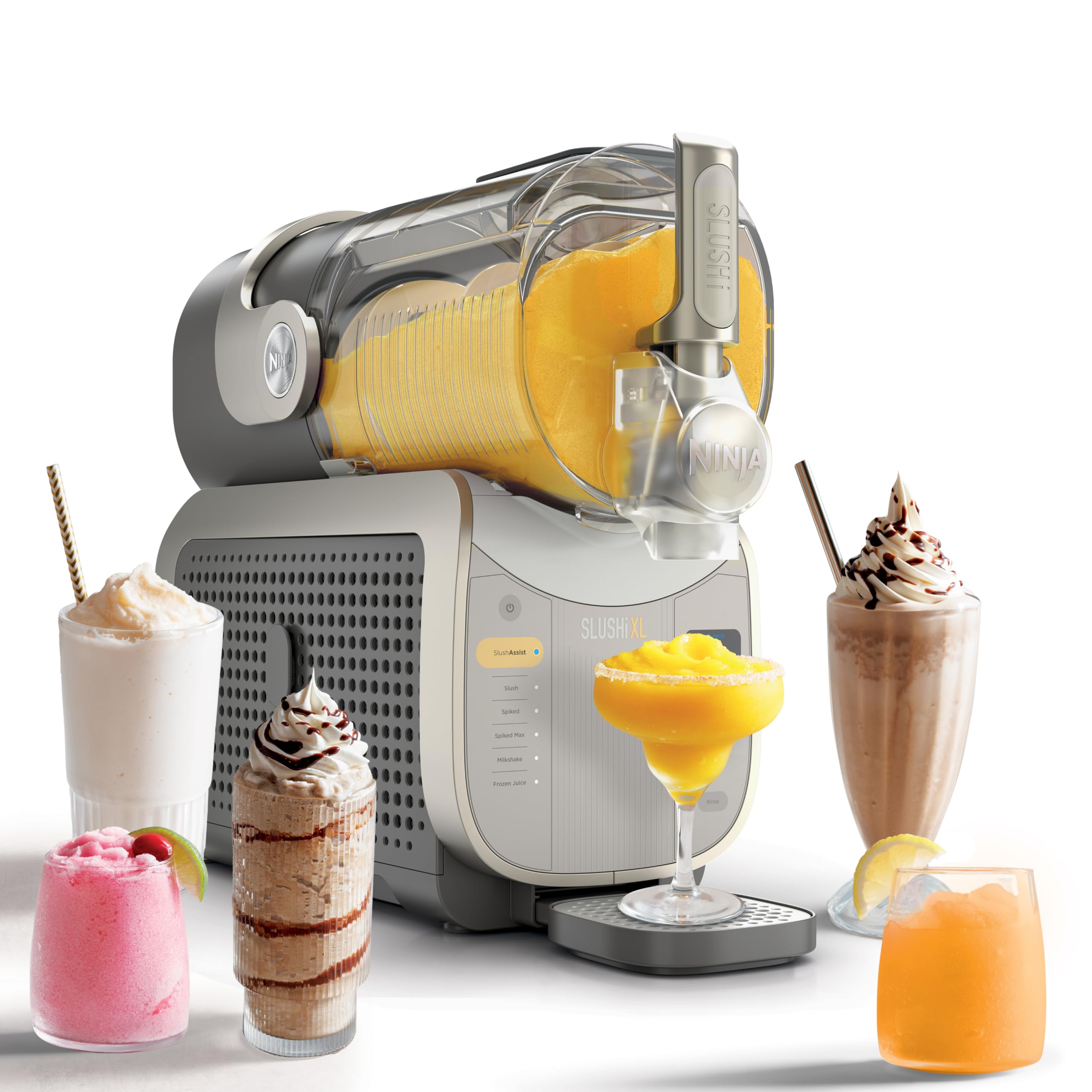
Image: The Ninja SLUSHi XL Smart Frozen Drink Maker displayed with several prepared frozen beverages, showcasing its versatility.
Setup
- Unpacking: Carefully remove all components from the packaging. Retain packaging materials for future storage or transport.
- Component Identification: Verify that all parts are present: AC Cooling System, 128 oz. Vessel, Drip Tray, Pour Handle.
- Initial Cleaning: Before first use, wash the 128 oz. vessel and pour handle with warm, soapy water. Rinse thoroughly and dry. Wipe the main unit with a damp cloth.
- Assembly: Place the main unit on a clean, dry, and level surface. Insert the 128 oz. vessel securely onto the base. Attach the pour handle. Ensure the drip tray is in place.
- Placement: Position the appliance in an area with adequate ventilation, away from heat sources and direct sunlight.

Image: A visual guide demonstrating the simple three-step process: 1. Pouring ingredients into the vessel, 2. The machine slushing the mixture, and 3. Dispensing the finished drink.
Operating Instructions
Using SlushAssist Technology
The exclusive SlushAssist Technology automatically senses your liquid ingredients and adjusts the temperature for perfect slush. This feature eliminates guesswork, ensuring consistent results.
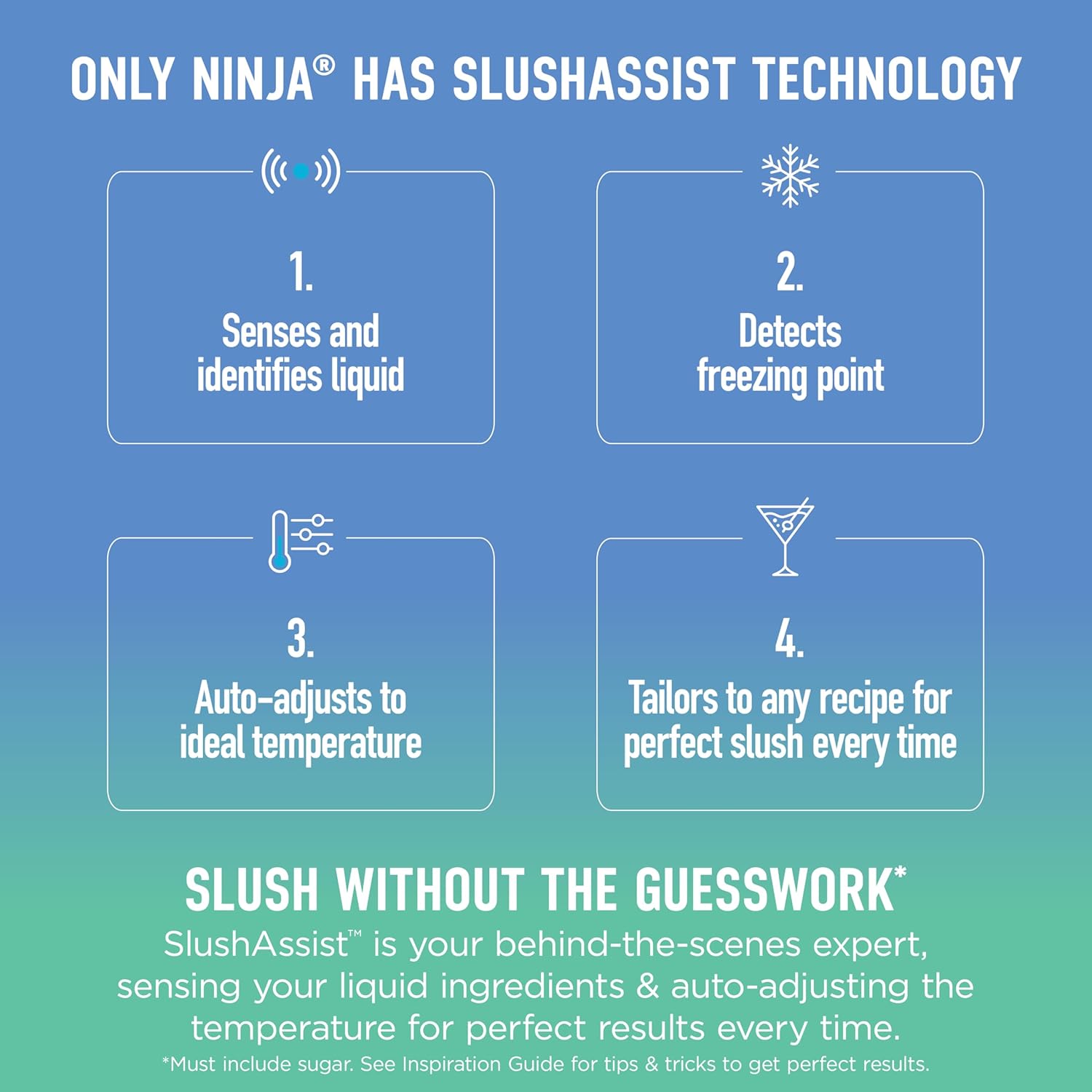
Image: A diagram illustrating how SlushAssist Technology works: sensing liquid, detecting freezing point, auto-adjusting temperature, and tailoring to recipes.
Programs and Temperature Control
The Ninja SLUSHi XL offers 6 programs for various frozen drink types and 15 temperature control settings for customized thickness.
- SlushAssist: Smart program for hands-free slushing.
- Slush: For classic frozen drinks.
- Spiked Slush: Optimized for alcoholic beverages.
- Spiked Slush Max: For higher alcohol content recipes (up to 20% alcohol).
- Frappe: For coffee-based frozen drinks.
- Milkshake: For creamy, frozen milkshakes.
- Frozen Juice: For fruit-based frozen treats.
To adjust thickness, use the temperature control dial or buttons on the unit. Higher settings result in thicker slush, while lower settings produce a thinner consistency.

Image: The control panel of the Ninja SLUSHi XL, highlighting the 6 available programs and the SlushAssist feature.
Preparation and Dispensing
- Add Ingredients: Pour your desired liquid ingredients into the 128 oz. vessel. Ensure the liquid level is between the MIN FILL and MAX FILL lines.
- Select Program: Choose the appropriate program for your drink type using the control panel. For automatic adjustment, select SlushAssist.
- Start Slushing: Press the start button. The machine will begin the slushing process. The WhisperChill Compressor operates quietly to maintain temperature.
- Dispense: Once the program is complete and the desired consistency is reached, use the pour handle to dispense the frozen drink into your serving glass.
Maintenance and Cleaning
Rinse Cycle
The Ninja SLUSHi XL features a built-in Rinse Cycle for quick and easy cleaning after each use. This helps prevent residue buildup.
- After dispensing, ensure the vessel is empty.
- Fill the vessel with warm water and a small amount of dish soap.
- Select the 'Rinse' program (if available) or run a short cycle on a low setting.
- Drain the soapy water and rinse the vessel thoroughly with clean water.
Deep Cleaning
For thorough cleaning, periodically disassemble the vessel and pour handle. Wash all removable parts by hand with warm, soapy water or place them in the dishwasher if indicated as dishwasher-safe (refer to product manual for specific instructions). Wipe the exterior of the main unit with a damp cloth. Do not immerse the main unit in water.
Troubleshooting
| Problem | Possible Cause | Solution |
|---|---|---|
| Slush is too thin or not freezing. | Incorrect temperature setting; insufficient freezing time; high alcohol content. | Adjust the temperature control to a colder setting. Allow more time for freezing. For high-alcohol recipes, ensure you are using the 'Spiked Slush Max' program and refer to the recipe guide for optimal liquid-to-alcohol ratios. |
| Slush melts quickly after dispensing. | Ambient room temperature is too high; slush not frozen enough. | Ensure the slush is at the desired thickness before dispensing. Serve in chilled glasses. Operate the machine in a cooler environment if possible. |
| Unit not turning on. | Not plugged in; power outlet issue. | Check that the power cord is securely plugged into a functional electrical outlet. |
| Inconsistent slush texture. | Improper ingredient ratios; SlushAssist not engaged. | Follow recommended recipes for best results. Ensure SlushAssist is selected for automatic optimization. |
Specifications
- Model Number: FS601BR
- Product Dimensions: 17.1 x 8.6 x 19.7 inches
- Item Weight: 37.7 pounds
- Capacity: 128 oz. Vessel (112 oz. max liquid fill)
- Programs: 6 (including SlushAssist)
- Temperature Control Settings: 15
- Manufacturer: SharkNinja
- First Available: March 5, 2026

Image: A diagram showing the length (19.7"), width (8.0"), and height (17.1") of the Ninja SLUSHi XL unit.
Warranty and Support
For detailed warranty information, please refer to the warranty card included with your product or visit the official Ninja website. The manufacturer, SharkNinja, provides support for this appliance.
If you encounter any issues not covered in this manual or require further assistance, please contact Ninja customer support through their official website or the contact information provided in your product documentation.
Online Resources: For additional recipes, tips, and product registration, visit the Ninja Store on Amazon or the official Ninja website.