
1. Introduction
The G-SHOCK G-SQUAD GM-H5600-1JR is a robust and feature-rich timepiece designed for active lifestyles. It combines the iconic shock-resistant structure of G-SHOCK with advanced fitness tracking capabilities, including heart rate monitoring and Bluetooth connectivity. This manual provides essential information for setting up, operating, and maintaining your watch.
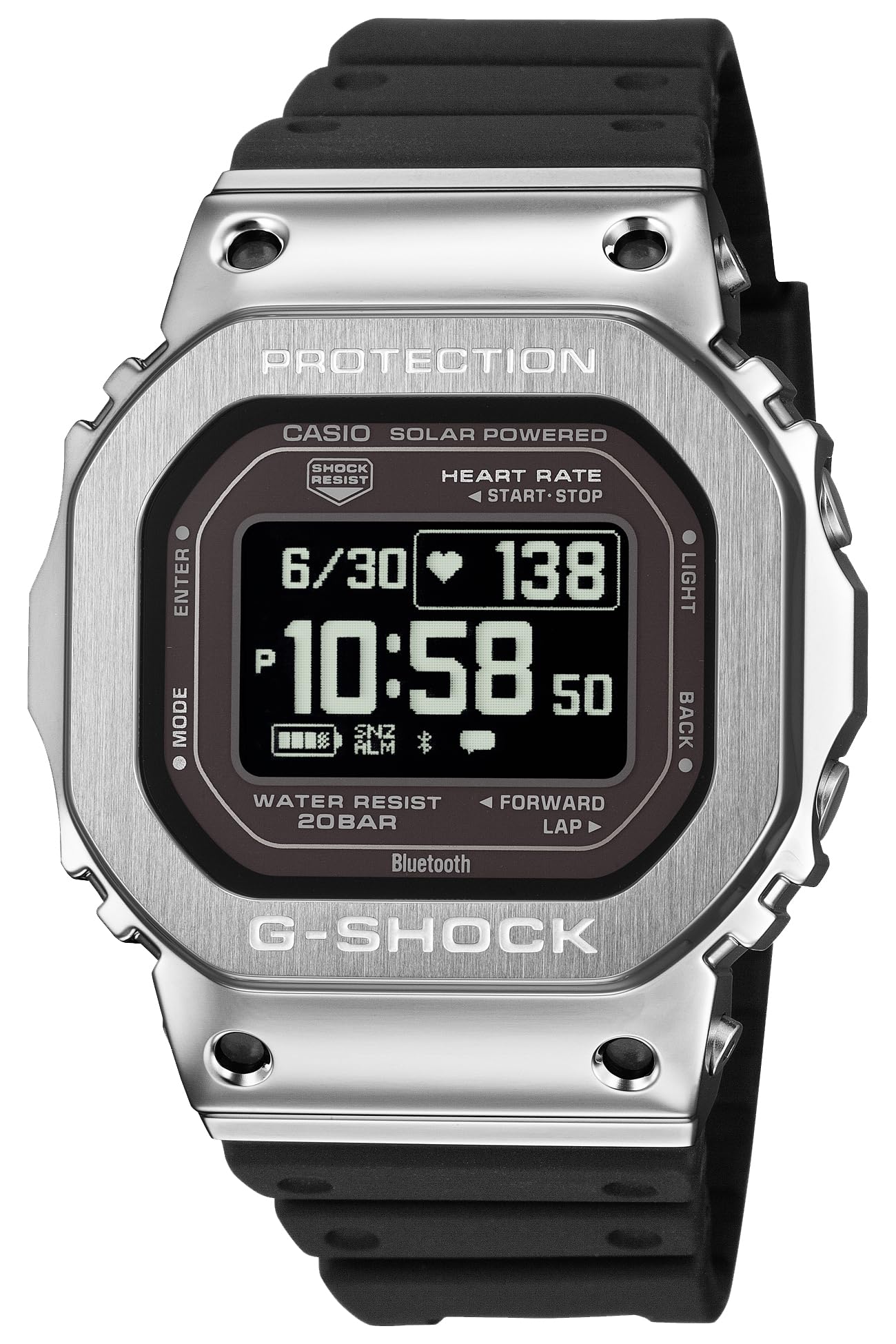
The G-SHOCK G-SQUAD GM-H5600-1JR watch, showcasing its durable design and digital display.
Key features include a stainless steel bezel for enhanced durability, an optical sensor for precise heart rate measurement, and an accelerometer for accurate step counting. It supports various activities like running, walking, and general workouts. Advanced training and sleep analysis are powered by Polar library technology, along with blood oxygen level measurement. The high-definition MIP LCD ensures excellent visibility, and the watch supports both USB and solar charging for practical, long-lasting use. The case and band utilize biomass plastics, reflecting an environmentally conscious design.
2. Setup
2.1 Initial Charging
Before first use, ensure your watch is adequately charged. The GM-H5600-1JR supports two charging methods:
- USB Charging: Connect the included charging cable to the watch's charging terminal and a USB power source.
- Solar Charging: Expose the watch face to bright light (e.g., sunlight or fluorescent light). The watch will charge automatically.

The watch connected to its USB charging cable.
2.2 Smartphone Pairing (Bluetooth)
To unlock the full potential of your GM-H5600-1JR, pair it with your smartphone using the dedicated CASIO WATCHES app.
- Download and install the CASIO WATCHES app from your smartphone's app store.
- Enable Bluetooth on your smartphone.
- On the watch, navigate to the Bluetooth pairing mode (refer to the 'Operating Instructions' section for button functions).
- Follow the on-screen instructions in the CASIO WATCHES app to complete the pairing process.
Once paired, the watch will automatically adjust its time settings and allow data synchronization with the app.

The CASIO WATCHES app interface, used for managing watch settings and data.
3. Operating Instructions
3.1 Button Functions
Your G-SHOCK watch features several buttons for navigation and function access:
- MODE (Top Left): Cycles through different watch modes (Timekeeping, Activity, Heart Rate, etc.).
- ENTER (Middle Left): Confirms selections or starts/stops functions.
- LIGHT (Top Right): Activates the backlight.
- BACK (Middle Right): Returns to the previous screen or cancels an operation.
- FORWARD/LAP (Bottom Right): Navigates forward through menus or records laps during activities.

The watch display showing time, heart rate, and battery status, with button labels for reference.
3.2 Navigating Modes
Press the MODE button to cycle through the main watch modes. Each mode offers specific functions and displays:
- Timekeeping Mode: Displays current time, date, and other basic information.
- Activity Mode: For tracking workouts like running, walking, and gym activities.
- Heart Rate Mode: Shows real-time heart rate data.
- Notifications Mode: Displays alerts from your paired smartphone.
- Settings Mode: Adjust various watch settings.
3.3 Starting an Activity
- From Timekeeping Mode, press MODE until you reach the Activity Mode.
- Use the FORWARD/LAP or BACK buttons to select your desired activity (e.g., Run, Walk, Gym).
- Press ENTER to start the activity. The watch will begin recording data such as duration, distance, and heart rate.
- To pause, press ENTER. To resume, press ENTER again.
- To stop and save the activity, press and hold ENTER.
4. Key Features
4.1 Heart Rate Measurement
The watch is equipped with an optical heart rate sensor on its back, which measures your heart rate by detecting changes in blood flow. The measurement range is 30 to 220 bpm. You can set target heart rate zones and view graphical representations of your heart rate data.

The optical heart rate sensor located on the back of the watch.
4.2 Activity Tracking
Utilizing a 3-axis accelerometer, the watch tracks various activity metrics:
- Step Counting: Displays steps taken (0-99,999 steps), automatically resetting daily at midnight.
- Active Time Measurement: Calculates time spent in motion (walking, running, cycling, etc.) using a proprietary algorithm.
- Activity Log Data: Stores up to 100 runs, with lap data (up to 200 laps per run) including measurement time, distance, pace, calories, heart rate, cardio load, pitch, and stride.

The watch display showing activity metrics such as heart rate and calories burned.
4.3 Training & Sleep Analysis (Powered by POLAR)
Leveraging Polar's advanced algorithms, the watch provides insights into your physical condition:
- Training Analysis: Cardio load status.
- Sleep Measurement: Sleep recovery status (6 levels), sleep recovery level display, sleep status (5 levels), sleep score (1-100), ANS status (5 levels), ANS score (-10 to +10).
- Blood Oxygen Level Measurement: Measures blood oxygen saturation. Note: This function is intended for general health maintenance and is not for medical diagnosis of specific diseases.
- Breathing Exercise: Guided breathing exercises (2-20 minutes) with biofeedback and zone-specific time summaries.

App screenshots illustrating training analysis, sleep recovery, and life log data.
4.4 Mobile Link (Bluetooth®)
Connect your watch to the CASIO WATCHES app via Bluetooth for enhanced functionality:
- Automatic Connection: Maintains a stable connection with your smartphone.
- Notifications: Receive call, email, and SNS notifications directly on your watch via vibration.
- Time Synchronization: Automatically adjusts time settings based on your smartphone's time.

The watch display showing an incoming notification.
4.5 Other Functions
- Almanac: Displays sunrise/sunset times and moon age.
- World Time: Shows current time in 38 cities worldwide, with automatic daylight saving time adjustment.
- Stopwatch: 1-second accuracy, up to 100 hours, with split time function.
- Timer: Countdown timer, settable in 1-second units, up to 60 minutes.
- Alarms: Four daily alarms and a smart alarm with snooze capability.
- Battery Indicator: Displays current battery level.
- Power Saving: Automatically turns off the display in dark environments to conserve power.
- Full Auto Calendar: Pre-programmed calendar until 2099.
- 12/24-Hour Format: Switch between 12-hour and 24-hour time displays.
- Operation Sound ON/OFF: Enable or disable button operation tones.
- In-flight Mode: Disables radio wave reception.
- Vibration Function: Provides tactile alerts for notifications and alarms.
- Step Reminder: Alerts you to move if inactive for a set period.
- LED Backlight: Full auto LED light (Super Illuminator) with afterglow, selectable afterglow duration (1.5 or 5 seconds).
5. Maintenance
5.1 Cleaning
- Wipe the watch case and band with a soft, dry cloth to remove dirt and moisture.
- For stubborn dirt, use a soft brush with mild soap and water, then rinse thoroughly and dry.
- Regularly clean the optical sensor area on the back of the watch to ensure accurate heart rate readings.
5.2 Charging
To maintain optimal battery performance:
- Ensure regular exposure to light for solar charging.
- Use the USB charging cable when the battery level is low or for faster charging.
- Avoid prolonged exposure to extreme temperatures during charging.
5.3 Water Resistance
The watch features 20 ATM water resistance, suitable for swimming and diving. However, avoid operating buttons underwater to prevent water ingress.

The G-SHOCK watch demonstrating its 20 ATM water resistance.
6. Troubleshooting
6.1 Common Issues and Solutions
- Watch not turning on: Ensure the watch is fully charged using both solar and USB charging methods.
- Bluetooth connection issues:
- Ensure Bluetooth is enabled on your smartphone and the watch is in pairing mode.
- Restart both your smartphone and the watch.
- Try re-pairing the watch through the CASIO WATCHES app.
- Inaccurate heart rate readings:
- Ensure the watch is worn snugly on your wrist, just above the wrist bone.
- Clean the optical sensor on the back of the watch.
- Avoid excessive movement during measurement.
- Display is blank or dim: The watch may be in power-saving mode. Move the watch or press any button to reactivate the display. Ensure it is adequately charged.
For more detailed troubleshooting, refer to the CASIO WATCHES app's help section or the official G-SHOCK website.
7. Specifications
| Feature | Detail |
|---|---|
| Model Number | GM-H5600-1JR |
| Brand | G-SHOCK (Casio) |
| Structure | Shock-resistant |
| Water Resistance | 20 ATM (200 meters) |
| Charging System | Solar Power, USB Charging |
| Case Material | Resin / Stainless Steel Bezel |
| Band Material | Resin (Biomass Plastic) |
| Case Diameter | 44 mm |
| Case Thickness | 16.5 mm |
| Band Width | 26.1 mm |
| Weight | 63 grams |
| Display Type | Digital (MIP LCD) |
| Movement | Quartz |
| Sensors | Optical Heart Rate Sensor, 3-axis Accelerometer |
| Connectivity | Bluetooth® |
| Battery Life (approx.) | 35 hours (Activity mode with HR), 1 month (Watch mode, HR off), 11 months (Power Saving) |
| Warranty | One Year |
8. Warranty and Support
Your G-SHOCK GM-H5600-1JR watch comes with a one-year manufacturer's warranty from the date of purchase. This warranty covers defects in materials and workmanship under normal use.
For warranty claims, technical support, or further assistance, please contact your authorized G-SHOCK retailer or visit the official G-SHOCK website for customer service contact information specific to your region.
Please retain your proof of purchase for warranty validation.


