
1. Product Overview
The Sweetcrispy Electric Standing Desk offers a versatile workspace with adjustable height functionality. Designed for home and office use, it features a spacious 40" x 24" desktop, a quiet electric motor for smooth height adjustments, and memory presets for personalized comfort. Its robust steel frame ensures stability for various setups.
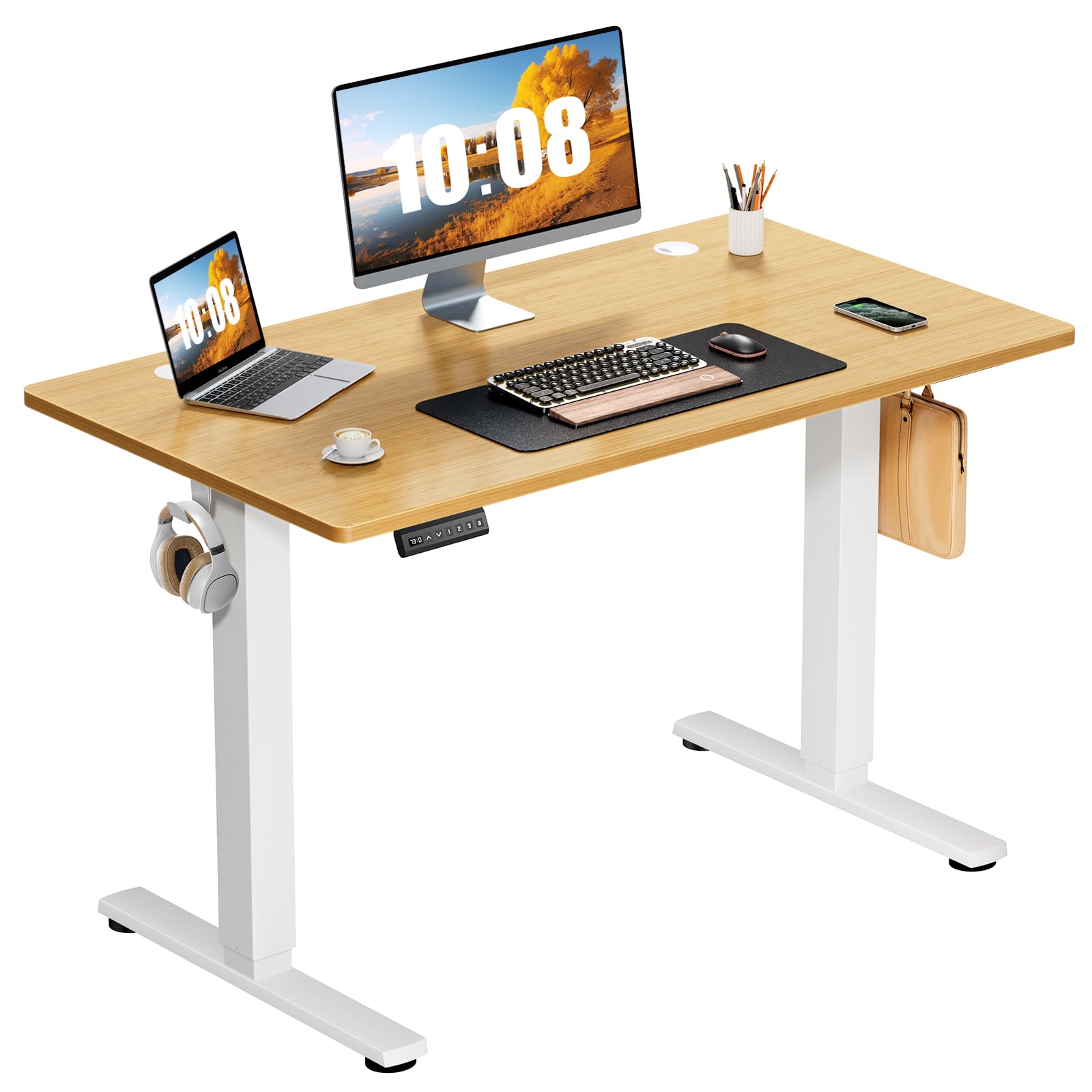
Image: The Sweetcrispy Electric Standing Desk in an office environment, showcasing its design and functionality.
2. Safety Information
- Always ensure the desk is properly assembled and stable before use.
- Do not exceed the maximum weight limit of 176 lbs (80 kg).
- Keep hands and fingers away from moving parts when adjusting the desk's height.
- Unplug the desk when not in use or during assembly to prevent injury from the electric motor.
- Ensure no obstacles are in the path of the desk during height adjustment.
3. Package Contents
Verify that all components are present before beginning assembly. The package should include:
- Desktop (two spliced boards)
- Desk Legs (2)
- Foot Pads (2)
- Crossbar/Transmission Rod
- Control Panel with LED Display
- Motor and Power Cable
- Headphone Hook (optional accessory)
- Assembly Tools (Hex wrench, screws)
- Instruction Manual (this document)
4. Assembly Instructions
Follow these steps carefully for proper assembly. It is recommended to have two people for easier assembly.
- Assemble the Desktop: Fix the two spliced desktop boards together using the provided wooden pins and connectors. Ensure a seamless and sturdy connection.
- Attach Desk Legs and Crossbar: Secure the desk legs to the desktop frame. Insert the transmission rod into the slot on the leg, rotating slightly for better installation. Use the small hex wrench to tighten the pre-installed set screws to secure the drive rod to the slot. Tighten the knob to secure the crossbar.
- Install Control Panel and Motor: Mount the control panel to the underside of the desktop. Connect the motor and power cable according to the diagram in the full manual (PDF link provided in product details).
- Final Checks: Ensure all screws are tightened and the desk is stable. Plug in the power cable.

Image: Illustration of the two desktop boards being joined together.
Video: A detailed guide on how to assemble the Sweetcrispy Electric Standing Desk, including attaching the legs and crossbar.
For detailed visual instructions, please refer to the official User Manual PDF available on the product page or contact customer support.
5. Operating Instructions
5.1 Control Panel Functions

Image: Close-up of the desk's control panel, highlighting the LED display, up/down arrows, and memory preset buttons.
- LED Display: Shows the current desk height in inches.
- Up/Down Arrows (▲ / ▼): Press and hold to adjust the desk height manually. Release to stop at the desired height.
- Memory Presets (1, 2, 3): These buttons allow you to save and recall preferred desk heights.
- 'S' Button (Set): Used to save a memory preset.
5.2 Adjusting Height
The desk can be adjusted between 28.7 inches and 46.5 inches.
- Manual Adjustment: Press and hold the ▲ (Up) or ▼ (Down) button until the desk reaches your desired height.
- Using Memory Presets: Press one of the preset buttons (1, 2, or 3) to automatically move the desk to the saved height.
5.3 Setting Memory Presets
- Adjust the desk to your desired height using the Up/Down arrows.
- Press the 'S' (Set) button. The LED display will show 'S-'.
- Within 3 seconds, press the desired memory button (1, 2, or 3). The display will show 'S-1', 'S-2', or 'S-3' to confirm the height has been saved.
5.4 Anti-Collision Feature
The desk is equipped with an anti-collision system. If the desktop encounters an obstacle during adjustment, it will automatically stop and reverse slightly to prevent damage.

Image: The desk's anti-collision feature is shown, where it stops and reverses upon detecting an obstacle.
6. Maintenance
- Cleaning: Wipe the desk surfaces with a dry cloth. Avoid abrasive cleaners or harsh chemicals that may damage the finish.
- Cable Management: Utilize the built-in cable management holes to keep wires organized and prevent them from getting caught during height adjustments.
- Regular Checks: Periodically check all screws and connections to ensure they remain tight.

Image: A close-up view of the cable management hole on the desktop, designed to keep cables tidy.
7. Troubleshooting
| Problem | Possible Cause | Solution |
|---|---|---|
| Desk does not move. | Power cable disconnected; Motor error; Overload. | Check power connection. Unplug and replug. Reduce weight on desk. Refer to full manual for error codes. |
| Uneven height adjustment. | Obstruction; Loose connections. | Clear any obstructions. Check and tighten all assembly screws. |
| Memory presets not working. | Presets not saved correctly. | Re-save the memory presets following the instructions in Section 5.3. |
If you encounter issues not listed here or if solutions do not resolve the problem, please contact Sweetcrispy customer support.
8. Specifications
- Model Number: A-SWELT40OAK
- Desktop Dimensions: 40"W x 24"D (101.6 cm x 60.96 cm)
- Height Range: 28.7" to 46.5" (72.9 cm to 118.1 cm)
- Maximum Weight Capacity: 176 lbs (80 kg)
- Noise Level: Under 55 dB during adjustment
- Material: Wood (desktop), Stainless Steel (base)
- Color: Oak (desktop), White (frame)
- Features: Electric height adjustment, 3 memory presets, anti-collision technology, cable management holes, headphone hook.

Image: Diagram illustrating the sturdy steel construction frame and key specifications like load capacity and height range.
9. Warranty and Support
This Sweetcrispy Electric Standing Desk comes with a Limited Warranty. Please retain your proof of purchase for warranty claims.
- Warranty Type: Limited
- For warranty details, product support, or to purchase replacement parts, please visit the official Sweetcrispy website or contact their customer service department.
- Online Resources: Sweetcrispy Store on Amazon


