
1. Introduction
This manual provides essential information for setting up, operating, and maintaining your Samsung Galaxy Book6 Ultra X7 laptop. Please read this manual thoroughly before using your device to ensure proper function and longevity.
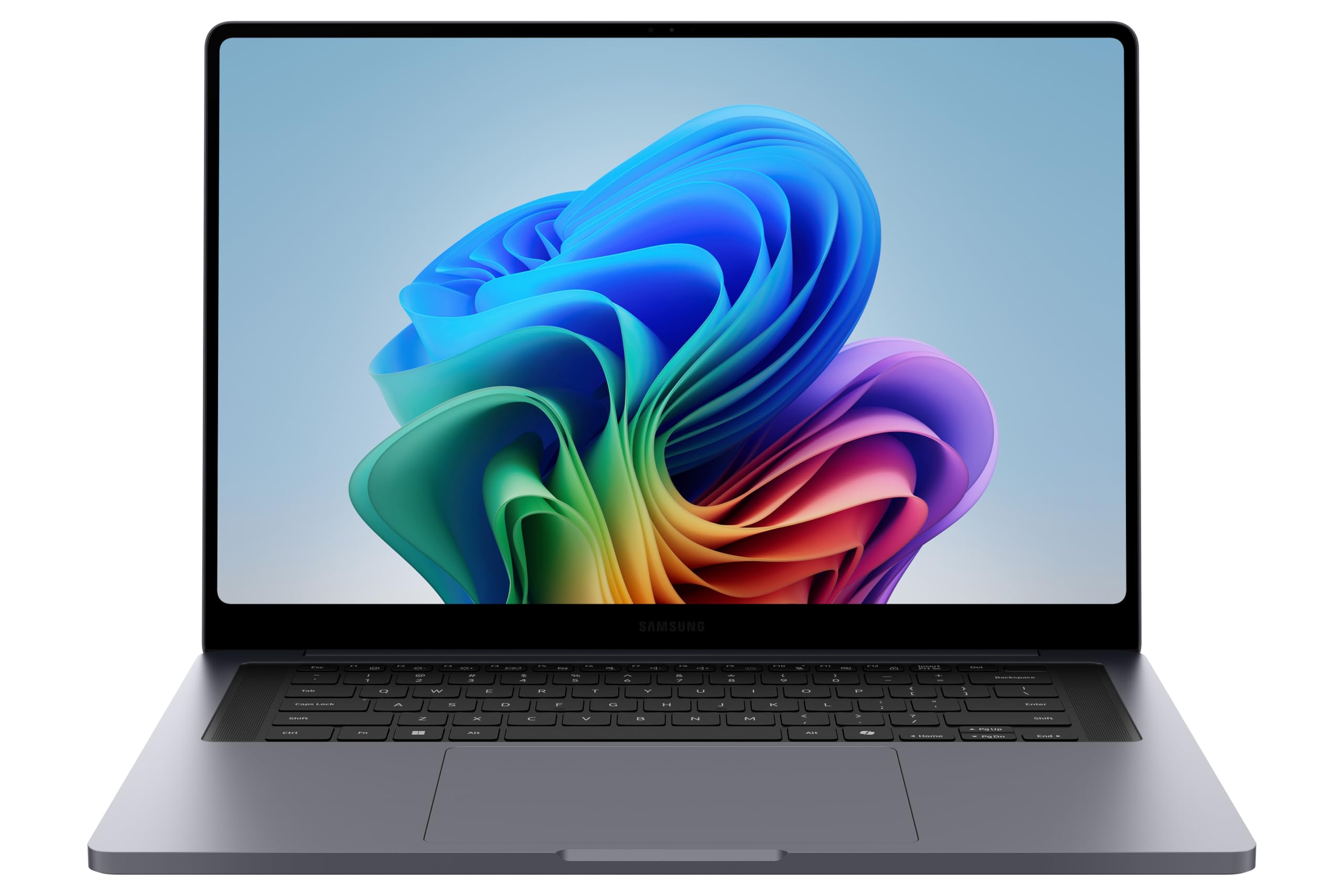
Figure 1.1: Samsung Galaxy Book6 Ultra X7 Laptop
2. What's in the Box
Verify that all items are present in the product packaging:
- Samsung Galaxy Book6 Ultra X7 Laptop
- Compact Charger
- USB-C to USB-C Cable

Figure 2.1: Package Contents
3. Initial Setup
3.1 Charging the Laptop
Before initial use, fully charge your laptop. Connect the compact charger to a power outlet and then to one of the USB-C ports on your laptop using the provided USB-C to USB-C cable.
3.2 Powering On
Open the laptop lid. Press the power button, typically located on the top right of the keyboard, to turn on the device. Follow the on-screen instructions to complete the Windows 11 Home setup process.
3.3 Connecting to Wi-Fi
During the initial setup, you will be prompted to connect to a Wi-Fi network. Select your network from the list and enter the password if required.
4. Operating Your Laptop
4.1 Display
The Galaxy Book6 Ultra X7 features a 16-inch Dynamic AMOLED 2X display with a resolution of 2880x1800 pixels and a refresh rate of up to 120Hz. Adjust brightness and display settings through the Windows display settings.

Figure 4.1: Dynamic AMOLED 2X Display
4.2 Keyboard and Touchpad
The laptop is equipped with a premium keyboard and a haptic touchpad. The touchpad supports multi-touch gestures for navigation. Refer to Windows settings for customizing touchpad gestures.
4.3 Audio
The device includes a six-speaker system tuned with Dolby ATMOS for enhanced audio experience. Adjust volume using the function keys or Windows sound settings.

Figure 4.2: Six-Speaker System with Dolby ATMOS
5. Connectivity
5.1 Ports
The laptop features 3 USB ports and a total of 4 ports for various connections. Refer to the device's physical layout for exact port types and locations.
5.2 Wireless Connections
The Galaxy Book6 Ultra X7 supports Wi-Fi and Bluetooth connectivity. Manage these connections through the Windows Action Center or Settings menu.
6. Key Features
6.1 Performance
Equipped with an Intel Core Ultra X7 358H Processor and 32GB LPDDR5X RAM, the Galaxy Book6 Ultra X7 delivers high performance for demanding tasks. The integrated Intel Arc Graphics enhance visual processing.

Figure 6.1: Processor Architecture
6.2 Advanced Cooling System
The laptop incorporates an improved vapor chamber and redesigned fans and vents to maintain optimal operating temperatures during intensive workloads.

Figure 6.2: Advanced Cooling System
6.3 Galaxy Connected Experience
Integrate your Galaxy smartphone and tablet with your laptop for enhanced productivity:
- Multi Control: Use your laptop's keyboard and mouse to control your Galaxy tablet or smartphone.
- Storage Share: Remotely access photos, videos, and documents stored on your Galaxy phone directly from your PC without file transfers.
- Call & Text: Respond to phone calls and text messages directly from your laptop.

Figure 6.3: Multi Control in Action

Figure 6.4: Accessing Phone Storage from PC
6.4 AI Features
Leverage integrated AI capabilities for enhanced productivity and creative tasks. Features like AI Select allow for intelligent text and image manipulation.
Video 6.1: Demonstration of AI Select feature for text translation.
Video 6.2: Overview of the Galaxy Book6 Ultra.
6.5 Battery Life
The laptop is equipped with an 80.2 Watt Hours Lithium Polymer battery, providing up to 30 hours of local 1080p video playback under specific testing conditions.

Figure 6.5: Extended Battery Performance
7. Care and Maintenance
7.1 Cleaning
Use a soft, lint-free cloth to clean the screen and exterior surfaces. Avoid abrasive cleaners or solvents. For the screen, a specialized screen cleaner can be used sparingly.
7.2 Storage
Store the laptop in a cool, dry place away from direct sunlight and extreme temperatures. When transporting, use a protective sleeve or bag.
7.3 Battery Care
To prolong battery life, avoid fully discharging the battery frequently. It is recommended to keep the battery charge between 20% and 80% when possible.
8. Troubleshooting
| Problem | Possible Cause | Solution |
|---|---|---|
| Laptop does not power on | Low battery, power adapter issue | Connect the charger and wait a few minutes before attempting to power on. Ensure the charger is properly connected to a working outlet. |
| Wi-Fi connection issues | Incorrect password, router issue, driver problem | Verify Wi-Fi password. Restart your router. Check for updated Wi-Fi drivers in Device Manager. |
| Slow performance | Too many applications running, low storage, malware | Close unnecessary applications. Free up disk space. Run a system scan for malware. |
| Screen is blank or flickering | Display driver issue, external display conflict | Restart the laptop. Update graphics drivers. Disconnect any external monitors. |
9. Specifications
| Brand | Samsung |
| Model Name | Galaxy Book 6 Ultra |
| Model Number | NP960UJG-KG3US |
| Screen Size | 16 Inches |
| Display Type | Dynamic AMOLED 2X (OLED) |
| Max Resolution | 2880x1800 Pixels (4K) |
| Processor | Intel® Core™ Ultra X7 358H (4.8 GHz) |
| RAM | 32 GB LPDDR5X |
| Storage | 1 TB SSD |
| Graphics | Intel Integrated (Intel Arc Graphics) |
| Operating System | Windows 11 Home |
| Battery | 80.2 Watt Hours Lithium Polymer |
| Dimensions (L x W x Th) | 14.05" x 9.76" x 0.61" |
| Total USB Ports | 3 |
| Color | Gray |
10. Warranty and Support
10.1 Manufacturer's Warranty
Your Samsung Galaxy Book6 Ultra X7 is covered by a 2-Year Manufacturer Warranty. This warranty covers defects in materials and workmanship under normal use. For full terms and conditions, please refer to the warranty documentation included with your product or visit the official Samsung support website.
10.2 Customer Support
For technical assistance, troubleshooting, or service requests, please contact Samsung Customer Support:
- Online Support: Visit Samsung Support
- Phone Support: Refer to your region's Samsung website for local contact numbers.
When contacting support, please have your model number (NP960UJG-KG3US) and serial number ready.


