
Introduction
The TESMEN TLP-123A is a versatile network cable tester designed for efficient troubleshooting and maintenance of network and telephone cables. It supports both RJ45 and RJ11 connectors, allowing for quick detection of various cable issues such as connectivity, short circuits, open circuits, wiring errors, and shield status.
This manual provides detailed instructions for setting up, operating, and maintaining your TLP-123A cable tester to ensure optimal performance and longevity.
Product Features
- Multifunctional Testing: Supports RJ45 and RJ11 interfaces for comprehensive testing of CAT5, CAT5E, CAT6, CAT6A, CAT7, UTP, and STP Ethernet cables.
- Error Detection: Identifies line connectivity, short circuits, open circuits, wiring errors, and cable shield status.
- One-Button Operation: Simple and intuitive operation with a single button to initiate tests.
- Adjustable Test Speed: Features 'FAST' and 'SLOW' modes for flexible testing.
- Clear LED Indicators: Provides visual feedback on cable status through a sequence of LED lights.
- Detachable Design: The main (Master) and remote (Remote) units can be separated for testing long cables or installed wall ports.
- Portable and Durable: Compact, lightweight design with a robust plastic housing for easy transport and long-term use.
What's in the Box
Upon unpacking, please ensure all items are present and in good condition:
- 1 x TESMEN TLP-123A Network Cable Tester (Master Unit and Remote Unit)
- 1 x User Manual
- 2 x AAA 1.5V Batteries
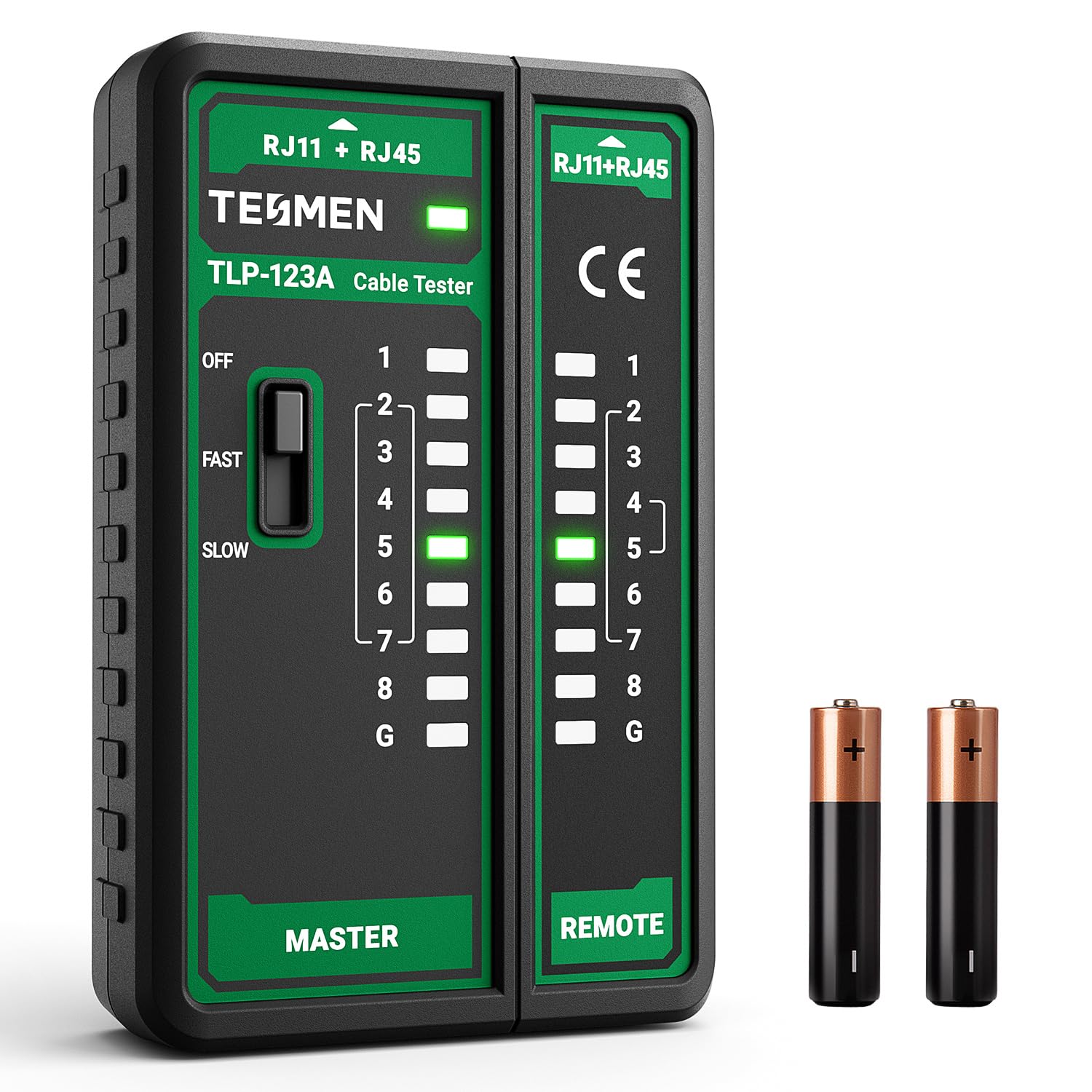
Image: The TESMEN TLP-123A Network Cable Tester, showing both the Master and Remote units, along with the included accessories.
Setup
- Battery Installation:
Locate the battery compartment on the back of the Master unit. Open the compartment cover and insert the two AAA 1.5V batteries, ensuring correct polarity (+/-). Close the battery compartment cover securely.
- Unit Separation (Optional):
For testing long cables or installed wall ports, the Master unit and Remote unit can be separated. Slide the Remote unit away from the Master unit. For testing shorter patch cables, the units can remain attached.

Image: The TESMEN TLP-123A cable tester showing the Master and Remote units detached, illustrating its separable design for flexible testing.
Operating Instructions
Follow these steps to test your network or telephone cables:
- Connect the Cable:
Insert one end of the cable into the RJ45 or RJ11 port on the Master unit. Insert the other end of the cable into the corresponding RJ45 or RJ11 port on the Remote unit. If testing an installed wall port, connect the Remote unit to the wall port and the Master unit to the other end of the cable run.

Image: A close-up view of the TESMEN TLP-123A showing the RJ45 and RJ11 ports, mode switch, power indicator, and sequence indicators on both Master and Remote units.
- Power On and Select Test Speed:
On the Master unit, slide the power switch to either the 'FAST' or 'SLOW' position to turn on the device and select the test speed. 'FAST' provides a quicker scan of the cable, while 'SLOW' allows for a more deliberate observation of the LED sequence.

Image: The Master unit of the TESMEN TLP-123A, highlighting the one-button operation and the 'FAST' and 'SLOW' test speed selection switch.
- Observe LED Indicators:
The LED indicators on both the Master and Remote units will light up in sequence, corresponding to each wire within the cable. Observe the pattern to determine the cable's status.

Image: The TESMEN TLP-123A in use, demonstrating how the LED indicators on both the Master and Remote units illuminate to detect short circuits, inversions, and breaks in network cables.
- Power Off:
After testing, slide the power switch on the Master unit to the 'OFF' position to conserve battery life.
Troubleshooting
Understanding the LED patterns is key to diagnosing cable issues:
- Correct Wiring: If the wiring is correct, the LED sequence on both the Master and Remote units will be identical: 1-2-3-4-5-6-7-8. For shielded cables, the 'G' (Ground) LED will also illuminate.
- Open Circuit (Broken Wire): If a specific wire is broken (e.g., wire No. 2), the corresponding LED (e.g., LED 2) will not light up on either the Master or Remote unit. If three or more wires are disconnected, no LEDs may light up.
- Short Circuit: If two wires are short-circuited, the LEDs for those wires will light up simultaneously on both units, or in an unexpected sequence.
- Reversed Wires: If the ends of the cable are reversed (e.g., wire No. 1 and No. 2 are swapped), the LED sequence on the Remote unit will be different from the Master unit. For example, Master: 1-2-3-4-5-6-7-8 / Remote: 2-1-3-4-5-6-7-8.
- No Power: If no LEDs light up when the device is switched on, check the battery installation and ensure the batteries are not depleted. Replace batteries if necessary.
Maintenance
- Cleaning: Use a soft, dry cloth to clean the exterior of the device. Do not use abrasive cleaners or solvents.
- Storage: Store the cable tester in a cool, dry place away from direct sunlight and extreme temperatures.
- Battery Replacement: If the LED indicators become dim or the device does not power on, replace the AAA batteries. Remove batteries if the device will not be used for an extended period.
- Avoid Damage: Do not drop the device or expose it to excessive force. Keep it away from liquids.
Specifications
| Model | TLP-123A |
| Brand | TESMEN |
| Compatible Connectors | RJ45, RJ11 |
| Compatible Cables | CAT5, CAT5E, CAT6, CAT6A, CAT7, UTP, STP |
| Power Source | 2 x AAA 1.5V Batteries |
| Color | Green |
| Dimensions (Approx.) | 9.6 x 6.2 x 2.2 cm (3.78 x 2.44 x 0.87 in) |
| Origin | China |
Warranty and Support
For warranty information or technical support, please refer to the contact details provided with your purchase documentation or visit the official TESMEN website. Keep your purchase receipt as proof of purchase for warranty claims.