
ZAFRO A9046D-10K
ZAFRO Portable Air Conditioner Instruction Manual - Model A9046D-10K
Your guide to setup, operation, and maintenance.
1. Introduction
Thank you for choosing the ZAFRO Portable Air Conditioner, Model A9046D-10K. This manual provides essential information for the safe and efficient use of your new appliance. Please read these instructions thoroughly before installation and operation, and retain them for future reference.
2. Safety Information
To prevent injury to the user or other people and property damage, the following instructions must be followed. Incorrect operation due to ignoring instructions may cause harm or damage.
- Always operate the unit on a stable, level surface.
- Do not block air inlets or outlets. Ensure proper ventilation.
- Do not insert fingers or foreign objects into the air inlets/outlets.
- Keep the unit away from flammable materials and heat sources.
- Unplug the unit before cleaning or servicing.
- Do not use the unit in wet environments like bathrooms or laundry rooms.
- Ensure the power cord is not damaged and is properly grounded.
3. Package Contents
Verify that all items listed below are included in your package:
- ZAFRO Portable Air Conditioner Unit
- Exhaust Hose
- Window Sealing Kit (Adjustable window panels, adapter)
- Remote Control
- Drain Hose
- User Manual (This document)
4. Product Overview
The ZAFRO Portable Air Conditioner Model A9046D-10K is a versatile 4-in-1 unit designed for cooling, fan operation, dehumidification, and sleep mode. It features ultra-quiet operation at 46dB, smart Wi-Fi and app control, and an advanced self-draining system.
Unit Components


Key Features
- 4-in-1 Functionality: Cooling, Fan, Dehumidifier, and Sleep modes for versatile climate control.
- Ultra-Quiet Operation: Operates at a low noise level of 46dB, suitable for bedrooms and offices.
- Smart Control: Manage settings remotely via the ZAFRO mobile app, voice commands, or the included remote control.
- 24-Hour Timer: Program the unit to turn on or off according to your schedule.
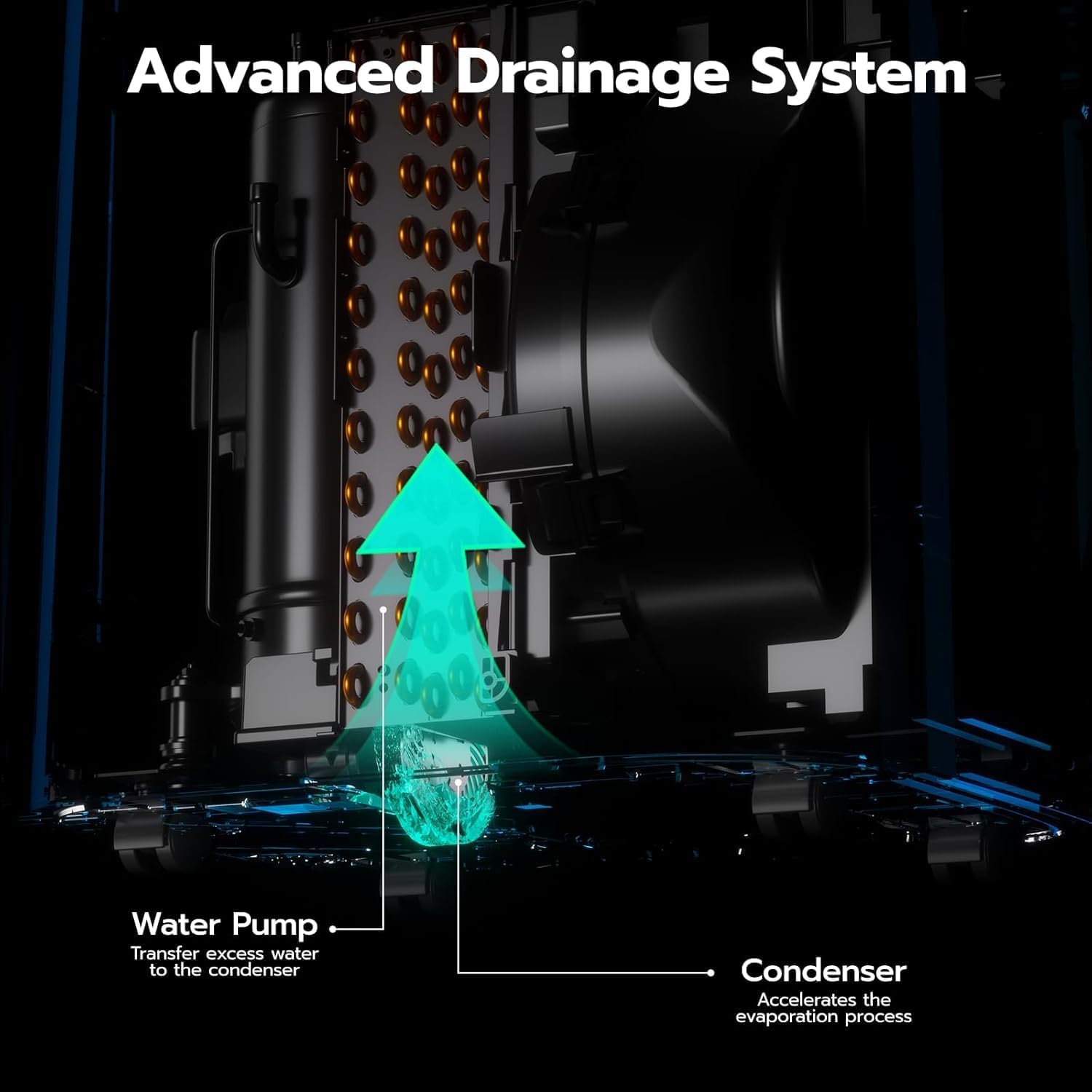
- Self-Draining Technology: Advanced splashing system for automatic condensate drainage, reducing manual emptying.
- Easy-Clean Filter: Removable and washable filter with smart clog detection for cleaner air and sustained efficiency.


5. Setup
Proper installation is crucial for optimal performance. Follow these steps carefully.
5.1 Unit Placement
- Place the unit on a firm, level surface.
- Maintain at least 20 inches (50 cm) of space from walls or other objects to ensure proper airflow.
- Ensure the exhaust hose can be extended to the nearest window without sharp bends.
5.2 Window Kit Installation
The included window kit is designed for most standard vertical and horizontal sliding windows.
- Prepare the Window: Clean the window frame. Cut sealant foam to fit the sides and top of the window and apply it to create a seal.
- Assemble Window Panels: Adjust the window panels to fit your window opening. Secure them using the provided screws.
- Attach Exhaust Hose: Connect one end of the exhaust hose to the unit's exhaust outlet and the other end to the window kit adapter. Ensure a secure fit to prevent air leakage.
- Seal Gaps: Use additional foam or tape if necessary to seal any gaps around the window kit and hose to maximize cooling efficiency.


Video: ZAFRO Portable Air Conditioners Quick Installation Guide. This video demonstrates the step-by-step process for installing the portable air conditioner and its window kit.
6. Operating Instructions
Your ZAFRO Portable Air Conditioner offers multiple control options and operating modes.
6.1 Control Methods


6.2 Operating Modes
- Cool Mode: Provides powerful cooling. Set your desired temperature between 61°F and 86°F (16°C - 30°C).
- Fan Mode: Circulates air without cooling. Choose from low, medium, or high fan speeds.
- Dehumidifier Mode: Removes excess moisture from the air. The adjustable humidity setting range is 30-70%.
- Sleep Mode: Operates quietly with reduced fan speed and gradually increases the set temperature for comfortable sleep.
6.3 Timer Function
The 24-hour timer allows you to schedule the unit to turn on or off automatically. Press the timer button and use the up/down arrows to set the desired time.
7. Maintenance
Regular maintenance ensures the longevity and efficiency of your portable air conditioner.
7.1 Air Filter Cleaning
The unit features an easy-clean, removable filter. A smart alert will remind you when it's time to clean the filter (typically after 600 hours of use).
- Unplug the unit from the power outlet.
- Locate the air filter panel, usually on the back or side of the unit.
- Gently pull out the filter.
- Wash the filter with warm, soapy water. Rinse thoroughly and allow it to air dry completely before reinserting.
- Reinsert the dry filter and close the panel.


7.2 Draining Condensate
While the unit features self-draining technology, manual draining may be required in high humidity conditions or before storage.
- Unplug the unit.
- Place a shallow pan or tray under the drain port at the bottom rear of the unit.
- Remove the drain plug to allow water to flow out.
- For continuous draining, attach the provided drain hose to the continuous drain port.
- Once drained, replace the plug securely.

Video: ZAFRO Cleaning and Maintenance. This video provides guidance on how to clean and maintain your ZAFRO portable air conditioner, including draining procedures.
8. Troubleshooting
Before contacting customer support, refer to the following table for common issues and solutions.
| Problem | Possible Cause | Solution |
|---|---|---|
| Unit does not turn on | No power supply; Power cord damaged; Fuse blown. | Check power outlet; Inspect power cord; Replace fuse if necessary. |
| Unit does not cool effectively | Air filter dirty; Room too large; Doors/windows open; Exhaust hose blocked/leaking. | Clean air filter; Ensure unit is sized for room; Close doors/windows; Check exhaust hose for proper installation and leaks. |
| Water leakage | Drain plug loose; Unit not level; Condensate pan full (in high humidity). | Secure drain plug; Place unit on a level surface; Manually drain the unit. |
| Loud noise | Unit not level; Fan obstruction. | Ensure unit is on a flat surface; Check for any obstructions in the fan area. |
9. Specifications
| Feature | Specification |
|---|---|
| Model Number | A9046D-10K |
| Cooling Power (ASHRAE) | 14,000 BTU/h |
| Cooling Power (SACC) | 10,000 BTU/h |
| Noise Level | 46 Decibels |
| Product Dimensions (D x W x H) | 14.09"D x 16.5"W x 27.07"H |
| Item Weight | 55.66 Pounds |
| Voltage | 115.0 V |
| Wattage | 1500 W |
| Refrigerant | R-32 |
| Controller Type | App Control, Remote Control, Digital Panel |
| Installation Type | Window |
10. Warranty
The ZAFRO Portable Air Conditioner, Model A9046D-10K, comes with a 1-year limited warranty from the date of purchase. This warranty covers defects in materials and workmanship under normal use. It does not cover damage resulting from misuse, accident, alteration, or unauthorized repair. Please retain your proof of purchase for warranty claims.
11. Support
If you encounter any issues not covered in the troubleshooting section or require further assistance, please contact ZAFRO customer support. Refer to the contact information provided on the ZAFRO official website or your purchase documentation.
Related documentsA9046D-10K


Ask a question about this manual
Ask about setup, troubleshooting, compatibility, parts, safety, or missing instructions. Manuals+ will review the question and use this page’s manual context to help answer it.