
Introduction
Thank you for choosing the LONTEK SF20 3-in-1 Foldable Treadmill. This manual provides essential information for the safe and efficient use, assembly, maintenance, and troubleshooting of your new fitness equipment. Please read this manual thoroughly before operating the treadmill and retain it for future reference.
The LONTEK SF20 is a versatile and compact treadmill designed for home and office use. It features a multi-stage manual incline system, allowing adjustments from 0% to a challenging 15%, simulating varied terrains for enhanced calorie burn and muscle engagement. Its 3.0HP motor ensures quiet operation and a speed range suitable for walking, jogging, and running.
Important Safety Instructions
To reduce the risk of serious injury, read all instructions before using this treadmill. The manufacturer assumes no responsibility for personal injury or property damage sustained by or through the use of this product.
- Always place the treadmill on a solid, level surface with at least 2 feet (0.6 meters) of clear space on each side and 6 feet (1.8 meters) behind it.
- Keep children and pets away from the treadmill during operation.
- Wear appropriate exercise clothing and athletic shoes. Do not wear loose clothing that could get caught in the treadmill.
- Do not operate the treadmill if it has a damaged cord or plug, if it is not working properly, or if it has been dropped or damaged.
- Always use the safety key. Attach the clip to your clothing before starting the treadmill. If you fall, the safety key will detach, stopping the treadmill.
- Do not attempt to service the treadmill yourself. Contact qualified service personnel for repairs.
- Consult your physician before starting any exercise program.
Setup and Assembly
The LONTEK SF20 treadmill is designed for easy setup. Follow these steps to assemble your treadmill:
- Unpack the Treadmill: Carefully remove all components from the packaging. Ensure all parts listed in the packing list are present.
- Raise the Console: Gently lift the console and handlebar assembly from its folded position until it locks into place.
- Secure the Uprights: Insert the provided screws into the designated holes at the base of the uprights and tighten them with the Allen wrench. Ensure both sides are securely fastened.
- Attach the Handlebar Screws: Insert the screws into the handlebar connection points and tighten them using the Allen wrench.
- Install Tablet Holder: Place the detachable tablet holder onto the console.
- Connect Safety Key: Insert the red safety key into its designated slot on the console.
For a visual guide on assembly, please watch the following video:
Video Description: This video demonstrates the step-by-step assembly process for the LONTEK SF20 Foldable Treadmill, including raising the console, securing the uprights, and attaching the handlebar. It provides a clear visual guide for setting up the treadmill from its folded state.

Image Description: This image illustrates the 'Portable Design, Install Easily' feature, showing how to attach the detachable stand and secure it by turning a knob, simplifying the treadmill's setup.

Image Description: This image showcases the 'Foldable Design & Easy to Move' feature, depicting the treadmill being folded and stored, highlighting its space-saving capabilities.
Operating Instructions
Familiarize yourself with the control console and various modes of operation.
Control Console

Image Description: A detailed view of the '12 Programs Button Control Console', displaying metrics like Calories, Time, Distance, and Speed, along with control buttons for various programs and adjustments.
The console features a three-screen display showing Calories, Time, Distance, and Speed. Use the buttons to select from 12 pre-set programs or adjust speed manually. Always ensure the safety key is in place before starting.
Exercise Modes
The LONTEK SF20 offers three primary exercise modes:

Image Description: This image illustrates the three distinct exercise modes: Walking Mode (0.6-2.5 MPH), Jogging Mode (2.5-5 MPH), and Running Mode (5-7.5 MPH), demonstrating the treadmill's versatility for different fitness levels.
- Walking Mode: Speed range of 0.6-2.5 MPH. Ideal for light activity or warm-ups.
- Jogging Mode: Speed range of 2.5-5 MPH. Suitable for moderate cardio workouts.
- Running Mode: Speed range of 5-7.5 MPH. For more intense cardiovascular training.
Manual Incline Adjustment
The treadmill features a manual incline system. To adjust the incline:
- Ensure the treadmill is off and unplugged.
- Locate the incline adjustment mechanism at the rear of the treadmill.
- Adjust the support legs to the desired incline level (0%, 10%, or 15%). Refer to the markings for correct positioning.
- Ensure the incline is securely set before resuming operation.
Shock-Absorbing System
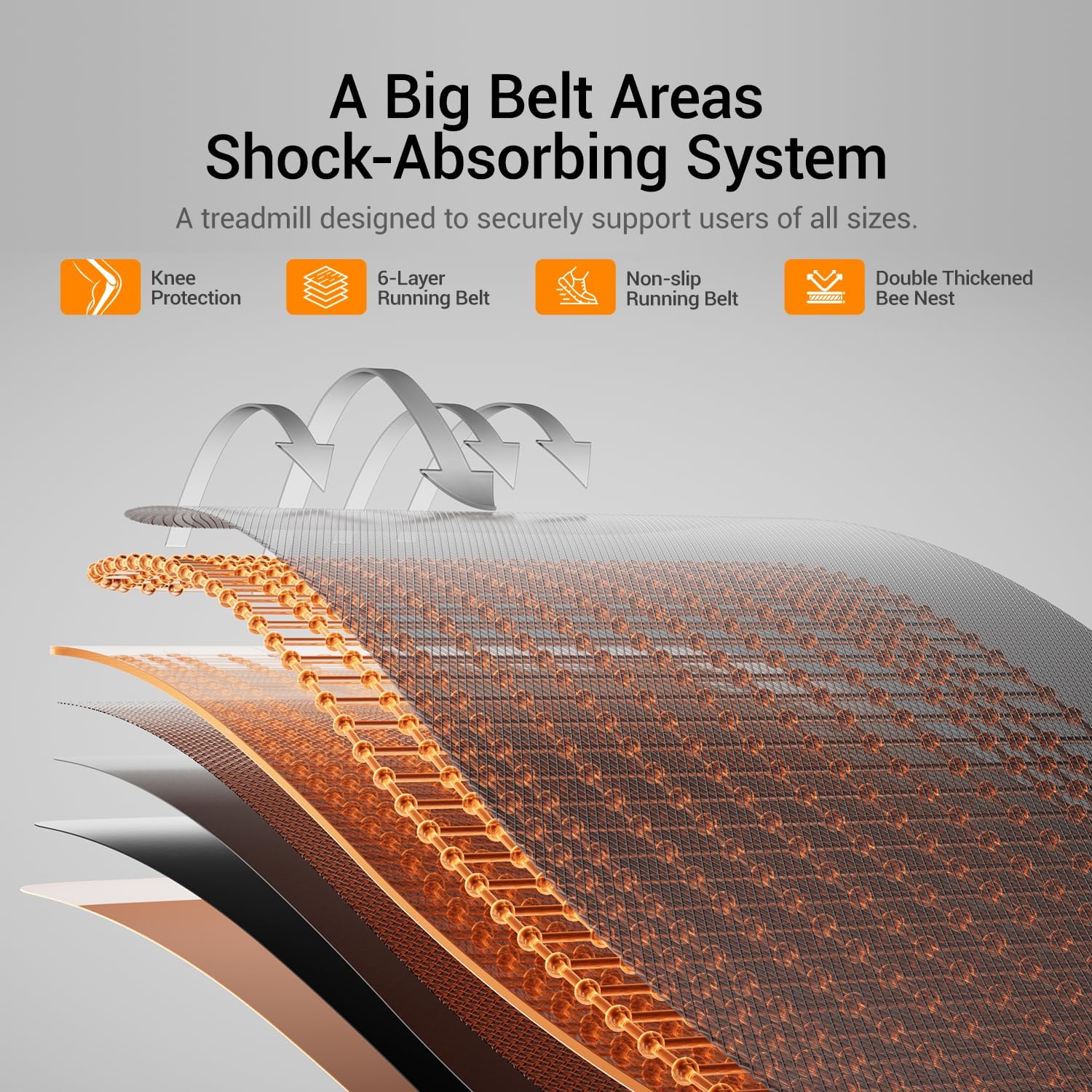
Image Description: This diagram details the 'Big Belt Areas Shock-Absorbing System', highlighting features like Knee Protection, a 6-Layer Running Belt, a Non-slip Running Belt, and a Double Thickened Bee Nest structure for enhanced user comfort and safety.
The treadmill is equipped with a multi-layer shock-absorbing system designed to protect your knees and joints during workouts. This system includes a 6-layer running belt, a non-slip surface, and a double-thickened bee nest structure for optimal cushioning.
Quiet Brushless Motor
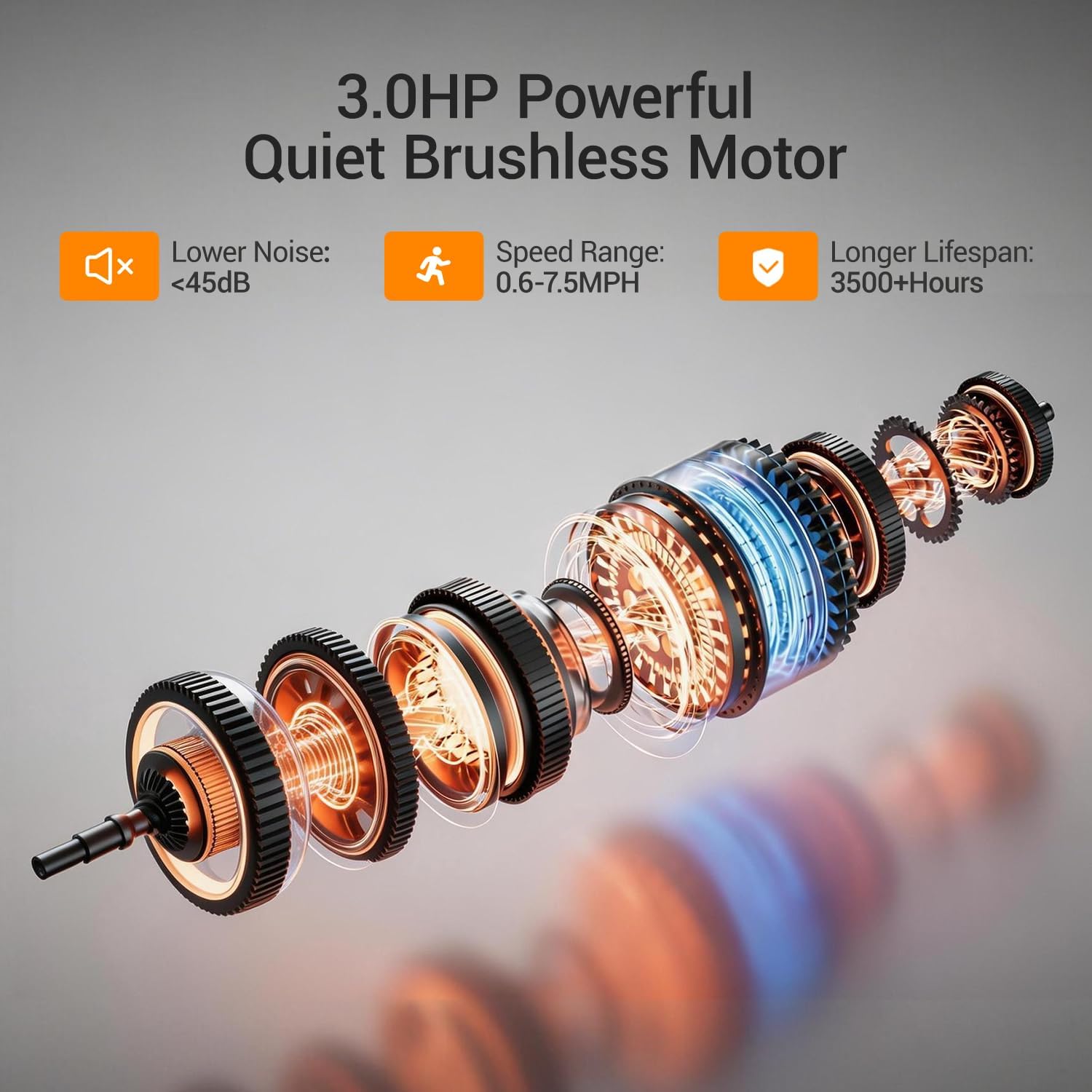
Image Description: A cutaway diagram showcasing the '3.0HP Powerful Quiet Brushless Motor', emphasizing its low noise level (less than 45dB), speed range (0.6-7.5 MPH), and extended lifespan (over 3500+ hours).
The 3.0HP powerful brushless motor operates quietly (less than 45dB), allowing for workouts without significant noise disruption. It supports a speed range of 0.6-7.5 MPH and has a long lifespan of over 3500 hours.
Maintenance
Regular maintenance ensures the longevity and optimal performance of your treadmill.
- Cleaning: Wipe down the treadmill after each use with a damp cloth to remove sweat and dust. Do not use abrasive cleaners.
- Belt Lubrication: Lubricate the running belt every 3 months or after 50 hours of use, whichever comes first. Use only silicone-based treadmill lubricant. Lift the belt and apply a small amount of lubricant to the center of the deck.
- Belt Tension and Alignment: Check the running belt tension and alignment periodically. If the belt slips or drifts to one side, adjust it according to the instructions in the full user manual (not provided here).
- Motor Cover: Periodically vacuum under the motor cover to remove dust and debris. Ensure the treadmill is unplugged before doing so.
Troubleshooting
If you encounter issues with your treadmill, refer to the following common problems and solutions:
| Problem | Possible Cause | Solution |
|---|---|---|
| Treadmill does not start | Power cord unplugged, safety key not inserted, power switch off | Check power connection, insert safety key, turn power switch on |
| Running belt slips | Belt too loose | Adjust belt tension (refer to full manual) |
| Unusual noise during operation | Loose parts, lack of lubrication | Check for loose screws, lubricate running belt |
| Display not working | Loose cable connection | Check console cable connections |
If the problem persists after attempting these solutions, please contact customer support.
Specifications
| Feature | Detail |
|---|---|
| Brand | LONTEK |
| Model Name | SF20 |
| Color | 15% Incline 7.5MPH Black |
| Product Dimensions (LxWxH) | 44.3"D x 21.8"W x 4.1"H |
| Material | Metal |
| Maximum Speed | 7.5 Miles per Hour |
| Special Feature | Foldable |
| Target Audience | Adult |
| Maximum Horsepower | 3 Horsepower |
| Maximum Incline Percentage | 15% (Manual) |
| Power Source | Corded Electric |
| Metrics Measured | Speed |
| Product Benefits | Weight Loss Support |
| Maximum Weight Recommendation | 400 Pounds |
Warranty and Support
This product includes a user manual in the box. For specific warranty information, please refer to the documentation included with your purchase. If you require technical assistance, have questions about operation, or need to report a defect, please contact LONTEK customer support through the retailer where you purchased the product or visit the official LONTEK website for contact details.


