
Important Safety Information
Always follow the assembly instructions carefully to ensure the stability and safety of the bunk bed. Failure to do so may result in injury or damage to the product.
- Ensure all connections are securely tightened before use.
- Do not allow children under 6 years of age on the upper bunk.
- Use only mattresses that meet the recommended size and thickness specifications.
- Periodically check and re-tighten all fasteners.
Product Dimensions
Refer to the diagram below for detailed product dimensions to ensure proper fit in your space.
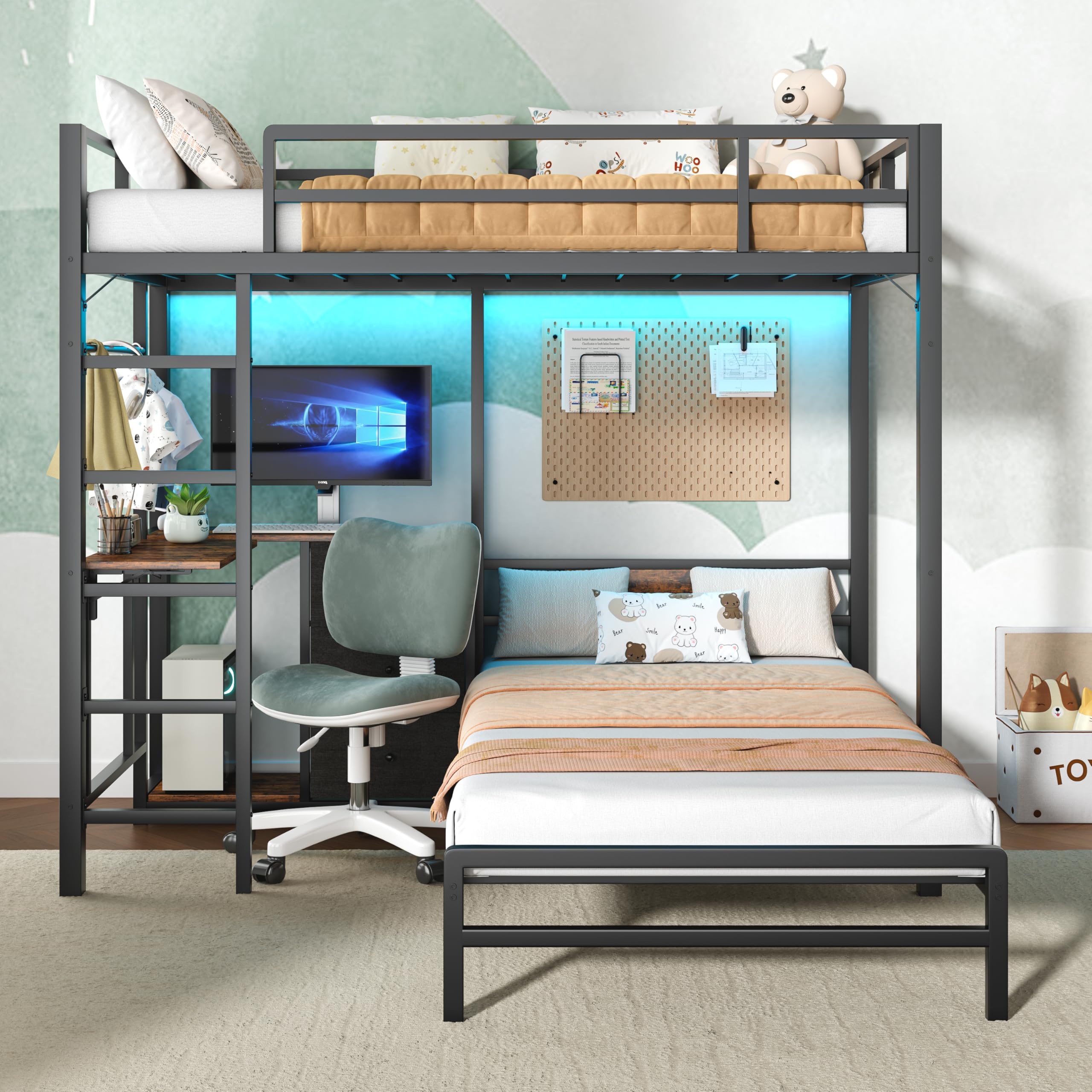
Image: Detailed dimensions of the Bellemave Twin Over Twin Bunk Bed. Overall dimensions are approximately 78.0"L x 78.0"W x 69.7"H. Specific measurements for the desk, ladder, and bunk heights are also indicated.
Setup and Assembly
This bunk bed is designed for straightforward assembly. All necessary tools and clearly labeled parts are included. Follow the step-by-step instructions provided in the packaging for a smooth setup.
Ladder Placement
The ladder can be installed on either the left or right side of the bunk bed frame to accommodate various room layouts and preferences.

Image: Illustration demonstrating how the bunk bed ladder can be positioned on either the left or right side of the frame during assembly.
Anti-Tip Device Installation
For enhanced safety, install the anti-tip device as instructed. This device helps secure the bunk bed to the wall, preventing accidental tipping.

Image: Close-up diagram detailing the installation process for the anti-tip device, showing how to attach it to the bunk bed frame and the wall using screws and anchors.
Operating Instructions and Features
RGB LED Light System
The bunk bed features an integrated RGB LED light system. Control the lighting with the included remote or a dedicated app. Adjust colors, brightness, speed, and choose from various dynamic modes to create your desired ambiance. An ETL certified power supply is included for safe operation.

Image: The bunk bed illuminated with blue RGB LED lights, highlighting the remote and app control features for dynamic mode, speed, static color, brightness, and demo mode adjustments.
Integrated Charging Station
The spacious desktop includes a built-in charging station for convenience. It features 2 AC sockets, 1 USB port, and 1 Type-C port, allowing you to charge multiple electronic devices simultaneously.

Image: A detailed view of the study desk's charging station, illustrating the 2 AC sockets, 1 USB port (5V/2A), and 1 Type-C port (5V/2A), powered by a 5-foot power cord.
Upper Bunk Guardrails
The upper bunk is equipped with full-length guardrails to ensure safety during sleep. For optimal safety, ensure the top of the mattress is at least 5 inches (127mm) below the top edge of the guardrail.

Image: The top bunk featuring 11.4-inch full-length guardrails. A dashed line indicates the recommended mattress height, ensuring at least 5 inches (127mm) clearance from the top of the mattress to the guardrail's edge. Recommended mattress thickness for the upper bunk is 4"-6".
Maintenance
To maintain the longevity and appearance of your bunk bed, follow these simple maintenance guidelines:
- Cleaning: Wipe down metal surfaces with a soft, damp cloth. Avoid abrasive cleaners or harsh chemicals that may damage the finish.
- Fasteners: Periodically check all bolts and screws to ensure they remain tight. Re-tighten as necessary to maintain structural integrity.
- LED Lights: If LED lights malfunction, check the power connection and ensure the remote control batteries are functional.
- Charging Station: Keep the charging ports free of dust and debris. Do not overload the charging station.
Troubleshooting
If you encounter any issues with your Bellemave bunk bed, refer to the following common troubleshooting steps:
| Problem | Possible Cause | Solution |
|---|---|---|
| Bed feels unstable or wobbly | Loose fasteners | Check and tighten all bolts and screws. Ensure the anti-tip device is securely installed. |
| LED lights not working | Power connection issue, remote battery dead | Verify the power adapter is plugged in correctly. Check or replace remote control batteries. |
| Charging station not providing power | Power connection issue, device not compatible | Ensure the bunk bed's main power cord is plugged into a working outlet. Test with different devices. |
| Missing parts during assembly | Packaging error | Review the parts list in the assembly manual. Contact customer support for replacement parts. |
Specifications
| Feature | Detail |
|---|---|
| Model Number | FST00186-TC-AB1 |
| Size | Twin Over Twin with desk |
| Material | Metal |
| Product Dimensions (L x W x H) | 78" x 78" x 69.69" |
| Item Weight | 49 Pounds |
| Color | Black With Led and L Desk |
| Included Components | Slat |
| Charging Station | 2 AC Sockets (120V/12A), 1 USB Port (5V/2A), 1 Type-C Port (5V/2A) |
| LED System | RGB, Remote & App Control, ETL Certified Power Supply |
| Required Assembly | Yes |
| Compatible Mattress Size | Twin |
Warranty and Support
For warranty information or technical support, please refer to the documentation included with your purchase or contact Bellemave customer service directly. Keep your purchase receipt and model number handy for faster service.
Manufacturer: Bellemave
Contact: Please visit the official Bellemave website or refer to your purchase documentation for contact details.


