
1. Introduction
The PEJE M08 AI Smart Glasses are designed to integrate advanced technology into your daily life, offering features such as an 8MP HD camera, AI assistant, real-time translation, and open-ear audio. This manual provides essential information for setting up, operating, and maintaining your smart glasses.
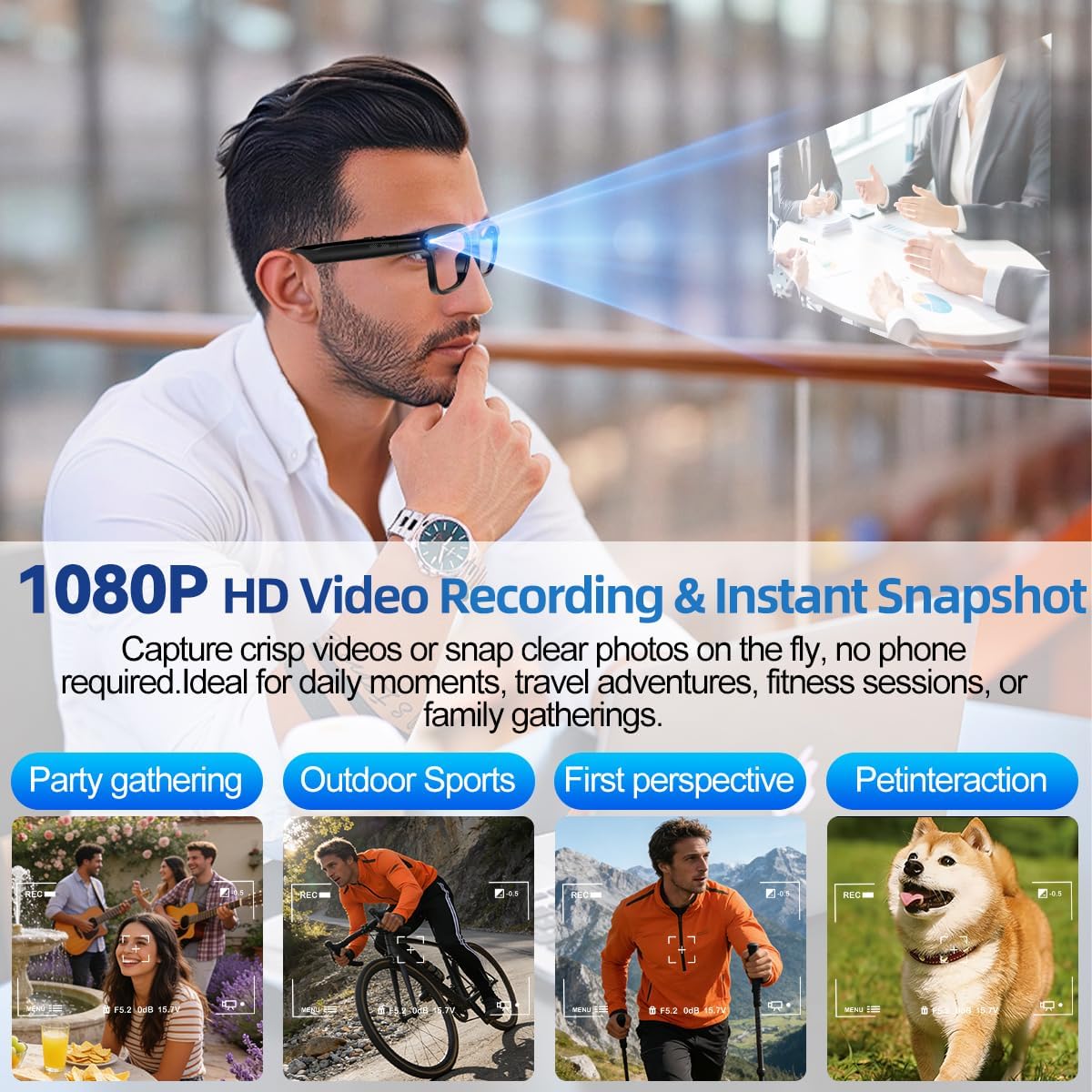
Image: PEJE M08 AI Smart Glasses in use, highlighting 1080P HD video recording and instant snapshot features for various activities like parties, sports, and pet interaction.
2. Package Contents
Verify that all items are present in your package:
- Smart Glasses x1
- Packaging box x1
- Storage pouch x1
- Charging cable x1
- User manual x1

Image: Illustration of the PEJE M08 Smart Glasses package contents and product dimensions.
3. Product Overview
Key Features
- 8MP HD Camera: Capture photos and 1080P video at 30fps.
- AI Assistant: Voice-activated for instant Q&A and object recognition.
- Real-Time Translation: Supports 80+ languages via mobile app.
- Open-Ear Audio: Enjoy music and calls while remaining aware of your surroundings.
- Dual-Mic ENC Noise Cancellation: Clear audio in noisy environments.
- Bluetooth 5.4 & WiFi: Stable connectivity and real-time media syncing.
- Photochromic Lenses: Adapt to light conditions, clear indoors, darken outdoors.
- Lightweight Design: Weighs only 42g for extended comfort.
- Smart Wearing Detection: Automatically pauses playback when removed.
Physical Components

Image: Detailed view of the PEJE M08 Smart Glasses, indicating the location of the rear physical buttons, front physical buttons, right touch key, and camera.
- Front Physical Buttons: Used for various controls.
- Rear Physical Buttons: Used for various controls.
- Right Touch Key: For touch-based interactions.
- Camera: 8MP HD camera for recording.
- Indicator Light: Illuminates during camera operation.
4. Setup
Connecting to a Mobile Phone
To unlock the full potential of your PEJE M08 Smart Glasses, connect them to your smartphone via the companion app.
- Turn on the Bluetooth function on your mobile phone.
- Scan the QR code in the instruction manual or search for "Da Echo" in your phone's app store (Download Da Echo App).
- Download and install the "Da Echo" application.
- Press and hold the physical button on the front of the glasses for 3 seconds to turn on the device.
- In the "Da Echo" app, select the corresponding model (M08) and click "Start" to pair.
- Allow the smart glasses to use wireless data if prompted.

Image: Visual guide for connecting the smart glasses to a mobile phone via Bluetooth and the 'Da Echo' app.
5. Operating Instructions
Camera and Video Recording
The M08 Smart Glasses feature an 8MP HD camera for capturing photos and videos.
- Start Recording: Double-click the button in front of the right mirror leg.
- End Recording: Click the button in front of the right mirror leg once.
- Take Photo: Double-click the right mirror leg and press the button.

Image: Controls for starting/ending recording, AI image recognition, and answering/rejecting calls.
The indicator light will be clearly on during camera use.
Video: Demonstration of the M08 Smart Glasses usage, including recording and interaction.
AI Features
The smart glasses integrate several AI-powered functions:
- AI Voice Assistant: Activate by saying "Hello, Echo" to ask questions and get instant answers.
- AI Image Recognition: Point your glasses at objects, landmarks, plants, or products, and the AI will identify them and announce details aloud.
- Real-Time Translation: Pair with the mobile app for two-way translation across 80+ languages. The glasses handle the "listen-translate-playback" workflow.

Image: Example of AI Image Recognition identifying a dog breed.

Image: Visual representation of the AI Real-Time Translation feature, showing language flags and translated text.
Audio and Call Control
- Answer/Reject Phone Calls: Long press the touchpad to reject a call, double-click the touchpad to answer.
- Start/Pause Music: Double-click the touchpad.
- Adjust Volume: Swipe left/right on the touchpad.
- Next Track: Single finger three-touch on the touchpad.

Image: Instructions for music playback controls including start/pause, volume adjustment, and next track.
6. Battery and Charging
The M08 Smart Glasses are equipped with a 300mAh battery, providing extended usage time.
- Battery Capacity: 300mAh
- Charging Time: Approximately 2 hours for a full charge using the magnetic fast charging cable.
- Listening Time: Up to 7 hours.
- Talk Time: Up to 4 hours.
The intelligent wearing detection feature automatically pauses playback when the glasses are removed, conserving battery life.

Image: Battery specifications and charging details for the smart glasses.
7. Maintenance
- Clean lenses with a soft, lint-free cloth. Avoid abrasive materials.
- Do not expose the glasses to extreme temperatures or direct sunlight for prolonged periods.
- The glasses are not water resistant; avoid contact with water.
- Store in the provided storage pouch when not in use to prevent scratches.
8. Troubleshooting
| Problem | Possible Solution |
|---|---|
| Glasses do not power on. | Ensure the glasses are fully charged. Press and hold the power button for 3 seconds. |
| Unable to connect to phone. | Ensure Bluetooth is enabled on your phone and the "Da Echo" app is open. Restart both devices and try pairing again. |
| Audio quality is poor. | Check the volume level on both the glasses and your phone. Ensure there are no obstructions to the open-ear speakers. |
| AI features not responding. | Ensure the glasses are connected to the app and have an active internet connection for AI functions. Speak clearly when using voice commands. |
9. Specifications

Image: Detailed product dimensions of the PEJE M08 Smart Glasses.
| Feature | Detail |
|---|---|
| Model Number | M08 |
| Camera Resolution | 8MP (3264 x 2448) |
| Video Recording | 1080P @ 30fps |
| Battery Capacity | 300 Milliamp Hours |
| Battery Charge Time | 2 Hours |
| Connectivity | Bluetooth 5.4, Wi-Fi |
| Memory Storage Capacity | 2 GB |
| Operating System | AsteroidOS |
| Weight | 42g |
| Water Resistance Level | Not Water Resistant |
| Lens Type | Photochromic |
10. Warranty and Support
The PEJE M08 Smart Glasses come with a three-month warranty from the date of purchase. For warranty claims or technical support, please refer to the contact information provided with your product packaging or visit the official PEJE website.