
1. Introduction
This manual provides essential information and instructions for the safe and efficient use of your OTVOC DGBook A4 15.6 inch laptop. Please read this guide thoroughly before operating your device to ensure optimal performance and to prevent damage. Keep this manual for future reference.

Figure 1.1: OTVOC DGBook A4 15.6 inch Laptop
2. Product Overview
The OTVOC DGBook A4 is a 15.6-inch laptop designed for productivity and entertainment, featuring an Intel Core i5 processor, 4GB RAM, and a 128GB SSD. It runs on Windows 11 Home and offers various connectivity options and user-friendly features.
Key Features:
- Processor: Intel Core i5-7Y57 (Dual-core, Four-thread, up to 3.3GHz) with active cooling.
- Memory: 4GB DDR3 SO-DIMM RAM, expandable up to 16GB.
- Storage: 128GB M.2 SATA SSD, expandable up to 2TB.
- Display: 15.6-inch Full HD (1920x1080) IPS display with 178° wide viewing angles.
- Camera: 2MP HD webcam with physical privacy shutter.
- Keyboard: Full-sized QWERTY keyboard with numeric keypad.
- Touchpad: Large integrated touchpad with multi-touch gesture support.
- Connectivity: 2x USB 3.0, 1x USB 2.0 Type-C, HDMI, MicroSD card slot, 3.5mm headphone jack, 2.4G+5G Wi-Fi, Bluetooth 5.0.
- Battery: 38Wh Lithium-Ion battery.
- Design: 180-degree lay-flat hinge, lightweight (1.57kg).
Visual Overview:
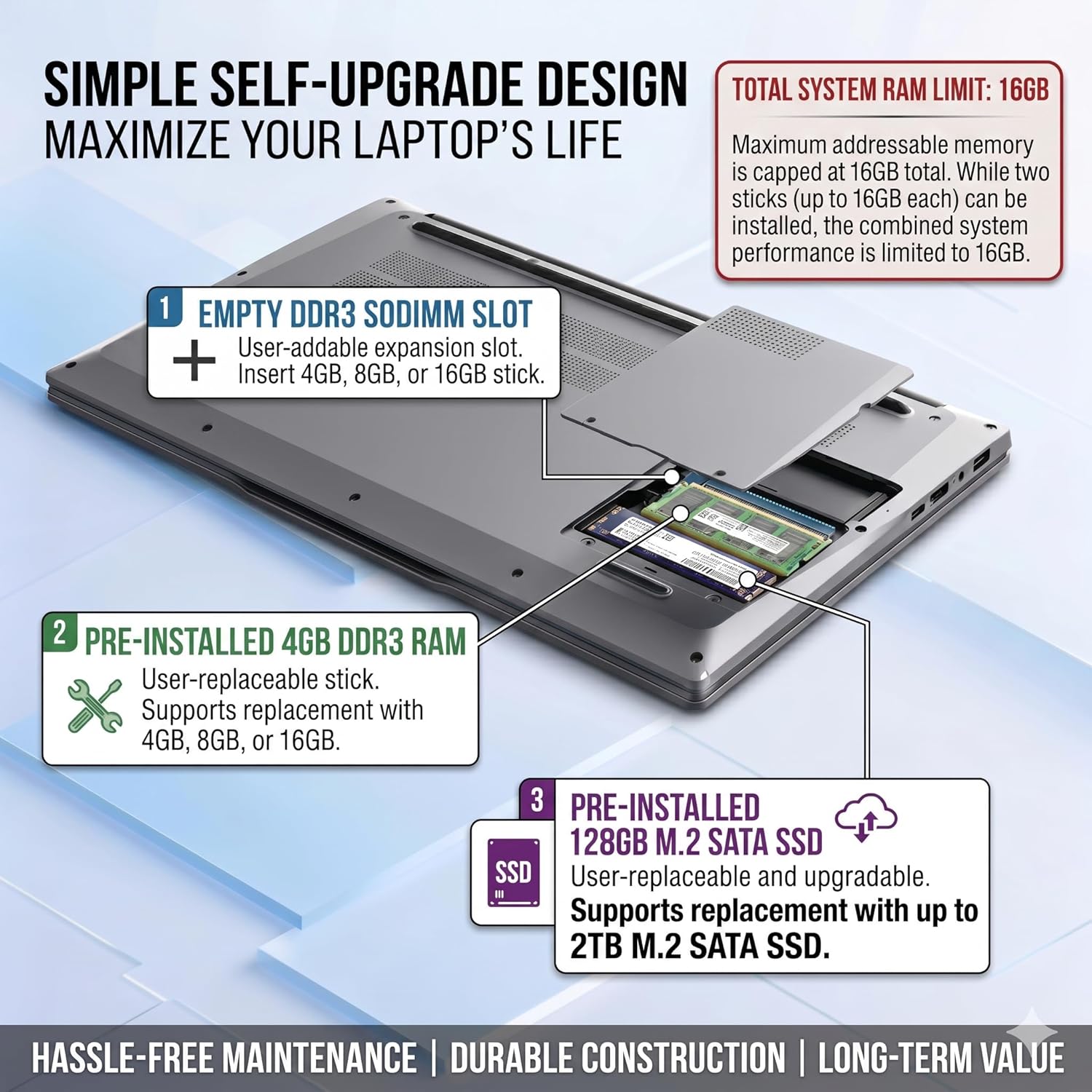
Figure 2.1: Intel Core i5-7Y57 Processor Performance Overview

Figure 2.2: Immersive 15.6 inch FHD IPS Display

Figure 2.3: Full Array of Standard Connectivity Ports
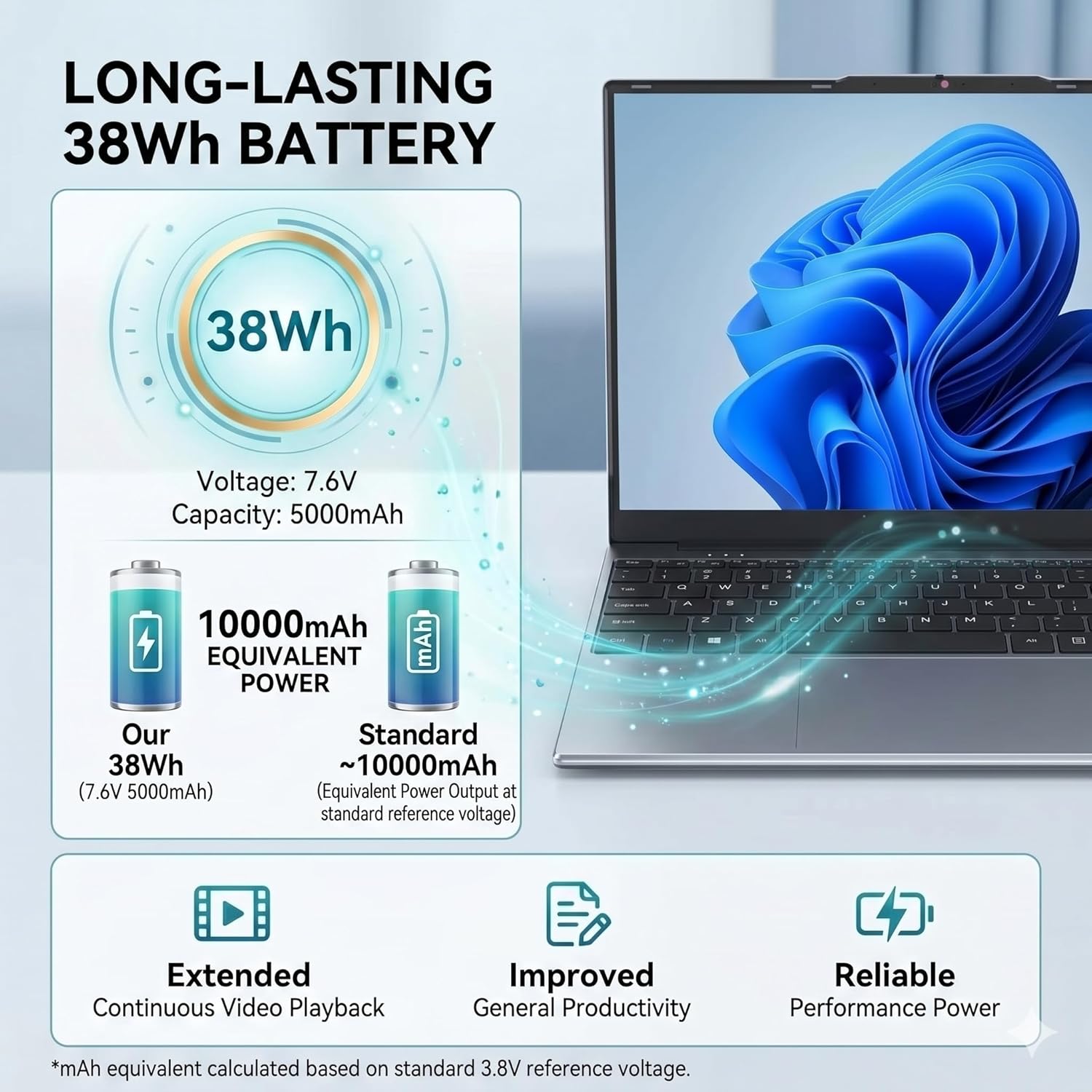
Figure 2.4: Secure 2MP HD Webcam with Privacy Shutter

Figure 2.5: Full-sized Keyboard and Large Touchpad

Figure 2.6: 180° Lay-Flat Hinge Design
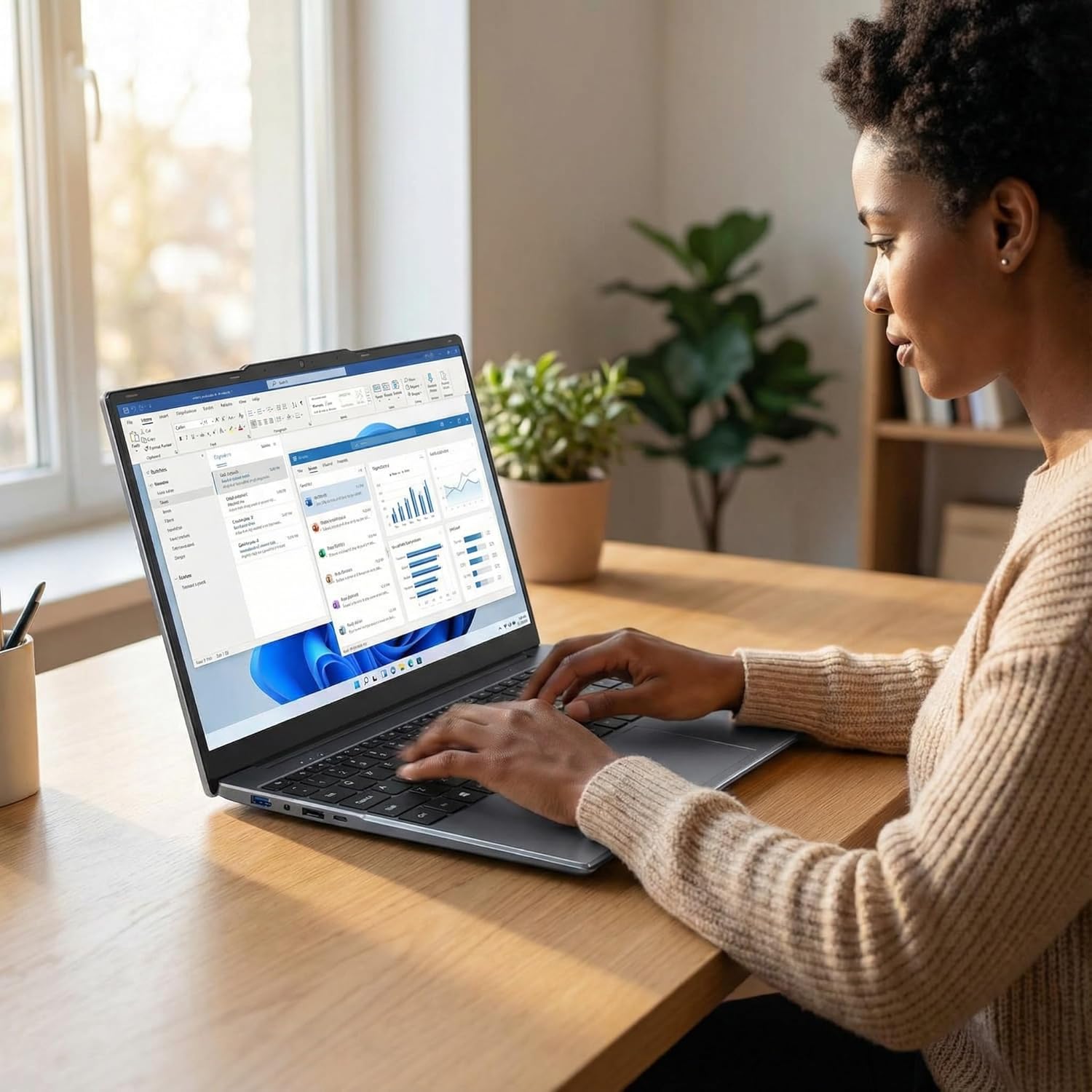
Figure 2.7: Quiet Built-in Cooling Fan

Figure 2.8: Long-lasting 38Wh Battery
Unboxing Video:
Video 2.1: OTVOC DGBook Unboxing. This video demonstrates the unboxing process of the OTVOC DGBook laptop, showing the contents included in the package.
3. Setup
3.1 Initial Power-On and Charging
- Connect the included AC adapter to the laptop's DC-in port and then to a power outlet.
- Allow the laptop to charge for at least 30 minutes before the first use, or until the battery indicator shows a sufficient charge.
- Press the power button to turn on the laptop.
3.2 Windows 11 Setup
Upon first boot, you will be guided through the Windows 11 setup process. Follow the on-screen prompts to configure your region, language, network connection, and user account. An active internet connection is recommended for the initial setup to ensure all necessary updates are downloaded.
3.3 Connecting to Wi-Fi
- During Windows 11 setup, select your preferred Wi-Fi network from the list.
- Enter the Wi-Fi password if prompted.
- Once connected, the laptop will have internet access.
4. Operating Instructions
4.1 Keyboard and Touchpad Usage
- The full-sized keyboard includes a numeric keypad for efficient data entry.
- The large touchpad supports multi-touch gestures for navigation, scrolling, and zooming. Refer to Windows 11 settings for customizing touchpad gestures.
4.2 Webcam Privacy Shutter
Your laptop is equipped with a physical privacy shutter for the 2MP HD webcam. Slide the cover to the left to expose the camera lens for use, and slide it to the right to cover the lens for privacy when the camera is not in use.
4.3 Connecting Peripherals
- USB Devices: Connect USB flash drives, external hard drives, mice, or keyboards to the USB 3.0 or USB Type-C ports.
- External Display: Use the HDMI port to connect an external monitor or TV for extended display or presentations.
- MicroSD Card: Insert a MicroSD card into the dedicated slot for additional storage.
- Audio: Connect headphones or external speakers to the 3.5mm headphone jack.
4.4 Display Features
The 15.6-inch Full HD IPS display offers vibrant colors and wide 178° viewing angles, ensuring consistent image quality from various positions. This is ideal for sharing content or collaborating.
5. Maintenance
5.1 RAM and SSD Upgrades
The OTVOC DGBook A4 is designed for user-friendly upgrades. It features one pre-installed 4GB DDR3 SO-DIMM module and an empty slot, allowing for RAM expansion up to a total of 16GB. The 128GB M.2 SATA SSD can also be replaced with a larger capacity SSD, up to 2TB.

Figure 5.1: Simple Self-Upgrade Design for RAM and SSD
RAM Upgrade Video:
Video 5.1: How to upgrade the RAM for DGBook. This video provides a step-by-step guide on how to upgrade the RAM in your OTVOC DGBook laptop.
SSD Replacement Video:
Video 5.2: Replacing an SSD on OTVOC DGBook. This video demonstrates the process of replacing the SSD in your OTVOC DGBook laptop.
Note: Performing hardware upgrades requires careful handling. If you are unsure, seek professional assistance.
5.2 Cooling System
The laptop features a built-in cooling fan to maintain optimal operating temperatures and prevent thermal throttling during intensive tasks. Ensure that the laptop's vents are not obstructed to allow for proper airflow.
5.3 Battery Care
- Avoid exposing the laptop to extreme temperatures.
- For optimal battery longevity, avoid fully discharging the battery frequently.
- If storing the laptop for an extended period, ensure the battery is charged to approximately 50-70%.
6. Troubleshooting
This section addresses common issues you might encounter with your OTVOC DGBook A4 laptop.
6.1 Performance Issues
- Slow Performance: Ensure sufficient free space on the SSD. Close unnecessary applications running in the background. Check for system updates.
- Overheating: Ensure the cooling fan vents are clear and not obstructed. Use the laptop on a hard, flat surface to allow for proper airflow.
6.2 Battery Life Concerns
The laptop's 38Wh battery provides approximately 4 hours of typical use. If you experience significantly shorter battery life, try the following:
- Adjust screen brightness to a lower setting.
- Disable Wi-Fi or Bluetooth when not in use.
- Close power-intensive applications.
- Ensure the laptop is running the latest Windows updates, which often include power management improvements.
6.3 Operating System Re-installation
If you encounter persistent software issues that cannot be resolved through standard troubleshooting, you may need to re-install the operating system.
OS Re-installation Video:
Video 6.1: How to re-install the operating system on OTVOC DGBook. This video guides you through the process of re-installing the operating system on your OTVOC DGBook laptop.
Warning: Re-installing the operating system will erase all data on your primary drive. Back up important files before proceeding.
7. Specifications
| Feature | Specification |
|---|---|
| Brand | OTVOC |
| Model Name | DGBook A4 |
| Screen Size | 15.6 inches |
| Display Resolution | 1920 x 1080 pixels (FHD IPS) |
| Processor | Intel Core i5-7Y57 (2 Cores, 4 Threads, up to 3.3 GHz) |
| RAM Memory | 4 GB DDR3 SDRAM (Expandable to 16 GB) |
| Hard Disk Size | 128 GB SSD (Expandable to 2 TB) |
| Operating System | Windows 11 Home |
| Graphics Coprocessor | Intel HD Graphics 615 (Integrated) |
| Webcam | 2 MP HD Front-facing Webcam with Privacy Shutter |
| Connectivity | 2.4G+5G Wi-Fi, Bluetooth 5.0 |
| Ports | 2x USB 3.0, 1x USB Type-C, 1x HDMI, 1x MicroSD, 1x Headphone Jack |
| Battery | 38 Watt Hours Lithium-Ion (Approx. 4 hours usage) |
| Item Weight | 3.5 Pounds (1.57 kg) |
| Dimensions (L x W x Th) | 14.08" x 9.03" x 0.76" |
| Keyboard | Full-size QWERTY Keyboard with Numeric Keypad |
| Touchpad | Integrated Touchpad with Multi-touch Gesture Support |
| Built-In Media | Laptop, User Manual, Charger |
8. Warranty Information
Your OTVOC DGBook A4 laptop comes with a 1-year limited manufacturer warranty. This warranty covers defects in materials and workmanship under normal use. Please retain your proof of purchase for warranty claims.

Figure 8.1: OTVOC Product Protection and Assistance
9. Support
For technical assistance, firmware updates, driver access, or compatibility help, please contact OTVOC customer support. We aim to reply to customer messages within 12 hours, and no more than 24 hours.
How to Contact Seller:
- Go to Amazon.com and log in to your account.
- Click on the "Returns & Orders" section, located in the top right corner of the homepage.
- Find the order containing your OTVOC DGBook A4 laptop, and click on the "Contact Seller" button next to it.
- Follow the prompts to describe your inquiry and submit your message to the seller.


