
Introduction
This manual provides instructions for the K&F CONCEPT 60" Carbon Fiber Travel Tripod, model A225C2+BH-28R. Please read this manual carefully before using the product to ensure proper operation and longevity. This tripod is designed for portability and stability, featuring a lightweight carbon fiber construction and a versatile ball head.
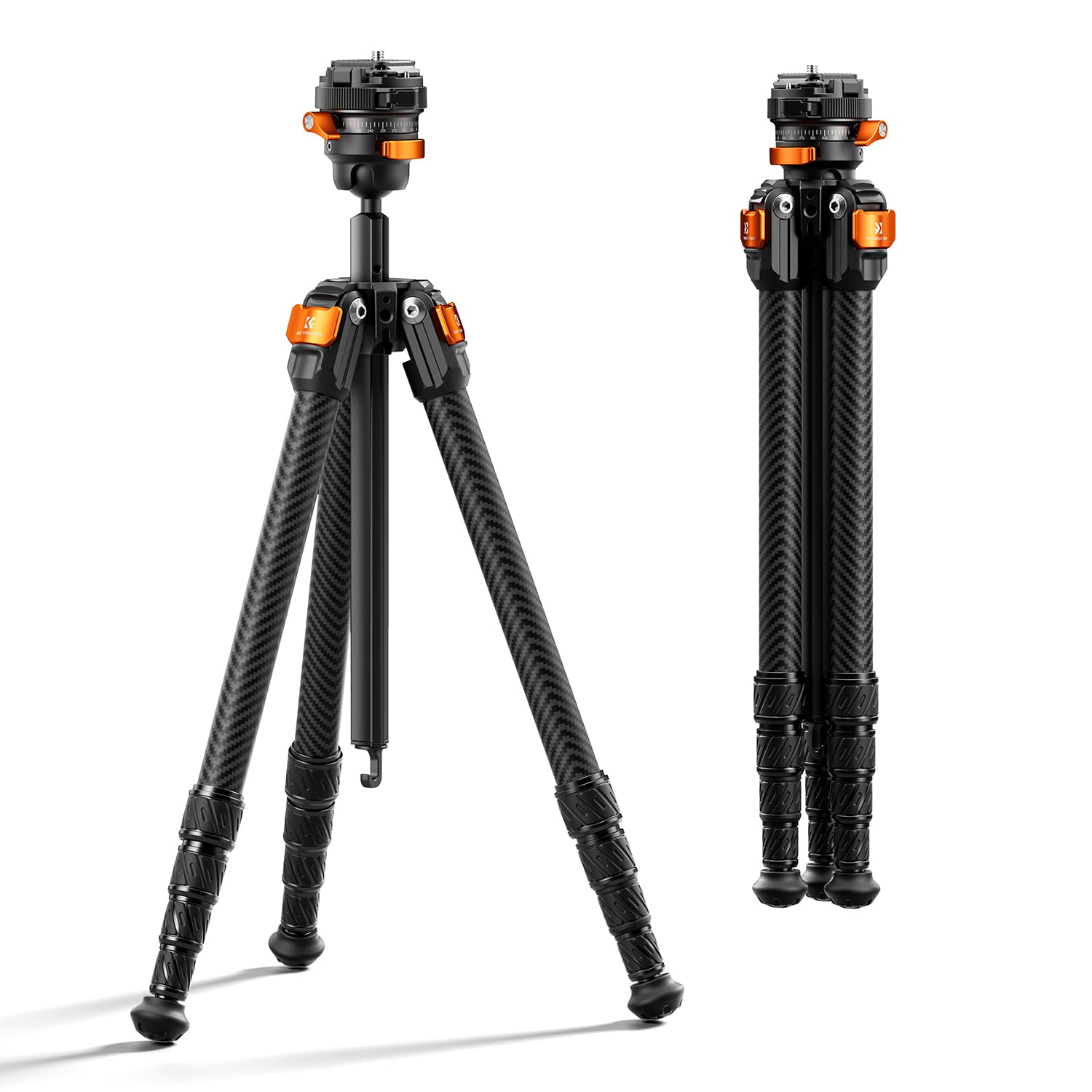
Image: K&F CONCEPT 60" Carbon Fiber Travel Tripod, showcasing its compact and lightweight design.
What's In The Box
Verify that all components are present upon unboxing:
- Camera Tripod ×1
- Quick Release Plate ×2 (one pre-installed on the tripod head)
- Short Center Column ×1
- Portable Storage Bag ×1
- Allen Wrench ×2

Image: All components included in the K&F CONCEPT tripod package.
Setup
-
Unfolding the Tripod
Gently spread the tripod legs until they lock into one of the three adjustable angles. Ensure all legs are fully extended and locked for maximum stability.
Video: Demonstrates the process of unfolding the tripod and adjusting its legs for initial setup.
-
Attaching the Quick Release Plate
The quick release plate allows for rapid attachment and detachment of your camera. Align the plate with the camera's tripod socket and tighten the screw. To attach the camera to the tripod head, press the safety button, align the plate, and turn the locking knob to secure it. To remove, press the safety button and turn the locking knob in the opposite direction.

Image: Visual guide for installing and removing the quick release plate from the tripod head.
-
Adjusting Leg Angles and Height
Each leg features three adjustable angles for stability on uneven terrain. Use the twist locks on each leg section to extend or retract the legs to your desired height. The tripod offers a height range from 15.7 inches to 60.2 inches.

Image: Illustrates the various height adjustments and leg angles of the tripod.
-
Center Column Adjustment
The center column can be extended for additional height. For low-angle macro photography, the center column can be inverted or replaced with the included short center column. The built-in screw tool can be used to adjust the damping of the center column.

Image: Shows the detachable center column and its use for low-angle photography.
Operating the Tripod
-
Panoramic Shooting
The tripod features a 360° panoramic base. Unlock the pan lock knob to rotate the ball head horizontally for smooth panoramic shots. Re-lock the knob to fix the position.

Image: Demonstrates the 360° panoramic rotation capability of the tripod head.
-
Vertical and Horizontal Shooting
The ball head includes dual U-shaped grooves, allowing the camera to tilt 90° for vertical shooting. Adjust the ball head flip lock to switch between vertical and horizontal orientations.

Image: Illustrates how to switch between vertical and horizontal camera positions using the U-shaped grooves.
-
Enhancing Stability
For increased stability, especially in windy conditions, utilize the built-in hook on the center column. You can hang a weight, such as your backpack, to lower the center of gravity. The tripod also features dual-purpose rubber feet with metal spikes for various terrains.

Image: Details the stability features like the center column hook and convertible rubber/spike feet.
-
Using the 1/4" Expansion Port
A 1/4" expansion port is integrated into the tripod, allowing you to attach accessories such as LED lights, microphones, or smartphone holders via a magic arm (accessories sold separately).

Image: Close-up of the 1/4"-20 screw on the tripod head, indicating compatibility with various accessories.
Maintenance
- Cleaning: Wipe the tripod with a soft, dry cloth after each use. For stubborn dirt, use a slightly damp cloth and mild soap, then dry thoroughly. Avoid harsh chemicals.
- Lubrication: Periodically check the leg locks and ball head for smooth operation. If necessary, apply a small amount of silicone-based lubricant to moving parts, avoiding excessive application.
- Storage: Store the tripod in its portable storage bag in a dry, cool place away from direct sunlight and extreme temperatures.
- Inspection: Regularly inspect all screws, knobs, and leg sections for tightness and wear. Tighten any loose components using the provided Allen wrenches.
Troubleshooting
| Problem | Solution |
|---|---|
| Tripod is unstable. | Ensure all leg sections are fully extended and twist locks are tightened. Verify leg angles are set appropriately for the terrain. Hang a weight from the center column hook for added stability. |
| Camera not securely attached. | Confirm the quick release plate is firmly attached to your camera. Ensure the quick release plate is correctly seated in the tripod head and the locking knob is fully tightened. |
| Ball head movement is stiff or loose. | Adjust the ball head flip lock and panning drag knob to achieve desired tension. Clean any debris from the ball head mechanism. |
| Leg sections do not extend/retract smoothly. | Clean the leg sections to remove dirt or sand. Apply a small amount of silicone lubricant if necessary. Ensure twist locks are fully disengaged before adjusting. |
Specifications
| Feature | Detail |
|---|---|
| Model Number | A225C2+BH-28R |
| Material | Carbon Fiber |
| Item Weight | 2.0 lbs (920g) |
| Weight Limit (Load Capacity) | 13.2 lbs (6kg) |
| Maximum Height (Center Column Extended) | 60.2 inches |
| Maximum Height (Center Column Retracted) | 50.8 inches |
| Minimum Height | 15.7 inches |
| Folded Length | 16.5 inches (42cm) |
| Folded Diameter | 2.24 inches (5.7cm) |
| Leg Sections | 5 |
| Leg Lock Type | Twist Lock |
| Tripod Head Type | Ball Head (28mm metal) |
| Mount Type | Arca-Swiss Compatible Quick Release Plate, 1/4"-20 Screw |
| Bottom Mount | 3/8" Threaded Hole |
| Color | Black + Orange |
Warranty
This K&F CONCEPT tripod comes with a One Year Warranty. For warranty claims or service, please retain your proof of purchase and contact K&F CONCEPT customer support.
Support
For further assistance, product registration, or to view frequently asked questions, please visit the official K&F CONCEPT website or contact their customer service department. Contact information can typically be found on the product packaging or the brand's official website.
You can also visit the K&F CONCEPT Store on Amazon for more product information and support resources.