
1. Introduction
The GENDOME SL300 Power Station is a 288Wh (90000mAh) LiFePO4 battery pack designed to provide portable power for your Starlink Mini and other electronic devices. This all-in-one kit ensures stable off-grid internet connectivity for various outdoor activities, travel, and emergency backup situations. It features advanced battery management system (BMS) protection and versatile charging options, all housed within a custom-fit protective carrying case.
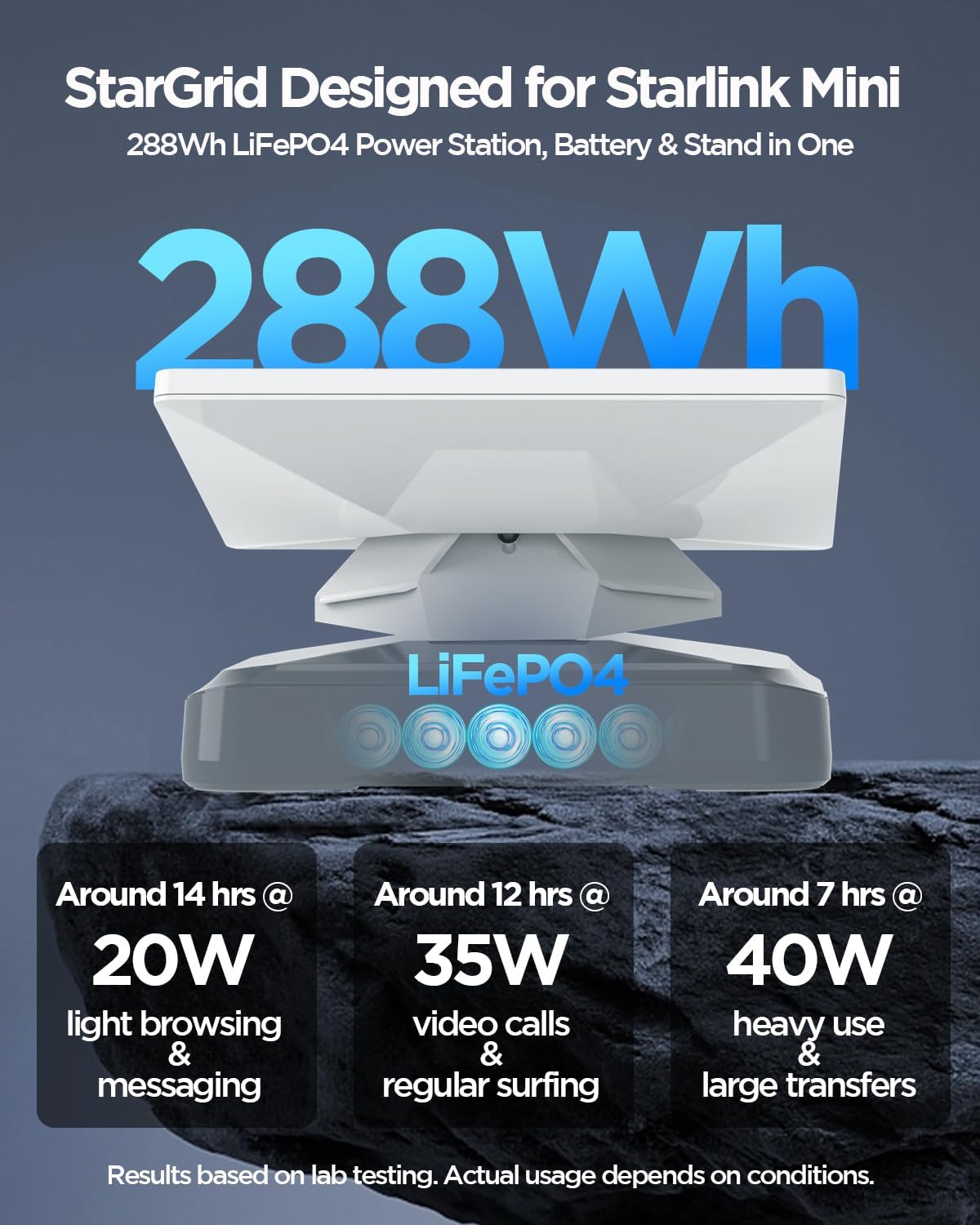
Image 1.1: GENDOME SL300 Power Station with Starlink Mini attached.
2. What's in the Box
Please verify that all components are present upon unboxing:
- 1x GENDOME SL300 288Wh Power Station
- 1x Custom-fit Carrying Case
- 1x DC Cable
- 1x DC to USB-C Cable
- 1x User Manual
Note: The Starlink Mini device, Starlink Mini bottom stand, Starlink Mini charging adapter, and solar panel are not included with this kit.

Image 2.1: All components included in the GENDOME SL300 Power Station kit.
3. Setup Instructions
Follow these steps to set up your GENDOME SL300 Power Station with your Starlink Mini:
- Place the Power Station: Position the GENDOME SL300 Power Station on a stable, flat surface.
- Attach Starlink Mini: Align your Starlink Mini device with the designated slot on top of the GENDOME SL300 Power Station. The power station features a tool-free snap-on design for secure attachment. Gently press the Starlink Mini onto the power station until it locks into place.
- Connect Cables: Use the provided DC to USB-C cable to connect the Starlink Mini to the appropriate port on the GENDOME SL300 Power Station. Ensure all connections are firm.
- Power On: Press and hold the power button on the GENDOME SL300 Power Station to turn it on. The battery status indicator lights will illuminate.

Image 3.1: Detail of the tool-free snap-on design for Starlink Mini attachment.

Image 3.2: Starlink Mini securely connected to the GENDOME SL300 Power Station.
4. Operating Instructions
The GENDOME SL300 Power Station is designed for ease of use, providing power to your Starlink Mini and other devices.
4.1 Powering On/Off
- To Power On: Press and hold the Power Button (1) for approximately 3 seconds until the Battery Status Indicators (2) light up.
- To Power Off: Press and hold the Power Button (1) for approximately 3 seconds until the Battery Status Indicators (2) turn off.
4.2 Connecting Devices
The power station offers multiple output ports:
- DC Port (3): Primarily used for connecting the Starlink Mini via the provided DC cable.
- USB-C (Type-C) Port (4): Supports up to 100W output for charging laptops, tablets, and other compatible devices.
- USB-A Port (5): For charging smartphones, cameras, and other USB-powered accessories.
You can power your Starlink Mini and charge other devices simultaneously using the available ports.

Image 4.1: Overview of GENDOME SL300 Power Station ports and controls.

Image 4.2: GENDOME SL300 Power Station powering multiple devices.
5. Charging the Power Station
The GENDOME SL300 Power Station supports fast charging with multiple input options.
5.1 Charging Methods and Times
The power station can be recharged via DC port, USB-C (Type-C) port, or a combination of both for maximum speed.
| Charging Method | Max Power | Approx. Charging Time to 80% |
|---|---|---|
| DC Port | 60W | ~5 hours |
| TYPE-C Port | 60W | ~5 hours |
| DC Port + TYPE-C | 120W | ~2.5 hours |
Pass-Through Charging: The GENDOME SL300 supports pass-through charging, allowing you to power your Starlink Mini and other devices while the power station itself is being recharged.

Image 5.1: Charging methods and approximate times for the GENDOME SL300.
6. Maintenance
Proper maintenance ensures the longevity and optimal performance of your GENDOME SL300 Power Station.
- Storage: Store the power station in a cool, dry place away from direct sunlight and extreme temperatures. For long-term storage, ensure the battery is charged to approximately 50-80%.
- Cleaning: Use a soft, dry cloth to clean the exterior of the power station. Do not use harsh chemicals or abrasive materials.
- Charging Cycles: To maintain battery health, fully discharge and recharge the unit at least once every 3-6 months if not in regular use.
- Avoid Over-Discharge: Do not allow the battery to completely drain for extended periods, as this can reduce its lifespan.
- Case Care: The protective carrying case is splash-resistant. Wipe off any moisture promptly.

Image 6.1: The splash-resistant carrying case protecting the power station.
7. Troubleshooting
If you encounter issues with your GENDOME SL300 Power Station, refer to the following common solutions:
- Power Station Not Turning On:
- Ensure the battery is charged. Connect it to a power source and allow it to charge for at least 30 minutes.
- Press and hold the power button firmly for 3-5 seconds. - Devices Not Charging:
- Verify that the power station is turned on.
- Check if the cables are securely connected to both the power station and the device.
- Ensure the device's power requirements do not exceed the output capacity of the port being used.
- Try a different port or cable. - Slow Charging:
- Ensure you are using a compatible charger and cable.
- For faster charging, use both the DC and USB-C input ports simultaneously (120W combined input).
- Environmental factors (extreme cold/heat) can affect charging speed. - Starlink Mini Not Receiving Power:
- Confirm the DC to USB-C cable is correctly connected between the power station's DC port and the Starlink Mini.
- Ensure the power station has sufficient charge.
8. Specifications
Detailed technical specifications for the GENDOME SL300 Power Station:
| Feature | Detail |
|---|---|
| Brand | GENDOME |
| Model Name | SL300 |
| Battery Capacity | 288Wh / 90000mAh |
| Battery Cell Type | Lithium Iron Phosphate (LiFePO4) |
| Voltage | 19.2 Volts |
| Input (USB-C PD) | Up to 100W |
| Input (DC) | Up to 60W |
| Output (USB-C PD) | Up to 100W |
| Output (USB-A) | Standard USB output |
| Output (DC) | Compatible with Starlink Mini |
| Special Features | Advanced BMS Protection (Over-charge, Over-discharge, Over-voltage, Over-temperature), Pass-Through Charging, Custom-fit Carrying Case |
| Recommended Uses | Starlink Mini, Laptop, Phone, Power Tool |
| Battery Weight | 8 Pounds |
9. Safety Information
Please read and follow these safety guidelines to prevent injury or damage to the product:
- Do not expose the power station to extreme temperatures, direct sunlight, or fire.
- Do not immerse the power station in water or other liquids.
- Avoid dropping, puncturing, or disassembling the unit.
- Keep out of reach of children.
- Use only approved chargers and cables. The DC to USB-C cable included is specifically for Starlink Mini and should not be used for charging the SL300 itself or other products.
- Ensure proper ventilation during use and charging.
- If the power station becomes excessively hot, emits smoke, or shows any signs of damage, discontinue use immediately and contact support.
10. Warranty and Support
GENDOME products are designed for reliability and performance. For warranty information, technical support, or any questions regarding your SL300 Power Station, please refer to the contact information provided with your purchase or visit the official GENDOME website.


