
ROTAI S56Pro-BK
Contents
ROTAI Massage Chair S56Pro-BK User Manual
Model: S56Pro-BK
Important Safety Instructions
Please read all instructions carefully before using your ROTAI Massage Chair. Keep this manual for future reference.
- Electrical Safety: Always unplug the chair from the electrical outlet immediately after use and before cleaning. Do not use near water.
- Medical Conditions: Consult your physician before using this massage chair if you have any medical conditions, including but not limited to heart disease, pregnancy, osteoporosis, or if you have a pacemaker.
- Children and Pets: Keep children and pets away from the massage chair, especially when it is in operation. This appliance is not intended for use by persons with reduced physical, sensory, or mental capabilities unless supervised.
- Avoid Overuse: Do not use the massage chair for more than 30 minutes at a time. Excessive use may lead to overheating or discomfort.
- Proper Use: Use this product only for its intended use as described in this manual. Do not stand on or place heavy objects on the chair.
- Damage: If the power cord or plug is damaged, or if the chair malfunctions or has been dropped or damaged, do not use it. Contact customer support for assistance.
- Heat Warning: The heating function has a hot surface. Persons insensitive to heat must be careful when using the chair.
Product Overview
The ROTAI S56Pro-BK is a full-body massage chair designed to provide a comprehensive massage experience with features like heat therapy, neck, shoulder, and back massage, and foot rollers. Familiarize yourself with the main components before operation.
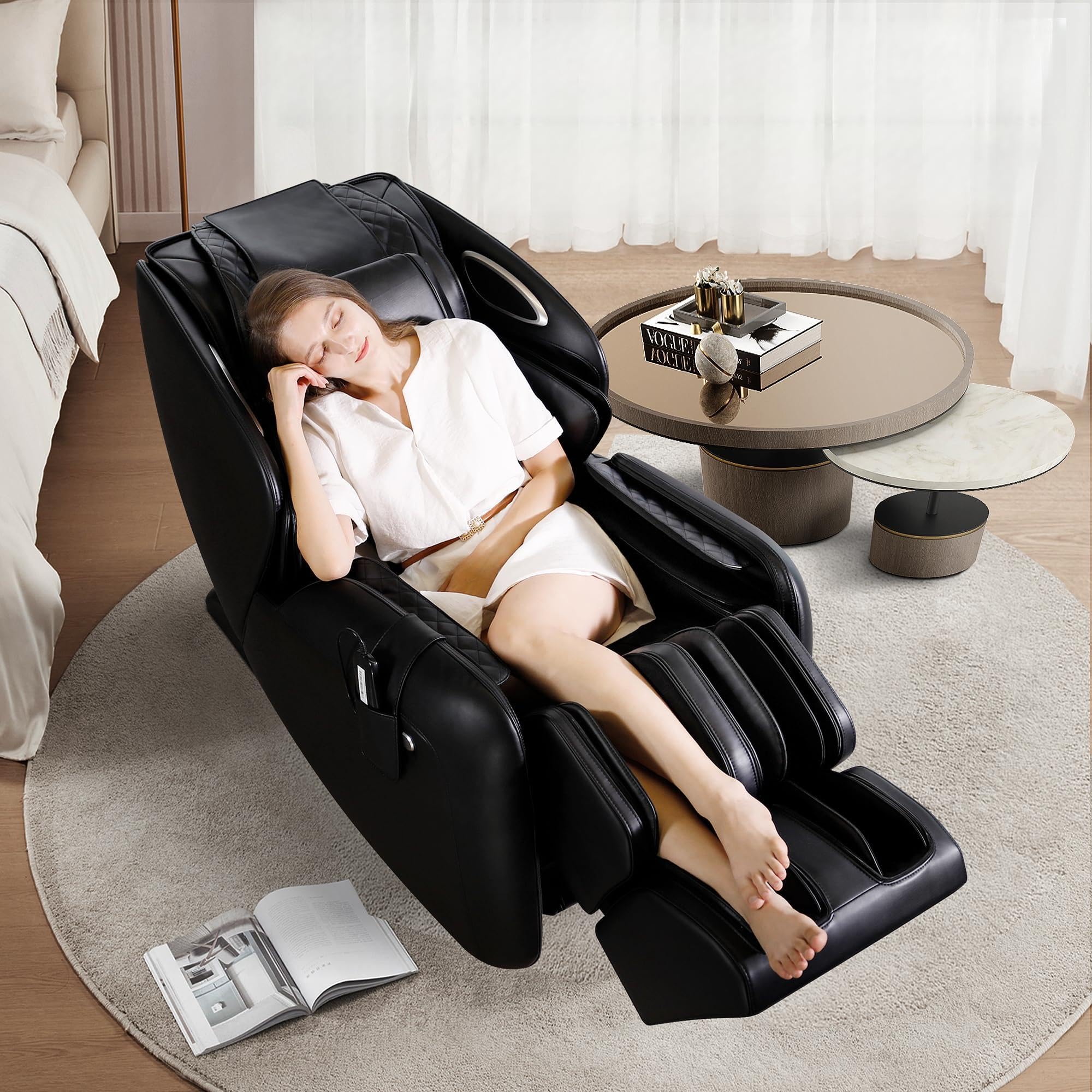
Figure 1: The ROTAI S56Pro-BK Massage Chair, showcasing its ergonomic design and premium black finish. This image provides a general view of the product.
Main Components:
- Main Chair Body: Contains the massage mechanisms, airbags, and heating elements.
- Armrests: Integrated with arm massage features.
- Footrest: Includes foot rollers and calf massage airbags.
- Remote Control: Used to operate all functions of the massage chair.
- Power Cord: Connects the chair to an electrical outlet.
Setup
1. Unpacking
- Carefully remove the massage chair from its packaging.
- Remove all packing materials, including plastic bags and protective foam.
- Inspect the chair for any signs of damage. If damaged, do not proceed with setup and contact customer support.
2. Placement
- Place the massage chair on a flat, stable, and level surface.
- Ensure there is sufficient space around the chair, especially behind it, to allow for full recline without obstruction (approximately 10-12 inches from a wall).
- Avoid placing the chair in direct sunlight or near heat sources.
3. Power Connection
- Ensure the chair's power switch is in the "OFF" position.
- Connect the power cord to the designated port on the back or side of the chair.
- Plug the other end of the power cord into a grounded electrical outlet (AC 120V, 60Hz). Do not use extension cords or adapters.
Operating Instructions
1. Powering On/Off
- To power on, flip the main power switch located at the back or side of the chair to the "ON" position.
- Press the power button on the remote control. The chair will typically perform a body scan.
- To power off, press the power button on the remote control again. Then, flip the main power switch to "OFF" and unplug the chair from the outlet when not in use for extended periods.
2. Remote Control Overview
The remote control allows you to select massage programs, adjust settings, and control chair functions. Refer to the remote control diagram (if available with your product) for specific button layouts.
- Power Button: Turns the chair on/off.
- Auto Programs: Select from various pre-programmed massage routines (e.g., "Relax," "Stretch," "Full Body," "Sleep").
- Manual Massage: Customize massage techniques (kneading, tapping, shiatsu), areas (neck, back, lumbar), and intensity.
- Recline/Incline: Adjust the backrest and footrest position.
- Zero Gravity: Activates the zero-gravity recline position, which elevates your legs above your heart.
- Heat: Turns on/off the lumbar heating function.
- Airbag Massage: Adjusts intensity or turns on/off airbag compression for shoulders, arms, calves, and feet.
- Foot Rollers: Activates or adjusts the speed of foot sole rollers.
3. Body Scan
Upon starting, the chair performs an automatic body scan to detect your shoulder position and customize the massage rollers' path for optimal coverage. Ensure you are seated properly during this process.
4. Adjusting Massage Settings
Use the remote control to fine-tune your massage experience:
- Intensity: Increase or decrease the strength of the massage rollers or airbag compression.
- Speed: Adjust the speed of certain massage techniques.
- Width: For some techniques, adjust the width between the massage rollers.
- Position: Manually adjust the vertical position of the massage rollers.
Maintenance
1. Cleaning
- Before Cleaning: Always unplug the massage chair from the power outlet.
- Upholstery: Wipe the surface with a soft, damp cloth. For stubborn stains, use a mild, non-abrasive cleaner specifically designed for upholstery. Test on an inconspicuous area first. Do not use harsh chemicals, solvents, or abrasive cleaners.
- Plastic/Metal Parts: Wipe with a soft, dry cloth.
- Avoid Liquids: Do not allow water or any other liquids to enter the interior of the chair.
2. Storage
- When not in use for extended periods, unplug the chair and store it in a cool, dry place, away from direct sunlight and extreme temperatures.
- Cover the chair with a dust cover to protect it from dust and dirt.
3. Regular Checks
- Periodically check the power cord for any damage.
- Ensure all connections are secure.
Troubleshooting
If you encounter any issues with your ROTAI Massage Chair, please refer to the following common problems and solutions:
| Problem | Possible Cause | Solution |
|---|---|---|
| Chair does not power on. | Power cord not properly connected; main power switch off; power outlet issue. | Ensure power cord is securely plugged in. Check main power switch. Test outlet with another device. |
| Massage rollers are not moving. | Chair is in standby mode; program not selected; safety feature activated. | Press power button on remote. Select an auto program or manual massage. Ensure no obstructions. |
| Heat function is not working. | Heat function not activated; short delay for heating. | Ensure heat button on remote is pressed. Allow a few minutes for the heat to become noticeable. |
| Unusual noise during operation. | Normal operational sounds; loose component; obstruction. | Some mechanical sounds are normal. Check for loose parts or obstructions. If noise is excessive or unusual, discontinue use and contact support. |
If the problem persists after trying these solutions, please contact ROTAI Customer Support.
Specifications
| Feature | Detail |
|---|---|
| Brand | ROTAI |
| Model Number | S56Pro-BK |
| Color | Premium Black |
| Product Dimensions (D x W x H) | 59.06"D x 29.53"W x 43.31"H |
| Item Weight | 75.5 kg |
| Recommended Uses | Relaxing |
| Indoor/Outdoor Usage | Indoor |
| UPC | 717337613987 |
Warranty Information
ROTAI provides a limited warranty for this product. Please refer to the warranty card included with your purchase or visit the official ROTAI website for detailed warranty terms and conditions. Keep your proof of purchase for warranty claims.
Customer Support
For technical assistance, troubleshooting not covered in this manual, or warranty inquiries, please contact ROTAI Customer Support. Contact information can typically be found on the ROTAI official website or on the packaging materials.
Note: No official product videos were available in the provided data with the specified criteria for embedding.
Ask a question about this manual
Ask about setup, troubleshooting, compatibility, parts, safety, or missing instructions. Manuals+ will review the question and use this page’s manual context to help answer it.