
Introduction
Thank you for choosing the ROCAM CR1031DAB Portable Radio. This device offers a versatile listening experience with DAB/DAB+, FM radio, Bluetooth 5.0 connectivity, and TF card playback. It features a 2.4-inch color display, dual alarm clocks, multiple EQ modes, and a long-lasting 3000 mAh rechargeable battery. This manual provides detailed instructions for setup, operation, maintenance, and troubleshooting to ensure optimal performance.
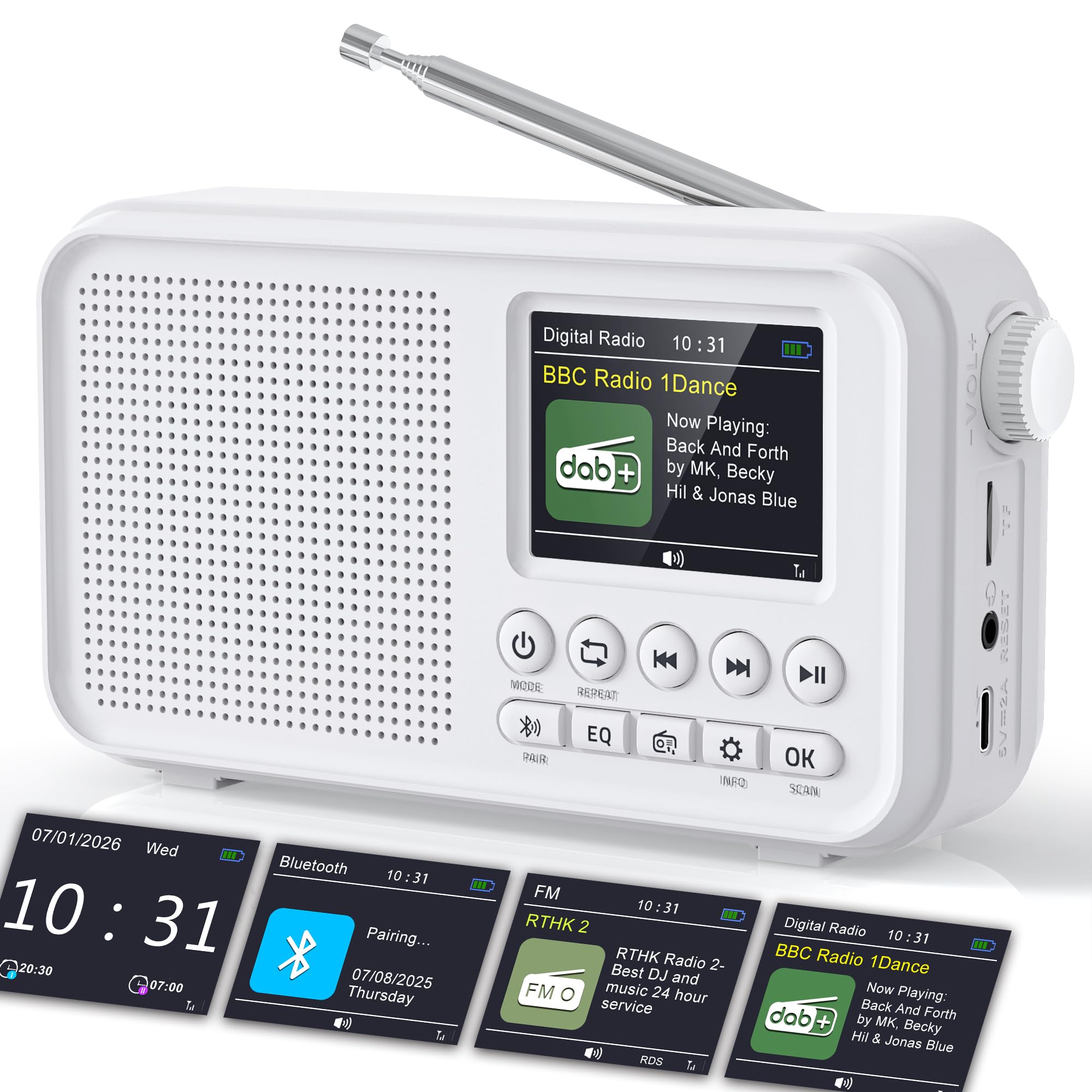
Image: The ROCAM CR1031DAB portable radio, showcasing its compact design, 2.4-inch color display, and key controls. Dimensions are indicated as approximately 6.65 inches wide, 3.62 inches high, and 1.85 inches deep.
Safety Information
- Read all instructions before operating the device.
- Do not expose the device to rain, moisture, or extreme temperatures.
- Avoid placing the device near heat sources or in direct sunlight.
- Do not disassemble or modify the device. Refer all servicing to qualified personnel.
- Use only the provided USB-C charging cable and power adapter.
- Keep the device away from strong magnetic fields.
Package Contents
- ROCAM CR1031DAB Portable Radio
- USB-C Charging Cable
- Power Adapter
- User Manual (this document)
Product Overview
Familiarize yourself with the radio's components and controls.

Image: An overview of the ROCAM CR1031DAB radio highlighting its key features including the high-sensitivity anti-interference antenna, high-performance DSP chip, high-quality diaphragm and large magnetic circuit, seamless Bluetooth 5.0 connectivity, 3000mAh rechargeable battery, 80 preset stations, headphone jack, TF card port, and Type-C port.
Controls and Ports
- Power Button: Turns the radio on/off.
- Mode Button: Switches between DAB, FM, Bluetooth, and TF card modes.
- Volume Knob: Adjusts the audio volume.
- Tuning/Navigation Buttons: Used for scanning stations, navigating menus, and track selection.
- EQ Button: Cycles through equalizer presets.
- OK Button: Confirms selections.
- Alarm Button: Accesses alarm settings.
- Info Button: Displays station information.
- Type-C Port: For charging the device.
- TF Card Slot: For inserting a TF (microSD) card for audio playback.
- Headphone Jack: For private listening.
- Telescopic Antenna: For improved radio signal reception.
Setup
1. Initial Charging
Before first use, fully charge the radio. Connect the provided USB-C cable to the radio's Type-C port and the other end to the power adapter. Plug the adapter into a wall outlet. The charging indicator on the display will show the charging status. A full charge takes approximately 3-4 hours.
2. Antenna Adjustment
Extend the telescopic antenna fully for optimal DAB/DAB+ and FM radio reception. Adjust its position to achieve the clearest signal.

Image: The ROCAM CR1031DAB radio with its telescopic antenna extended, illustrating its high-sensitivity anti-interference capabilities. It shows DAB/DAB+ frequency range (174.928 - 239.200 MHz) and FM frequency range (87.5 - 108.00 MHz), with a DAB receiving range of within 20KM of signal.
3. Power On/Off
Press and hold the Power button to turn the radio on or off.
Operating Instructions
1. DAB/DAB+ Radio Mode
- Press the Mode button until "DAB" is displayed.
- The radio will automatically scan for available DAB/DAB+ stations upon first use or if no stations are found. To initiate a manual scan, navigate to the scan option in the menu.
- Use the tuning buttons to browse through the list of available stations.
- Press OK to select a station.
- To save a station as a preset, press and hold the Preset button, then use the tuning buttons to select a preset number (1-40) and press OK to confirm.
- To recall a preset, briefly press the Preset button, then use the tuning buttons to select the desired preset and press OK.
2. FM Radio Mode
- Press the Mode button until "FM" is displayed.
- To auto-scan for stations, press and hold the Scan button. The radio will scan and save available stations.
- To manually tune, use the tuning buttons to adjust the frequency.
- To save an FM station as a preset, follow the same steps as for DAB/DAB+ presets (40 FM presets available).
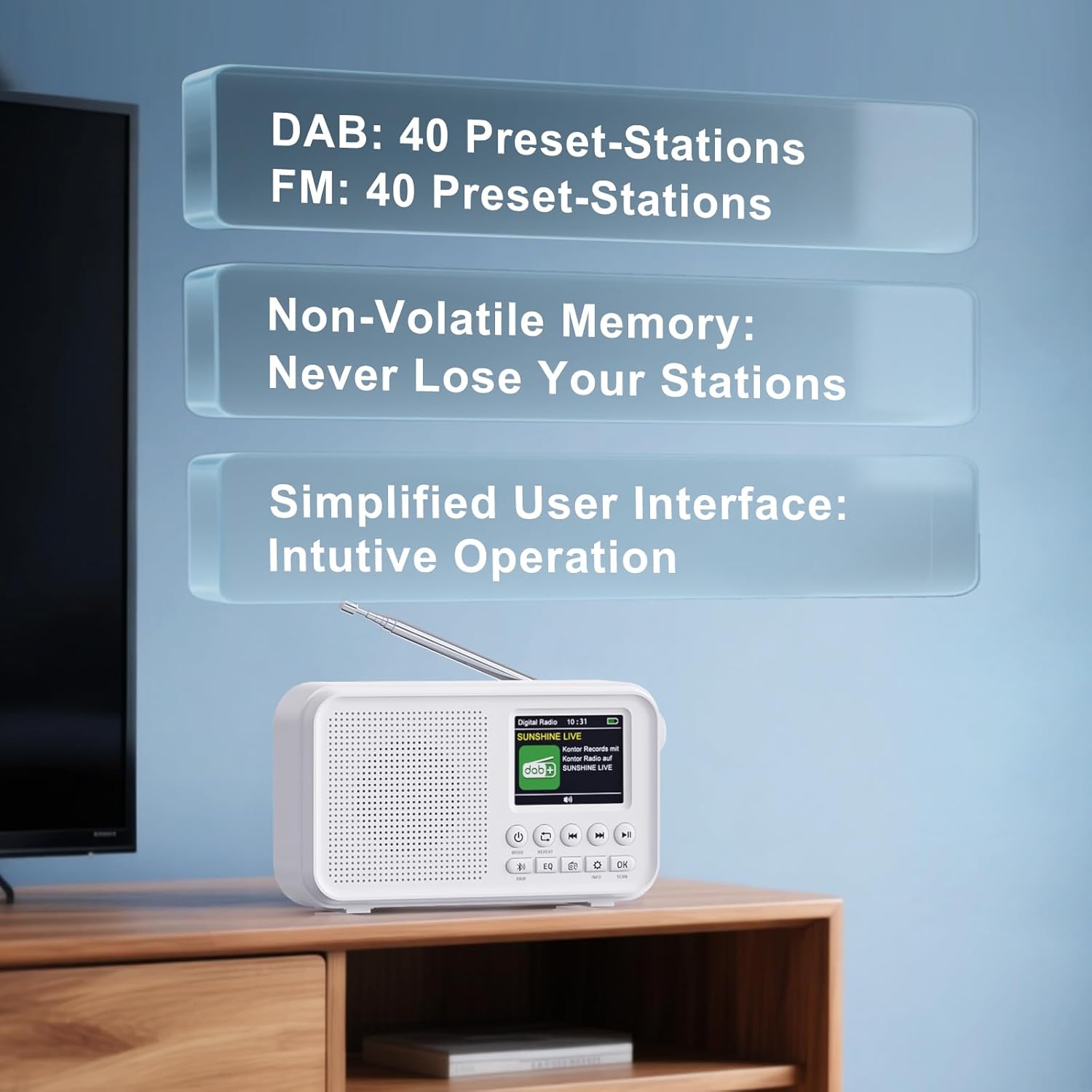
Image: The ROCAM CR1031DAB radio screen showing the user interface with information about DAB and FM preset stations. It indicates 40 preset stations for DAB and 40 for FM, along with non-volatile memory to retain saved stations.
3. Bluetooth 5.0 Connectivity
- Press the Mode button until "Bluetooth" is displayed. The radio will enter pairing mode, indicated by a flashing Bluetooth icon.
- On your smartphone, tablet, or laptop, enable Bluetooth and search for available devices.
- Select "CR1031DAB" from the list of devices.
- Once connected, the Bluetooth icon will stop flashing, and you can stream audio from your device to the radio.
- Note: This radio does not support Bluetooth headphones.

Image: The ROCAM CR1031DAB radio displaying "Pairing..." on its screen, next to a smartphone, illustrating the seamless Bluetooth 5.0 connectivity. The image suggests a stable connection range of up to 30 meters.
4. TF Card Playback
- Insert a TF (microSD) card (up to 64GB) with audio files into the TF card slot.
- Press the Mode button until "TF Card" mode is displayed.
- The radio will automatically start playing audio files from the card.
- Use the navigation buttons to skip tracks or pause/play.
5. Dual Alarm Clock
- Press the Alarm button to access alarm settings.
- Select Alarm 1 or Alarm 2.
- Set the desired alarm time, source (DAB/FM radio), and volume using the navigation and OK buttons.
- Choose the repeat mode: Daily, Weekdays, Weekends, or Weekly.
- Ensure the alarm is enabled.
6. Sleep Timer
- Press the Sleep button (often combined with another function, refer to button labels).
- Use the navigation buttons to select a sleep timer duration (e.g., 15, 30, 60, 90, 120 minutes).
- The radio will automatically turn off after the selected time.
7. Equalizer (EQ) Modes
Press the EQ button repeatedly to cycle through the available equalizer presets: Pop, Rock, Jazz, Classical, Bass Boost, and Normal. Select the mode that best suits your audio preference.
Maintenance
- Cleaning: Use a soft, dry cloth to clean the radio's exterior. Do not use abrasive cleaners or solvents.
- Storage: When not in use for extended periods, store the radio in a cool, dry place.
- Battery Care: To prolong battery life, avoid fully discharging the battery frequently. Charge the device regularly, even if not in use.
Troubleshooting
| Problem | Possible Cause | Solution |
|---|---|---|
| No power | Battery is depleted. | Charge the radio using the provided USB-C cable and power adapter. |
| Poor radio reception | Antenna not extended or poor signal area. | Fully extend and adjust the telescopic antenna. Try moving the radio to a different location. Perform a new station scan. |
| Bluetooth not connecting | Radio not in pairing mode or device not discoverable. | Ensure the radio is in Bluetooth mode and flashing. Make sure Bluetooth is enabled on your external device and it is searching for new connections. |
| TF card not playing | Card not inserted correctly or unsupported file format. | Reinsert the TF card. Ensure audio files are in a compatible format (e.g., MP3). Check if the card is damaged. |
| Alarm not sounding | Alarm not enabled or volume too low. | Check alarm settings to ensure it is enabled and the volume is set appropriately. |
Specifications
- Model Number: CR1031DAB
- Brand: ROCAM
- Connectivity Technology: DAB, DAB+, FM, Bluetooth 5.0, TF Card
- Display: 2.4-inch TFT Color Screen
- Speaker Output: 8W
- Battery: 3000 mAh Lithium-ion (Rechargeable)
- Playback Time: Up to 18 hours (at 50% volume)
- DAB/DAB+ Frequencies: 174.928 - 239.200 MHz
- FM Frequencies: 87.5 - 108.00 MHz
- Presets: 40 DAB/DAB+, 40 FM
- EQ Modes: Pop, Rock, Jazz, Classical, Bass Boost, Normal
- Dimensions (L x W x H): 16.9 x 4.7 x 9.2 cm (approximately 6.65 x 1.85 x 3.62 inches)
- Included Components: USB-C charging cable, power adapter
Warranty and Support
For warranty information or technical support, please refer to the documentation provided with your purchase or contact ROCAM customer service directly. Contact details can typically be found on the manufacturer's official website or on the product packaging.


