
1. Introduction
Thank you for choosing the ganopterygon G128M Smart Watch. This manual provides essential information for setting up, operating, and maintaining your device. Please read it carefully to ensure proper use and to maximize the watch's features.
What's in the Box
- Smartwatch (1 unit)
- Silicone Strap (1 unit)
- Magnetic Charging Cable (1 unit)
- User Manual (1 unit)

Image: The ganopterygon G128M Smart Watch package contents, showing the smartwatch, a silicone strap, a magnetic charging cable, and the user manual.
2. Safety Information
- Do not attempt to disassemble or modify the watch.
- Keep the watch away from extreme temperatures and direct sunlight.
- Avoid exposing the watch to strong impacts or chemicals.
- Consult a medical professional before starting any new exercise regimen, especially if you have pre-existing health conditions.
- This device is not a medical device and should not be used for medical diagnosis or treatment.
- Ensure the charging cable is used correctly to prevent damage or electric shock.
3. Setup Guide
3.1 Charging the Smart Watch
Before first use, fully charge your ganopterygon G128M Smart Watch. Connect the magnetic charging cable to the charging points on the back of the watch and plug the USB end into a power adapter (not included) or a computer's USB port. A full charge typically takes approximately 2 hours.

Image: The smartwatch connected to its magnetic charging cable, illustrating the 300mAh battery and expected battery life of 5-7 days for normal use and 25 days standby.
3.2 Downloading and Installing the App
To unlock all features and synchronize data, download the companion app. Search for "Da Fit" in your smartphone's app store (compatible with iOS 9.0+ and Android 5.0+).
3.3 Pairing with Your Smartphone
- Ensure your watch is charged and powered on.
- Enable Bluetooth on your smartphone.
- Open the Da Fit app and follow the on-screen instructions to add a device.
- Select the "G128" model from the list of available devices.
- Confirm the pairing request on both your phone and the watch.

Image: A visual guide demonstrating the steps to download the Da Fit app, enable Bluetooth, add the device, find the G128 model, and confirm pairing for Bluetooth calling functionality.
4. Operating Instructions
4.1 Basic Navigation
The ganopterygon G128M Smart Watch features a 2.01" HD touchscreen for intuitive control. Swipe left, right, up, or down to navigate through menus and functions. Tap to select items.

Image: A collage of different watch faces available on the G128M smartwatch, illustrating the 2.01" HD touchscreen and customizable display options.
4.2 Bluetooth Calling
Once paired, you can make and receive calls directly from your watch. The watch includes a built-in microphone and speaker.
- Answering Calls: When a call comes in, tap the green phone icon on the watch screen.
- Making Calls: Access the dial pad or contacts list on your watch to initiate a call.
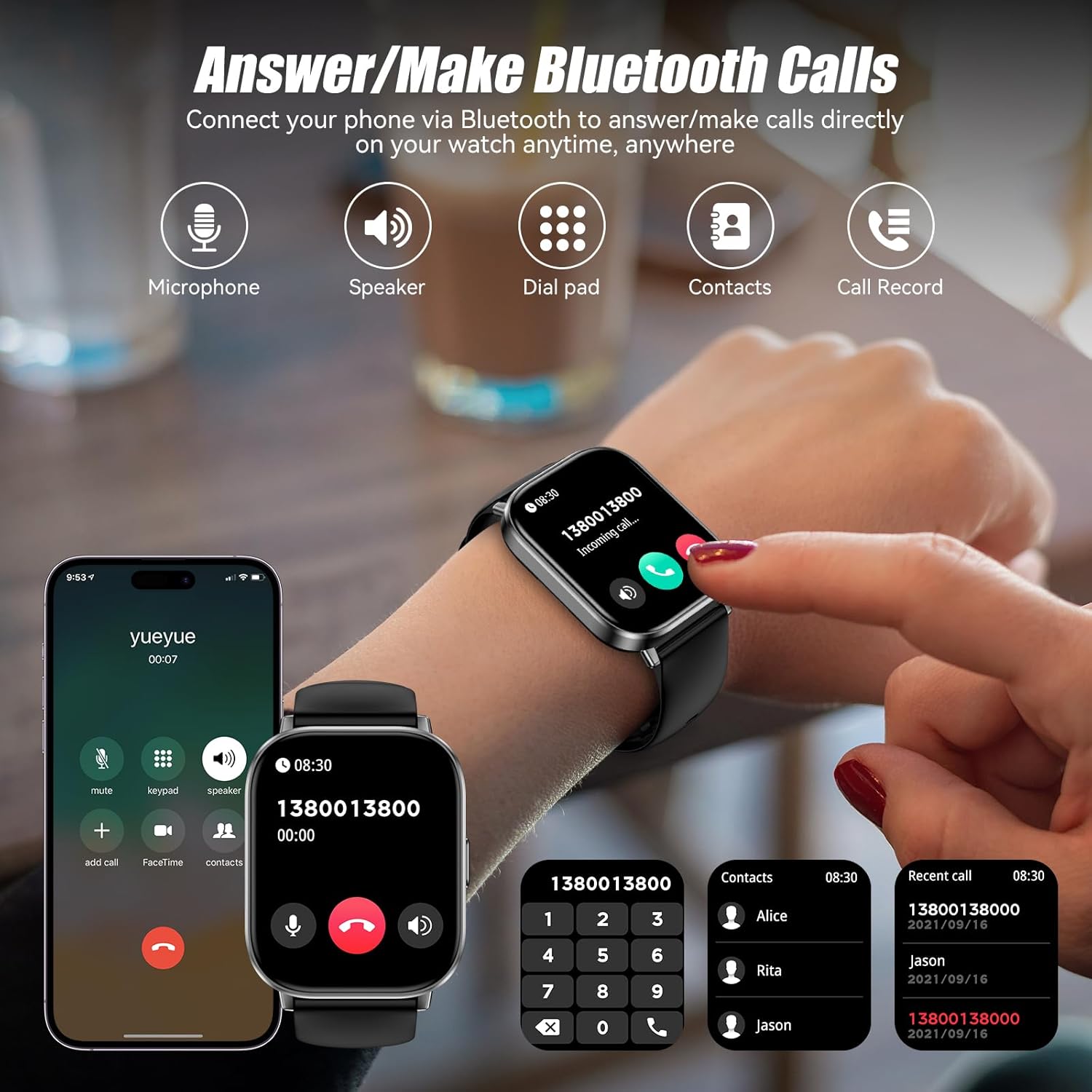
Image: The smartwatch screen showing options for Bluetooth calling, including a dial pad, contacts, and call history, alongside icons for microphone and speaker.
4.3 Health Monitoring
The watch continuously tracks various health metrics:
- Heart Rate: Monitors your heart rate 24/7. View real-time data on the watch or detailed trends in the app.
- Sleep Monitoring: Tracks your sleep patterns, including light, deep, and awake sleep stages.
- Women's Health: Provides tracking and reminders for menstrual cycles.

Image: The smartwatch interface showing heart rate data, sleep duration, and a women's health tracking reminder, demonstrating the 24/7 health management capabilities.
4.4 Sports Modes
With over 120 sports modes, the watch records your workout data in real-time, helping you track progress and improve efficiency. Select your activity from the sports menu to begin tracking.

Image: A person cycling with the smartwatch visible, showing workout metrics like calories burned, distance, time, and steps, along with icons representing different sports modes.
4.5 Smart Notifications
Receive notifications for calls, texts, and various social media apps directly on your watch. (Note: Replying to messages is not supported.)

Image: The smartwatch showing incoming message notifications and a voice assistant interface, demonstrating how to interact with the watch for daily tasks.
4.6 Other Functions
The G128M Smart Watch includes several practical tools:
- Voice Assistant: Use voice commands for various tasks.
- Music Control: Control music playback on your smartphone.
- Camera Control: Remotely trigger your phone's camera shutter.
- Weather Forecast: Get current weather information.
- Calculator: Perform basic calculations.
- Alarm Clock & Timer: Set alarms and timers.
- Find Phone: Locate your paired smartphone.
- Breathing Training: Guided breathing exercises.
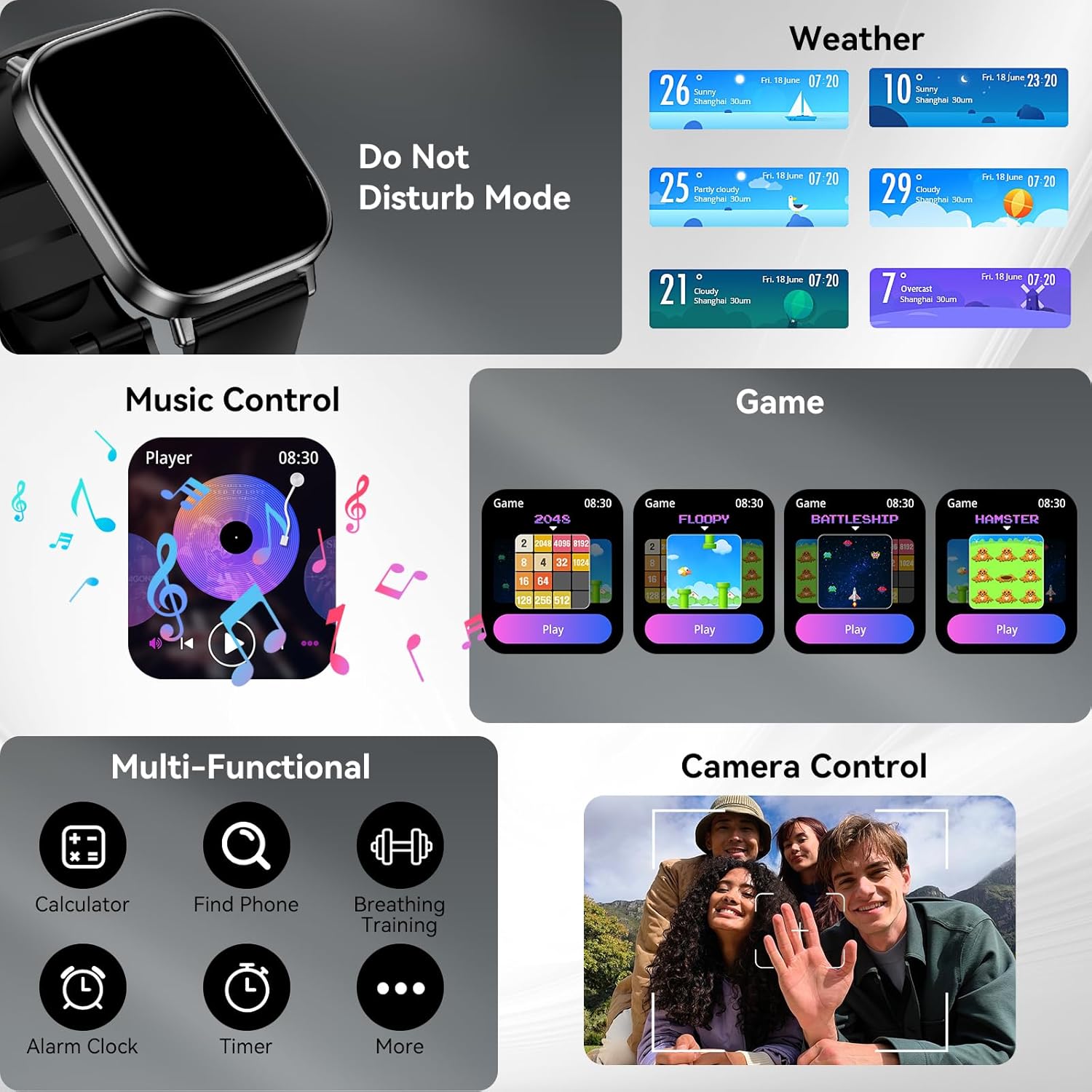
Image: A comprehensive view of the smartwatch's multi-functional capabilities, including weather display, music player controls, simple games, calculator, find phone, breathing training, alarm clock, and timer.
5. Maintenance
5.1 Cleaning
Wipe the watch and strap regularly with a soft, dry cloth. If necessary, use a slightly damp cloth and then dry thoroughly. Avoid using harsh chemicals or abrasive materials.
5.2 Water Resistance (IP67)
The ganopterygon G128M Smart Watch has an IP67 waterproof rating. This means it can withstand daily activities such as hand washing, rain, and light splashes. It is not suitable for swimming, showering with hot water, or diving. Do not immerse the watch in water for extended periods.

Image: A person on a surfboard wearing the smartwatch, with text indicating IP67 waterproof rating and warnings: "No Sauna" and "Do not immerse in water."
5.3 Battery Care
To prolong battery life, avoid fully discharging the watch frequently. Charge the watch using the provided magnetic charging cable. Store the watch in a cool, dry place when not in use for extended periods.
6. Troubleshooting
| Issue | Possible Solution |
|---|---|
| Watch does not turn on | Ensure the watch is fully charged. Connect to the charger for at least 30 minutes. |
| Unable to pair with smartphone | Check if Bluetooth is enabled on your phone. Ensure the Da Fit app is open. Restart both the watch and phone. Forget the device in your phone's Bluetooth settings and try pairing again. |
| Notifications not received | Verify that notifications are enabled in the Da Fit app and in your phone's system settings for the app. Ensure the watch is connected via Bluetooth. |
| Inaccurate health data | Ensure the watch is worn snugly on your wrist, not too tight or too loose. Clean the sensor on the back of the watch. |
| Bluetooth calling issues | Confirm the watch is properly connected for both data and call audio (check Bluetooth settings on your phone). Ensure the watch's volume is adjusted. |
7. Specifications
| Feature | Detail |
|---|---|
| Model Name | G128M |
| Display | 2.01 Inches HD Touchscreen (320 x 320 Resolution) |
| Connectivity | Bluetooth |
| Battery Capacity | 300 Milliamp Hours (Lithium Polymer) |
| Battery Life (Average) | 7 days |
| Charging Time | 2 Hours |
| Waterproof Rating | IP67 |
| Sports Modes | 120+ |
| Health Monitoring | Heart Rate, Sleep, Female Cycle Tracking |
| Compatibility | iOS 9.0+ / Android 5.0+ |
| Band Material | Silicone |
| Case Material | Acrylonitrile Butadiene Styrene (ABS) |
| Item Weight | 2.5 Ounces |
8. Warranty and Support
8.1 Warranty Information
The ganopterygon G128M Smart Watch comes with a 2-Year Manufacturer Warranty. This warranty covers defects in materials and workmanship under normal use. It does not cover damage caused by misuse, accidents, unauthorized modifications, or failure to follow the instructions in this manual.
8.2 Customer Support
For technical assistance, warranty claims, or any questions regarding your ganopterygon G128M Smart Watch, please refer to the contact information provided with your purchase or visit the official ganopterygon support website. Please have your model number (G128M) and purchase details ready when contacting support.