
1. Introduction
This manual provides comprehensive instructions for the installation, operation, and maintenance of your aosu 2K Battery Security Camera System. This system is designed to provide reliable outdoor surveillance with advanced features for enhanced home security.
Key Features:
- 2K Video Resolution: Capture clear and detailed footage.
- 100% Wire-Free: Flexible placement without the need for power cables.
- aosuBase Local Storage: Includes 32GB built-in storage, expandable up to 1TB via microSD card (sold separately), eliminating subscription fees.
- Advanced Detection: PIR (Passive Infrared) and AI human detection reduce false alerts.
- IP65 Weatherproof: Designed to withstand various outdoor weather conditions.
- Extended Battery Life: Up to 120 days of battery life based on typical usage (30 daily 10-second activations).

Image: The aosu 2K Battery Security Camera System, showcasing the camera, base station, and key features like 2K resolution and AI alerts.
2. What's in the Box
Please check the contents of your package to ensure all items are present:
- aosu 2K Battery Cameras (2 units)
- aosuBase Station (1 unit)
- Mounting Kits (screws and wall anchors)
- USB Charging Cable
- Ethernet Cable
- Quick Start Guide

Image: The primary components of the 2-camera kit: two aosu cameras and the aosuBase station.
3. Setup Guide
Follow these steps to set up your aosu 2K Battery Security Camera System:
- Charge Cameras: Fully charge both aosu cameras using the provided USB charging cable. A full charge ensures optimal performance from the start.
- Connect aosuBase: Connect the aosuBase station to your home router using the included Ethernet cable. Plug the power adapter into the aosuBase and an electrical outlet. The indicator light on the aosuBase will show its status.
- Download the aosu App: Search for "aosu" in your smartphone's app store (iOS or Android) and download the official application.
- Create Account & Log In: Open the aosu app, register for a new account if you don't have one, and then log in.
- Add aosuBase: In the app, follow the on-screen instructions to add your aosuBase to your account. This typically involves scanning a QR code on the base station.
- Pair Cameras: Once the aosuBase is added, the app will guide you through pairing each camera. Ensure cameras are close to the aosuBase during the pairing process.
- Mount Cameras: Choose suitable outdoor locations for your cameras, considering coverage area, Wi-Fi signal strength, and potential blind spots. Use the provided mounting kits to securely attach the cameras. Ensure the cameras are within effective wireless range of the aosuBase.

Image: A person demonstrating the installation of an aosu camera on an outdoor wall.

Image: An illustration demonstrating the flexible, wire-free placement options for aosu cameras around a home.
4. Operating Instructions
Utilize the aosu app to manage and monitor your security camera system effectively.
4.1. Live View and Recording
- Live View: Access real-time video streams from your cameras anytime, anywhere via the aosu app.
- Recording & Playback: The system automatically records events triggered by motion. View recorded footage and utilize the timeline feature for quick review of specific events.
- Multi-Camera Monitoring: The app allows simultaneous live viewing of multiple cameras, providing comprehensive coverage.

Image: A smartphone displaying live 2K video feeds from two aosu cameras, demonstrating multi-camera monitoring.
4.2. Motion Detection and Alerts
- PIR + AI Human Detection: The system combines Passive Infrared (PIR) and Artificial Intelligence (AI) to accurately detect human motion, significantly reducing false alerts from pets, vehicles, or environmental factors.
- Customization: Adjust motion detection sensitivity and define specific detection zones within the app to focus on critical areas.
- Instant Alerts: Receive immediate notifications on your smartphone when motion is detected.

Image: An aosu camera detecting a person, illustrating the AI detection frame and a smartphone alert notification.
4.3. Night Vision
- 2K Full Color Night Vision: Provides vivid, detailed color video even in low-light conditions, helping to identify people and objects more clearly.
- Infrared Night Vision: Offers clear black-and-white video in complete darkness for reliable nighttime surveillance.

Image: A visual comparison between 2K Full Color Night Vision and Traditional Infrared Night Vision.
4.4. Two-Way Audio and Voice Changer
Use the built-in microphone and speaker to communicate with visitors or deter unwanted guests. The voice changer feature can be activated for added privacy or to create a more authoritative presence.
4.5. Local Storage
All recorded footage is stored locally on the aosuBase's 32GB internal storage. This storage can be expanded up to 1TB by inserting a microSD card (sold separately) into the aosuBase. No cloud subscription is required for local video storage.

Image: The aosuBase station, emphasizing its local storage capabilities and expandability.
4.6. Shared Family Access
Grant access to your camera system to trusted family members through the aosu app. This allows multiple users to view live feeds, receive alerts, and manage settings, ensuring critical events are never missed.
4.7. Smart Home Integration
The aosu 2K Battery Security Camera System is compatible with Amazon Alexa and Google Assistant. Connect your system to these platforms for convenient voice control and to view live camera feeds on compatible smart displays.
5. Maintenance
Proper maintenance ensures the longevity and optimal performance of your security camera system.
5.1. Battery Management
- Charging: Recharge cameras when the battery level is low. The aosu app will notify you when charging is required.
- Battery Life: Expected battery life is up to 120 days, based on 30 daily 10-second activations. Actual battery life may vary depending on usage frequency, recording duration, and environmental factors.
- Solar Panel Compatibility: For continuous charging and reduced manual intervention, consider purchasing compatible aosu solar panels (sold separately).

Image: An aosu camera mounted outdoors, illustrating its extended battery life of up to 120 days.
5.2. Cleaning
Regularly clean the camera lenses and bodies with a soft, damp cloth to prevent dust and dirt buildup, which can affect image quality. Avoid using abrasive cleaners or solvents.
5.3. Firmware Updates
Keep your aosu app and camera firmware updated to the latest versions. Updates often include performance improvements, bug fixes, and new features. Check for available updates within the aosu app settings.
5.4. Weather Protection
The cameras are rated IP65 weatherproof, meaning they are protected against dust and low-pressure water jets. Ensure proper installation to maintain their water-resistant capabilities. While designed for outdoor use, extreme weather conditions may still impact performance or battery life.
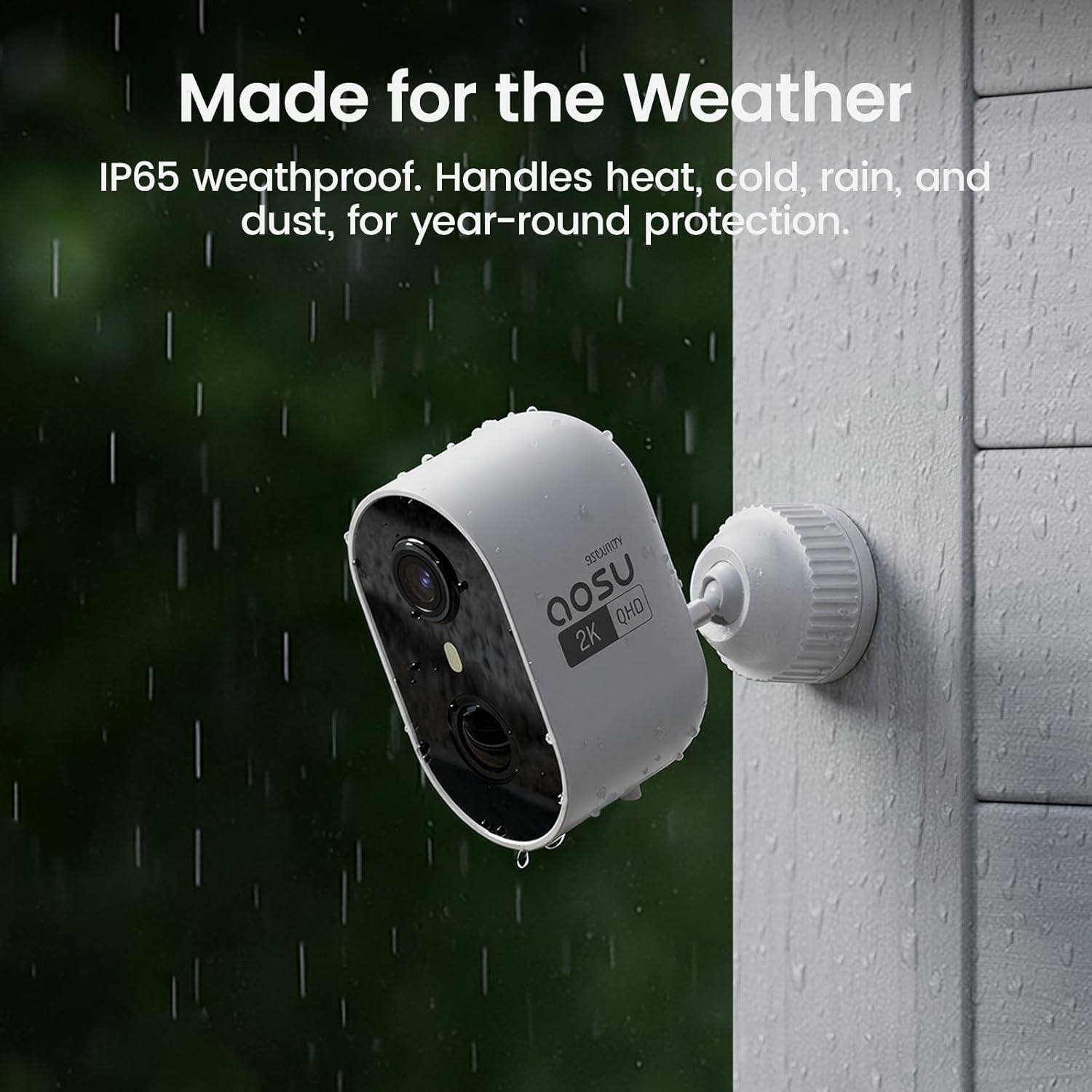
Image: An aosu camera shown in rainy conditions, highlighting its IP65 weatherproof design.
6. Troubleshooting
If you encounter issues with your aosu security camera system, refer to the following common troubleshooting steps:
| Problem | Possible Solution |
|---|---|
| No Camera Connection |
|
| Frequent False Alerts |
|
| Poor Image Quality |
|
| Battery Drains Quickly |
|
For more detailed troubleshooting or persistent issues, refer to the in-app help section or contact aosu customer support.
7. Specifications
| Feature | Detail |
|---|---|
| Brand | aosu |
| Model Name | C6L |
| Recommended Use | Outdoor Security |
| Connectivity Technology | Ethernet (aosuBase) / Wireless (Camera) |
| Power Source | Battery Powered (5000 mAh Lithium Ion) |
| Video Capture Resolution | 2K (QHD) |
| Effective Still Resolution | 3 MP |
| Viewing Angle | 100 degrees |
| Zoom Type | Digital Zoom (6x) |
| Night Vision | 2K Full Color Night Vision, Infrared Night Vision |
| Storage | 32 GB Flash Memory (built-in aosuBase), expandable up to 1 TB (Micro SD) |
| Weatherproof Rating | IP65 |
| Compatible Devices | Android, iOS |
| Controller Type | aosu App, Amazon Alexa, Google Assistant |
| Number of Channels | 2 (for 2-Cam Kit) |
8. Warranty and Support
8.1. Manufacturer Warranty
This aosu product is covered by a 1-Year Manufacturer Warranty from the date of purchase. This warranty covers defects in materials and workmanship under normal use. Please retain your proof of purchase for warranty claims.
8.2. Customer Support
For technical assistance, warranty claims, or any product-related inquiries, please contact aosu customer service. You can typically find contact information within the aosu app's 'Help' or 'Support' section, or by visiting the official aosu website.


