
1. Product Overview
The SOUNDPEATS UU2 Ear Cuff headphones offer a unique open-ear design combined with advanced audio technology. This manual provides essential information for setting up, operating, and maintaining your device.
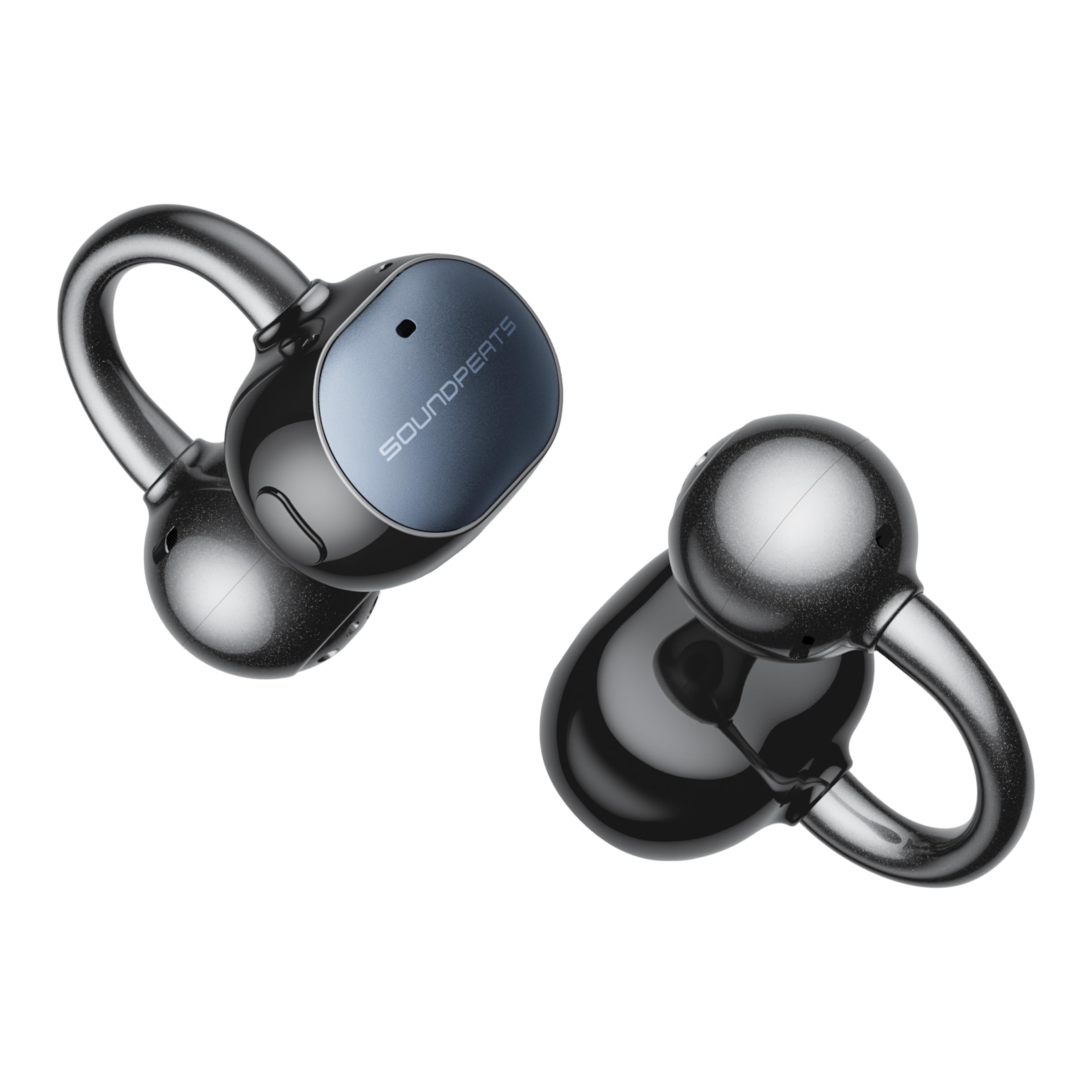
Image 1: SOUNDPEATS UU2 Ear Cuff Headphones and charging case.
Package Contents
- SOUNDPEATS UU2 Ear Cuff Headphones (Left and Right)
- Charging Case
- USB Charging Cable
- User Manual
2. Setup
2.1 Charging the Headphones and Case
Before first use, fully charge the headphones and charging case. Place the earbuds into the charging case. Connect the USB charging cable to the case and a power source. The indicator light on the case will show charging status.

Image 2: Illustration of battery life, showing up to 42 hours with the charging case and 10 minutes of quick charge providing 2 hours of playback.
- Earbud Playback Time: Up to 10 hours on a single charge.
- Total Playback Time (with case): Up to 42 hours.
- Quick Charge: 10 minutes of charging provides approximately 2 hours of music playback.
2.2 Pairing with a Device
- Open the charging case. The earbuds will automatically enter pairing mode.
- On your device (smartphone, tablet, PC), enable Bluetooth.
- Select "SOUNDPEATS POP Clip2" from the list of available Bluetooth devices.
- Once connected, you will hear a confirmation sound.
The headphones support Bluetooth 6.0 for stable connection and enhanced interference resistance. They also feature multi-point connection, allowing simultaneous connection to up to two devices (e.g., smartphone and PC). Seamlessly switch between music and calls across devices.

Image 3: Visual representation of Bluetooth 6.0 technology and multi-point connection capability.
2.3 Wearing the Earbuds
The UU2 Ear Cuffs feature a U-shaped design for a secure and comfortable fit. Gently place the ear cuff over your ear, ensuring the speaker part is positioned correctly for optimal sound.

Image 4: Diagram illustrating the U-shaped design for reduced ear pressure and enhanced comfort, with a graph showing pressure reduction compared to conventional ear cuffs.
The earbuds automatically detect the left/right channel when removed from the case, eliminating the need to check L/R markings. Simply place them in the case without concern for orientation.
Video 1: Demonstrates the flexible fit and ease of wearing the SOUNDPEATS UU2 Ear Cuffs, highlighting their secure placement during various activities.
3. Operating the Headphones
3.1 Physical Button Controls
The UU2 Ear Cuffs feature physical buttons to prevent accidental touches and ensure precise control over music playback, calls, and volume adjustments.

Image 5: Examples of using physical buttons for control during exercise, work, and daily tasks, emphasizing ease of use even with wet hands or without looking.
3.2 Call Functions
Equipped with AI call noise cancellation and dual microphones, the headphones effectively reduce ambient noise during calls, ensuring clear communication even in noisy environments. The proprietary SOUNDPEATS AeroVoice wind noise reduction technology further enhances call clarity by optimizing airflow direction.

Image 6: Visual explanation of the 4-mic AI noise reduction system, showing how front mics accurately pick up voice and rear mics suppress wind noise.
3.3 Sound Quality and Features
- LDAC Codec Support: Enjoy high-resolution audio wirelessly, providing approximately three times more data than standard Bluetooth SBC codecs.
- 12mm Dual Magnet Dynamic Driver: Delivers powerful and deep bass, offering a rich and immersive sound experience.
- 360° Spatial Audio: Creates a wide, immersive soundstage, making you feel surrounded by the audio.
- Privacy Mode: Reduces sound leakage, allowing you to enjoy your audio discreetly in quiet environments.

Image 7: Comparison of LDAC (990kbps) with SBC (328kbps) and AAC (256kbps), highlighting the superior data transmission for Hi-Res audio.

Image 8: Screenshot of the SOUNDPEATS app showing the Privacy Mode toggle, indicating reduced sound leakage.
Video 2: Showcases the SOUNDPEATS UU2 Ear Cuffs in various usage scenarios, emphasizing sound quality, comfort, and call clarity.
3.4 SOUNDPEATS App
Download the dedicated SOUNDPEATS app to unlock additional features and customize your listening experience. The app allows you to:
- Adjust Dynamic EQ settings.
- Activate Privacy Mode.
- Control Spatial Audio.
- Use the "Find Earbuds" function.
- Reset the earbuds.
- View battery levels.

Image 9: Screenshot of the SOUNDPEATS app interface, showing options for custom EQ, privacy mode, spatial audio, and real-time chat support.
4. Maintenance
4.1 Water Resistance
The headphones are rated IPX5 water resistant, protecting them from sweat and light rain. This makes them suitable for workouts and outdoor activities.

Image 10: Illustration of IPX5 water resistance, showing earbuds being splashed with water and users exercising.
4.2 Cleaning and Care
The charging case features a matte finish that resists fingerprints and is easy to clean. Wipe the earbuds and case with a soft, dry cloth as needed to maintain their appearance and functionality.

Image 11: Demonstrates the matte texture of the charging case, highlighting its resistance to fingerprints and ease of cleaning.
5. Troubleshooting
If you encounter any issues with your SOUNDPEATS UU2 Ear Cuff headphones, please refer to the following common solutions:
- Connection Issues: Ensure both earbuds are charged and within Bluetooth range of your device. Try re-pairing the earbuds.
- Sound Problems: Check the volume levels on both your device and the earbuds. Ensure the earbuds are clean and free of debris.
- Accidental Touches: The physical buttons are designed to prevent this. Ensure you are pressing the buttons firmly and intentionally.
- App Not Responding: Close and reopen the SOUNDPEATS app. Ensure your device's operating system is up to date.
For further assistance, utilize the real-time chat support available through the SOUNDPEATS app.
6. Specifications
| Brand | SoundPEATS |
| Model | UU2 / POP Clip2 |
| Color | Black |
| Ear Placement | Open-ear |
| Headphone Style | Open-back |
| Driver Type | 12mm Dual Magnet Dynamic Driver |
| Frequency Response | Up to 40 KHz |
| Connectivity | Wireless (Bluetooth) |
| Bluetooth Version | 6.0 |
| Bluetooth Range | Up to 10.1 meters |
| Water Resistance | IPX5 |
| Earbud Weight | Approx. 5g per earbud |
| Earbud Battery Life | Up to 10 hours |
| Total Battery Life (with case) | Up to 42 hours |
| Compatible Devices | iOS, Android, Windows, Mac devices |
7. Warranty and Support
Your SOUNDPEATS UU2 Ear Cuff headphones come with a 12-month manufacturer's warranty from the date of purchase. Please retain your proof of purchase for warranty claims.
For technical support, product inquiries, or warranty service, please contact SOUNDPEATS customer support through the official SOUNDPEATS app's real-time chat feature or visit the official SOUNDPEATS website.