EZVALO NL05

EZVALO Rechargeable Motion Sensor Night Lights (2-Pack) User Manual

Model: NL05

Introduction

Thank you for choosing the EZVALO Rechargeable Motion Sensor Night Lights. This 2-pack of magnetic, stick-on LED lights provides convenient illumination with adjustable color temperatures and brightness, designed for various indoor spaces. This manual provides essential information for setup, operation, and maintenance to ensure optimal performance and safety.

What's in the Box

  • Night Light x2
  • Magnetic Plates x2
  • 1-to-2 Type-C Charging/Data Cable x1
  • User Manual x1
Contents of the EZVALO Night Light box, showing two night lights, two magnetic plates, a USB-C charging cable, and a user manual.
Image: The package contents, including two night lights, two magnetic plates, a USB-C charging cable, and the user manual.

Specifications

FeatureDetail
Model NumberNL05
Product Dimensions3.15"D x 3"W x 0.59"H
Base MaterialABS+PP
Light Source TypeLED
Number of Light Sources16
Power SourceBattery Powered (1000mAh rechargeable)
Voltage5 Volts
Switch TypeAutomatic / Push Button
Control MethodPush Button
Mounting TypeMagnetic, Adhesive
Additional FeaturesAdjustable Color Temperature, Cordless, Dimmable, Motion Sensor, Rechargeable
Indoor/Outdoor UsageIndoor
Water Resistance LevelNot Water Resistant
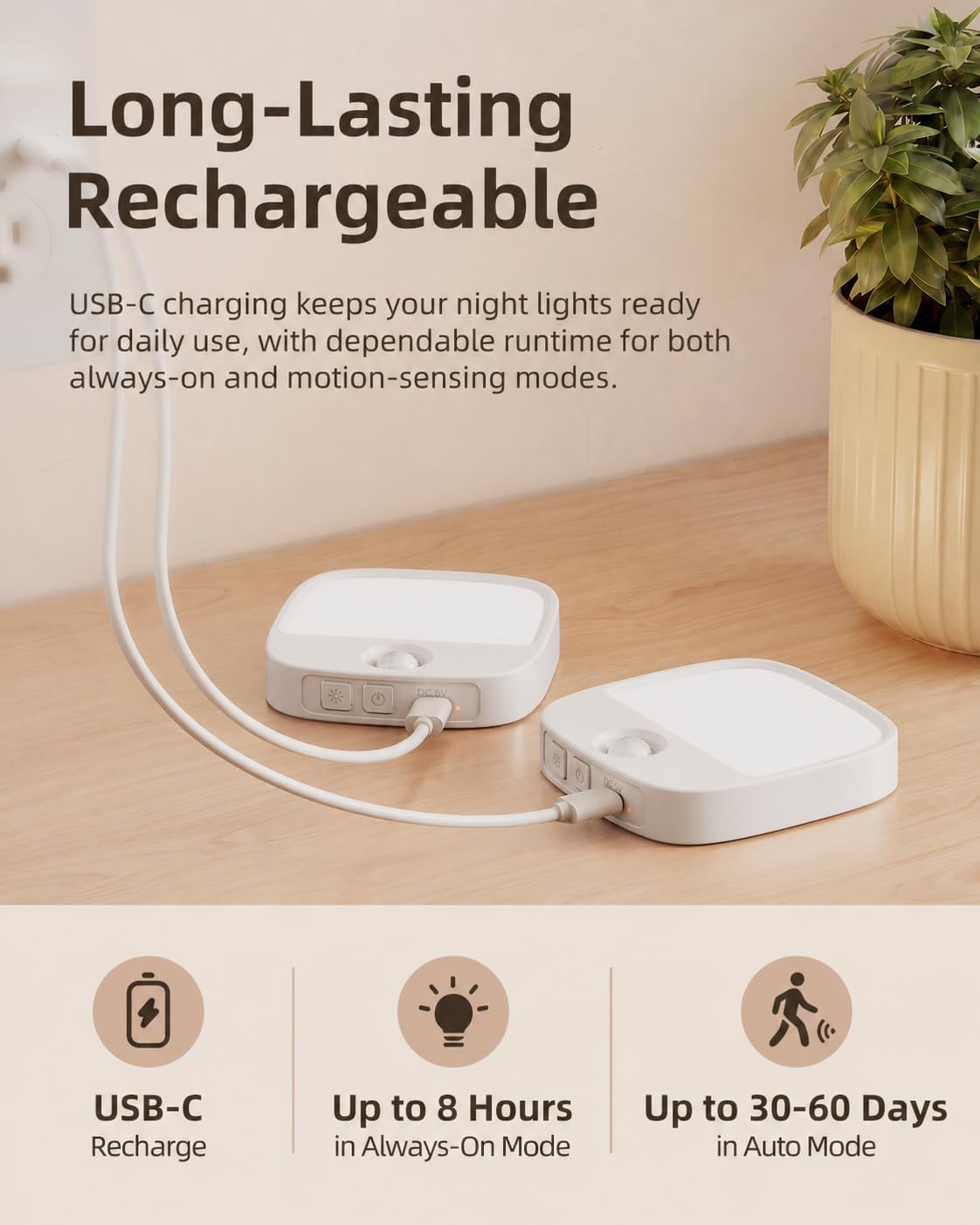
Two EZVALO night lights connected to a USB-C charging cable, illustrating the rechargeable feature and battery life.
Image: The night lights are rechargeable via USB-C, offering up to 8 hours in Always-On mode and 30-60 days in Auto mode.

Setup

1. Charging the Night Light

Before first use, fully charge the night lights. Each light has a built-in 1000mAh rechargeable battery.

  1. Connect the provided 1-to-2 Type-C charging cable to the charging port on the night light.
  2. Connect the other end of the cable to a USB power adapter (not included) or a computer USB port.
  3. The charging indicator light will illuminate during charging and turn off when fully charged.

A full charge takes approximately 3 hours. The light provides up to 8 hours of continuous use at maximum brightness, and 30-60 days in motion sensor mode, depending on brightness level and motion frequency.

2. Mounting the Night Light

The night lights offer flexible mounting options using built-in magnets or adhesive metal plates.

  1. Magnetic Mounting: The night light has a built-in magnet. Simply attach it to any metallic surface, such as a refrigerator or metal cabinet.
  2. Adhesive Mounting: For non-metallic surfaces, use the included adhesive metal plates.
    • a. Peel: Remove the protective film from one side of the adhesive metal plate.
    • b. Stick: Press the adhesive side firmly onto a clean, dry, and smooth surface where you want to install the light.
    • c. Mount: Attach the night light magnetically to the metal plate.
Four steps illustrating how to install the night light: 1. Peel the adhesive from the magnetic plate. 2. Stick the plate to a wall. 3. Mount the night light onto the magnetic plate. 4. Show the light magnetically attached to a metal surface.
Image: Step-by-step guide for adhesive and magnetic mounting.
An EZVALO night light mounted on a wall, not blocking an electrical outlet, contrasted with a traditional plug-in night light blocking an outlet.
Image: The cordless design allows placement without blocking electrical outlets.

Operating Instructions

The night light features multiple modes and adjustable settings for customized illumination.

1. Power On/Off and Mode Selection

Locate the control buttons on the side of the night light. There are typically two buttons: one for mode selection and one for color/brightness adjustment.

  • Always-On Mode: Press the power button once for continuous light.
  • Motion Sensor Mode: Tap the motion sensor button to activate motion sensing. The light will turn on when motion is detected in dark conditions.
  • Off: Cycle through modes until the light turns off, or press and hold the power button.
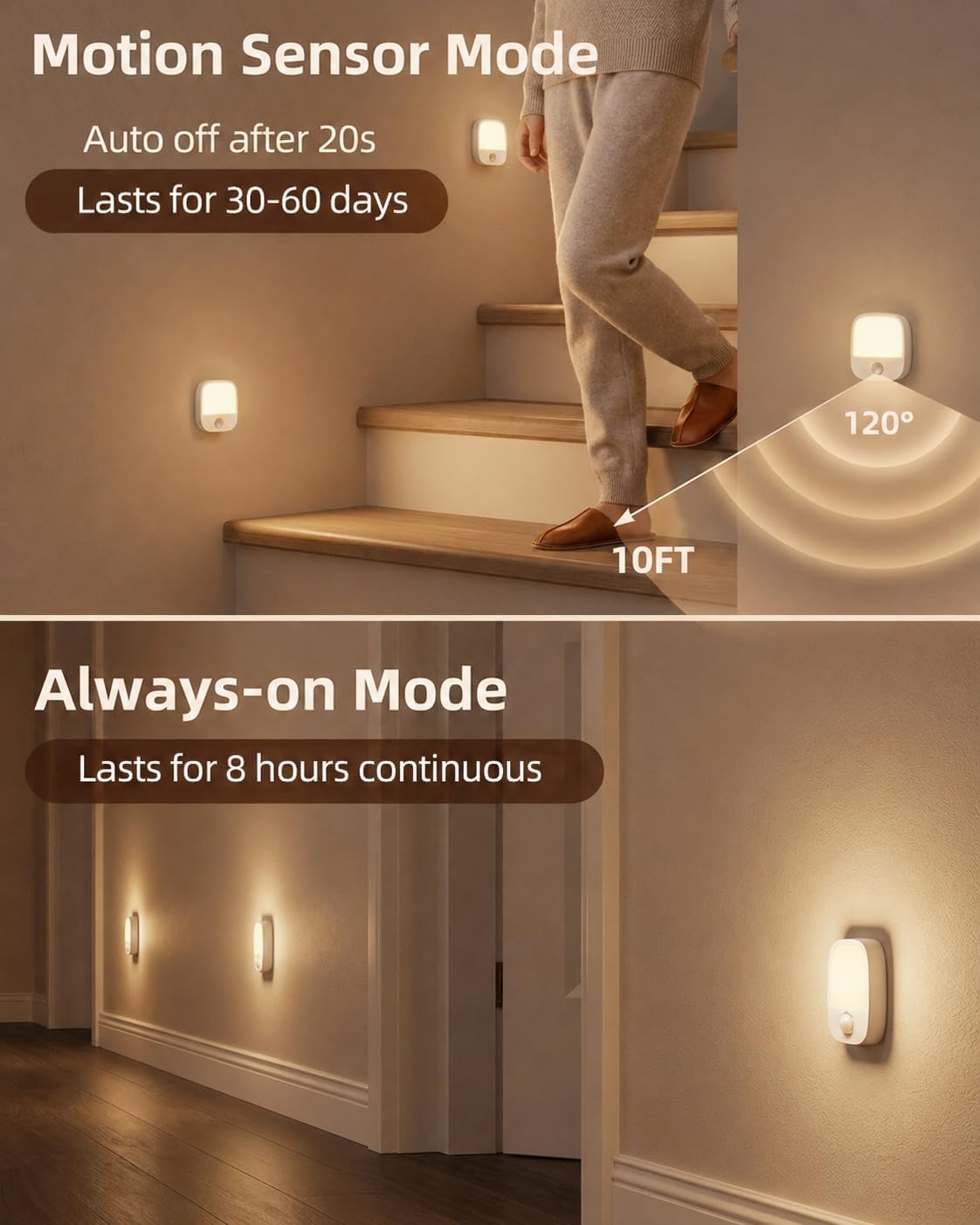
Two images showing the night light in different modes: top image shows motion sensor mode with a person walking up stairs, bottom image shows always-on mode with multiple lights illuminating a hallway.
Image: Illustration of Motion Sensor Mode (auto-off after 20s, lasts 30-60 days) and Always-On Mode (lasts 8 hours continuous).
An image showing a hand holding the night light, with icons indicating Always-On Mode (press once), Motion Sensor Mode (tap again), and Brightness & Color (hold to dim, tap to change color).
Image: Controls for Always-On, Motion Sensor, and Brightness/Color adjustment.

2. Motion Sensor Functionality

In Motion Sensor Mode, the light detects movement within 10 feet and a 120° wide-angle. It is designed for nighttime use and may not activate if sufficient ambient light is present (below 27 lumens).

An EZVALO night light mounted on a wall, showing a 120-degree wide-angle motion sensing range and a 10-foot detection distance.
Image: The night light's motion detection range of 10 feet and 120 degrees.
Three panels illustrating the motion sensor light: 'No Motion' (light off), 'Auto On' (light turns on when person approaches), 'Auto Off' (light turns off after person leaves).
Image: How the motion sensor light activates and deactivates.

3. Color Temperature Adjustment

The night light offers three color temperature options: Warm White (3000K), Neutral White (4000K), and Cold White (6000K).

  • Tap the color/brightness adjustment button to cycle through the three color temperatures.
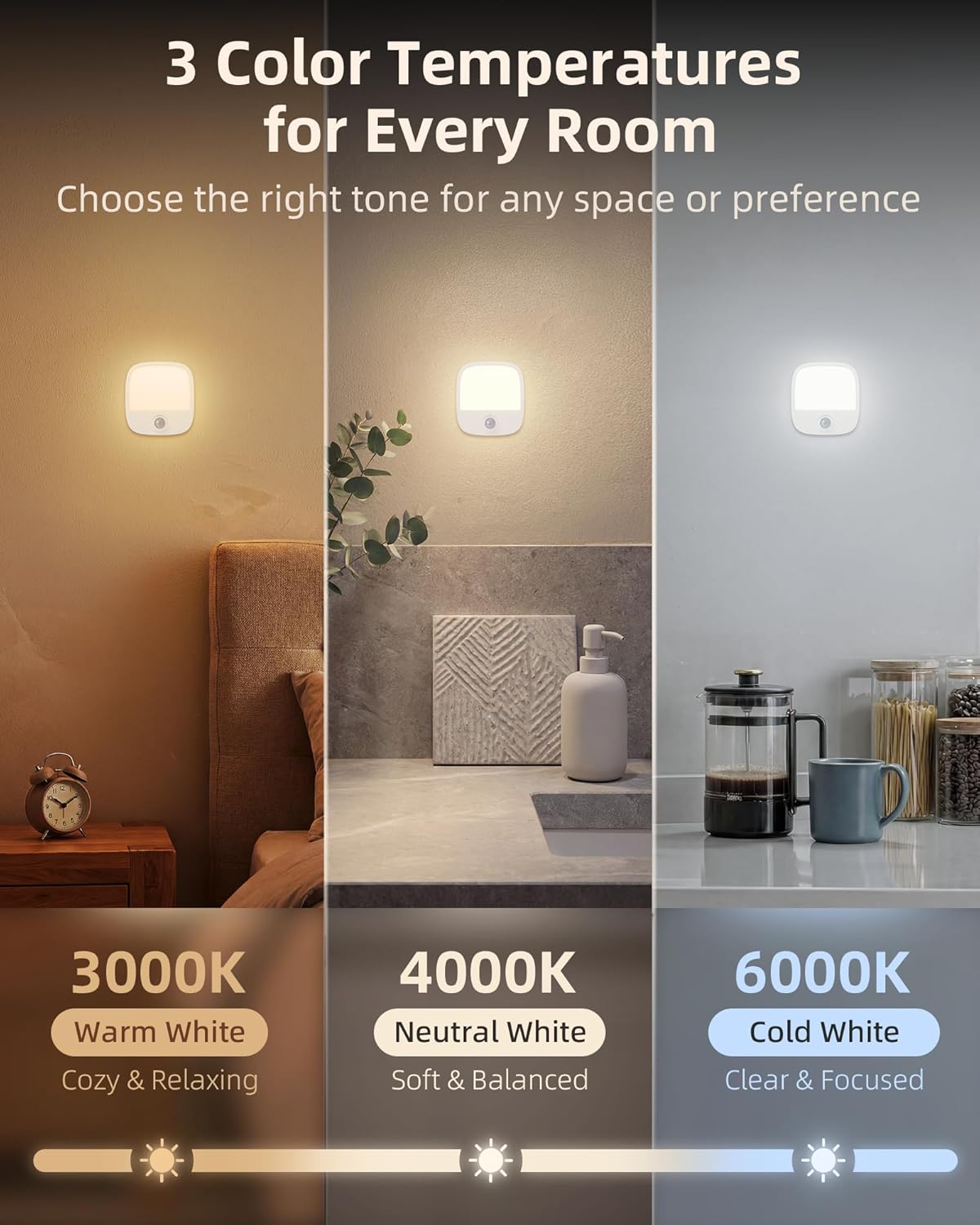
Three images showing the night light emitting different color temperatures: 3000K Warm White, 4000K Neutral White, and 6000K Cold White.
Image: Choose from 3000K Warm White, 4000K Neutral White, or 6000K Cold White.

4. Brightness Adjustment (Stepless Dimming)

Adjust the brightness from 10% to 100% to suit your preference.

  • Press and hold the color/brightness adjustment button to smoothly dim or brighten the light. Release the button when the desired brightness is reached.
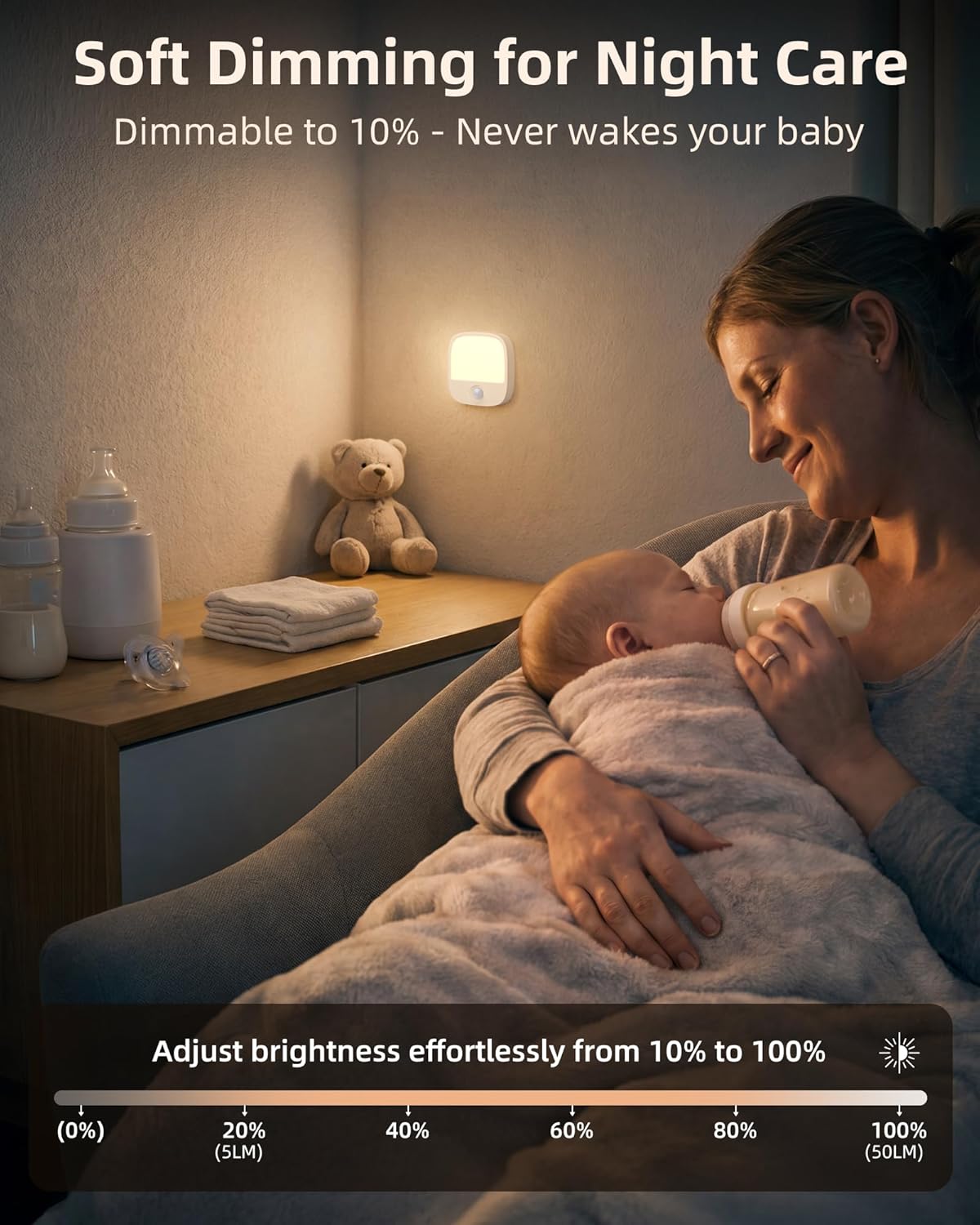
An EZVALO night light illuminating a baby's room, with a slider indicating brightness adjustment from 10% to 100% (5LM to 50LM).
Image: Soft dimming feature allows brightness adjustment from 10% to 100%.

5. Memory Function

The night light remembers your last brightness and color temperature settings. This means you do not need to readjust it every time you turn it on, providing consistent comfort.

Troubleshooting

ProblemPossible Cause / Solution
Motion sensor not activating
  • Sufficient Ambient Light: The sensor is designed to work in dark conditions (below 27 lumens). If the area is too bright, the light will not activate.
  • Indoor Temperature: If the indoor temperature is very similar to human body temperature, the sensor's effectiveness may be reduced.
  • Lights Too Close: If multiple motion sensor lights are placed too close (e.g., less than 0.5m apart), they may interfere with each other.
  • Incorrect Movement Direction: Ensure movement is across the sensor's field of view, not directly towards or away from it, for optimal detection.
Light not turning on
  • Low Battery: Recharge the night light.
  • Incorrect Mode: Ensure the light is in Always-On or Motion Sensor mode.
Light not holding charge
  • Charging Cable/Adapter Issue: Try a different USB-C cable or power adapter.
  • Battery Degradation: Over time, rechargeable batteries may lose capacity.

Maintenance

To ensure the longevity and proper functioning of your EZVALO Night Lights, follow these simple maintenance guidelines:

  • Cleaning: Wipe the surface of the night light with a soft, dry cloth. Do not use abrasive cleaners, solvents, or harsh chemicals, as these can damage the finish or internal components.
  • Avoid Water: The product is not waterproof. Do not expose it to water or high humidity.
  • Storage: If storing the lights for an extended period, ensure they are fully charged and store them in a cool, dry place. Recharge periodically to maintain battery health.

Warranty and Support

EZVALO products are manufactured with quality and reliability in mind. For specific warranty information or technical support, please refer to the warranty card included in your packaging or contact EZVALO customer service through the retailer where the product was purchased. Keep your purchase receipt as proof of purchase for warranty claims.

© 2026 EZVALO. All rights reserved.

Related Documents - NL05

Preview EZVALO SM2L-B User Manual - Product Overview, Specifications, and Technical Requirements
Comprehensive user manual for the EZVALO SM2L-B, including product overview, features, specifications, charging instructions, technical requirements, and compliance information.
Preview EZVALO LYYD02 Wireless Charger Music Lamp User Manual
Comprehensive user manual for the EZVALO LYYD02 Wireless Charger Music Lamp, detailing features, setup, operation, specifications, and safety information.
Preview EZVALO BL1 Wireless Charger Music Lamp: User Guide and Specifications
Detailed information on the EZVALO BL1 Wireless Charger Music Lamp, including product introduction, instructions for use, Bluetooth pairing, wireless charging, technical specifications, and FCC compliance.
Preview EZVALO Wireless Charging Gadgets User Manual: Tap Light, Wireless Charger, Portable Speaker
Comprehensive user manual for EZVALO wireless charging products including the Tap Light (STZ07D), Wireless Charger (STZ01A), and Portable Speaker (STZ01B). Learn how to use, charge, and troubleshoot these devices.
Preview EZVALO LETD01 Smart Desk Lamp User Manual & Features
Comprehensive user manual for the EZVALO LETD01 Smart Desk Lamp, covering setup, features like motion sensing and smart dimming, app connectivity, Alexa integration, specifications, and safety instructions.
Preview EZVALO Wireless Charging Gadgets User Manual
User manual for EZVALO wireless charging accessories, detailing the operation, specifications, and features of the wireless charger, portable speaker, and tap light.

Ask a question about this manual

Ask about setup, troubleshooting, compatibility, parts, safety, or missing instructions. Manuals+ will review the question and use this page’s manual context to help answer it.