
1. Introduction
Thank you for choosing the realme Buds Air 8 Wireless Earbuds. These earbuds are designed to provide a superior audio experience with advanced features such as Active Noise Cancellation, Hi-Res Audio, and extended battery life. This manual will guide you through the setup, operation, and maintenance of your new earbuds.
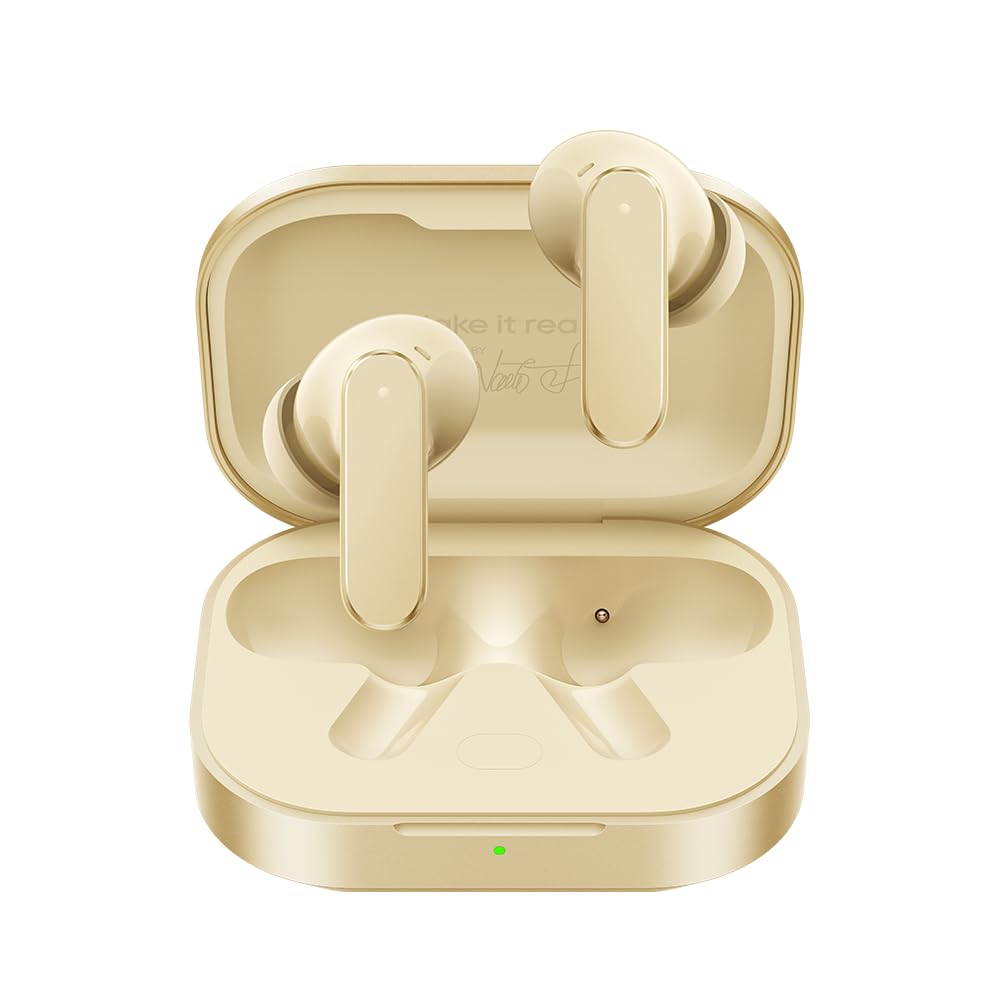
Image: realme Buds Air 8 Wireless Earbuds and charging case.
2. Setup
2.1. Charging the Earbuds and Case
Before first use, fully charge the earbuds and the charging case. Connect the provided Type-C charging cable to the charging port on the case and to a power source. The indicator light on the case will show the charging status. A quick 10-minute charge provides up to 11 hours of listening time, with a total autonomy of up to 58 hours with the case.
2.2. Pairing with Your Device
- Ensure the earbuds are in the charging case and the case lid is open.
- Activate Bluetooth on your device (smartphone, tablet, laptop).
- Select "realme Buds Air 8" from the list of available Bluetooth devices.
- Once connected, the earbuds are ready for use.
2.3. Fitting the Earbuds
The realme Buds Air 8 come with additional ear tip sizes to ensure a comfortable and secure fit. Experiment with different sizes to find the best fit for your ears. A proper fit is crucial for optimal sound quality and Active Noise Cancellation performance.
3. Operating the Earbuds
3.1. Active Noise Cancellation (ANC)
Experience total sound immersion with Smart ANC technology, reducing ambient noise by up to 55dB. The ultra-wide 5000Hz band captures even high-frequency sounds. This feature is ideal for travel or environments where concentration is required.
3.2. Hi-Res Audio and Dual Drivers
The earbuds feature a dual-driver system (11mm woofer and 6mm tweeter) for deep bass and crystal-clear highs. With LHDC 5.0 codec and Hi-Res Wireless certification, the sound quality is significantly superior to standard Bluetooth earbuds.
3.3. Triple Device Connectivity
Seamlessly switch between up to three devices (smartphone, tablet, laptop) without interruption. The 45ms low-latency Gaming Mode ensures perfect audio-video synchronization, making them suitable for gaming and multitasking.
3.4. Clear Calls with AI Noise Cancellation
The integrated 6-microphone system with AI noise cancellation ensures clear voice transmission even in windy or crowded environments. You can confidently take calls anywhere without worrying about background noise.
3.5. Transparency Modes
The earbuds offer three different transparency modes, allowing you to adjust how much ambient sound you hear. This is useful for maintaining awareness of your surroundings, for example, when walking in a city or needing to hear announcements.
4. Maintenance
4.1. Water and Sweat Resistance
The realme Buds Air 8 are IP55 certified, providing protection against rain and sweat. This makes them suitable for sports and outdoor activities. However, they are not designed for swimming or submersion in water.
4.2. Cleaning
Regularly clean your earbuds and charging case to maintain optimal performance and hygiene. Use a soft, dry, lint-free cloth. Do not use abrasive materials or harsh chemicals. Gently remove any earwax or debris from the ear tips and speaker mesh.
4.3. Battery Care
To prolong battery life, avoid exposing the earbuds and case to extreme temperatures. Store them in a cool, dry place when not in use. Charge the case regularly, even if not using the earbuds frequently, to prevent deep discharge.
5. Troubleshooting
5.1. Pairing Issues
- Ensure both earbuds are charged and in the case with the lid open.
- Turn off and on your device's Bluetooth.
- If issues persist, try resetting the earbuds (refer to the full manual for specific reset instructions).
5.2. Sound Problems
- Check the volume levels on both your device and the earbuds.
- Ensure the earbuds are properly seated in your ears.
- Clean the ear tips and speaker mesh to remove any obstructions.
5.3. Charging Problems
- Verify the charging cable is securely connected to both the case and the power source.
- Try using a different charging cable or power adapter.
- Ensure the charging contacts on the earbuds and inside the case are clean.
6. Specifications
| Feature | Specification |
|---|---|
| Brand | realme |
| Model Name | AIR8 |
| Color | Gold |
| Form Factor | In-ear |
| Wireless Connectivity | Bluetooth 5.4 |
| Active Noise Cancellation (ANC) | Up to 55dB |
| Audio Technology | Hi-Res LDAC, Dual Driver (11mm+6mm) |
| Microphones | 6 Microphones with AI Noise Cancellation |
| Battery Life | Up to 58 hours (with charging case) |
| Water Resistance | IP55 |
| Low Latency Mode | 45ms (Gaming Mode) |
| Country of Origin | China |
7. Warranty and Support
7.1. Product Warranty
The realme Buds Air 8 come with a 2-year manufacturer's warranty. Please retain your proof of purchase for any warranty claims. The warranty covers defects in materials and workmanship under normal use.
7.2. Customer Support
For any questions, technical assistance, or post-sales support, please contact realme's official customer service. They are available 24/7 to assist you with your needs.