
1. Introduction
This manual provides essential information for setting up, operating, and maintaining your Lenovo LOQ Gaming Laptop. Please read this manual thoroughly before using your device to ensure optimal performance and longevity.
The Lenovo LOQ Gaming Laptop is designed for high-performance computing, gaming, and creative tasks. It features an AMD Ryzen 7 250 processor, NVIDIA GeForce RTX 5060 graphics, a 15.6-inch FHD 144Hz display, 32GB RAM, and a 1TB SSD.
2. What's in the Box
Upon unboxing your Lenovo LOQ Gaming Laptop, verify that all components are present:
- Lenovo LOQ 15.6" Gaming Laptop
- Mytrix 2.4GHz Wireless Gaming Headset
- Mytrix Laptop Gaming Cooling Pad
- Lifetime Microsoft Office 2019 Professional Plus Product Key (activates on this device only)
- Power Adapter and Cable
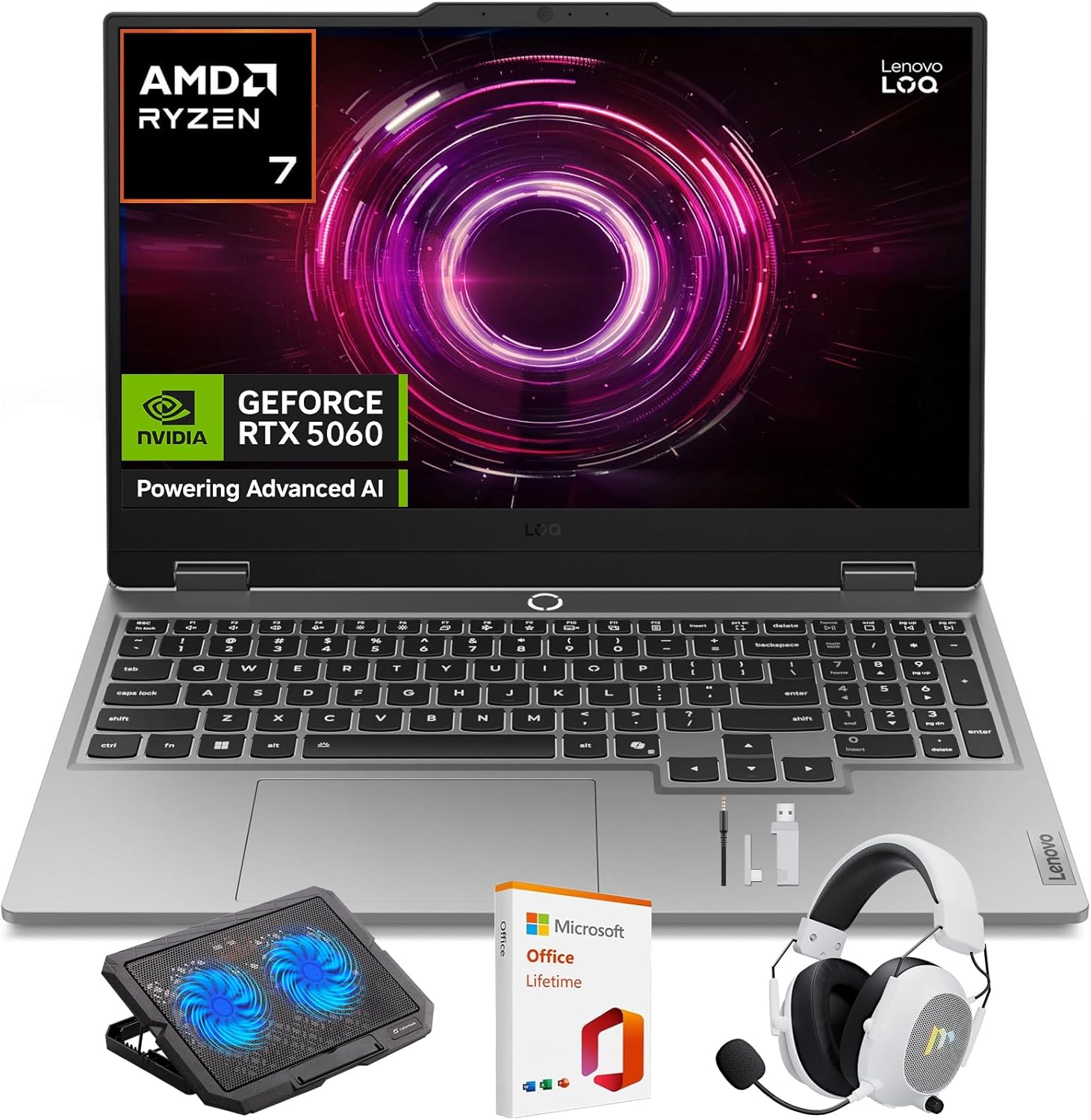
Image: Lenovo LOQ Gaming Laptop with its main accessories.
3. Setup Guide
3.1 Initial Power-On
- Connect the power adapter to the laptop's power input port and then to a wall outlet.
- Open the laptop lid.
- Press the power button, typically located on the keyboard deck, to turn on the laptop.
- Follow the on-screen instructions to complete the Windows 11 Home setup, including language, region, network connection, and user account creation.
3.2 Connecting Peripherals
- Wireless Gaming Headset: Refer to the headset's specific instructions for pairing via 2.4GHz wireless. Typically involves plugging a USB dongle into an available USB port on the laptop.
- Laptop Gaming Cooling Pad: Place the laptop on the cooling pad. Connect the cooling pad's USB cable to an available USB port on the laptop to power its fans.
- External Display: Connect an external monitor using the HDMI port or a compatible USB-C port.
- Other USB Devices: Use the available USB ports for mice, keyboards, external storage, or other accessories.
4. Operating Instructions
4.1 Display Features
Your Lenovo LOQ laptop features a 15.6-inch Full HD (1920x1080) display with a 144Hz refresh rate for smooth visuals. It supports 100% sRGB color accuracy and NVIDIA G-Sync technology to minimize screen tearing and stuttering during gaming.
Image: The laptop display showcasing its visual capabilities.
4.2 Performance Management (CPU & GPU)
The laptop is equipped with an AMD Ryzen 7 250 processor and an NVIDIA GeForce RTX 5060 GPU. These components are designed to deliver high performance for demanding applications and games.
- AMD Ryzen 7 250: Features a multi-core architecture for efficient multitasking and responsive performance. AMD Precision Boost technology dynamically adjusts clock speeds for optimal power.
- NVIDIA GeForce RTX 5060: Supports DLSS 4 and ray tracing for enhanced graphics, realistic lighting, and immersive environments.
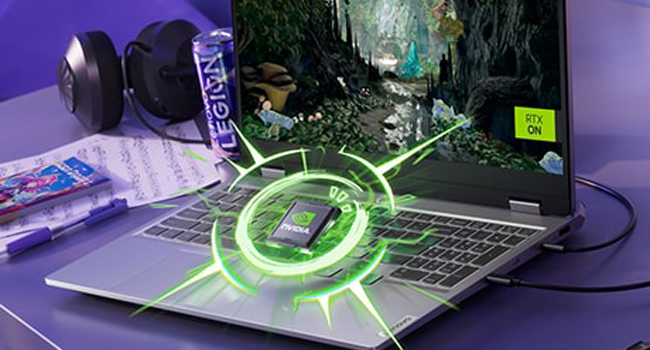
Image: Visual representation of the NVIDIA GeForce RTX graphics processing unit.

Image: The laptop highlighting its AMD Ryzen processor.
4.3 Cooling System
The Lenovo LOQ utilizes Hyperchamber Cooling with turbo fans and copper heatpipes to maintain optimal temperatures during intensive use. The AI Engine+ automatically optimizes CPU, GPU, and system settings for efficient cooling and performance.
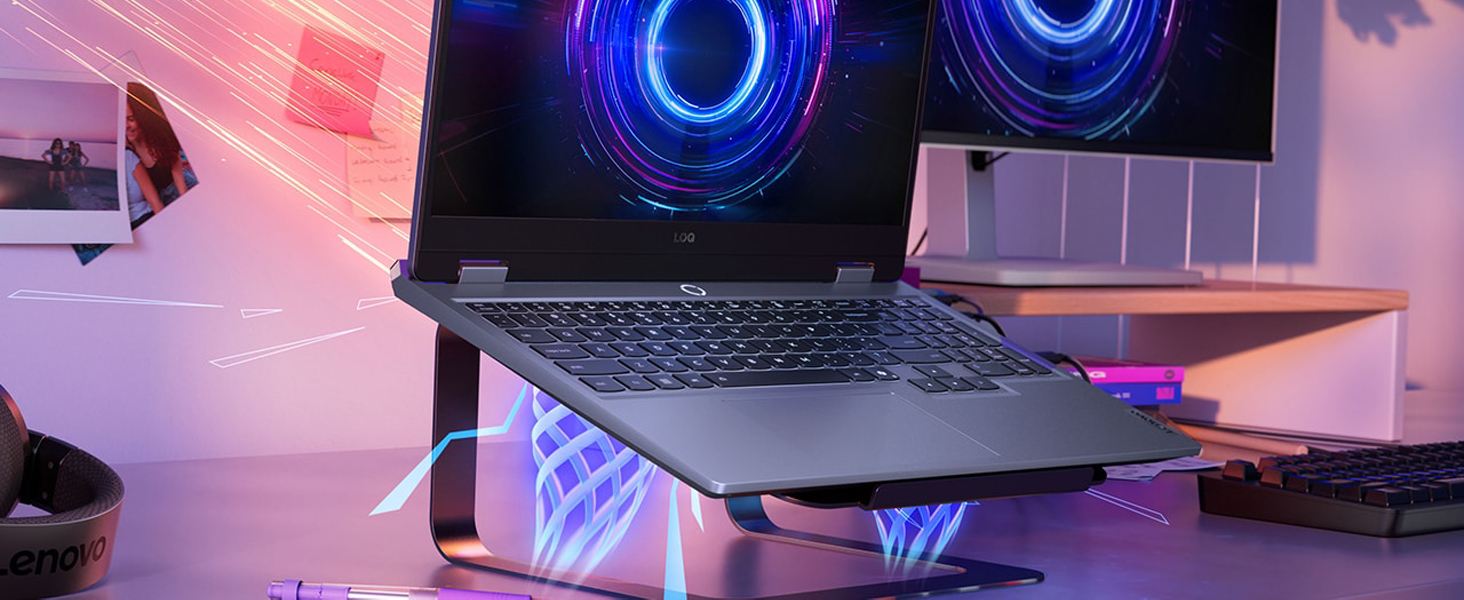
Image: The laptop demonstrating its advanced cooling system.
4.4 AI Engine+
The Lenovo AI Engine+ and AI Core work together with Scenario Detection to adjust performance in real-time, optimizing settings for gaming, streaming, or everyday tasks to ensure smoother gameplay and higher frame rates.

Image: The laptop showcasing the Lenovo AI Engine+ capabilities.
4.5 Keyboard and Input
The full-size Lenovo LOQ keyboard features white backlighting and soft-landing switches for precise and comfortable typing and gaming. Use the Fn+Q thermal management control to switch between performance modes.
Image: A close-up view of the laptop's backlit keyboard.
4.6 Audio System
Experience immersive 3D audio with the laptop's integrated speakers, enhanced by Nahimic by SteelSeries technology.
Image: The laptop's audio interface, indicating 3D audio capabilities.
4.7 Ports and Connectivity
The laptop offers a variety of ports for connectivity:
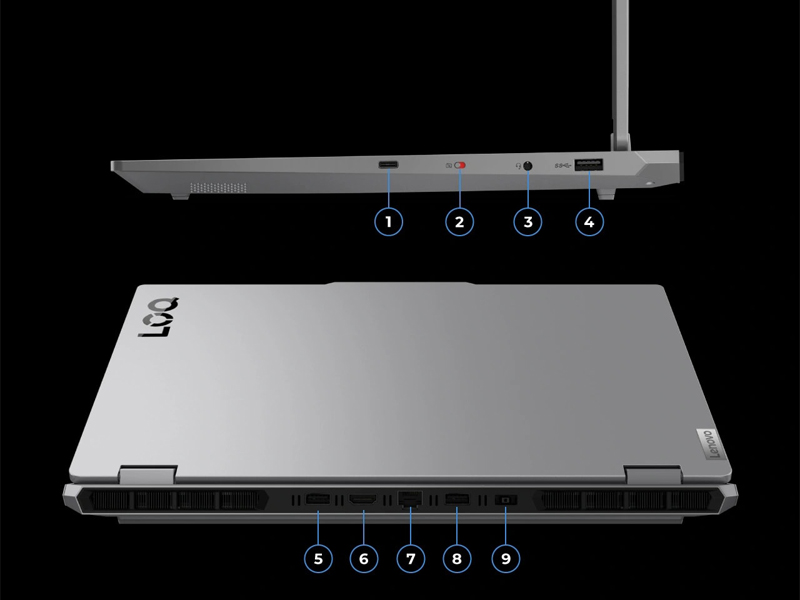
Image: A detailed view of the laptop's input/output ports.
- USB Ports: Multiple USB ports (including USB-A and USB-C) for connecting peripherals.
- HDMI: For connecting external displays.
- Ethernet: For wired network connection.
- Audio Jack: For headphones or external speakers.
- Power Input: For connecting the power adapter.
- Wireless: Wi-Fi 6 (802.11ax) and Bluetooth for wireless connectivity.
5. Specifications
| Feature | Specification |
|---|---|
| Brand | Lenovo |
| Model Name | LOQ |
| Model Number | 83JG |
| Screen Size | 15.6 Inches |
| Display Resolution | 1920 x 1080 Pixels (FHD) |
| Refresh Rate | 144 Hz |
| CPU Model | AMD Ryzen 7 250 |
| Processor Speed | 3.3 GHz (up to 5.1 GHz Max) |
| RAM Memory Installed Size | 32 GB DDR5 (5600 MHz) |
| Maximum RAM Memory | 64 GB |
| Hard Disk Size | 1 TB SSD |
| Graphics Card | NVIDIA GeForce RTX 5060 (8 GB GDDR7) |
| Operating System | Windows 11 Home |
| Wireless Connectivity | Wi-Fi 6 (802.11ax), Bluetooth |
| Ports | Total 4 USB Ports, HDMI, Ethernet, Audio Output |
| Special Features | Backlit Keyboard, HD Audio, Numeric Keypad, Webcam |
| Battery Cell Type | Lithium Ion (60 Watt Hours) |
| Item Weight | 4.82 Pounds |
| Dimensions (L x W x Thickness) | 14.17" x 10.19" x 0.94" |
6. Maintenance
6.1 Cleaning
- Use a soft, lint-free cloth to clean the screen and exterior surfaces.
- For stubborn smudges, lightly dampen the cloth with water or a screen-safe cleaner.
- Avoid spraying liquids directly onto the laptop.
- Use compressed air to clear dust from keyboard keys and ventilation grilles.
6.2 Software Updates
- Regularly check for and install Windows updates to ensure system stability and security.
- Update graphics drivers (NVIDIA) and other device drivers (Lenovo Vantage software) for optimal performance, especially for gaming.
6.3 Battery Care
- Avoid fully discharging the battery frequently.
- If storing the laptop for an extended period, ensure the battery is charged to around 50-60%.
- Operating the laptop while plugged in is normal, but consider using battery conservation modes if available in Lenovo Vantage.
7. Troubleshooting
7.1 Power Issues
- Laptop does not turn on: Ensure the power adapter is securely connected to both the laptop and a working power outlet. Try a different outlet.
- Battery not charging: Verify the power adapter connection. Check for any damage to the adapter or cable. Update battery drivers.
7.2 Display Issues
- No display/Black screen: Connect an external monitor to check if the issue is with the laptop's internal display. Restart the laptop. Update graphics drivers.
- Flickering screen: Update graphics drivers. Check display refresh rate settings in Windows.
7.3 Performance Issues
- Slow performance: Close unnecessary applications. Check for background processes consuming high CPU/RAM. Ensure adequate ventilation and cooling. Run a malware scan.
- Overheating: Ensure cooling vents are clear. Use the cooling pad. Check fan operation. Adjust power settings in Windows or Lenovo Vantage.
7.4 Keyboard/Touchpad Issues
- Keys not responding: Restart the laptop. Check for physical obstructions under keys. Update keyboard drivers.
- Touchpad not working: Ensure the touchpad is not disabled (check Fn keys or Windows settings). Update touchpad drivers.
8. Warranty and Support
8.1 Warranty Information
Your Lenovo LOQ Gaming Laptop comes with a 1-Year Manufacturer Warranty. Please retain your proof of purchase for warranty claims. The warranty covers manufacturing defects and hardware failures under normal use conditions.
8.2 Technical Support
For technical assistance, driver downloads, or service requests, please visit the official Lenovo support website or contact their customer service. You can find more information and resources on the Lenovo Store on Amazon.


