
1. Introduction
Thank you for choosing the FABULETTA PN130 Intelligent Digital Clamp Meter. This device is designed for accurate and safe measurement of AC/DC voltage, AC/DC current, resistance, capacitance, frequency, and non-contact voltage (NCV). Its U-shaped clamp head allows for convenient measurement in various electrical applications. Please read this manual thoroughly before use to ensure proper operation and safety.
2. Safety Information
Always adhere to basic safety precautions when using electrical testing equipment to reduce the risk of fire, electric shock, and personal injury. Keep this manual for future reference.
- Do not exceed the maximum input values specified for each measurement range.
- Exercise extreme caution when working with voltages above 36V DC or 25V AC RMS. These voltages pose a shock hazard.
- Ensure the test leads are in good condition and properly connected before making any measurements.
- Do not operate the meter if it appears damaged or if the casing is open.
- Always disconnect power to the circuit under test before connecting or disconnecting test leads for resistance or capacitance measurements.
- Use the meter only as specified in this manual; otherwise, the protection provided by the meter may be impaired.
- Keep fingers behind the finger guards on the test probes during use.
3. Product Overview
The FABULETTA PN130 is a compact and versatile digital clamp meter. Below are the main components and their functions.
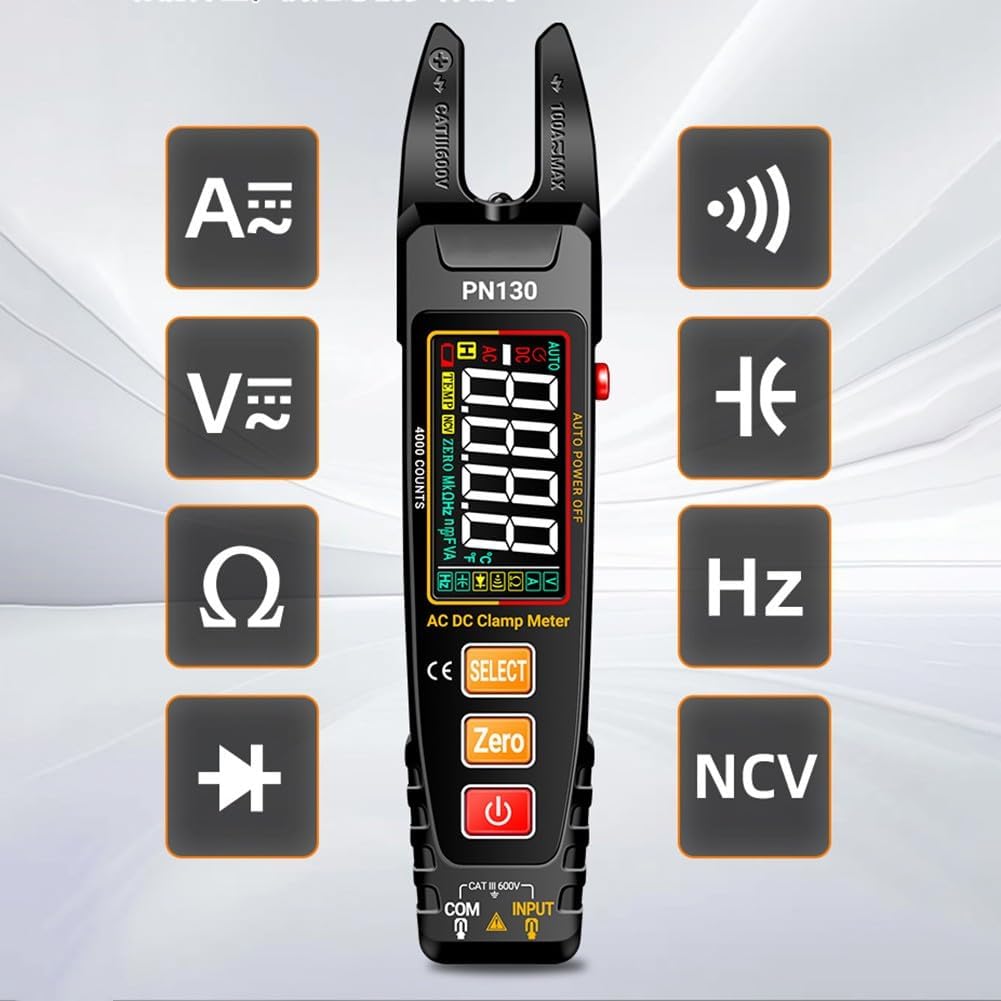
Figure 3.1: Front view of the PN130 clamp meter, highlighting its display, function buttons (Select, Zero, Power), and measurement icons for AC/DC current (A~, A=), voltage (V~, V=), resistance (Ω), diode, frequency (Hz), and Non-Contact Voltage (NCV).
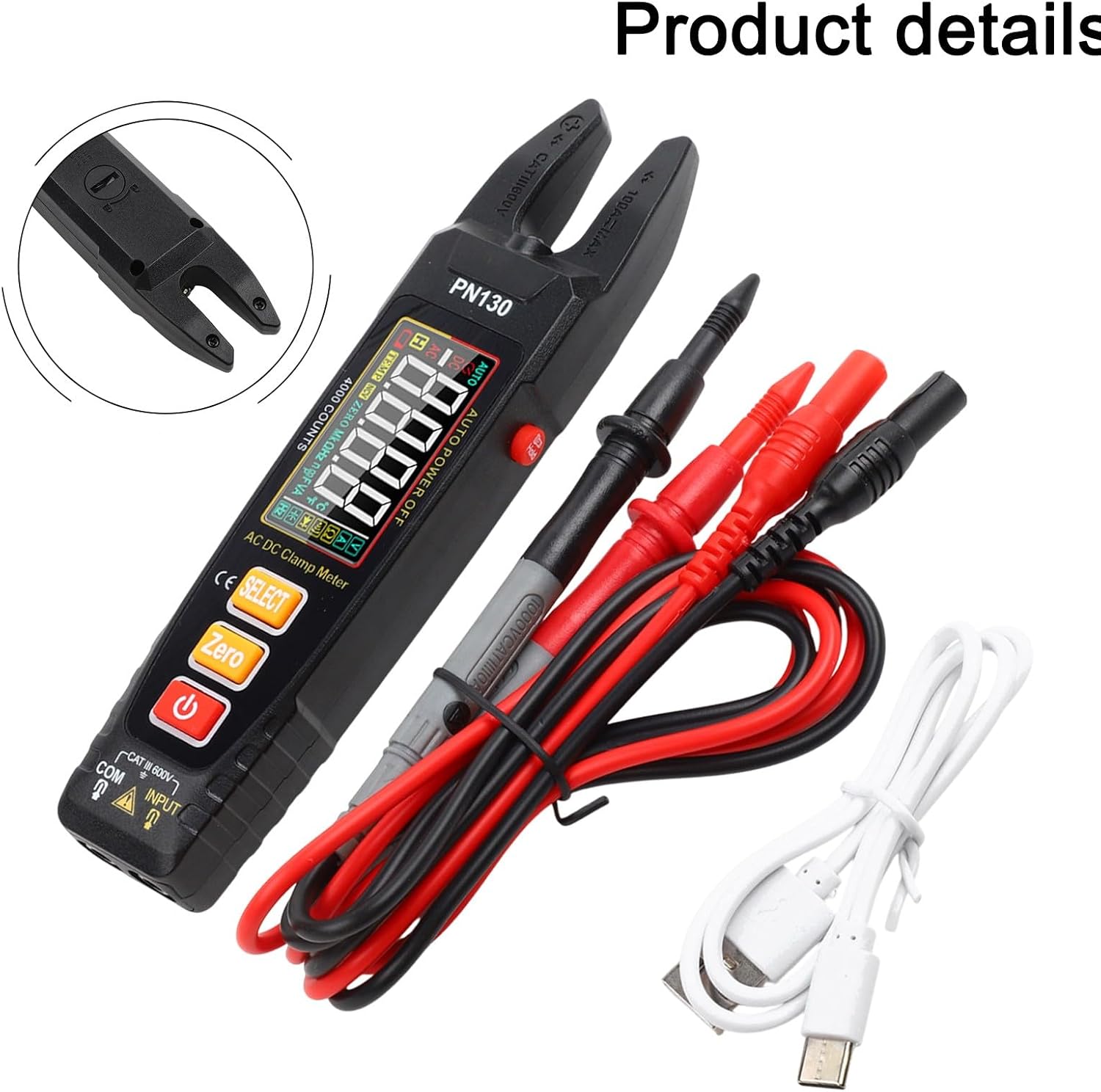
Figure 3.2: The PN130 clamp meter shown with its standard accessories, including red and black test leads and a USB-C charging cable.
Key Components:
- U-shaped Clamp Head: For non-contact AC/DC current measurement.
- LCD Display: Shows measurement readings, units, and function indicators.
- Function Buttons:
- SELECT: Toggles between different measurement modes (e.g., AC/DC voltage, resistance/capacitance).
- ZERO: Used for zeroing current readings or relative measurements.
- Power Button: Turns the device on/off.
- Input Jacks (COM, INPUT): For connecting test leads for voltage, resistance, capacitance, and diode measurements.
- USB-C Charging Port: For recharging the internal lithium battery.
- Flashlight: Provides illumination in dark environments.
4. Features
- Intelligent Digital U-shaped Clamp Meter: Features intelligent recognition and non-contact voltage sensing.
- U-shaped Clamp Head: Allows for easy measurement without opening jaws, convenient for tight spaces.
- Rechargeable USB Interface: Equipped with a USB-C charging port for quick and efficient recharging of the lithium battery.
- Built-in Flashlight: Enhances visibility in dark working environments.
- Reverse Color Screen: Improves readability of measurements, even in challenging lighting conditions.
- Automatic Range Identification: Automatically detects AC/DC current ranges.
- 4000 Counts Display: Provides precise measurement readings.
- 12mm Jaws: Suitable for various wire types.
- Non-Contact Voltage (NCV) Detection: For detecting live wires without direct contact.
5. Setup
5.1 Initial Charging
Before first use, ensure the meter is fully charged. Connect the provided USB-C cable to the meter's charging port and to a standard USB power adapter (not included) or a computer USB port. The charging indicator on the display will show charging status.

Figure 5.1: The PN130 clamp meter connected to a USB power source for charging via its USB-C port.
5.2 Connecting Test Leads
For voltage, resistance, capacitance, and diode measurements, insert the black test lead into the "COM" jack and the red test lead into the "INPUT" jack. Ensure connections are secure.
6. Operating Instructions
6.1 Power On/Off
Press the Power button to turn the meter on. Press and hold the Power button again to turn it off. The meter features an auto-power-off function to conserve battery life.
6.2 Measurement Modes
The PN130 automatically identifies AC/DC current ranges. For other functions, use the SELECT button to cycle through available modes:
- AC/DC Voltage (V~, V=): Connect test leads to the circuit in parallel.
- Resistance (Ω): Connect test leads to the component in parallel. Ensure the circuit is de-energized.
- Capacitance: Connect test leads to the capacitor. Ensure the capacitor is discharged before testing.
- Frequency (Hz): Can be measured via test leads or clamp.
- Diode Test: Connect test leads across the diode.
6.3 AC/DC Current Measurement (U-shaped Clamp)
For current measurement, position the U-shaped clamp around a single conductor. The meter will automatically detect AC or DC current. Ensure the conductor fits within the 12mm jaw opening. The meter automatically identifies the appropriate range up to 4000 counts.

Figure 6.1: Illustration of proper current measurement using the clamp meter. The image shows that the clamp should enclose only one conductor for accurate readings. If the current is unknown, start with the maximum range and reduce as appropriate.
6.4 Non-Contact Voltage (NCV) Detection
To detect AC voltage without contact, select the NCV mode (if not automatically detected). Bring the top of the meter near the conductor. The meter will indicate the presence of AC voltage through an audible alarm and/or visual indicator on the display.
6.5 ZERO Function
Press the ZERO button to zero out the current reading before measurement, especially for DC current, to eliminate residual magnetism or offset. This can also be used for relative measurements in other modes.
6.6 Flashlight
The built-in flashlight can be activated to illuminate the work area in low-light conditions. Refer to the device's specific button press for flashlight activation (often a long press of a specific button or a dedicated button).
6.7 Using the Buckle
The device features a buckle for secure storage or attachment. Understand its operation for proper use.

Figure 6.2: Instructions for using the buckle. To unlock, move the buckle to the middle position, allowing it to be lowered. To secure, move the buckle to the day lock position, preventing it from falling.
7. Maintenance
7.1 Cleaning
Wipe the meter's casing with a damp cloth and mild detergent. Do not use abrasives or solvents. Ensure the meter is completely dry before use.
7.2 Battery Care
The PN130 uses a rechargeable lithium battery. Recharge the battery when the low battery indicator appears on the display. For long-term storage, charge the battery to approximately 50% and store the meter in a cool, dry place. Recharge every 3-6 months to maintain battery health.
7.3 Calibration
For optimal accuracy, periodic calibration by qualified personnel is recommended. Refer to FABULETTA's official support channels for calibration services.
8. Troubleshooting
| Problem | Possible Cause | Solution |
|---|---|---|
| Meter does not power on. | Low or depleted battery. | Charge the battery using the USB-C cable. |
| Inaccurate readings. | Incorrect measurement mode; poor test lead connection; external interference; uncalibrated meter. | Verify mode selection; ensure secure test lead connection; move away from strong electromagnetic fields; consider professional calibration. |
| "OL" or "OVER" displayed. | Measurement exceeds the selected range. | Switch to a higher range if available, or ensure the measured value is within the meter's capabilities. |
| No NCV detection. | No AC voltage present; meter not in NCV mode; weak signal. | Confirm AC voltage presence; ensure NCV mode is active; move the meter closer to the conductor. |
9. Specifications
| Parameter | Value |
|---|---|
| Brand | FABULETTA |
| Model Number | PN130 (FABULETTA20260202) |
| Display | 4000 Counts, Reverse Color Screen |
| AC/DC Current Measurement | U-shaped Clamp, Automatic Range |
| Jaw Opening | 12mm |
| Voltage Measurement | AC/DC Voltage |
| Other Measurements | Resistance, Capacitance, Frequency, Diode, NCV |
| Power Source | Rechargeable Lithium Battery via USB-C |
| Product Dimensions | 24 x 11 x 4 cm |
| Country/Region of Origin | China |
10. Warranty and Support
10.1 Warranty Information
FABULETTA products are manufactured to high-quality standards. This product is covered by a limited warranty against defects in materials and workmanship. For specific warranty terms and conditions, please refer to the warranty card included with your product or visit the official FABULETTA website.
10.2 Customer Support
If you encounter any issues or have questions regarding your FABULETTA PN130 Digital Clamp Meter, please contact FABULETTA customer support. Contact details can typically be found on the product packaging, the official FABULETTA website, or through your retailer.
Manufacturer: FABULETTA
Manufacturer Reference: FABULETTA20260202