
Introduction
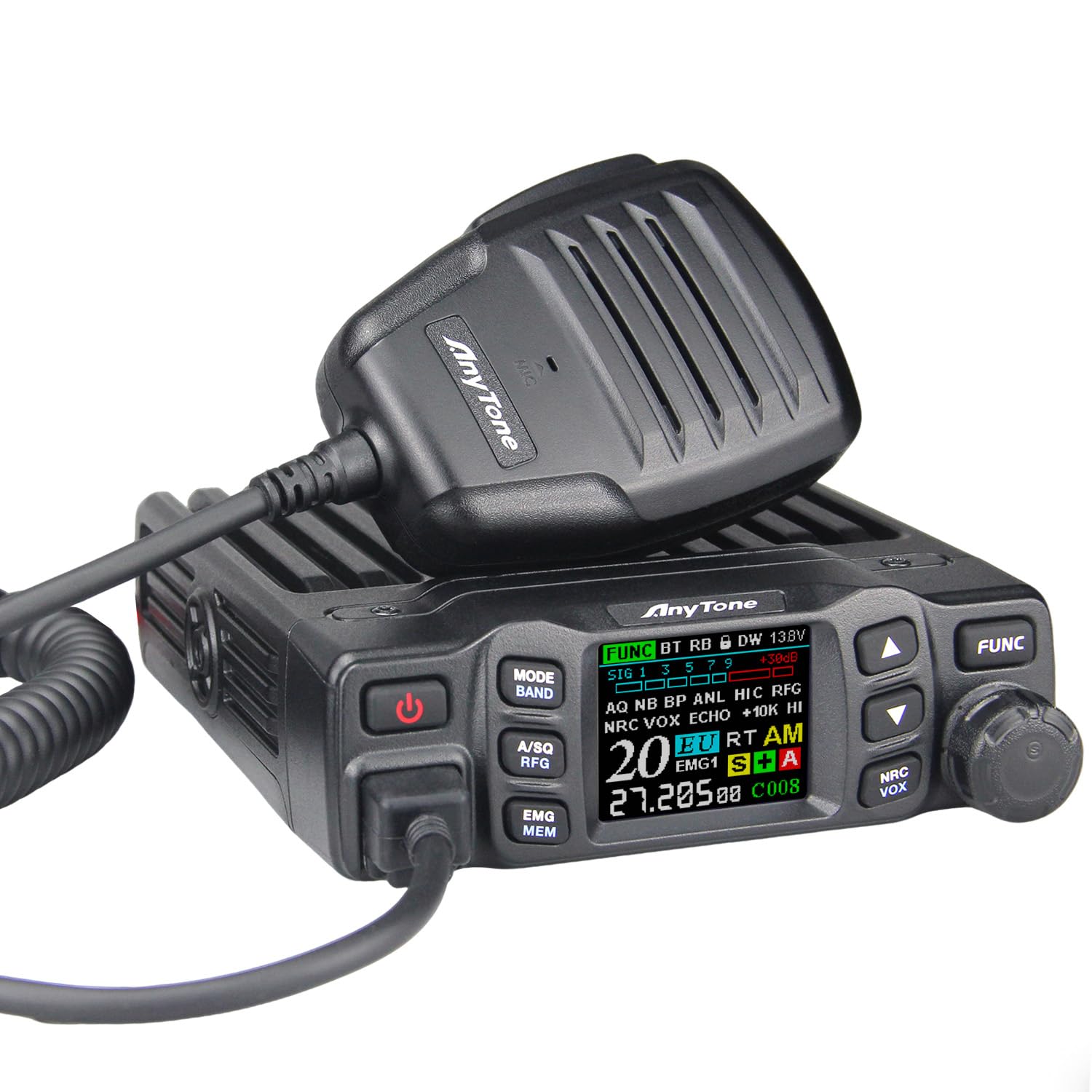
The AnyTone AT-5000 is a versatile CB radio designed for reliable mobile communication. It features multiple modes including AM, FM, USB, LSB, CW, and PA, with Single Side Band (SSB) capability for extended range. Equipped with advanced Noise Reduction Circuitry (NRC), Noise Blanker (NB), and Automatic Noise Limiter (ANL), it ensures clear audio. The radio supports both 12V and 24V power inputs, making it suitable for various vehicles. Additional features include VOX hands-free operation, CTCSS/DCS privacy tones, NOAA Weather alerts, and a vibrant TFT display for monitoring key parameters like frequency, channel, and SWR.
Setup and Installation
1. Mounting the Radio
Use the provided install bracket and mounting parts to securely attach the AT-5000 to a suitable location in your vehicle. Ensure the mounting position allows for proper ventilation and easy access to controls and the microphone.

2. Power Connection
The AT-5000 is compatible with both 12V and 24V DC power systems. Connect the radio's power cable directly to your vehicle's battery or a fused power source capable of supplying the necessary current. Ensure correct polarity (red to positive, black to negative) to prevent damage.

3. Antenna Connection
Connect a 50 Ohm CB antenna to the antenna connector on the rear of the radio. It is crucial to ensure the antenna is properly tuned and has a low Standing Wave Ratio (SWR) to prevent damage to the transceiver and optimize performance. The AT-5000 includes built-in SWR protection.
4. Microphone Connection
Plug the microphone into the designated port on the front of the radio. Ensure the connection is secure.
Basic Operation
1. Powering On/Off
Press the power button (usually marked with a power symbol) to turn the radio on or off. The TFT display will illuminate upon power-up.
2. Channel Selection
The AT-5000 supports 40 CB channels. Use the channel up/down buttons or the rotary knob to select your desired operating channel. The current channel number will be displayed on the TFT screen.

3. Mode Selection
The radio operates in multiple modes: AM, FM, USB, LSB, CW, and PA. Use the 'MODE' button to cycle through these options and select the appropriate mode for your communication needs.
4. TFT Display Monitoring
The large TFT color LCD provides real-time information including frequency, current channel, signal strength, and SWR. Regularly monitor the SWR reading to ensure optimal antenna performance and prevent radio damage.

Advanced Features
1. Single Side Band (SSB)
The SSB feature (USB/LSB) allows for extended communication range and improved signal penetration compared to standard AM. Select USB or LSB mode for long-distance 11-meter band connectivity.

2. Noise Reduction (NRC, NB, ANL)
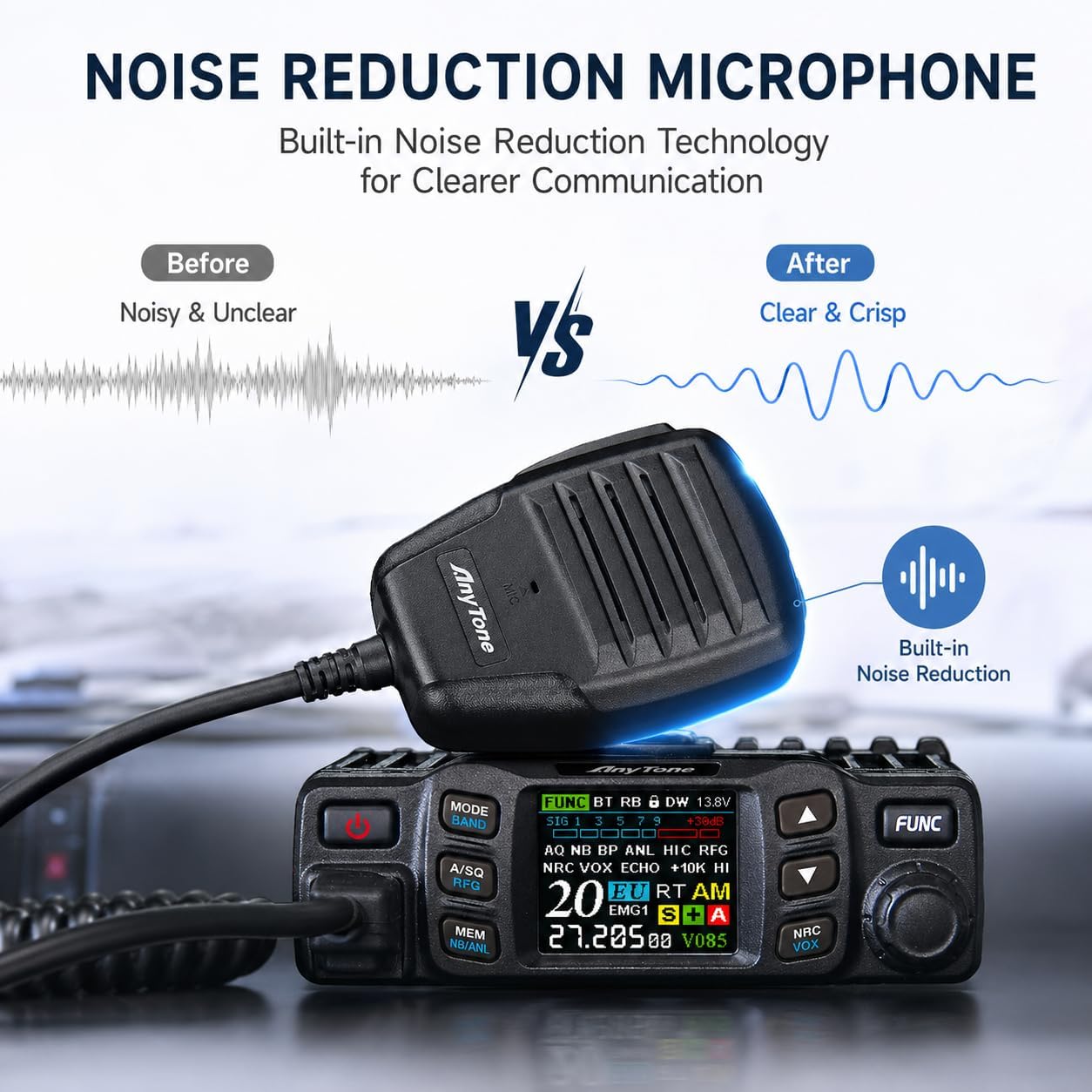
The AT-5000 incorporates NRC (Noise Reduction Circuitry), NB (Noise Blanker), and ANL (Automatic Noise Limiter) to filter out background engine noise and static interference, ensuring crystal-clear audio reception.

3. VOX Hands-Free Function
Activate the VOX function for voice-activated transmission, allowing for hands-free communication. This feature enhances safety by enabling you to transmit without needing to press the PTT button on the microphone.
4. CTCSS/DCS Privacy Tones
Utilize CTCSS (Continuous Tone-Coded Squelch System) and DCS (Digitally Coded Squelch) privacy tones to filter out unwanted chatter from other users on the same channel, maintaining a more private communication link.
5. NOAA Weather Alert
The AT-5000 includes NOAA Weather functionality, providing access to real-time weather alerts and forecasts to keep you informed of changing conditions.

6. SWR Protection
The built-in SWR protection safeguards the radio from potential damage caused by an improperly tuned antenna or antenna mismatch. This feature helps ensure the long-term durability of your unit.
Maintenance
1. Cleaning
Regularly clean the radio's exterior with a soft, dry cloth. Avoid using abrasive cleaners or solvents that could damage the finish or internal components.
2. Antenna Check
Periodically check your antenna and its connections for wear, corrosion, or damage. Ensure the SWR remains low for optimal performance and to protect the radio.
Troubleshooting
- No Power: Check power cable connections, vehicle's fuse, and the radio's internal fuse. Ensure correct 12V/24V input.
- No Signal/Poor Reception: Verify antenna connection, SWR, and antenna tuning. Check selected channel and mode. Ensure squelch is not set too high.
- Distorted Audio: Adjust volume and squelch levels. Check microphone connection. Ensure NRC, NB, or ANL settings are appropriate for current conditions.
- SSB Not Working: Confirm you are in USB or LSB mode. Adjust clarifier if necessary for clear audio.
Specifications
| Feature | Detail |
|---|---|
| Brand | AnyTone |
| Model Number | AT-5000 |
| Number of Channels | 40 |
| Frequency Range | 26.965-27.405MHz |
| Talking Range Maximum | 30 Mile |
| Voltage | 13.8 Volts (Compatible with 12V/24V systems) |
| Impedance | 50 Ohms |
| Product Dimensions (D x W x H) | 6.5"D x 4.9"W x 1.6"H |
| Item Weight | 35.3 Ounces |
| Temperature Range | -4°F to 140°F Degrees Fahrenheit |
| Water Resistance Level | Not Water Resistant |
| Special Features | Digital Display, Long Range, Noise Reduction, SSB, Weather Alert |
| Built-In Media | Microphone, Mounting parts, Radio, install bracket |
Warranty and Support
Warranty Information
The AnyTone AT-5000 CB Radio comes with an 18-Month Warranty from the date of purchase. This warranty covers manufacturing defects and ensures the product meets specified performance standards. Please retain your proof of purchase for warranty claims.
Customer Support
For technical assistance, troubleshooting, or warranty service, please refer to the contact information provided with your product packaging or visit the official AnyTone website. Our support team is available to assist you with any questions or issues you may encounter.


