
1. Introduction
Thank you for choosing the Asrcs Dog Training Collar with Remote Control. This device is designed to assist in training your dog by providing various modes of communication, including beep, vibration, and static stimulation. Used correctly, it can help reinforce commands and correct unwanted behaviors, leading to a more obedient and well-behaved companion. Please read this manual thoroughly before use to ensure proper operation and the safety of your pet.
2. Important Safety Information
WARNING: Not for aggressive dogs. Do not use this product if your dog is aggressive, or if your dog is prone to aggressive behavior. Aggressive dogs could cause severe injury to their owner or others. If you are unsure if this product is appropriate for your dog, please consult your veterinarian or a certified trainer.
- Age and Weight Restrictions: This training collar is suitable for dogs weighing between 15 lbs and 120 lbs. Do not use on puppies younger than 6 months old.
- Collar Fit: Ensure the collar fits snugly but not too tightly. You should be able to fit two fingers comfortably under the strap. Improper fit can lead to skin irritation or reduced effectiveness.
- Duration of Wear: Do not leave the collar on your dog for more than 12 hours per day. Prolonged wear can cause pressure necrosis (bed sores) if not repositioned regularly.
- Skin Health: Regularly check your dog's neck for any signs of skin irritation, redness, or sores. If irritation occurs, discontinue use immediately and consult a veterinarian.
- Static Stimulation: Use static stimulation only when necessary and at the lowest effective level. This mode is intended as a deterrent, not a punishment.
- Water Safety: While the receiver is IPX7 waterproof, ensure the charging port cover is securely closed before exposing it to water.
3. Package Contents
Verify that all items listed below are included in your package:
- 1 x Handheld Remote
- 1 x Receiver Collar
- 1 x Adjustable Collar Strap
- 1 x Test Light Tool
- 1 x 2-in-1 USB Charging Cable
- 1 x Wrist Strap
- 1 x User Manual (this document)
- 1 x USB C to USB Adapter
- 4 x Long Contact Points
- 4 x Short Contact Points
- 8 x Conductive Silicone Caps
4. Product Overview
Familiarize yourself with the components of your Asrcs Dog Training Collar system.
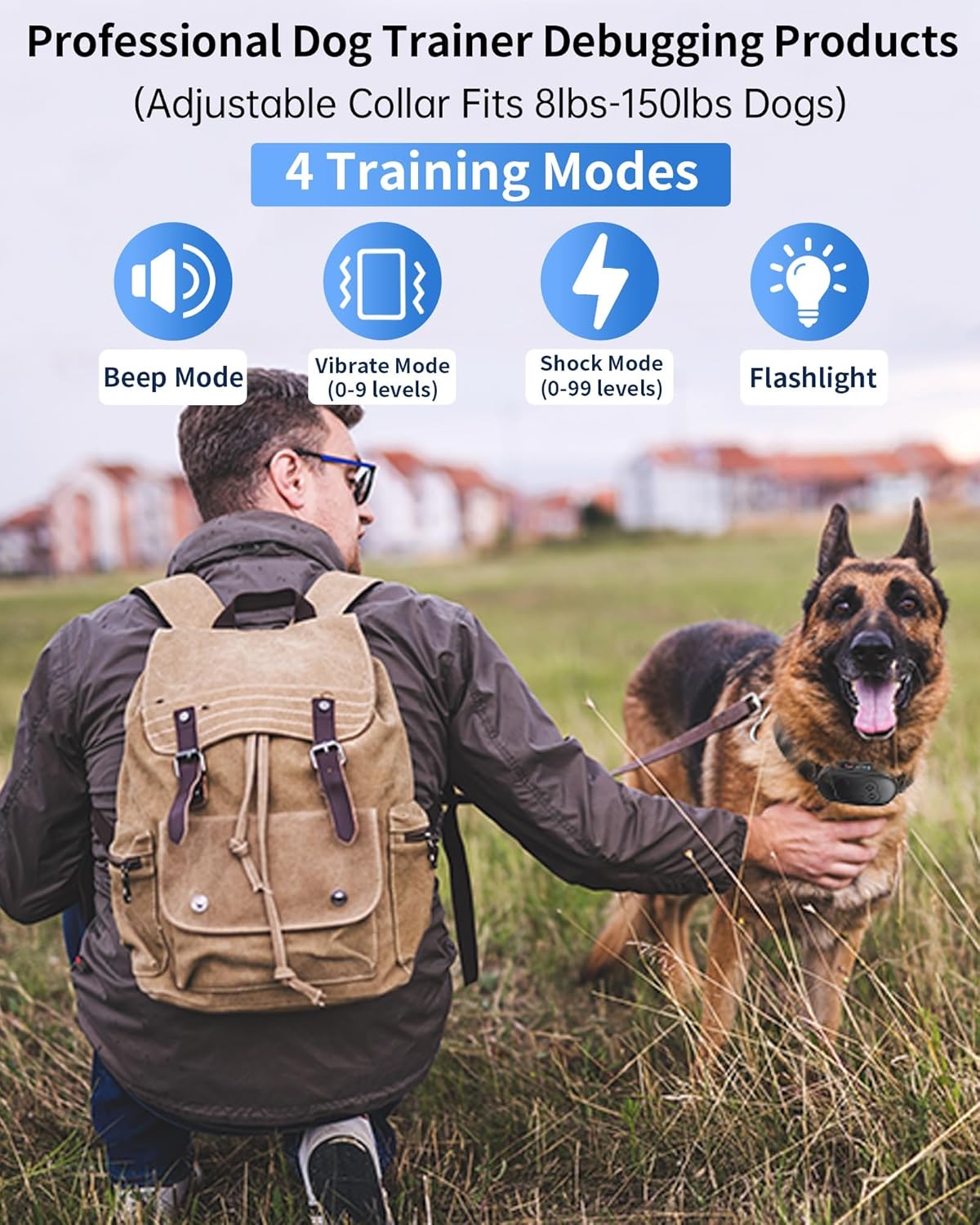
Image: The remote control and receiver collar, highlighting the four training modes: Beep, Vibrate (0-9 levels), Static Stimulation (0-99 levels), and Flashlight.
4.1 Remote Control
- LCD Display: Shows battery level, training mode, intensity level, and active dog channel.
- Beep Button: Activates an audible tone.
- Vibration Button: Activates vibration.
- Static Stimulation Button: Activates static stimulation.
- Channel Switch (A/B/C/D): Selects which receiver collar to control (supports up to 4 dogs).
- Intensity Adjustment Buttons (+/-): Adjusts vibration (0-9 levels) and static stimulation (0-99 levels).
- Power/Lock Button: Turns the remote on/off and locks/unlocks the controls.
- Flashlight: Integrated LED light for visibility.
4.2 Receiver Collar
- Contact Points: Deliver static stimulation. Choose appropriate length for your dog's coat.
- Conductive Silicone Caps: Cover contact points for comfort and to prevent direct metal-to-skin contact.
- Charging Port: USB charging port (ensure cover is sealed for waterproofing).
- Indicator Light: Shows power status, charging status, and mode activation.
- Power Button: Turns the receiver on/off and initiates pairing.
5. Setup
5.1 Charging the Devices
Before first use, fully charge both the remote control and the receiver collar.
- Connect the 2-in-1 USB charging cable to the charging ports on both the remote and the receiver.
- Plug the USB cable into a standard USB power adapter (not included), a computer USB port, or a power bank.
- The indicator lights on both devices will show charging status. The remote's battery icon will animate, and the receiver's light will be red during charging.
- Charging typically takes about 2 hours. Once fully charged, the remote's battery icon will be full, and the receiver's light will turn green.
- Disconnect the charger and securely close the rubber cover on the receiver's charging port to maintain its IPX7 waterproof rating.

Image: Illustration of the remote and receiver being charged via the USB cable, showing long standby times (180 days for remote, 35 days for receiver).
5.2 Attaching Contact Points and Silicone Caps
Choose the appropriate contact points and silicone caps based on your dog's coat length.
- For short-haired dogs, use the shorter contact points.
- For long-haired dogs, use the longer contact points to ensure proper contact with the skin.
- Always place the conductive silicone caps over the metal contact points for your dog's comfort and to prevent direct metal-to-skin contact, which can reduce irritation.
5.3 Fitting the Receiver Collar
Proper fit is crucial for both effectiveness and your dog's comfort and safety.
- Ensure the receiver is turned off.
- Center the receiver unit under your dog's neck, with the contact points touching the skin.
- Adjust the collar strap so it is snug, but not tight. You should be able to fit two fingers comfortably between the collar strap and your dog's neck.
- If the collar is too loose, the stimulation may not be consistent, and the collar could rub, causing irritation. If it's too tight, it could restrict breathing or cause discomfort.
- Trim any excess strap length if necessary, and use the provided clips to secure it.

Image: Visual guide showing the adjustable collar strap and its suitability for dogs from 8 lbs to 150 lbs.
5.4 Pairing the Remote and Receiver
The devices are usually pre-paired. If re-pairing is needed or you are adding another receiver:
- Turn on the remote control by pressing and holding the Power/Lock button for 3 seconds.
- Select the desired channel (A, B, C, or D) on the remote using the channel switch.
- With the receiver collar turned off, press and hold its Power button for 3 seconds until the indicator light flashes rapidly.
- Within 10 seconds, press any training mode button (Beep, Vibration, or Static Stimulation) on the remote.
- If pairing is successful, the receiver's indicator light will stop flashing and remain solid, and the remote will show the active channel.
6. Operating Instructions
6.1 Turning On/Off
- Remote: Press and hold the Power/Lock button for 3 seconds to turn on or off.
- Receiver: Press and hold the Power button for 3 seconds to turn on or off.
6.2 Selecting Training Modes
The remote offers four training modes:
- Beep Mode: Press the Beep button to emit an audible tone from the receiver. This is often used as a warning or positive reinforcement.
- Vibration Mode: Press the Vibration button to activate a vibration on the receiver. The intensity can be adjusted from 0 to 9 levels using the +/- buttons.
- Static Stimulation Mode: Press the Static Stimulation button to deliver a static pulse. The intensity can be adjusted from 0 to 99 levels using the +/- buttons. Always start at the lowest level and increase gradually to find the appropriate level for your dog.
- Flashlight: Press and hold the Flashlight button for 3 seconds to turn the integrated LED light on or off.
6.3 Adjusting Intensity Levels
For Vibration and Static Stimulation modes, use the '+' and '-' buttons on the side of the remote to increase or decrease the intensity level. The current level will be displayed on the LCD screen.
6.4 Multi-Dog Training (Four Channels)
The remote can control up to four receiver collars simultaneously. Use the channel switch (A/B/C/D) on the side of the remote to select the dog you wish to train. Ensure each receiver is paired to a unique channel.
6.5 Remote Lock Feature
To prevent accidental activation of training modes, press and hold the Power/Lock button on the remote for 3 seconds. A lock icon will appear on the LCD screen. Repeat the action to unlock the remote.
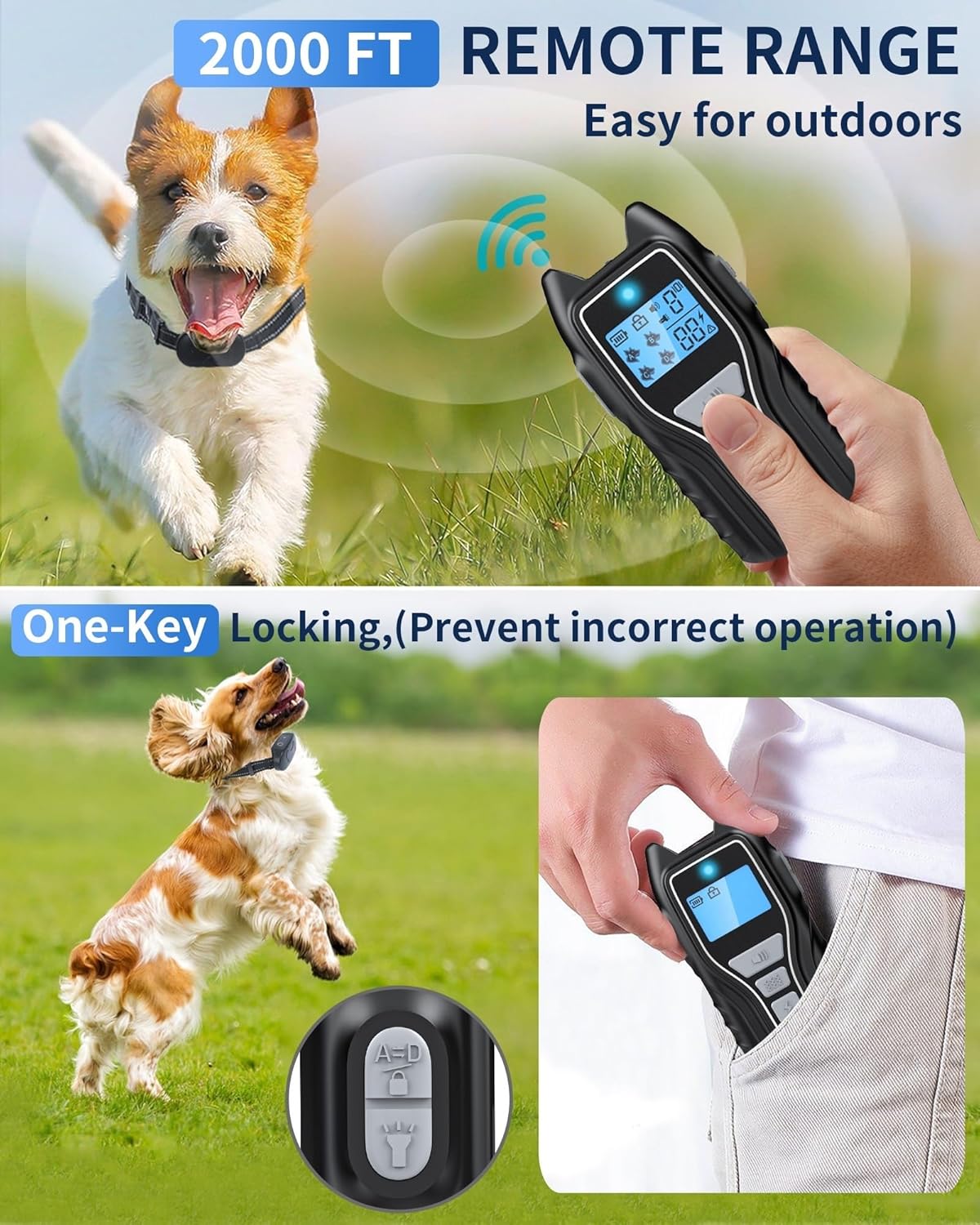
Image: The remote control demonstrating its 2000ft range and the one-key locking mechanism to prevent accidental operation.
7. Training Guidelines
For effective and humane training, consider the following:
- Consistency: Use the collar consistently with commands.
- Timing: Deliver corrections immediately when unwanted behavior occurs.
- Positive Reinforcement: Always pair corrections with positive reinforcement when your dog performs the desired behavior.
- Short Sessions: Keep training sessions short and positive.
- Observe Your Dog: Pay close attention to your dog's reactions to determine the appropriate intensity level.
8. Waterproofing
The receiver collar features an IPX7 waterproof rating, meaning it can withstand immersion in water up to 1 meter for 30 minutes. This makes it suitable for use in rain, puddles, and during swimming activities.
- Always ensure the charging port rubber cover on the receiver is securely sealed before exposing the collar to water.
- The remote control is not waterproof; avoid exposing it to water.

Image: A dog swimming with the IPX7 waterproof receiver collar, demonstrating its water resistance for various activities like splashing, rain, and bathing.
9. Maintenance
- Cleaning: Clean the receiver collar and contact points regularly with a damp cloth and mild soap. Ensure all components are dry before storage or next use.
- Strap Inspection: Periodically check the collar strap for wear and tear. Replace if damaged.
- Battery Care: To prolong battery life, avoid fully discharging the devices frequently. Charge them when the battery indicator is low.
- Storage: Store the device in a cool, dry place when not in use.
10. Troubleshooting
| Problem | Possible Cause | Solution |
|---|---|---|
| Collar not working/no response | Low battery; Not paired; Out of range; Remote locked. | Charge both devices; Re-pair remote and receiver; Move closer to the dog; Unlock the remote. |
| Static stimulation not felt | Incorrect contact point length; Loose collar; Low intensity level; Thick fur. | Ensure contact points touch skin; Tighten collar (two fingers fit); Increase intensity gradually; Use longer contact points or trim fur. |
| Receiver indicator light not on | Receiver off; Low battery. | Turn on receiver; Charge receiver. |
| Remote display blank | Remote off; Low battery. | Turn on remote; Charge remote. |
| Accidental activation of modes | Remote not locked. | Use the remote lock feature when not actively training. |
11. Specifications
| Feature | Detail |
|---|---|
| Model Number | X13 |
| Remote Range | Up to 2000 feet (600 meters) |
| Training Modes | Beep, Vibration (0-9 levels), Static Stimulation (0-99 levels), Flashlight |
| Waterproof Rating (Receiver) | IPX7 (Submersible up to 1 meter for 30 minutes) |
| Battery Type | Rechargeable Lithium-ion (internal) |
| Charging Time | Approximately 2 hours |
| Standby Time (Remote) | Up to 180 days |
| Standby Time (Receiver) | Up to 35 days |
| Adjustable Collar Size | Fits dogs from 15 lbs to 120 lbs |
| Material | Plastic |
| Item Weight | 8.4 ounces |
| Product Dimensions (Remote) | 3.8 x 2 x 1 inches |
12. Product Video
Watch this official product video for a visual guide on the features and operation of the Asrcs Dog Training Collar.
Video: An overview of the Asrcs Dog Training Collar, demonstrating its remote control, receiver, training modes (beep, vibration, static stimulation), 2000ft range, waterproofing, and long-lasting battery life. This video is provided by Tirerack, a seller of the product.
13. Warranty
The Asrcs Dog Training Collar (Model X13) comes with a 1-Year Warranty from the date of purchase. This warranty covers manufacturing defects and malfunctions under normal use. It does not cover damage caused by misuse, accidents, unauthorized modifications, or normal wear and tear. Please retain your proof of purchase for warranty claims.
14. Support
If you have any questions, require assistance, or need to make a warranty claim, please contact our customer support team. Refer to the contact information provided on the product packaging or the retailer's website where you purchased the product.