
1. Introduction
This manual provides essential information for the safe and efficient operation, maintenance, and troubleshooting of your Seauto SAT20 Pro Robotic Pool Cleaner. This advanced cordless unit is designed for inground pools, featuring AI Sonar navigation, all-wheel drive, and a powerful filtration system to ensure comprehensive cleaning. Please read this manual thoroughly before using the device.
2. Important Safety Instructions
Always follow basic safety precautions when operating electrical appliances, especially near water.
- Read all instructions before use.
- Do not operate the cleaner if the power cord or charger is damaged.
- Ensure the cleaner is fully submerged before starting operation.
- Keep children and pets away from the pool area during operation.
- Only use the provided charger for charging the device.
- Do not attempt to repair the unit yourself. Contact qualified service personnel.
- Remove the cleaner from the pool before adding chemicals or performing maintenance.
3. Product Overview and Features
The Seauto SAT20 Pro is a cordless robotic pool cleaner designed for efficient and thorough cleaning of inground pools.
Key Features:
- AI Sonar Navigation: Intelligent route planning for optimized cleaning coverage (N-path along walls, S-path on floor).
- All-Wheel Drive (AWD): Enhanced traction for various pool surfaces including tile, vinyl, pebble, and mosaic.
- Extended Battery Life: Up to 180 minutes of continuous cleaning on a single charge, suitable for pools up to 2100 sq.ft.
- Advanced Filtration System: 295 µm filter basket and 5500 GPH suction power for effective debris capture.
- Multiple Cleaning Modes: Selectable Floor, Wall (wall+waterline), or Wall & Floor modes.
- Cordless Design: Eliminates the hassle of tangled cords.
- Durable Construction: Built with plastic materials resistant to corrosion and UV.

Image: The Seauto SAT20 Pro Robotic Pool Cleaner, a compact and efficient device for pool maintenance.
4. Setup and Initial Use
4.1 Charging the Cleaner
- Ensure the cleaner is dry before charging.
- Connect the charger to a power outlet and then to the charging port on the cleaner.
- The charging indicator light will illuminate. A full charge takes approximately 3 hours.
- Once fully charged, disconnect the charger. The waterproof battery housing includes protections against overcharging.
Note: Fully charge the cleaner before its first use to maximize battery life and performance.

Image: The Seauto SAT20 Pro demonstrating effortless complete cleaning on a single charge, highlighting its battery life and cleaning area capacity.
4.2 Placing the Cleaner in the Pool
- Gently lower the cleaner into the pool.
- Allow it to sink to the bottom. Ensure no air bubbles are trapped inside the unit.
- The cleaner is now ready for operation.
5. Operating Instructions
5.1 Selecting Cleaning Modes
The Seauto SAT20 Pro features a push-button control interface for selecting cleaning modes.
- Floor Mode: Cleans only the pool floor.
- Wall Mode: Cleans pool walls and the waterline.
- Wall & Floor Mode: Provides comprehensive cleaning of both the pool floor and walls.
Press the control button to cycle through the available modes. The indicator light will confirm the selected mode.

Image: The Seauto SAT20 Pro demonstrating its comprehensive cleaning capabilities for floors, walls, and slopes.
5.2 Starting and Stopping Operation
- After selecting the desired mode, press the start button. The cleaner will begin its cycle.
- The cleaner will automatically stop when its cleaning cycle is complete or when the battery is low.
- To manually stop the cleaner, press and hold the control button until it ceases operation.
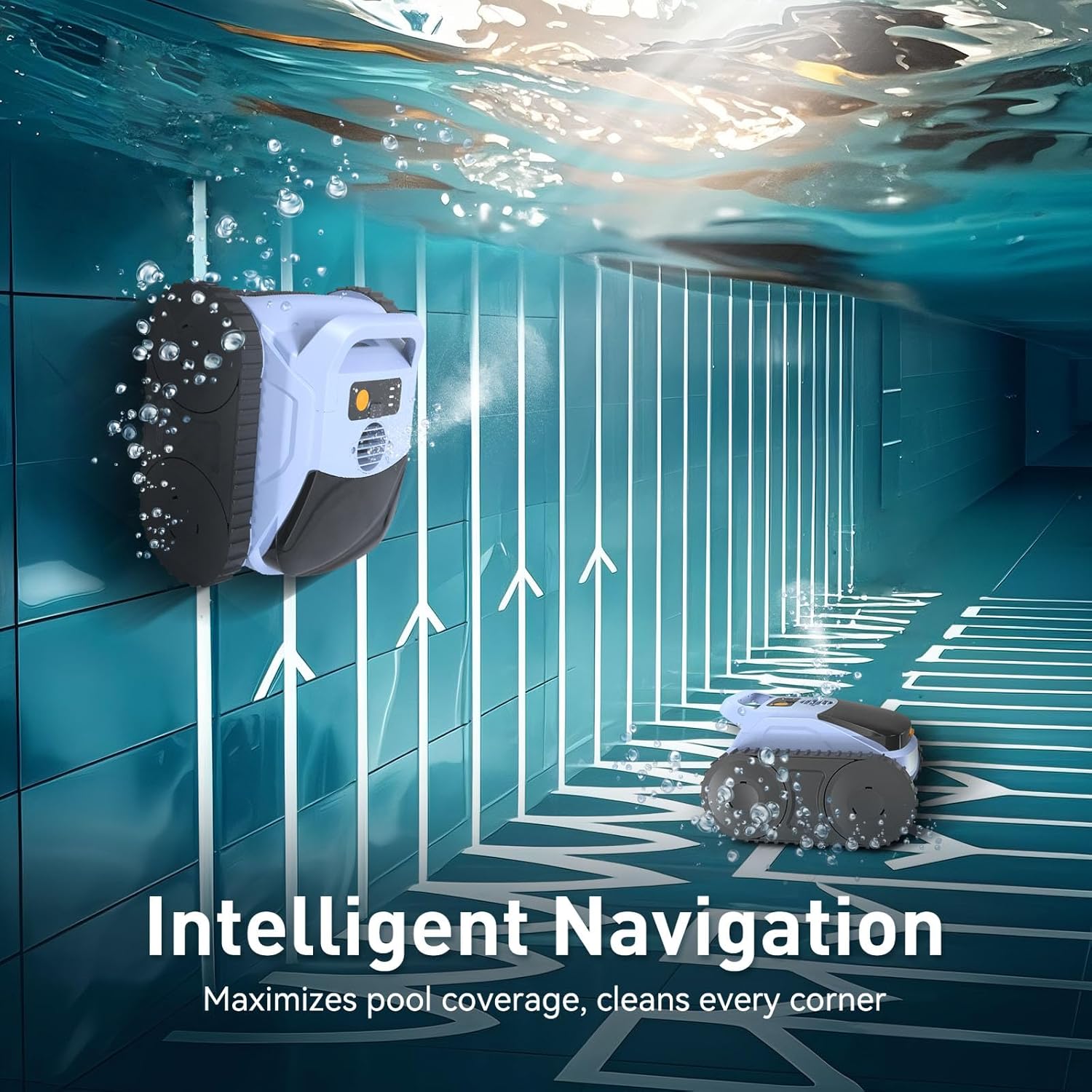
Image: The Seauto SAT20 Pro utilizing intelligent navigation to maximize pool coverage and clean every corner.
5.3 Retrieving the Cleaner
When the cleaning cycle is finished, the cleaner will typically park itself near a wall.
- Use the retrieval hook (if included, or a standard pool pole hook) to gently pull the cleaner towards the edge of the pool.
- Lift the cleaner slowly from the water, allowing excess water to drain.
- Do not lift the cleaner by its brushes or wheels.
6. Maintenance
Regular maintenance ensures optimal performance and extends the lifespan of your Seauto SAT20 Pro.
6.1 Cleaning the Filter Basket
- After each use, remove the filter basket from the cleaner.
- Rinse the filter basket thoroughly with clean water to remove all trapped debris.
- Ensure the filter basket is completely clean before reinserting it into the cleaner.

Image: The Seauto SAT20 Pro's advanced filtration system, designed to capture debris and deliver clean water, with visible debris inside.
6.2 General Care and Storage
- Rinse the entire unit with clean water after each use, especially if used in saltwater pools.
- Check and clean the PVC traction brushes periodically to ensure effective grip and cleaning.
- Store the cleaner in a dry place, away from direct sunlight and extreme temperatures.
- Ensure the battery is charged before long-term storage to maintain battery health.
7. Troubleshooting
If you encounter issues with your Seauto SAT20 Pro, refer to the following common problems and solutions.
| Problem | Possible Cause | Solution |
|---|---|---|
| Cleaner does not start. | Low battery; power button not pressed correctly. | Charge the battery fully; ensure the power button is pressed firmly. |
| Poor cleaning performance. | Clogged filter basket; worn brushes; low battery. | Clean the filter basket; inspect and replace brushes if necessary; charge the battery. |
| Cleaner gets stuck. | Obstruction in the pool; uneven pool surface. | Remove any large debris or toys from the pool; ensure the cleaner is suitable for your pool type. |
| Cleaner does not climb walls. | Low battery; dirty brushes; air trapped inside. | Charge the battery; clean the brushes; ensure no air is trapped when submerging. |
If the problem persists after attempting these solutions, please contact Seauto customer support.
8. Specifications
| Feature | Detail |
|---|---|
| Brand | Seauto |
| Model Name | SAT20 Pro |
| Material | Plastic |
| Color | Pale Blue |
| Product Dimensions (L x W x H) | 14.1" x 10" x 16.1" |
| Item Weight | 15.5 Pounds |
| Power Source | AC/DC (for charging) |
| Control Method | Push Button |
| Battery Type | Lithium-Ion |
| Lithium Battery Voltage | 3.7 Volts |
| Lithium Battery Energy Content | 144.3 Watt Hours |
| Number of Lithium-ion Cells | 15 |
| Charging Time | 3 Hours |
| Max Runtime | 180 Minutes |
| Max Cleaning Range | Up to 2100 sq.ft. |
| Suction Power | 5500 GPH |
| Filter Basket Size | 295 µm |
| Special Features | AI Sonar Smart Navigation, Cordless, Advanced Filtration System, Robotic |
9. Warranty and Customer Support
9.1 Warranty Information
The Seauto SAT20 Pro Robotic Pool Cleaner comes with an extended warranty. Please refer to the warranty card included in your product packaging for specific terms and conditions. Keep your proof of purchase for warranty claims.
9.2 Customer Support
For any questions, technical assistance, or warranty support, please contact Seauto directly. Our official customer service team is available to provide quick and authoritative resolutions.
You can find contact information on the official Seauto website or through the contact details provided in your product packaging.


