
SanDisk SDCZIA-128G-G46GLD
SanDisk USB Type-C Flash Drive, FIFA World Cup 2026 Edition, 128GB - User Manual
Model: SDCZIA-128G-G46GLD | Brand: SanDisk
Introduction
This manual provides instructions for the SanDisk USB Type-C Flash Drive, FIFA World Cup 2026 Edition, 128GB. This device is designed for seamless data transfer and storage across compatible devices.
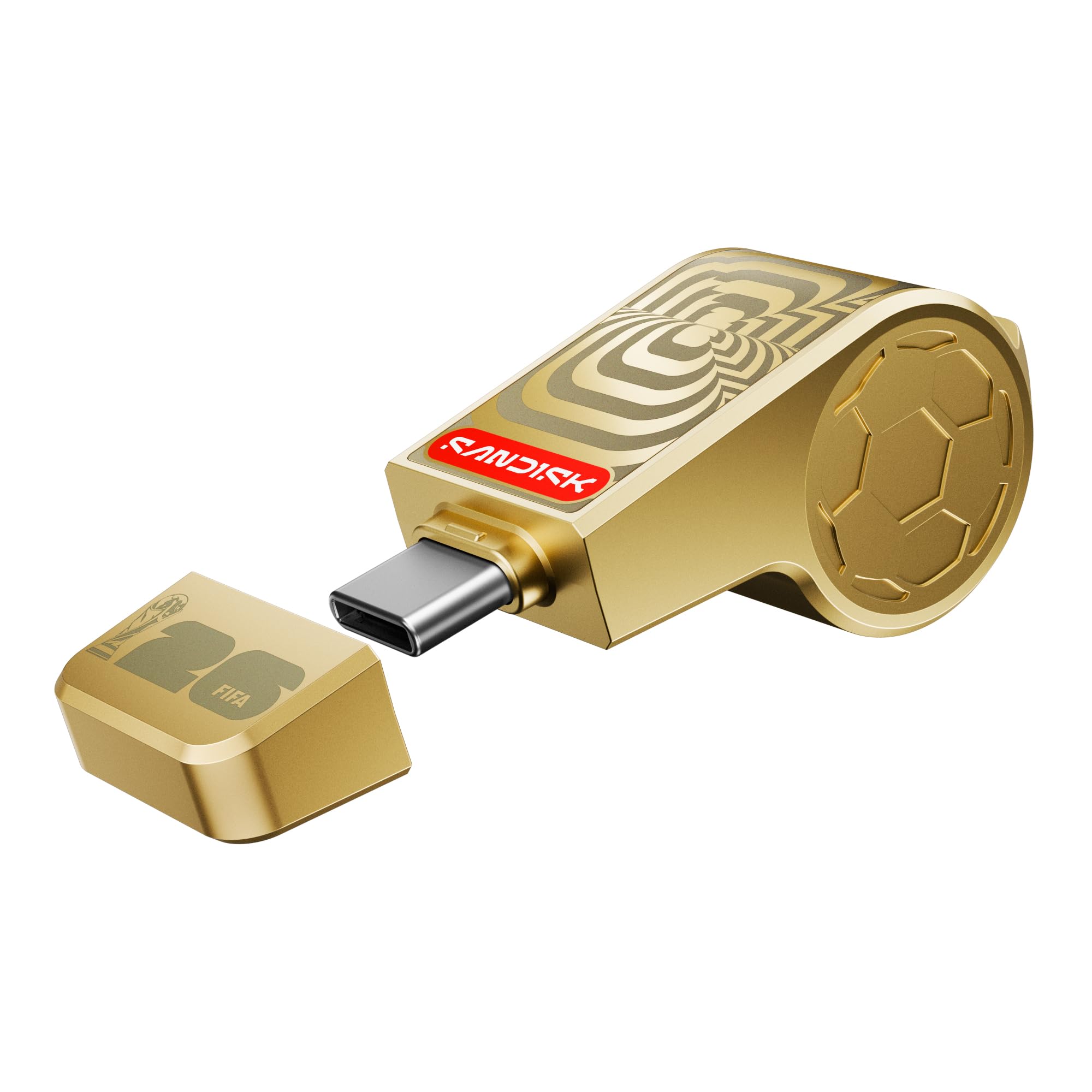
Image: SanDisk USB Type-C Flash Drive, FIFA World Cup 2026 Edition, Gold color, with its protective cap.
Key Features:
- Official Licensed Product: Experience seamless connectivity with this FIFA World Cup 2026 Edition flash drive.
- Collectible Design: Features a unique whistle design, inspired by the FIFA World Cup, and includes a lanyard for portability.
- High-Speed Transfers: Achieve read speeds of up to 300MB/s for quick transfer of photos, videos, and other data.
- USB-C Connectivity: Easily move files between compatible Android phones, tablets, and laptops using the versatile USB-C connector.
- SanDisk Memory Zone App: Utilize the mobile app (for compatible Android devices) or desktop app (for macOS/Windows) to manage, back up, and password-protect your files.
Setup
Follow these steps to set up your SanDisk USB Type-C Flash Drive:
- Unpack the Device: Carefully remove the flash drive and any included accessories from its packaging.
- Remove Protective Cap: Gently pull off the protective cap from the USB-C connector end of the flash drive.
- Connect to Device: Insert the USB-C connector into a compatible USB Type-C port on your smartphone, tablet, or computer. Ensure the device is powered on.
- Device Recognition: Your operating system (Android 8+, macOS 11+, Windows 10 & 11) should automatically detect the flash drive. A notification or new drive icon may appear.
- Install SanDisk Memory Zone App (Optional but Recommended): For enhanced file management, backup, and security features, download and install the SanDisk Memory Zone app from your device's app store (for Android) or SanDisk's official website (for macOS/Windows).

Image: Close-up view of the SanDisk USB Type-C Flash Drive with its protective cap removed, revealing the USB-C connector.
Operating Instructions
Once connected, you can use your SanDisk USB Type-C Flash Drive to store and transfer files.
File Transfer:
- On Computers (Windows/macOS):
- Open "File Explorer" (Windows) or "Finder" (macOS).
- Locate the flash drive under "This PC" or "Devices and Locations".
- Drag and drop files or folders to and from the flash drive.
- On Android Devices:
- Access your device's file manager application.
- The flash drive will appear as an external storage device.
- Copy or move files between your device's internal storage and the flash drive.

Image: A hand inserting the SanDisk USB Type-C Flash Drive into the USB-C port of a laptop.
Using SanDisk Memory Zone App:
The SanDisk Memory Zone app provides additional functionalities:
- View and Organize: Browse and manage files stored on the flash drive and your device.
- Automatic Backup: Set up automatic backups of your photos and videos to the flash drive.
- Password Protection: Secure sensitive files with password protection (128-bit AES encryption).
- Move/Copy Files: Easily transfer files between your device, cloud storage, and the flash drive.

Image: A soccer ball on a green field, with the SanDisk logo prominently displayed, symbolizing the SanDisk Memory Zone app's functionality for managing FIFA World Cup memories.
Maintenance
Proper care ensures the longevity and optimal performance of your flash drive:
- Protect the Connector: Always replace the protective cap when the flash drive is not in use to prevent dust and damage to the USB-C connector.
- Handle with Care: The whistle design is a collectible feature; avoid dropping or subjecting the drive to excessive force.
- Storage Conditions: Store the flash drive in a cool, dry place, away from direct sunlight, extreme temperatures, and strong magnetic fields.
- Cleaning: If necessary, gently wipe the exterior with a soft, dry, lint-free cloth. Do not use liquid cleaners or solvents.
- Safety Warning: This product contains small parts and is not suitable for children under 3 years old due to choking hazard. It is not a toy.
Troubleshooting
If you encounter issues with your SanDisk USB Type-C Flash Drive, refer to the following common solutions:
| Problem | Possible Cause | Solution |
|---|---|---|
| Drive not recognized by device. | Improper connection, incompatible device, or driver issue. |
|
| Slow file transfer speeds. | Connected to a slower USB port (e.g., USB 2.0 instead of USB 3.2 Gen 1), or large file transfers. |
|
| Cannot save files due to insufficient space. | Flash drive is full. |
|
Specifications
| Brand | SanDisk |
| Model Name | SANDISK® USB-C™ FLASH DRIVE: FIFA WORLD CUP 2026™ EDITION |
| Model Number | SDCZIA-128G-G46GLD |
| Memory Storage Capacity | 128 GB |
| Hardware Interface | USB 3.2 Gen 1 |
| Hardware Connectivity Technology | USB Type C |
| Read Speed | Up to 300 Megabytes Per Second |
| Compatible Devices | Android 8+, macOS 11+, Windows 10 & 11 |
| Color | Gold |
| Item Dimensions (D x W x H) | 18D x 20W x 18H Millimeters |
| Item Weight | 0.04 Pounds |
| UPC | 619659226787 |
| Country of Origin | Malaysia |

Image: Diagram illustrating the dimensions of the SanDisk USB Type-C Flash Drive, showing length, width, and height measurements.
Warranty Information
This SanDisk USB Type-C Flash Drive comes with a 5-year limited warranty. For detailed terms and conditions, please refer to the official SanDisk warranty statement available on their website or contact customer support.
Support
For further assistance, technical support, or to download the latest version of the SanDisk Memory Zone app, please visit the official SanDisk support website:
You can also find additional resources and FAQs on the SanDisk website.
Related documentsSDCZIA-128G-G46GLD


Ask a question about this manual
Ask about setup, troubleshooting, compatibility, parts, safety, or missing instructions. Manuals+ will review the question and use this page’s manual context to help answer it.