Introduction
This manual provides detailed instructions for the assembly, operation, and maintenance of your HOMCOM 3-Drawer Mobile Filing Cabinet. Please read this manual thoroughly before assembly and use to ensure safe and correct operation. Keep this manual for future reference.

Image: The HOMCOM 3-Drawer Mobile Filing Cabinet, black, with a printer on top, positioned next to a desk in an office environment. This image illustrates the product's intended use and appearance.
Safety Information
- Ensure all parts are present and undamaged before assembly. Do not use if any parts are missing or defective.
- Assemble the unit on a soft, clean surface to prevent scratches.
- Do not overtighten screws during assembly to avoid damaging the material.
- Distribute weight evenly in drawers and on the top surface to maintain stability.
- Keep children and pets away from the assembly area.
- Always lock the wheels when the cabinet is in a stationary position to prevent accidental movement.
- Do not climb on or stand on the cabinet.
Package Contents
Before beginning assembly, verify that all components listed below are included in your package. If any parts are missing or damaged, please contact customer support.
- Cabinet panels (sides, top, bottom, back)
- 3 Drawer components (fronts, sides, backs, bottoms)
- Full extension drawer slides (6 pairs)
- 4 Swivel casters (2 with brakes, 2 without)
- Locking mechanism with 2 keys
- Hardware pack (screws, dowels, cam locks, etc.)
- Assembly instructions (this manual)

Image: An illustrative diagram showing various components of the cabinet, such as panels and hardware, indicating parts included in the package.
Setup and Assembly
Assembly is required for this product. Follow the steps below carefully. It is recommended to have two people for assembly.
- Prepare the Area: Clear a spacious, clean, and soft area for assembly to prevent damage to the cabinet parts and your floor.
- Identify Parts: Lay out all parts and hardware. Refer to the parts list to ensure everything is present.
- Assemble the Cabinet Frame: Attach the side panels to the bottom panel using the provided hardware. Ensure all connections are secure.
- Install Drawer Slides: Secure the drawer slides to the inner sides of the cabinet frame. Pay attention to the orientation of the slides.
- Assemble Drawers: Construct each of the three drawers by attaching the front, back, and side panels to the drawer bottom. Install the corresponding drawer slides onto the drawers.
- Insert Drawers: Carefully slide the assembled drawers into the cabinet frame, aligning the drawer slides.
- Attach Top Panel: Secure the top panel to the assembled cabinet frame.
- Install Casters: Attach the four swivel casters to the bottom of the cabinet. Ensure the two casters with brakes are positioned at the front for easy access.
- Install Locking Mechanism: Integrate the centralized locking mechanism as per the specific instructions provided with the hardware. Test the lock with the provided keys.

Image: A diagram illustrating the sequence of assembly steps for the HOMCOM filing cabinet, showing how different parts connect.
Operating Instructions
Using the Drawers
The cabinet features three spacious drawers with full extension rails for easy access to contents. To open a drawer, gently pull the handle. To close, push the drawer firmly until it is fully seated.
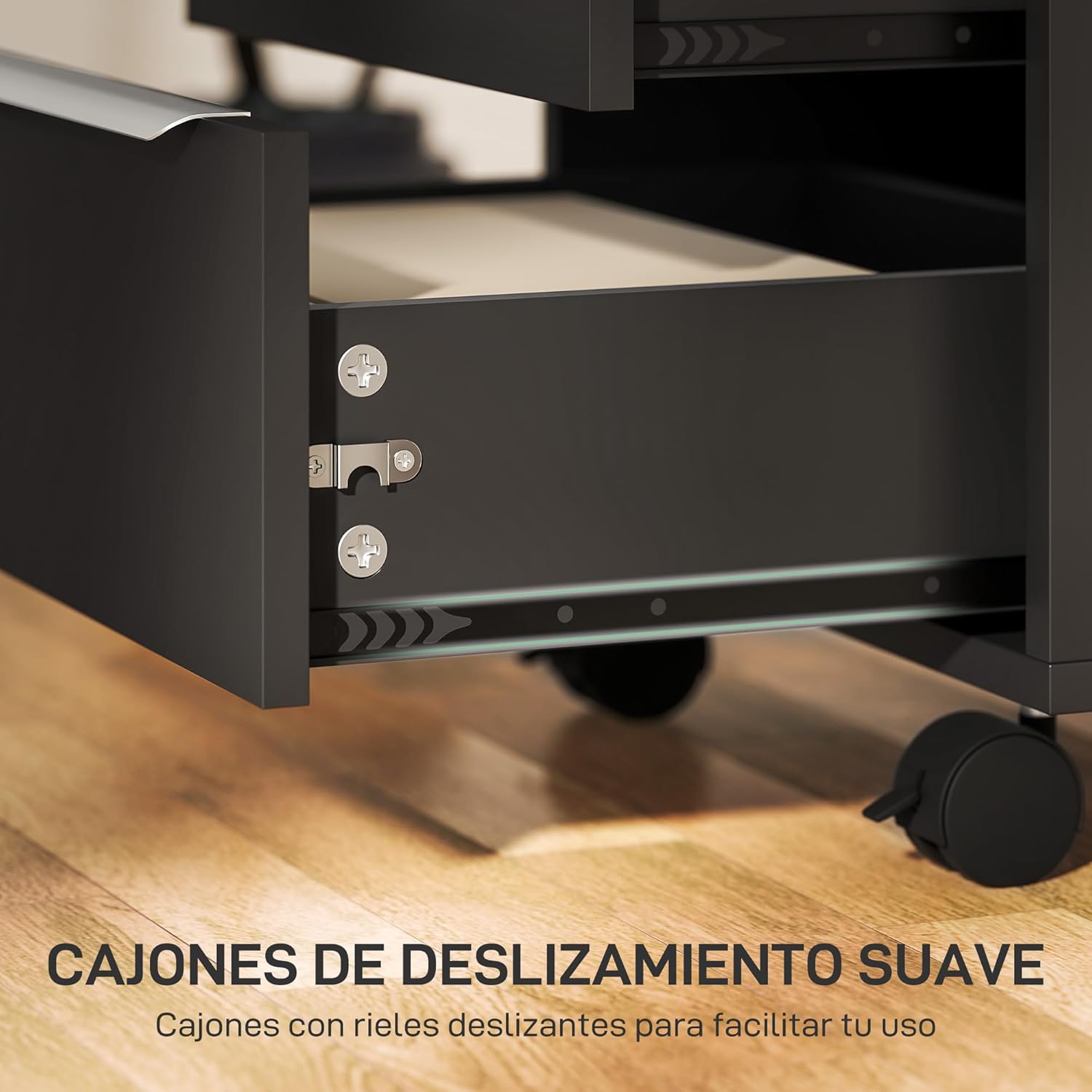
Image: A close-up view of an open drawer, highlighting the smooth-gliding full extension rails for easy operation.
Important Note: This cabinet is designed for storing files and documents flat. It is not equipped for hanging files.

Image: An open drawer containing documents stored flat, illustrating the recommended method of storage within the cabinet.
Centralized Locking System
The cabinet is equipped with a centralized locking system. Inserting and turning the key in the top lock will secure all three drawers simultaneously, ensuring the privacy and security of your belongings.
- To lock: Ensure all drawers are fully closed. Insert the key into the lock on the top drawer and turn it clockwise until the drawers are secured. Remove the key.
- To unlock: Insert the key into the lock and turn it counter-clockwise. The drawers will now be accessible.

Image: A hand inserting a key into the centralized lock located on the top drawer of the filing cabinet, demonstrating the locking mechanism.
Using the Casters
The cabinet features four 360° swivel casters for easy mobility. Two of these casters are equipped with brakes for stability.
- To move the cabinet: Ensure the brakes on the casters are disengaged. Gently push or pull the cabinet to its desired location.
- To secure the cabinet: Once in position, engage the brakes on the two front casters by pressing down on the lever. This will prevent the cabinet from rolling.

Image: A detailed view of the cabinet's four swivel casters, showing two standard casters and two casters equipped with locking brakes for stability and mobility.
Maintenance
- Cleaning: Wipe the cabinet surfaces with a soft, damp cloth. Avoid using harsh chemicals or abrasive cleaners, as these can damage the melamine finish.
- Hardware Check: Periodically check all screws and fasteners to ensure they are tight. Retighten if necessary to maintain structural integrity.
- Drawer Rails: If drawers become stiff, a small amount of silicone-based lubricant can be applied to the drawer slides.
- Casters: Keep casters free of debris (hair, dust) to ensure smooth movement.
- Moisture Protection: The cabinet is moisture-resistant, but prolonged exposure to excessive moisture should be avoided. Wipe up spills immediately.
Troubleshooting
- Drawers are stiff or difficult to open/close:
- Check if the drawer slides are properly aligned and free of obstructions.
- Ensure the cabinet is on a level surface.
- Apply a small amount of silicone lubricant to the drawer slides.
- Verify that the drawer contents are not overloaded or unevenly distributed.
- Lock is not engaging all drawers:
- Ensure all drawers are fully closed before attempting to lock.
- Check if the locking mechanism is properly installed and aligned.
- Avoid forcing the key; if it's stiff, check for obstructions or misalignment.
- Cabinet is unstable or wobbles:
- Verify that all assembly screws are tightened securely.
- Ensure the cabinet is placed on a flat, level surface.
- Engage the brakes on the casters if the cabinet is meant to be stationary.
Specifications
| Brand | HOMCOM |
| Model Number | ES836-301V00BK0731 |
| Color | Black |
| Overall Dimensions (L x W x H) | 40 x 40 x 63.5 cm (15.7 x 15.7 x 25 inches) |
| Product Weight | 15.3 kg (33.7 lbs) |
| Material | Engineered Wood, Melamine |
| Max. Load Capacity (Top Surface) | 10 kg (22 lbs) |
| Max. Load Capacity (Per Drawer) | 5 kg (11 lbs) |
| Special Features | Lockable, With Wheels, Moisture Resistant |
| Recommended Use | Files and folders, Keys |
| Mounting Type | Floor Mount |
| Room Type | Bedroom, Home Office, Living Room |

Image: A diagram illustrating the overall dimensions (40x40x63.5 cm) and weight capacities (10kg for top, 5kg per drawer) of the HOMCOM filing cabinet.
Warranty and Support
For warranty information or technical support, please refer to the contact details provided at the point of purchase or visit the official HOMCOM website. Keep your purchase receipt as proof of purchase.
Manufacturer: HOMCOM
Model: ES836-301V00BK0731


