Introduction
This manual provides detailed instructions for the setup, operation, and maintenance of your NORTH EDGE Fortress Dual-Display Analog Digital Outdoor Watch. Please read this manual thoroughly to ensure proper use and to maximize the features of your watch.
Product Overview
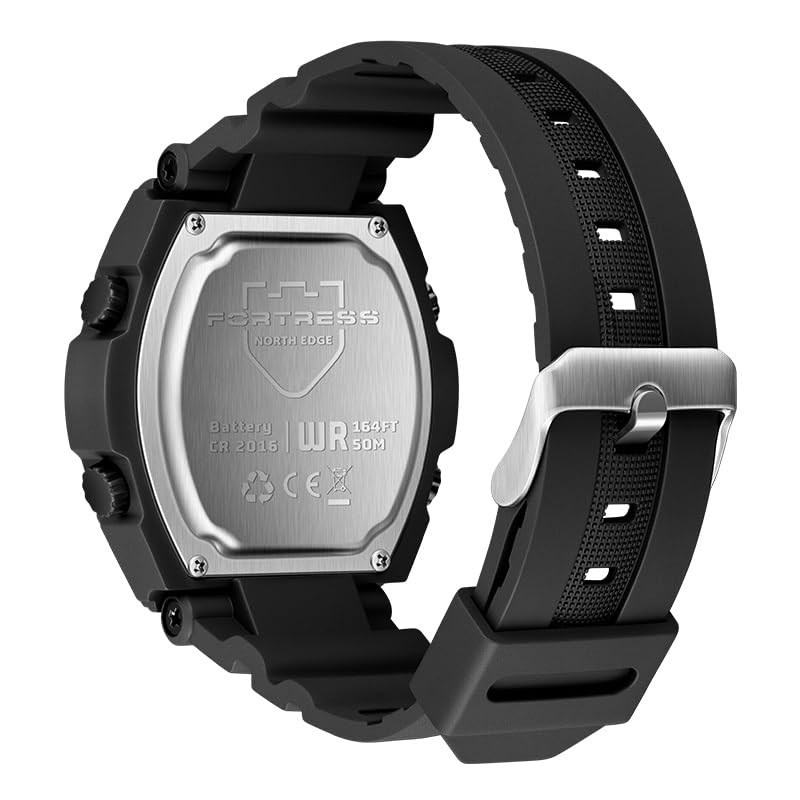
Image: Front view of the NORTH EDGE Fortress Dual-Display Analog Digital Outdoor Watch.
The NORTH EDGE Fortress watch combines classic analog timekeeping with a versatile digital display, designed for durability and functionality in various environments.
Key Features:
- Dual-Display Dial: Analog hands and digital display for clear time reading.
- World Time Function: Supports 33 time zones for global coordination.
- Multifunction Stopwatch: Precision stopwatch and countdown timer.
- Multiple Alarms: Includes snooze function and hourly time signal.
- Luminous Visibility: Luminous hands and LED backlight for low-light conditions.
- 5 ATM Water Resistance: Suitable for daily use, splashes, and light water exposure.
Watch Components and Controls
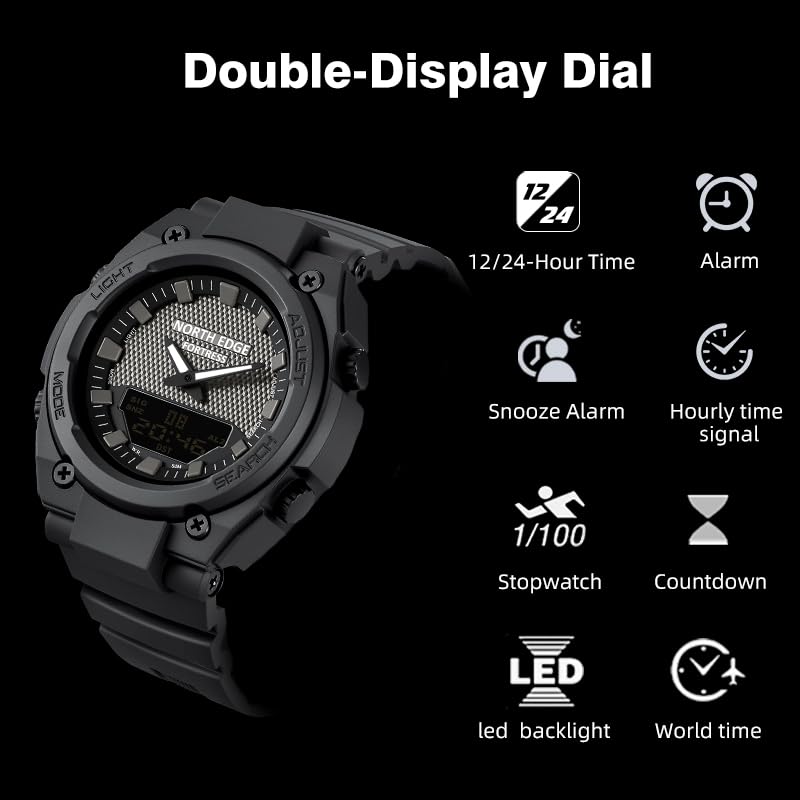
Image: Overview of the NORTH EDGE Fortress watch showing the dual display and key functions like 12/24-hour time, alarm, snooze, hourly time signal, stopwatch, countdown, LED backlight, and world time.
Your NORTH EDGE Fortress watch features four primary control buttons:
- LIGHT Button (Top Left): Activates the LED backlight.
- MODE Button (Bottom Left): Cycles through different modes (Time, Stopwatch, Countdown, Alarm, World Time).
- ADJUST Button (Top Right): Used to enter and confirm settings in various modes.
- SEARCH Button (Bottom Right): Used to change values or select options during settings, and to start/stop functions like stopwatch.
Setup
Initial Time Setting (Digital)
- In Timekeeping Mode, press and hold the ADJUST button until the seconds begin to flash, indicating setting mode.
- Press the MODE button to cycle through the settings: Seconds → Hour → Minute → Year → Month → Day → 12/24-Hour Format.
- Use the SEARCH button to increase the flashing value. Hold down to rapidly advance.
- Once all settings are adjusted, press the ADJUST button to exit the setting mode.
Setting Analog Hands
The analog hands are synchronized with the digital time. After setting the digital time, the analog hands should automatically adjust. If they do not, or if they are out of sync:
- In Timekeeping Mode, press and hold the ADJUST button until the seconds flash.
- Press the MODE button repeatedly until the analog hand setting option appears (often indicated by 'H-SET' or similar on the digital display).
- Use the SEARCH button to advance the analog hands. Hold to move them quickly.
- Once the analog hands match the digital time, press the ADJUST button to confirm and exit.
Operating Instructions
Navigate through the watch's functions using the MODE button. Each press will cycle to the next mode.
Stopwatch Function
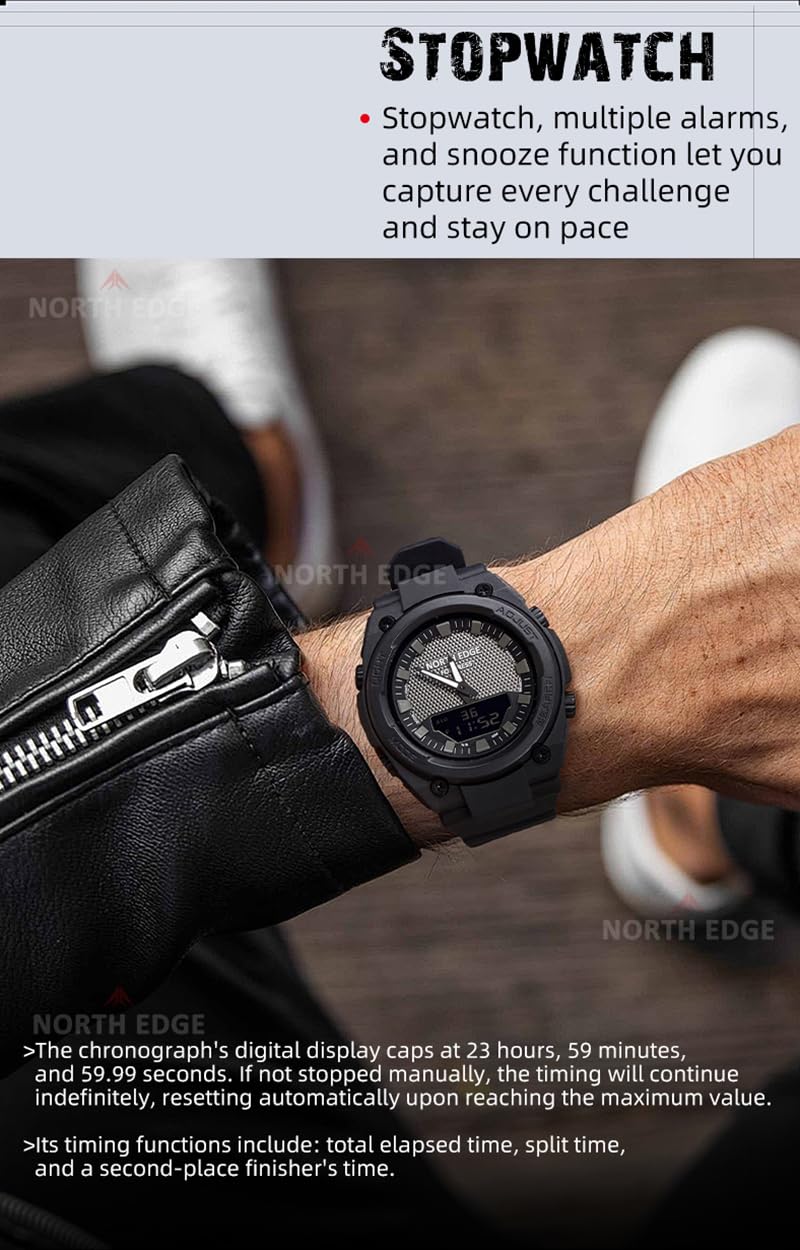
Image: The NORTH EDGE Fortress watch displaying the stopwatch function on its digital screen, worn on a wrist.
- From Timekeeping Mode, press the MODE button until "STW" or "STOPWATCH" appears on the digital display.
- Press the SEARCH button to start the stopwatch.
- Press the SEARCH button again to pause the stopwatch.
- To reset, while paused, press the ADJUST button.
- To record lap/split times, press the ADJUST button while the stopwatch is running. The display will show the split time for a few seconds before returning to the running total.
Countdown Timer

Image: The NORTH EDGE Fortress watch displaying the countdown timer on its digital screen, with a helmet in the background.
- From Timekeeping Mode, press the MODE button until "TMR" or "COUNTDOWN" appears.
- Press and hold the ADJUST button until the hour digits flash.
- Use the SEARCH button to set the desired hour.
- Press the MODE button to move to minutes, then use SEARCH to set.
- Press the ADJUST button to confirm the countdown time.
- Press the SEARCH button to start the countdown.
- Press the SEARCH button again to pause.
- To reset, while paused, press the ADJUST button. An alarm will sound when the countdown reaches zero.
Alarm Function
- From Timekeeping Mode, press the MODE button until "ALM" or "ALARM" appears.
- Press and hold the ADJUST button until the hour digits flash.
- Use the SEARCH button to set the desired alarm hour.
- Press the MODE button to move to minutes, then use SEARCH to set.
- Press the ADJUST button to confirm the alarm time.
- To turn the alarm ON/OFF, press the SEARCH button while in Alarm Mode (not in setting mode). An alarm icon will appear when active.
- To activate the Hourly Time Signal (chime), press the ADJUST button while in Alarm Mode (not in setting mode). A chime icon will appear when active.
- When the alarm sounds, press any button to stop it. If snooze is active, it will sound again after approximately 5 minutes.
World Time

Image: The NORTH EDGE Fortress watch showing different world time zones on its digital display, worn on a wrist.
- From Timekeeping Mode, press the MODE button until "W.T" or "WORLD TIME" appears.
- Use the SEARCH button to scroll through the available 33 world time zones.
- The digital display will show the current time for the selected city code.
LED Backlight
Press the LIGHT button (top left) to illuminate the digital display for a few seconds, improving visibility in low-light conditions.
Maintenance
Water Resistance
Your NORTH EDGE Fortress watch is rated for 5 ATM (50 meters) water resistance. This means it is suitable for daily use, splashes, rain, and short periods of recreational swimming. It is not suitable for diving, snorkeling, or high-pressure water activities.
- Do not operate buttons while the watch is submerged in water.
- Avoid exposing the watch to hot water or steam, as this can compromise the seals.
- If the watch is exposed to saltwater, rinse it with fresh water and dry thoroughly.
Cleaning
Wipe the watch case and strap regularly with a soft, dry cloth. For stubborn dirt, a slightly damp cloth can be used, followed by drying. Avoid using chemical cleaners or solvents.
Battery Replacement
The watch uses a CR2016 battery. When the display becomes dim or functions become erratic, it may be time to replace the battery. Battery replacement should ideally be performed by a qualified watch technician to ensure water resistance is maintained.
Troubleshooting
- Digital display is blank or dim: The battery may be low. Replace the battery.
- Analog hands do not match digital time: Re-synchronize the analog hands as described in the "Setting Analog Hands" section.
- Watch is not keeping accurate time: Ensure the time is set correctly. If the issue persists after battery replacement, consult a service center.
- Water inside the watch: Immediately take the watch to a qualified technician. Do not attempt to dry it yourself, as this can cause further damage.
- Buttons are unresponsive: Check for dirt or debris around the buttons. If they remain stuck, do not force them.
Specifications

Image: Detailed dimensions of the NORTH EDGE Fortress watch, including glass size, overall length, strap width, case diameter, and case thickness.
| Feature | Detail |
|---|---|
| Model Number | Fortress |
| Movement Type | Quartz |
| Case Diameter | 46.1 Millimetres |
| Case Thickness | 15.4 Millimetres |
| Band Material Type | Thermoplastic Polyurethane (TPU) |
| Band Colour | Black |
| Water Resistance | 5 ATM (50 meters) |
| Item Weight | 149 Grams |
| Included Components | User Manual (this document) |
| Manufacturer | Xiamen North Edge Technology Co. Ltd |
| Country of Origin | China |
Warranty Information
Your NORTH EDGE Fortress watch is covered by a limited warranty against manufacturing defects from the date of purchase. This warranty does not cover damage caused by improper use, accidents, unauthorized repairs, or normal wear and tear. Please retain your proof of purchase for warranty claims.
For specific warranty terms and conditions, please refer to the warranty card included with your product or visit the official NORTH EDGE website.
Support
If you encounter any issues not covered in this manual or require further assistance, please contact NORTH EDGE customer support.
Website: www.northedge.com (Note: This is a placeholder URL, please refer to your product packaging for the official support website.)
Email: support@northedge.com (Note: This is a placeholder email, please refer to your product packaging for the official support email.)
When contacting support, please have your watch model number (Fortress) and purchase details ready.