
Monster AC520
Monster Open Ear AC520 Headphones User Manual
Model: AC520
Introduction
This manual provides detailed instructions for the use and maintenance of your Monster Open Ear AC520 Headphones. Please read this manual thoroughly before using the product to ensure proper operation and to maximize your listening experience.

Image: Monster Open Ear AC520 headphones in use, showcasing the open-ear design.
What's in the Box
Verify that all items are present in your product package:
- Monster Open Ear AC520 Headphones (1 pair)
- Wireless Charging Case (1)
- Type-C Charging Cable (1)
- User Manual (1)

Image: All components included in the Monster Open Ear AC520 product package: headphones, charging case, Type-C cable, and user manual.
Setup and First Use
1. Charging the Headphones
Before first use, fully charge your Monster Open Ear AC520 headphones and their charging case. Connect the provided Type-C charging cable to the charging case and a power source. The charging case provides approximately 24 hours of additional playtime, while a single charge of the headphones offers about 7 hours of use. A full charge for the headphones takes approximately 1 hour, and the case takes about 2 hours.

Image: Visual representation of charging times and battery life for the headphones and charging case.
2. Bluetooth Pairing
The Monster Open Ear AC520 headphones use Bluetooth 6.0 for a stable wireless connection up to 33 feet (10 meters). They are compatible with any Bluetooth-enabled device, including smartphones, tablets, computers, MP3 players, and TVs.
- Open the charging case. The headphones will automatically enter pairing mode.
- On your device, go to Bluetooth settings and enable Bluetooth.
- Select "Monster AC520" from the list of available devices.
- Once connected, you will hear an audio prompt, and the indicator light on the headphones will change.
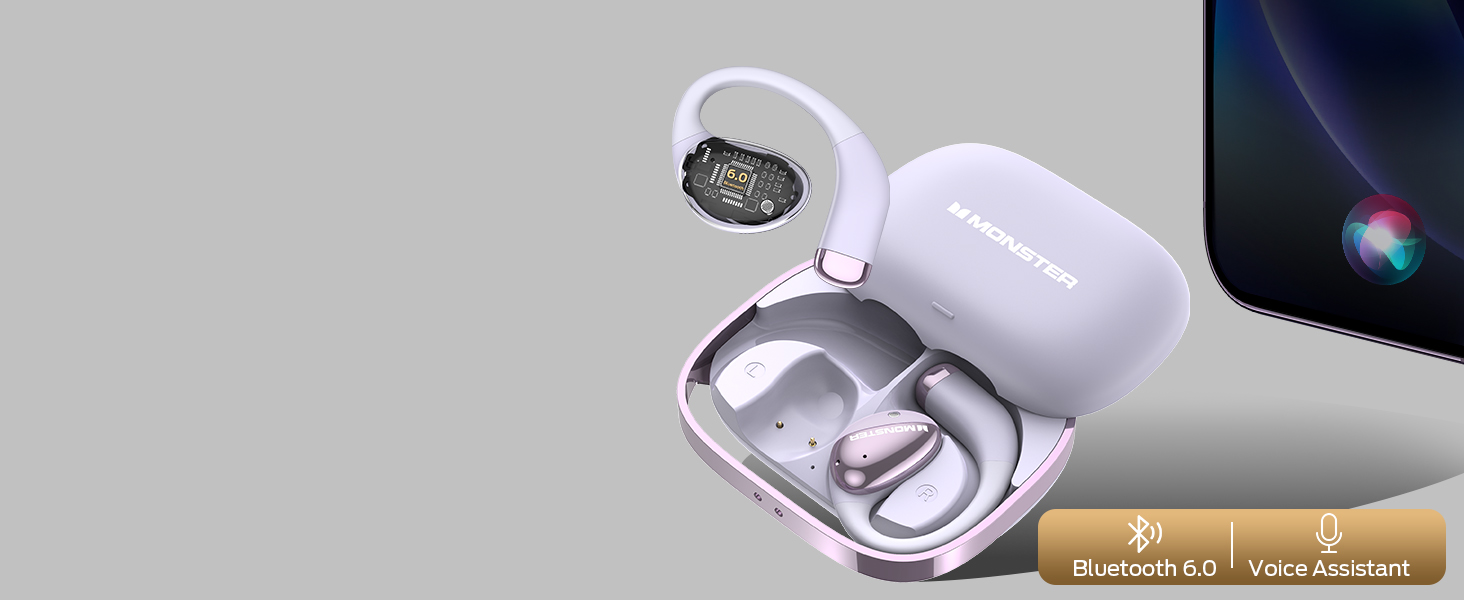
Image: Illustration highlighting Bluetooth 6.0 connectivity and voice assistant integration.
How to Wear
The Monster Open Ear AC520 headphones feature an open-ear design for comfort and situational awareness. Follow these steps for a secure and comfortable fit:
- Take out the earbuds from the charging case.
- Place the earhooks behind your ears.
- Lightly twist the earbuds until they feel comfortable and secure on your outer ear.

Image: Step-by-step visual guide on correctly wearing the open-ear headphones.

Image: Close-up of the open-ear design, emphasizing comfort and ergonomic fit.
Operating Instructions
The Monster Open Ear AC520 headphones feature touch controls for easy management of audio playback and calls.
| Action | Function | Earbud (L/R) |
|---|---|---|
| Click x 2 | Play/Pause | L / R |
| Hold 2s | Voice Assistant (Siri) | L / R |
| Click x 3 | Previous Song | L |
| Click x 3 | Next Song | R |
| Click x 2 | Answer Call | L / R |
| Hold 2s | Hang Up Call | L / R |
| Click x 1 | Volume Down | L |
| Click x 1 | Volume Up | R |

Image: Detailed diagram of touch control gestures and their corresponding functions.
Key Features
- Pure Monster Sound: Experience rich, dynamic audio with deep bass and clear highs, powered by advanced Monster HiFi sound technology.

Image: Diagram illustrating the internal components responsible for Pure Monster Sound.
- Open-Ear Design: Enjoy consistent comfort without pressure, allowing you to stay aware of your surroundings.

Image: Comparison showing the open-ear design versus traditional in-ear earbuds.
- ENC Clear Call: Environmental Noise Cancellation (ENC) technology ensures clear voice calls by reducing background noise.

Image: Visual representation of ENC noise reduction technology in action.
- Long Playtime: Up to 7 hours of listening on a single charge, with an additional 24 hours provided by the charging case.
- IPX6 Water Resistant: Designed to withstand powerful water jets, making them suitable for workouts and outdoor activities. Note: Not suitable for submersion.

Image: Headphones shown with water splashing, illustrating IPX6 water resistance.
- Secure and Comfortable Fit: Ergonomically designed with ultra-soft silicone cushions for all-day comfort and stability.

Image: Close-up of the earbud design highlighting its secure fit.
- Unique Lanyard Design: The charging case features a lanyard for convenient portability.

Image: The charging case with an attached lanyard, demonstrating its portability.
Specifications
| Feature | Detail |
|---|---|
| Brand | Monster |
| Model Number | Open Ear AC520 |
| Ear Placement | Open Ear |
| Form Factor | True Wireless |
| Connectivity Technology | Bluetooth |
| Bluetooth Version | 6.0 |
| Bluetooth Range | Up to 33 feet (10 meters) |
| Control Type | Touch Control |
| Controller Type | Siri, Touch |
| Battery Average Life (Headphones) | 7 hours (single charge) |
| Battery Average Life (with Case) | 24 hours |
| Battery Charge Time | 2 hours (case) |
| Audio Driver Type | Dynamic Driver |
| Water Resistance Level | IPX6 (Splash Resistant) |
| Enclosure Material | Plastic |
| Compatible Devices | Bluetooth-enabled devices (smartphones, tablets, computers, etc.) |
| Additional Features | Open Ear Design, Unique Handbag Design (charging case) |
Care and Maintenance
- Cleaning: Use a soft, dry cloth to clean the headphones and charging case. Do not use abrasive cleaners or solvents.
- Storage: Store the headphones in their charging case when not in use to protect them and keep them charged. Avoid extreme temperatures.
- Water Exposure: While IPX6 rated for water resistance, avoid submerging the headphones in water. Dry them thoroughly if they get wet from sweat or splashes.
- Charging: Use only the provided Type-C cable or a certified equivalent for charging.
Troubleshooting
- Headphones not turning on/charging:
- Ensure the charging case has power. Place the headphones correctly in the case. Clean the charging contacts on both the headphones and the case.
- Cannot pair with device:
- Make sure Bluetooth is enabled on your device. Ensure the headphones are in pairing mode (open the case). Forget "Monster AC520" from your device's Bluetooth list and try pairing again. Move closer to your device (within 33 feet).
- No sound or low volume:
- Check the volume levels on both your headphones and your connected device. Ensure the headphones are properly connected to your device. Try restarting both the headphones and your device.
- Call quality issues:
- Ensure the microphone is not obstructed. Move to an area with less environmental noise. Check your device's call settings.
Warranty and Support
Your Monster Open Ear AC520 Headphones come with a 3-month warranty from the date of purchase. This warranty covers manufacturing defects under normal use. It does not cover damage caused by misuse, accidents, unauthorized modifications, or normal wear and tear.
For technical support, warranty claims, or further assistance, please contact Monster customer service through their official website or the retailer where you purchased the product. Please have your proof of purchase and product model number (AC520) ready when contacting support.
Related documentsAC520


Ask a question about this manual
Ask about setup, troubleshooting, compatibility, parts, safety, or missing instructions. Manuals+ will review the question and use this page’s manual context to help answer it.