
Product Overview
The UMAY Treadmill with 15% Incline, Model B0GK6B1W1Z, is a versatile and compact fitness solution designed for home and office use. It features a manual incline, a powerful yet quiet motor, and a foldable design for easy storage. This manual provides essential information for safe and effective use of your treadmill.
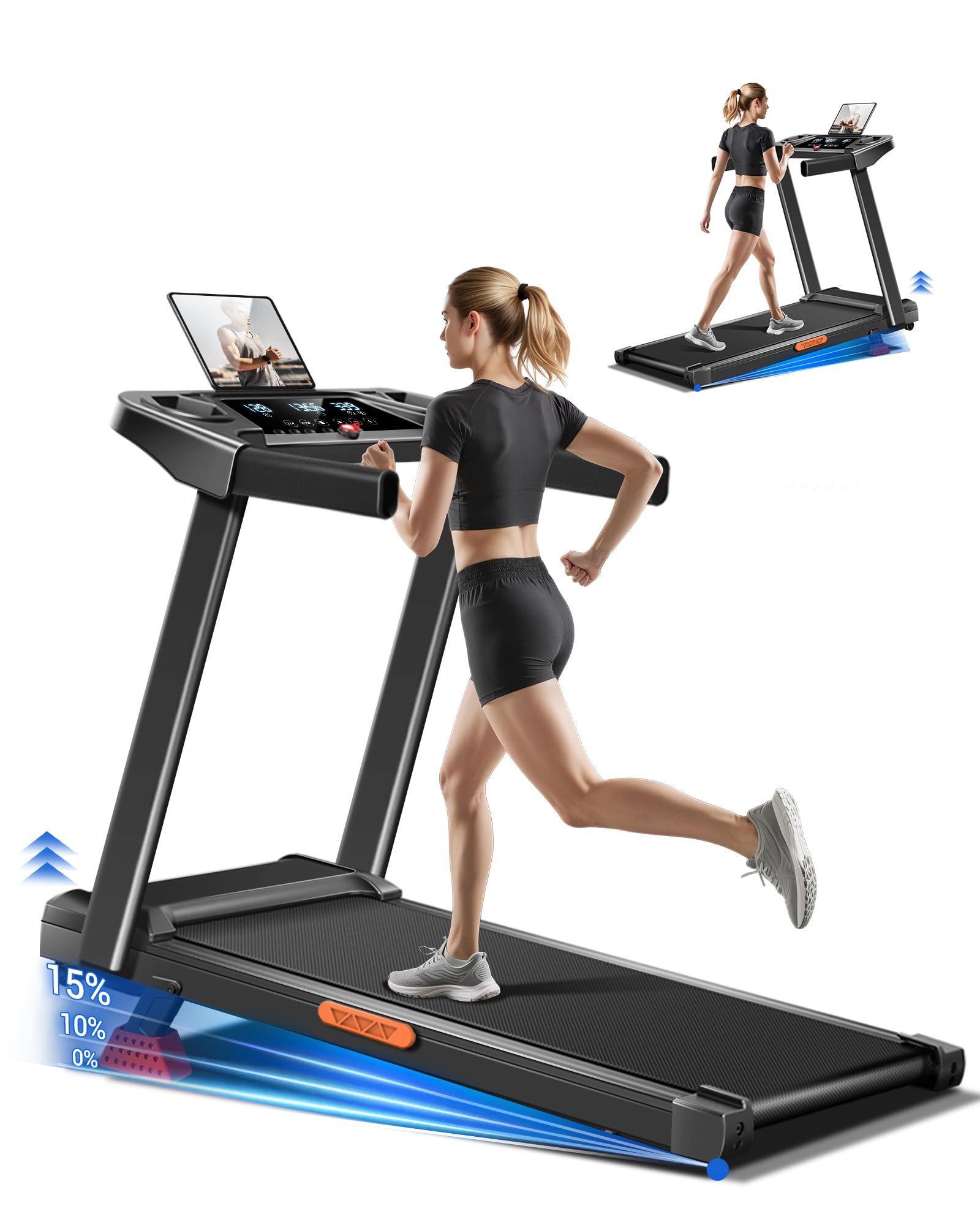
Image: UMAY Treadmill, Model B0GK6B1W1Z, showcasing its compact design and control panel.
Setup Instructions
Your UMAY Treadmill is designed for quick and easy setup, arriving mostly pre-assembled. Follow these steps to prepare your treadmill for use.
1. Unboxing and Initial Assembly
Carefully remove the treadmill from its packaging. The main body is largely pre-assembled. You will need to secure the upright handles and the display console.
- Lift the console and handles into the upright position.
- Secure the handles using the provided screws and tool kit.
Video: Detailed steps for assembling the UMAY Treadmill, including securing the handles and console.
2. Connecting Power
Locate the power cord and plug it into a standard electrical outlet. Ensure the power switch located at the front of the treadmill is in the 'ON' position.
3. Attaching the Safety Key
The safety key is a crucial safety feature. Attach the red magnetic safety key to the designated spot on the console. Clip the other end of the safety key to your clothing before starting any workout. If the safety key is removed during operation, the treadmill will immediately stop.
4. Adjusting Manual Incline
The treadmill offers a 15% manual incline. To adjust the incline:
- Ensure the treadmill is powered off and unplugged for safety.
- Locate the incline adjustment pins at the rear base of the treadmill.
- Lift the rear of the treadmill slightly and remove the pins.
- Adjust the support legs to the desired incline level (0%, 10%, or 15%).
- Reinsert the pins securely to lock the incline in place.

Image: Illustration of the treadmill's manual incline adjustment mechanism, showing 0%, 10%, and 15% incline settings.
Operating Instructions
Familiarize yourself with the control panel and features for an optimal workout experience.
1. Control Panel Overview
The treadmill features a multi-functional console with a triple display and touch controls.
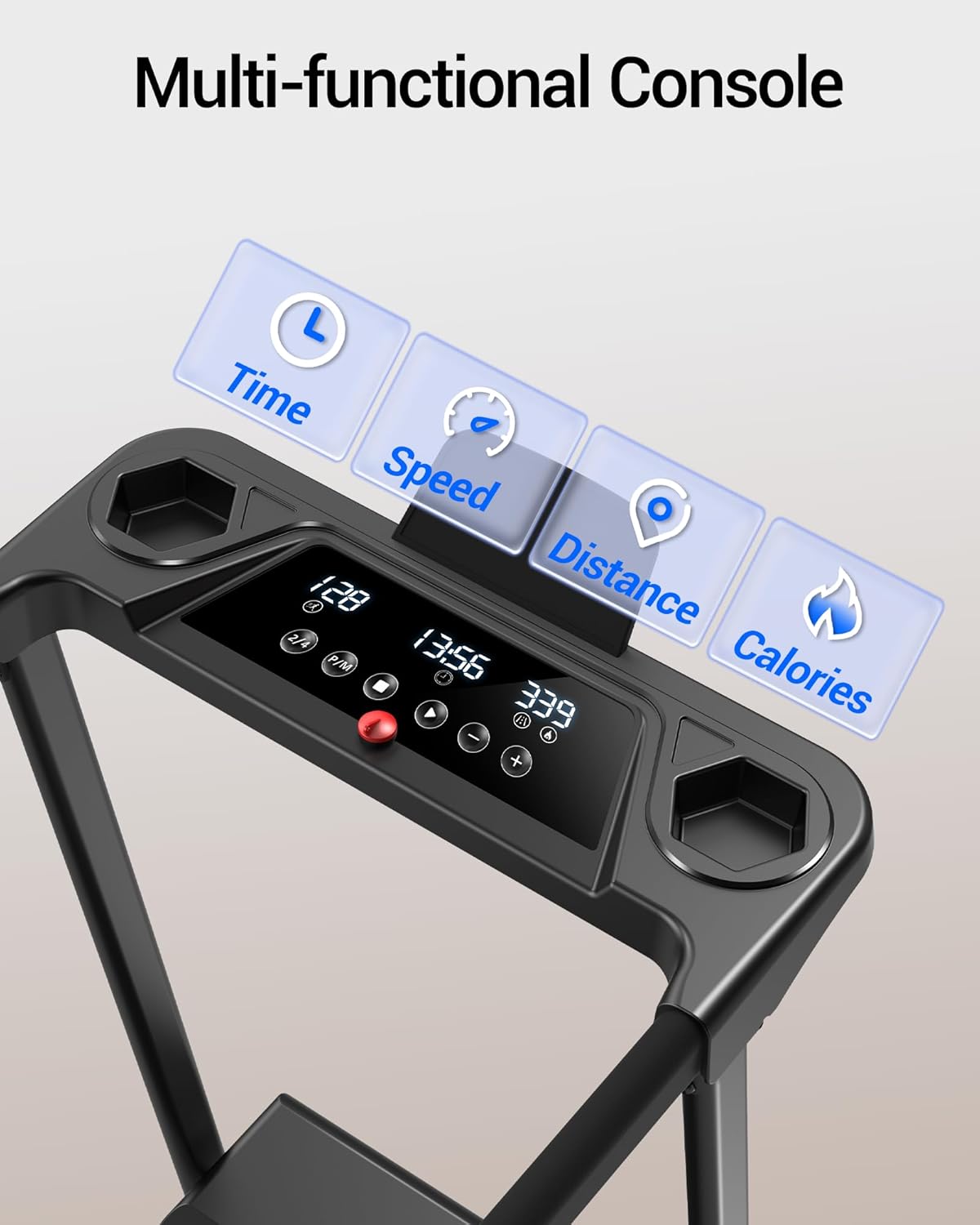
Image: Close-up of the treadmill's multi-functional console, highlighting the display for time, speed, distance, and calories.
- Display: Tracks time, speed, distance, and calories burned.
- Start/Stop Button: Initiates and pauses/stops the workout.
- Speed Adjustment: Use '+' and '-' buttons to increase or decrease speed.
- Mode Button (M): Cycles through different workout modes or preset programs.
- Program Button (P): Selects from preset workout programs (P1-P12).
- Device Holder: A built-in holder for your phone or tablet.
- Cup Holders: Two convenient cup holders for hydration.
2. Starting a Workout
- Ensure the safety key is attached.
- Press the 'Start' button. The treadmill will begin with a 3-second countdown before the belt starts moving at a low speed.
- Adjust the speed using the '+' or '-' buttons to your desired pace.
3. Using Preset Programs
The treadmill includes 12 preset programs (P1-P12) to vary your workout intensity. Press the 'P' button to cycle through the programs. Once a program is selected, press 'Start' to begin.
4. Heart Rate Monitoring
Grip the heart rate sensors on the handlebars to monitor your pulse during your workout. Your pulse will be displayed on the console.
5. Bluetooth Connectivity
Connect your device via Bluetooth to the treadmill's speakers to enjoy music during your workout. Refer to your device's Bluetooth settings to pair with the treadmill.
Video: Demonstration of the UMAY Treadmill's features, including its portability and various modes of operation.
Maintenance
Regular maintenance ensures the longevity and optimal performance of your treadmill.
1. Cleaning
Wipe down the treadmill's surfaces, including the console and handlebars, with a damp cloth after each use to remove sweat and dust. Avoid using abrasive cleaners.
2. Belt Lubrication
Periodically check the running belt for dryness. Lubricate the belt as needed with silicone oil (not included) to ensure smooth operation and prevent friction. Refer to the dedicated maintenance videos for detailed instructions.
3. Belt Adjustment
If the running belt appears to be shifting or slipping, it may require adjustment. Consult the maintenance videos or contact customer support for guidance on proper belt tensioning and alignment.
Troubleshooting
This section addresses common issues you might encounter with your treadmill.
1. E07 Error Code
If the display shows an 'E07' error code, it indicates that the safety key is not properly attached. Ensure the magnetic safety key is securely placed on the console.
2. Treadmill Not Starting
- Check if the power cord is securely plugged into the outlet and the treadmill.
- Verify that the main power switch at the front of the treadmill is 'ON'.
- Ensure the safety key is correctly placed.
3. Unusual Noises
If you hear unusual noises, stop the treadmill immediately. Check for any foreign objects under the belt or around the motor area. If the noise persists, contact customer support.
Specifications
| Feature | Detail |
|---|---|
| Brand | UMAY |
| Model | B0GK6B1W1Z |
| Motor | 3.0HP Peak Brushless Motor |
| Speed Range | 0.6 - 7.0 MPH |
| Incline | 15% Manual Incline (3 levels) |
| Running Belt Dimensions | 38.2"L x 15.2"W |
| Running Belt Construction | 6-layer non-slip surface, cushioning rubber pads, silicone shock absorbers |
| Noise Level | Below 45dB |
| Maximum Weight Capacity | 300 lbs |
| Product Dimensions (Unfolded) | 47.2"D x 24.6"W x 47.1"H |
| Product Dimensions (Folded) | 47.2"D x 24.6"W x 5.5"H |
| Item Weight | 43.5 Pounds |
| Material | Alloy Steel |
| Included Components | Safety Key, Tool Kit, User Manual |

Image: The treadmill's running belt, illustrating its dimensions of 38.2 inches in length and 15.2 inches in width.

Image: The treadmill shown in both its upright and folded positions, highlighting its space-saving design and dimensions.
Warranty Information
The UMAY Treadmill (Model: B0GK6B1W1Z) comes with a 1-year warranty from the date of purchase. This warranty covers manufacturing defects and malfunctions under normal use. Please retain your proof of purchase for warranty claims.
Customer Support
For any questions, concerns, or assistance with your UMAY Treadmill, our dedicated service team is available 24/7 to provide comprehensive support. We can assist with:
- Replacement parts
- Maintenance videos
- User manual inquiries
- Other product-related support
Please refer to the contact information provided with your product or visit the official UMAY website for further assistance.