
Introduction
The SORAN Dual Stomp is a versatile multi-effects guitar pedal designed for guitarists and bassists. It integrates advanced DSM technology, a wide range of effects, amp and cab models, and a looper with drum patterns. This manual provides detailed instructions for setting up, operating, maintaining, and troubleshooting your Dual Stomp pedal.
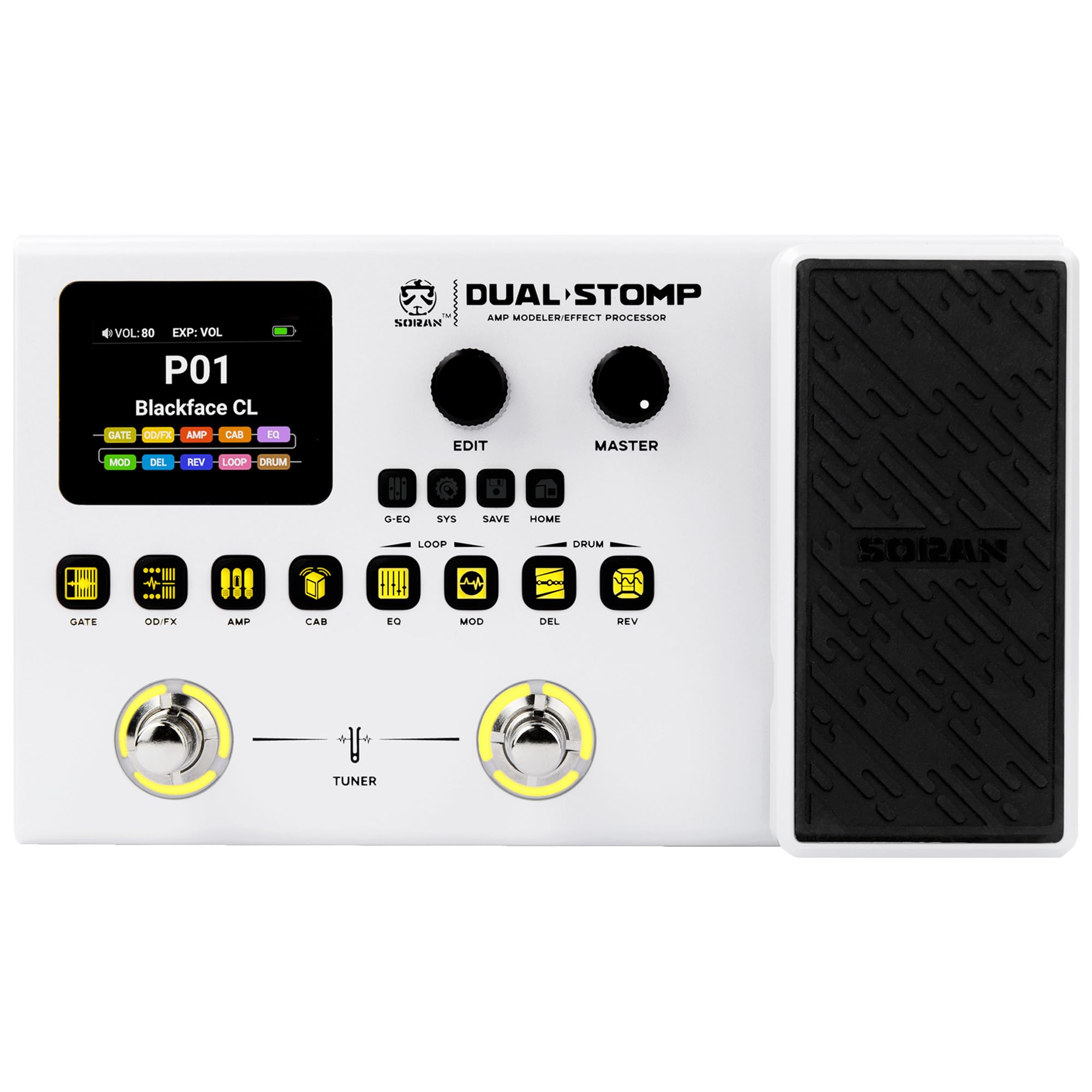
Image: The SORAN Dual Stomp Multi-Effects Guitar Pedal, showcasing its compact design and controls.

Image: The Dual Stomp pedal being used with both an electric guitar and a bass guitar, highlighting its versatility.
Video: An overview of the SORAN Dual Stomp Multi-Effects Guitar Pedal, demonstrating its features and sound capabilities.
Setup
1. Unpacking and Initial Inspection
Carefully remove the Dual Stomp pedal from its packaging. Inspect the unit for any signs of damage. Ensure all components are present.
2. Powering On
The Dual Stomp features a high-capacity rechargeable lithium battery, providing up to 6 hours of continuous operation. For initial use or when the battery is low, connect the pedal to a power source using a USB-C cable (power adapter not included).
- Connect a compatible 9V DC power adapter (not included) to the DC IN jack, or use a USB-C cable for charging and power.
- Press the power switch to turn the unit on. The 2-inch color screen will illuminate.

Image: The Dual Stomp pedal connected to a power adapter, illustrating the charging process and battery indicator on the screen.
3. Connecting Your Equipment
Refer to the diagram below for typical connection setups.
- Guitar Input: Connect your guitar to the 1/4" INPUT jack.
- Output to Amplifier/Mixer: Connect the 1/4" OUTPUT L/R jacks to your amplifier, audio interface, or mixer.
- Headphones: For silent practice, connect headphones to the 1/8" HEADPHONE OUT jack.
- Auxiliary Input: Connect external audio devices (e.g., smartphone, MP3 player) to the 1/8" AUX IN (TRRS) jack for playback.
- USB-C Port: Connect to a computer or smartphone for USB audio recording, live streaming, firmware updates, and software control.

Image: A detailed diagram illustrating various connection possibilities for the Dual Stomp, including guitar, amplifier, headphones, and USB.

Image: The Dual Stomp connected in various scenarios, including stage performance, studio practice, and desktop creation, demonstrating its versatile connectivity.
Operating Instructions
1. User Interface
The Dual Stomp features a 2-inch color screen and intuitive button controls for easy navigation and parameter adjustment.
- Screen: Displays preset information, effect modules, and parameter values.
- Edit Knob: Used to navigate menus and adjust parameters.
- Master Knob: Controls the overall output volume.
- Effect Modules Buttons: Dedicated buttons for GATE, OD/FX, AMP, CAB, EQ, MOD, DEL, REV, LOOP, and DRUM modules. Press to activate/deactivate or enter edit mode for each module.
- Multi-functional Footswitches: Used for switching presets, activating/deactivating effects, and controlling the looper/tuner.

Image: A close-up of the Dual Stomp's 2-inch color screen and control buttons, highlighting its intuitive interface.
2. Presets and Effect Modules
The pedal comes with 99 presets and allows for 11 simultaneous effect modules per preset, enabling complex tone crafting.
- Selecting Presets: Use the footswitches to cycle through presets.
- Editing Modules: Press the corresponding module button (e.g., AMP, DEL) to enter its edit screen. Use the Edit Knob to adjust parameters.
- Saving Presets: After making adjustments, press the SAVE button to store your changes.

Image: The Dual Stomp's screen displaying the effects chain with 10 simultaneous modules, 99 user presets, and 126 built-in effects.
3. Effects and Expression Pedal
Access 125 effects and utilize the dual-mode expression pedal for dynamic control.
- Expression Pedal Modes: The integrated expression pedal functions as both a Wah and a Volume pedal.
- Switching Modes: Press down firmly on the toe of the expression pedal to toggle between Wah and Volume modes.
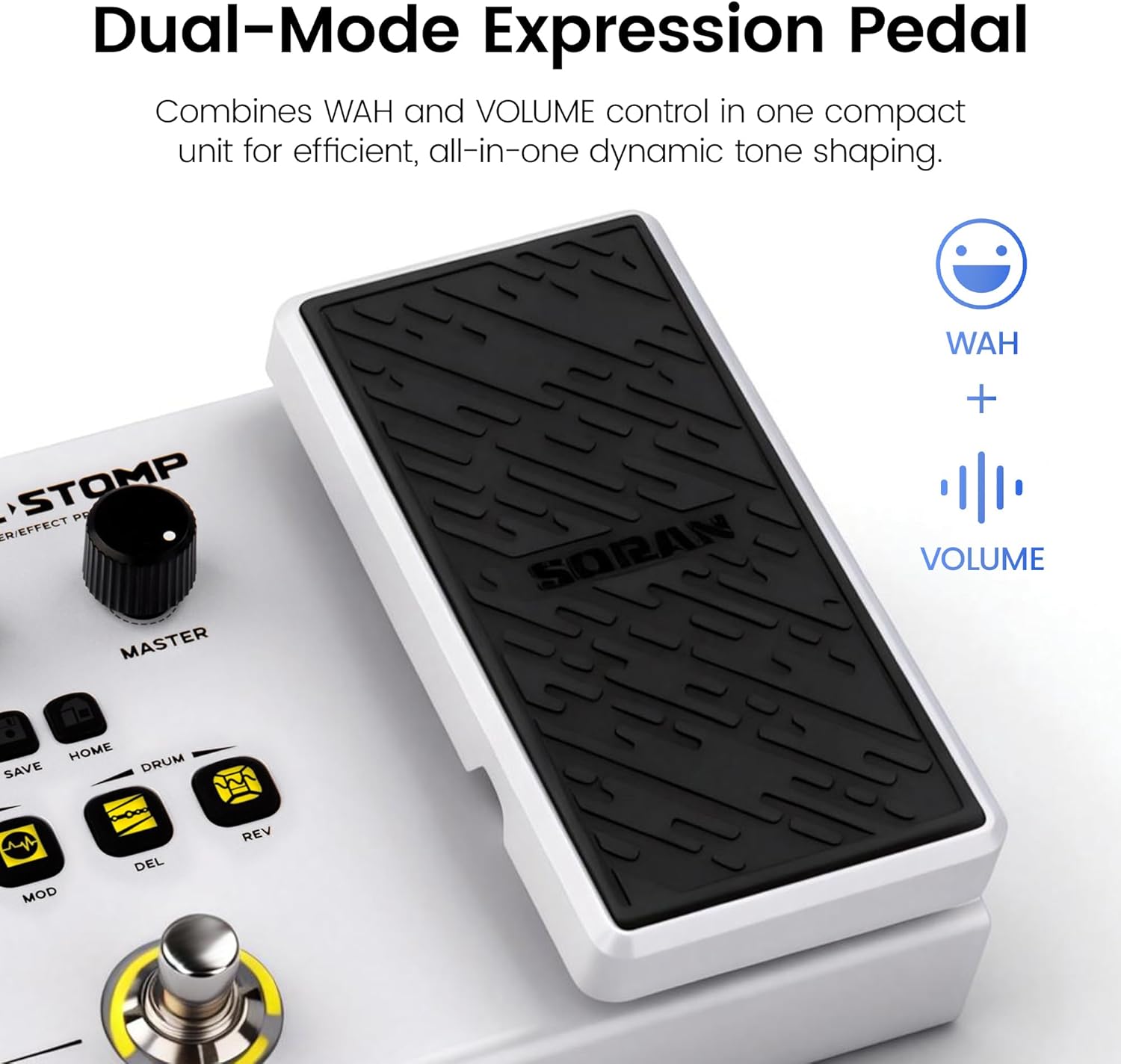
Image: A close-up of the Dual Stomp's expression pedal, indicating its dual Wah and Volume functionality.

Image: An illustration showing the up and down movement of the expression pedal, indicating its dynamic control capabilities.

Image: A graphic highlighting the 126 built-in effects, including classic effects, amp models, cab models, and the expression pedal.
4. Amp and Cab Library (NAM/IR Support)
The Dual Stomp includes 80 amp and cab models, with additional slots for importing third-party NAM and IR files.
- NAM Import: 10 NFILE import slots for custom amp models.
- IR Import: 10 third-party IR import slots for cab models.
- Use the PC software to manage and import NAM/IR files.

Image: A visual representation of expanding the tone library with NAM and third-party IR support, showing various amp and cab models.
Video: Instructions on how to import NAM files and IR files into the SORAN Dual Stomp pedal using the companion software.
5. Looper and Drum Patterns
The pedal includes a 40-second stereo looper and 100 drum patterns for practice and composition.
- Looper: Activate the looper module to record, overdub, and playback loops.
- Drum Patterns: Select from 100 diverse drum patterns to play along with.

Image: A graphic illustrating the 40-second stereo looper and 100 drum patterns available on the Dual Stomp for performance-style practice.
6. Footswitch Control
The footswitches provide instant control for seamless transitions during performance.
- Preset Switching: Short press a footswitch to move between presets.
- Effect On/Off: Assign individual effects to footswitches for quick activation/deactivation.
- Tuner: Engage the tuner function by pressing both footswitches simultaneously.

Image: A user's foot engaging one of the Dual Stomp's footswitches, demonstrating instant control for smooth tonal transitions.
7. Software and Connectivity (DSM Technology)
The Dual Stomp features DSM (Dynamic Spectrum Modeling) technology and a USB audio interface for advanced functionality.
- USB Audio Interface: Professional 48kHz/24-bit USB audio interface with ASIO support for high-quality recording and live streaming.
- Smart APP Control: Connect to your smartphone via Bluetooth for dual-mode control, including music playback and real-time parameter adjustment.
- Deep-Edit PC Software: Use the PC software for comprehensive tone editing, firmware updates, and NAM/IR file management.

Image: A close-up of the DSM chip, highlighting the advanced DSM technology for high-accuracy sound reproduction, high-quality impulse responses, and ultra-low latency.

Image: A graphic showing the Dual Stomp connected to both a smartphone with the Smart APP and a laptop with the Deep-Edit PC Software, illustrating multi-platform management.

Image: A user recording guitar with the Dual Stomp connected to a smartphone, demonstrating its USB audio recording capabilities.
Maintenance
1. Battery Care
The built-in lithium battery provides approximately 6 hours of continuous use on a full charge. To maximize battery life:
- Charge the unit fully before first use.
- Avoid completely draining the battery regularly.
- Store the unit in a cool, dry place when not in use for extended periods.

Image: A visual indicating the 6-hour continuous operation runtime of the Dual Stomp, powered by its 2000 mAh rechargeable battery.
2. General Cleaning and Storage
- Clean the unit with a soft, dry cloth. Do not use abrasive cleaners or solvents.
- Avoid exposing the pedal to extreme temperatures, humidity, or direct sunlight.
- When transporting, ensure the pedal is securely placed in a gig bag or protective case.

Image: The Dual Stomp pedal being placed into a gig bag, demonstrating its portability and ease of transport.
Troubleshooting
This section addresses common issues you might encounter with your Dual Stomp pedal.
1. Tuner Defaults to Bypass Mode
The tuner may default to "bypass" mode upon startup. To ensure "mute" mode for live performance, manually switch the tuner mode after powering on. Alternatively, the expression pedal can be used to manually mute the instrument.
2. Compressor and Drive Effects Conflict
If you find that compressor effects and drive/distortion effects cannot be used simultaneously, this is due to their categorization within the same effect module. Consider adjusting your effect chain or exploring alternative effects that achieve a similar tonal result.
3. Gate Artifacts with High Gain Settings
When using high gain settings, you might experience digital artifacts as the noise gate closes. Experiment with the gate's threshold and decay parameters. Adjusting the position of the gate within your effect chain (e.g., placing it after the amp model) may also help mitigate this issue.
4. Expression Pedal Stiffness or Mode Switching Difficulty
The expression pedal requires a firm press to switch between Wah and Volume modes. If you experience stiffness or difficulty, ensure you are applying sufficient pressure to the toe of the pedal. Consistent use may also help to loosen the mechanism over time.
Specifications
| Feature | Detail |
|---|---|
| Brand | SORAN |
| Model Number | JME-01 |
| Style | Multi-effects |
| Color | White |
| Product Dimensions (L x W x H) | 8.07" x 4.72" x 2.28" |
| Item Weight | 1.31 Pounds |
| Voltage | 9 Volts |
| Amperage | 16 Amps |
| Controls Type | Knob and Button |
| Hardware Interface | USB |
| Presets | 99 |
| Simultaneous Modules | 11 |
| Built-in Effects | 125 |
| Amp & Cab Models | 80 (30 Amp, 30 Cab, 10 NFILE slots, 10 IR slots) |
| Looper | 40-second stereo |
| Drum Patterns | 100 |
| Display | 2-inch color screen |
| Battery Life | 6 hours (continuous use) |
Warranty and Support
1. Warranty Information
The SORAN Dual Stomp Multi-Effects Guitar Pedal comes with a 1-year manufacturer's warranty. This warranty covers defects in materials and workmanship under normal use. Please retain your proof of purchase for warranty claims.
2. Customer Support
For technical assistance, troubleshooting, or warranty inquiries, please contact SORAN customer support through the official website or your retailer. Ensure you have your product model number (JME-01) and purchase details ready.
