
1. Introduction and Overview
The Uthfy 32-inch Evaporative Air Cooler is a versatile 3-in-1 unit designed to provide cooling, humidification, and fan functions for your living space. This portable appliance offers powerful airflow, wide coverage, and quiet operation, making it suitable for various rooms including large rooms, offices, bedrooms, garages, or basements. Its energy-efficient design and convenient features ensure a comfortable environment without the high costs or complex installation of traditional air conditioning systems.
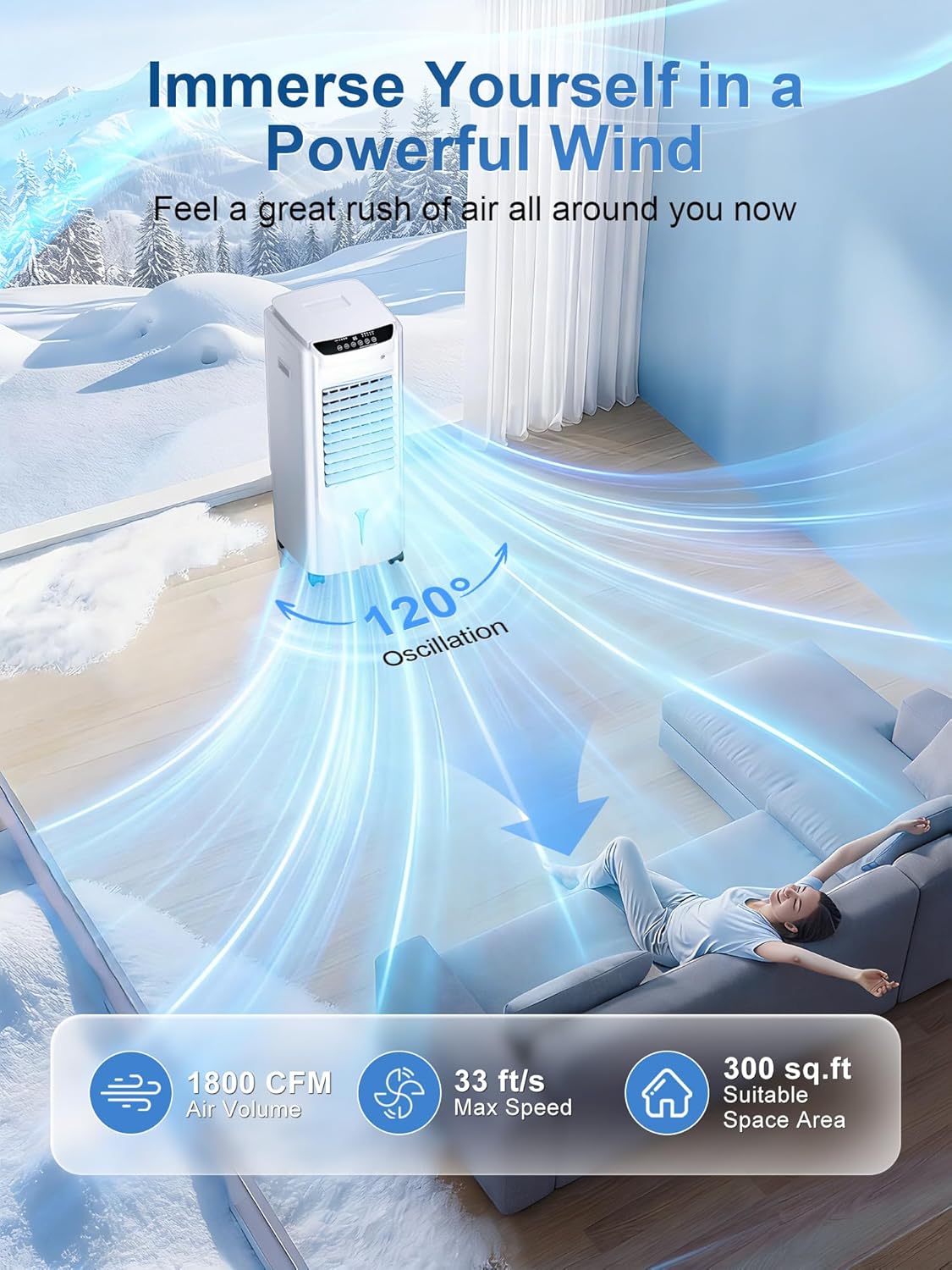
Image: The Uthfy Evaporative Air Cooler in a living room, illustrating its powerful airflow and 120-degree oscillation for wide coverage.
Key Features:
- 3-in-1 Functionality: Air Cooler, Humidifier, and Fan.
- Powerful Cooling: 1800 CFM air volume, 33 ft/s max wind speed.
- Wide Coverage: 120° oscillation for even air distribution.
- Large Water Tank: 4.2 Gallon capacity for up to 24 hours of continuous operation.
- Enhanced Cooling: Includes 4 ice packs and a high-absorption cooling pad.
- Multiple Modes & Speeds: 4 wind modes (Normal, Natural, Cooling, Sleep) and 3 fan speeds (Low, Medium, High).
- Quiet Operation: Operates at a low noise level of 25 dB, ideal for undisturbed sleep or work.
- Convenient Control: Touch control panel and remote control with a 28 ft range.
- Portable Design: Built-in handles and 360° smooth wheels for easy mobility.
- 12-Hour Timer: Programmable auto-off timer for energy saving.
2. Package Contents
Please check the box for the following items:
- Uthfy Evaporative Air Cooler Unit
- Remote Control
- Ice Packs (4 pieces)
- User Guide
- Base (requires minor assembly)
- Screws for base assembly
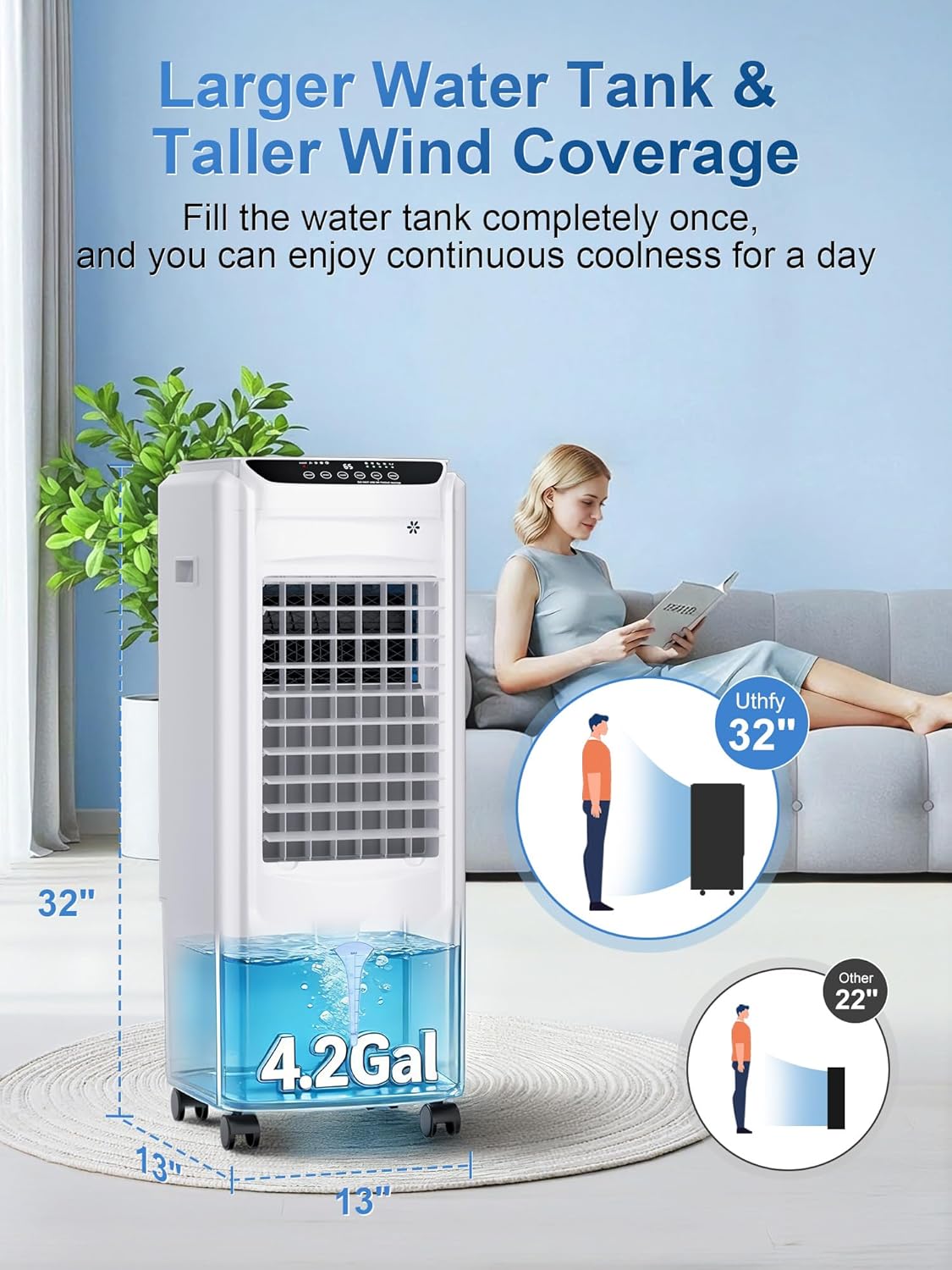
Image: The Uthfy Evaporative Air Cooler highlighting its 4.2-gallon water tank and overall dimensions.
3. Setup
3.1 Base Assembly
- Carefully remove the air cooler unit and all accessories from the packaging.
- Connect the two halves of the base together.
- Align the assembled base with the bottom of the main unit.
- Secure the base to the unit using the provided screws.
- Place the unit on a flat, stable surface.
3.2 Filling the Water Tank
The unit features a 4.2-gallon water tank that can be filled from the top or by pulling out the bottom tank. For optimal cooling, ensure the water level is between the MIN and MAX indicators.
- Open the top lid of the unit.
- Carefully pour clean water into the reservoir until it reaches the MAX line on the visible water level indicator.
- Alternatively, pull out the bottom water tank, fill it, and slide it back into place.
- For enhanced cooling, place the 4 included ice packs (after freezing them) into the top water reservoir.
- Close the top lid securely.

Image: Close-up of the top water filling port on the Uthfy Evaporative Air Cooler.
3.3 Power Connection
Plug the power cord into a standard 120V electrical outlet.
Video: An unboxing video demonstrating the initial setup and components of the Uthfy Evaporative Air Cooler.
4. Operating Instructions
The Uthfy Evaporative Air Cooler can be operated using the touch control panel on top of the unit or the included remote control.
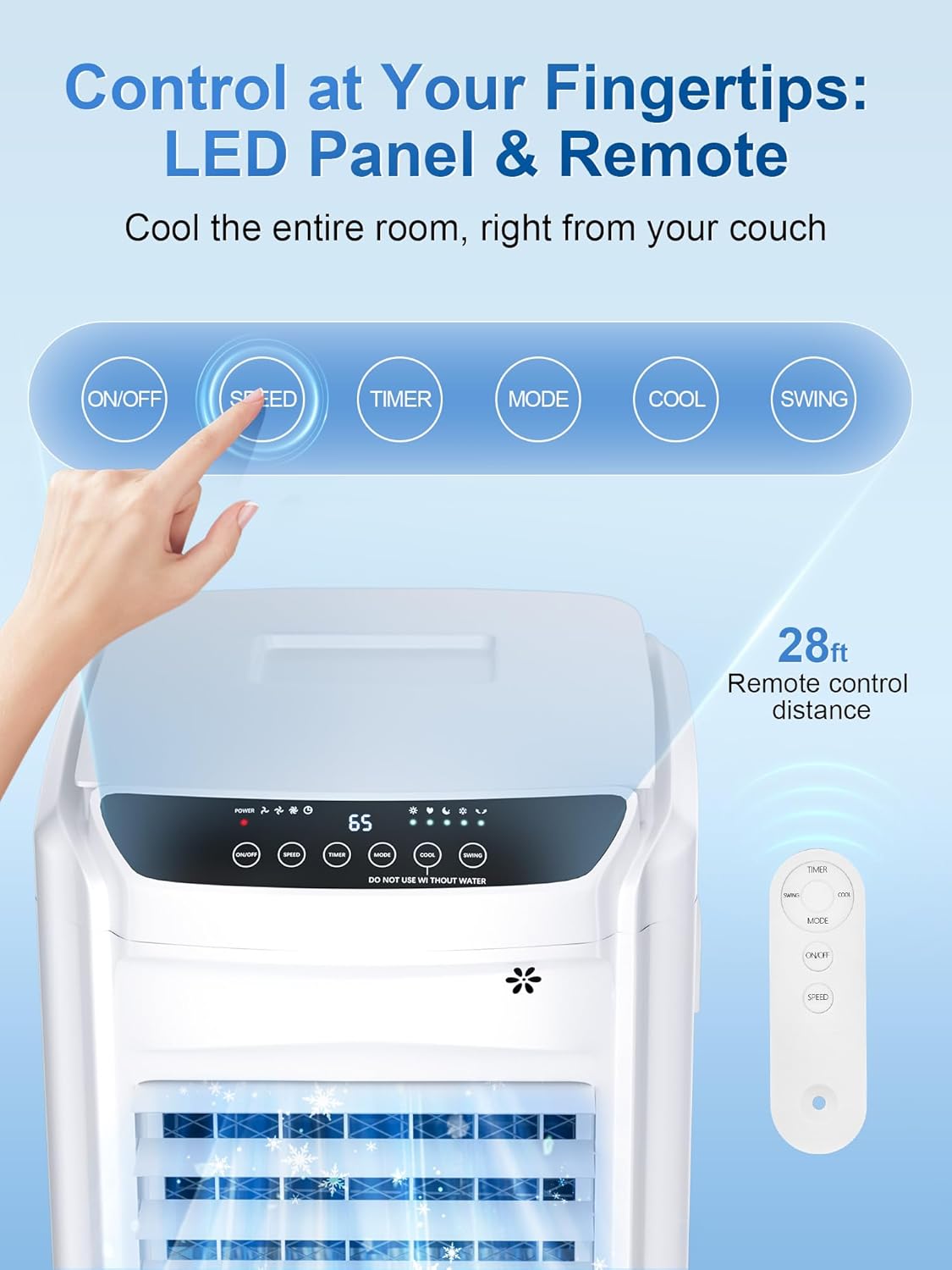
Image: The intuitive LED control panel and remote control for the Uthfy Evaporative Air Cooler.
4.1 Power On/Off
- Press the ON/OFF button on the control panel or remote to turn the unit on or off.
4.2 Adjusting Fan Speed
The unit offers 3 fan speeds:
- Press the SPEED button repeatedly to cycle through Low, Medium, and High fan speeds.
4.3 Selecting Operating Mode
Choose from 4 distinct operating modes:
- Press the MODE button repeatedly to select Normal, Natural, Cooling, or Sleep mode.
- Normal Mode: Provides a consistent airflow.
- Natural Mode: Simulates natural wind patterns with varying speeds.
- Cooling Mode: Activates the evaporative cooling function, using water and ice packs for cooler air.
- Sleep Mode: Operates quietly with reduced fan speed and dimmed display for undisturbed rest.
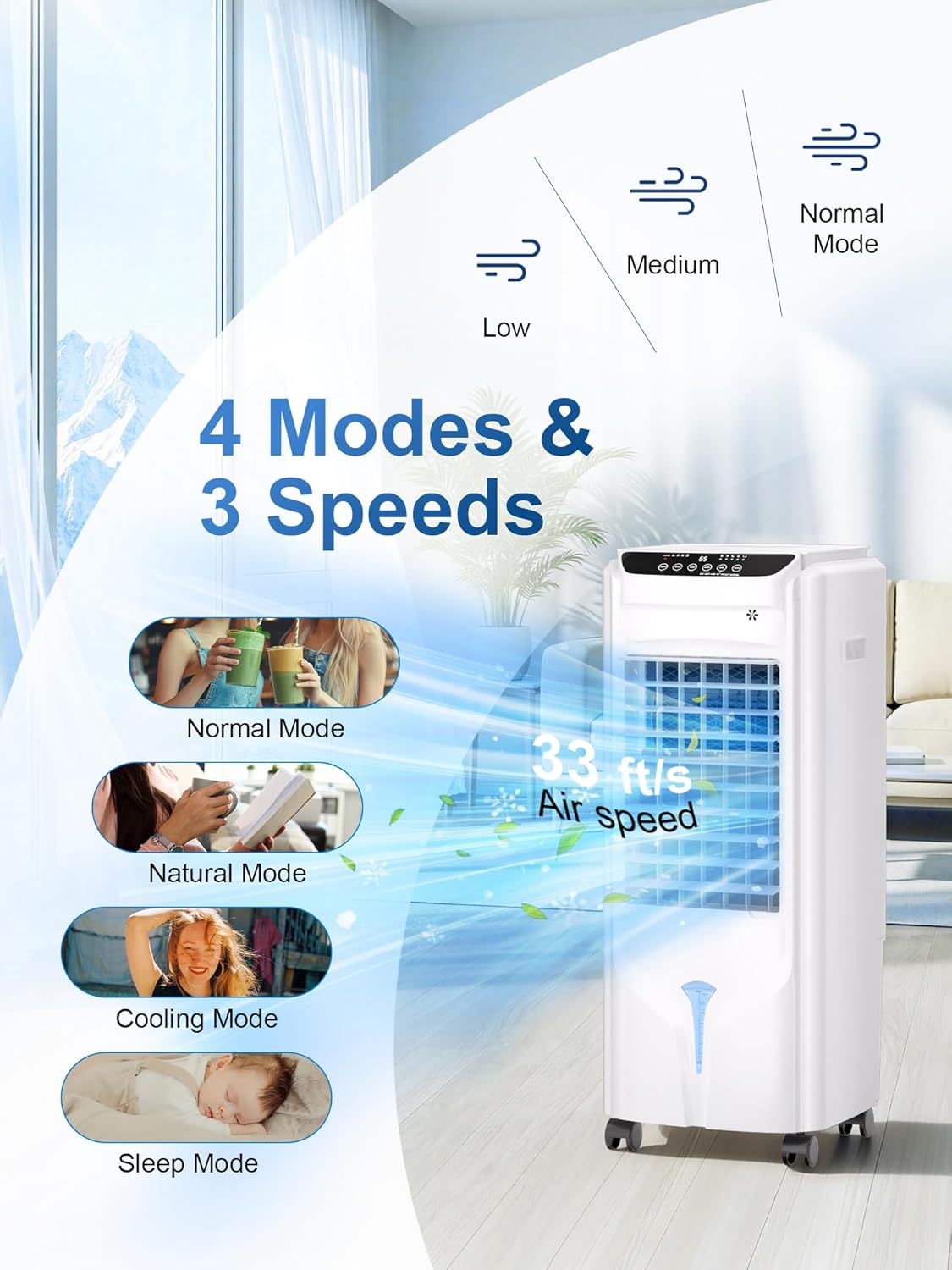
Image: Visual representation of the 4 operating modes and 3 fan speeds available on the Uthfy Evaporative Air Cooler.
4.4 Activating Oscillation (Swing)
- Press the SWING button to activate the 120° oscillation feature, distributing air across a wider area. Press again to stop.
4.5 Setting the Timer
- Press the TIMER button repeatedly to set the auto-off timer from 1 to 12 hours. The unit will automatically turn off after the set time.
Video: An overview of the Uthfy Evaporative Air Cooler's features and operation.
5. Maintenance
Regular maintenance ensures optimal performance and longevity of your Uthfy Evaporative Air Cooler.
5.1 Water Tank Cleaning
To prevent mold and mildew, clean the water tank regularly, especially if the unit is not used for an extended period.
- Unplug the unit from the power outlet.
- Locate the drainage port at the bottom rear of the unit.
- Uncap the drainage port to empty any remaining water from the tank.
- Wipe the inside of the tank with a soft cloth and mild detergent, then rinse thoroughly.
- Ensure the tank is completely dry before recapping the drainage port and refilling.

Image: Close-up of the evaporative cooling pad, which should be regularly cleaned.
5.2 Cooling Pad/Filter Cleaning
The cooling pad and filter should be cleaned periodically to maintain efficient airflow and cooling performance.
- Unplug the unit.
- Gently remove the rear panel to access the cooling pad/filter.
- Rinse the cooling pad/filter under running water to remove dust and debris. For stubborn dirt, use a soft brush.
- Allow the cooling pad/filter to air dry completely before reinserting it into the unit.
- Reattach the rear panel securely.
6. Troubleshooting
If you encounter any issues with your Uthfy Evaporative Air Cooler, please refer to the following common problems and solutions:
| Problem | Possible Cause | Solution |
|---|---|---|
| Unit does not turn on | No power supply; Power button not pressed. | Check power cord connection; Ensure outlet is functional; Press ON/OFF button. |
| No cool air / Weak cooling | Water tank empty; Cooling function not activated; Ice packs not used; Cooling pad dirty. | Fill water tank; Activate Cooling Mode; Add frozen ice packs; Clean cooling pad. |
| Weak airflow | Low fan speed selected; Air filter/cooling pad dirty. | Increase fan speed; Clean air filter/cooling pad. |
| Unusual noise | Unit not on a flat surface; Internal obstruction. | Place unit on a stable, flat surface; Check for and remove any obstructions. |
7. Specifications
| Specification | Value |
|---|---|
| Brand | Uthfy |
| Model Name | Swamp Cooler (HY-75R-0128) |
| Mounting Type | Freestanding |
| Color | White |
| Air Flow Capacity | 1800 Cubic Feet Per Minute (CFM) |
| Max Wind Speed | 33 ft/s |
| Controls Type | Remote, Touch Control Panel |
| Reservoir Capacity | 4.2 Gallons |
| Noise Level | 25 Decibels |
| Number of Speeds | 3 (Low, Medium, High) |
| Product Dimensions | 12.65"D x 12.8"W x 31.1"H |
| Voltage | 120 Volts |
| Oscillation | 120° |
| Timer | 1-12 Hours |
| Modes | Normal, Natural, Cooling, Sleep |
| Item Weight | 15.1 Pounds |
8. Warranty & Support
8.1 Warranty Information
This Uthfy Evaporative Air Cooler comes with a 1-Year Manufacturer's Warranty from the date of purchase. This warranty covers defects in materials and workmanship under normal use.
8.2 Customer Support
For any questions, technical assistance, or warranty claims, please refer to the contact information provided in your product's user guide or visit the official Uthfy website. You may also contact the retailer where the product was purchased for support.


