
1. Introduction
The NICRON PT10 is a versatile and compact rechargeable flashlight designed for everyday carry (EDC) and various applications. It features a 90-degree rotatable head, a strong magnetic base, and multiple lighting modes including bright white, UV, warm white, and RGB. This manual provides detailed instructions for its proper use and maintenance.
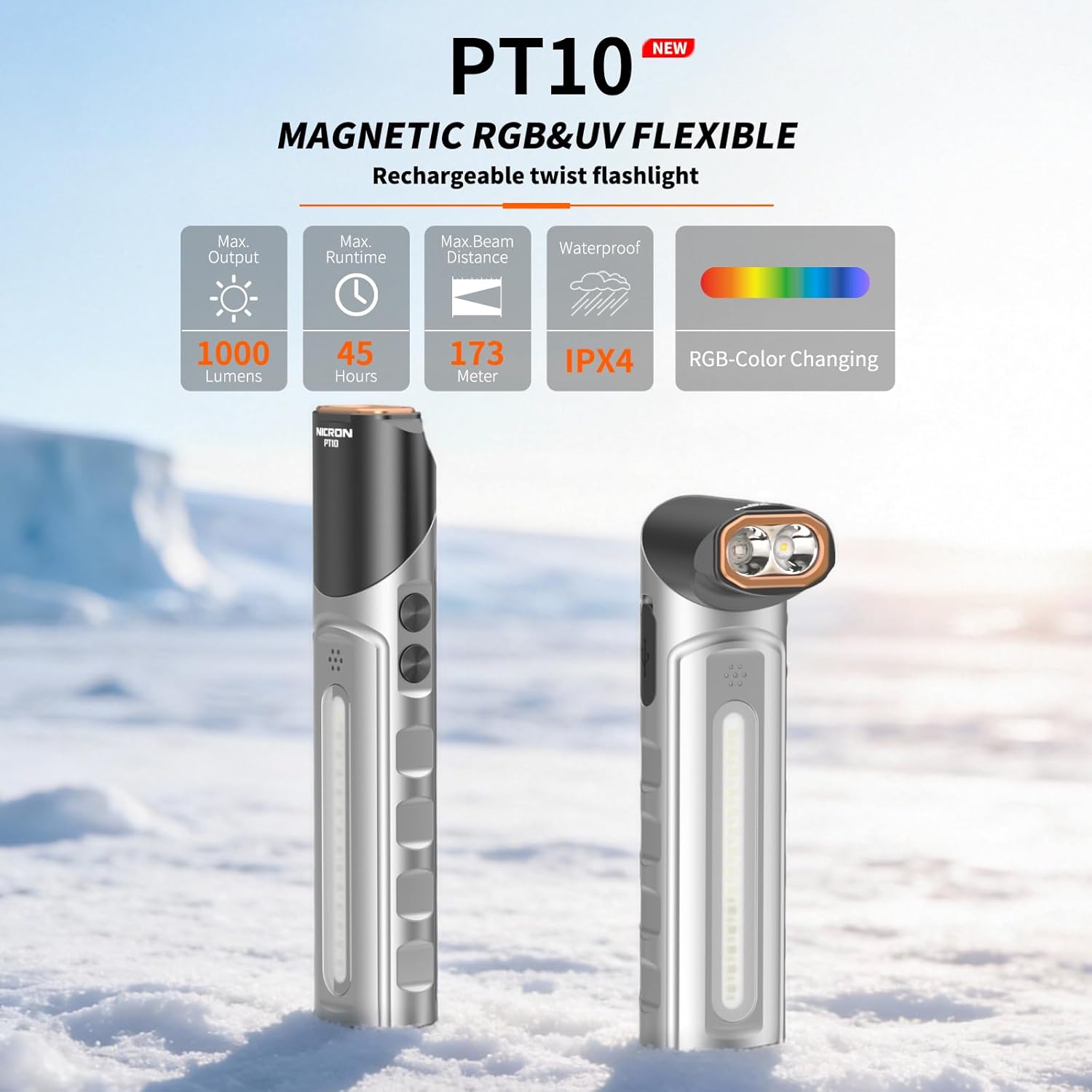
Image: The NICRON PT10 flashlight, showcasing its compact design and rotatable head in both straight and angled positions. Key features like 1000 lumens output, 45 hours runtime, 173-meter beam distance, IPX4 waterproof rating, and RGB color changing are highlighted.
2. Package Contents
- NICRON PT10 Rechargeable Flashlight
- USB-C Charging Cable
- User Manual

Image: An illustration showing the NICRON PT10 flashlight, its USB-C charging cable, and the user manual, all packaged in a color box.
3. Setup and Charging
3.1 Initial Charge
Before first use, fully charge the NICRON PT10 flashlight. The device is equipped with a built-in 1050mAh Lithium-Ion battery.
3.2 Charging Procedure
- Locate the Type-C charging port on the flashlight.
- Connect the provided USB-C cable to the flashlight's port.
- Connect the other end of the USB-C cable to a compatible USB power source (e.g., wall adapter, computer USB port).
- The charging indicator lights will show red while charging and turn green when the battery is fully charged.
A full charge typically takes approximately 2 hours. The flashlight offers a maximum runtime of up to 45 hours in moonlight mode.

Image: Close-up view of the NICRON PT10 flashlight illustrating the Type-C charging port and the battery indicator lights. Red lights indicate charging, while green lights indicate a full charge.
4. Operating Instructions
The NICRON PT10 features two control buttons for various lighting functions and modes.
4.1 Main Light (White & UV) Operation
The main light is controlled by the upper button (Button A).
- White Light Modes:
- Turn On/Cycle Brightness: Press and hold Button A to turn on the white light. Continue holding to cycle through Moonlight, Low, Medium, and High brightness levels. Release the button at the desired brightness.
- Instant Max Brightness: Double-click Button A for instant maximum brightness (1000 lumens). Double-click again to return to Moonlight mode.
- Strobe/SOS: Triple-click Button A for Strobe mode. Press and hold to activate SOS mode.
- Turn Off: A single press of Button A will turn off the light if it has been on for more than 3 seconds. If pressed within 3 seconds of turning on, it will cycle to the next mode.
- UV Light: Press and hold Button A for 1 second to activate the UV light.

Image: A detailed diagram illustrating the control functions for the main white light and UV light using the upper button (Button A), including brightness cycling, instant max, strobe, SOS, and UV activation.
4.2 Side Light (Warm White & RGB) Operation
The side light is controlled by the lower button (Button B).
- Warm White Light Modes:
- Turn On/Cycle Brightness: Press and hold Button B to turn on the warm white light. Continue holding to cycle through Low, Medium, and High brightness levels. Release the button at the desired brightness.
- RGB Light Modes:
- Rainbow Marquee: Double-click Button B to activate the Rainbow Marquee effect.
- Rainbow Meteor Shower: Double-click Button B again for the Rainbow Meteor Shower effect.
- Static RGB Colors: Press and hold Button B while in an RGB mode to cycle through static colors. Release the button to select the current color.
- Flashing Color: Once a static color is selected, press Button B once to make that color flash.
- Warning Light (Red-Blue Flashing): Triple-click Button B to activate the red-blue flashing warning light.

Image: A detailed diagram illustrating the control functions for the side warm light and RGB light using the lower button (Button B), including brightness cycling, various RGB effects, and warning light activation.
4.3 Lock Function
To prevent accidental activation, the PT10 features a lock function.
- Lock: Press and hold both Button A and Button B together for at least 1 second to lock the flashlight.
- Unlock: Press and hold both Button A and Button B together again to unlock the flashlight.
4.4 Rotatable Head and Magnetic Base
The flashlight head can be rotated 90 degrees, allowing for flexible illumination angles. The strong magnetic base at the tail end allows the flashlight to be securely attached to metal surfaces for hands-free operation.

Image: The NICRON PT10 flashlight demonstrating its strong magnetic base, adhering to a metal surface, and its rotatable head providing multi-angle lighting for hands-free use.
4.5 Fixed Clip
A fixed clip is integrated into the design, allowing the flashlight to be attached to backpacks, belts, or pockets for convenient carrying and hands-free use.

Image: The NICRON PT10 flashlight shown attached to a backpack strap and a person's waist, illustrating the utility of its fixed clip for hands-free carrying and signaling.
5. Maintenance
- Cleaning: Wipe the flashlight with a soft, damp cloth. Do not use abrasive cleaners or solvents.
- Storage: Store the flashlight in a cool, dry place when not in use. For long-term storage, charge the battery every 3-6 months to maintain battery health.
- Water Resistance: The PT10 is rated IPX4 waterproof, meaning it is resistant to splashing water from any direction. It is not designed for submersion. Ensure the Type-C port cover is securely closed to maintain water resistance.

Image: The NICRON PT10 flashlight being splashed with water, illustrating its IPX4 waterproof rating and 1-meter drop resistance, highlighting its durability in various conditions.
6. Troubleshooting
| Problem | Possible Cause | Solution |
|---|---|---|
| Flashlight does not turn on. | Battery is depleted. Flashlight is in lock mode. | Charge the battery. Unlock the flashlight by pressing and holding both buttons simultaneously. |
| Light output is dim. | Low battery level. Incorrect mode selected. | Recharge the battery. Cycle through brightness levels using the appropriate button. |
| Charging indicator does not light up. | Cable or power source issue. Port cover not fully open. | Ensure the USB-C cable and power source are working correctly. Check that the Type-C port cover is fully open and the cable is inserted correctly. |
| Flashlight gets warm during use. | Normal operation at high brightness. | This is normal for high-output LED flashlights. Reduce brightness if discomfort occurs. |
7. Specifications
| Feature | Detail |
|---|---|
| Max Output | 1000 Lumens (White Light) |
| Max Beam Distance | 173 meters |
| Max Runtime | 45 hours (Moonlight mode) |
| Battery Type | 1050mAh Lithium-Ion (built-in) |
| Charging Port | USB Type-C |
| Water Resistance | IPX4 |
| Drop Resistance | 1 meter |
| Material | Aluminum Alloy |
| Weight | 146g (5.14 oz) |
| Dimensions (L x W x H) | 131.2mm x 31.1mm x 22.1mm (5.16" x 1.22" x 0.87") |
| Light Modes | White (Moonlight, Low, Med, High, Max, Strobe, SOS), UV, Warm White (Low, Med, High), RGB (Marquee, Meteor Shower, Static, Flashing), Red-Blue Warning |

Image: A table detailing the technical specifications of the NICRON PT10 flashlight, including FL1 standard measurements for main white light, UV light, side warm light, and RGB light modes, along with impact resistance and waterproof rating.
8. Warranty and Support
The NICRON PT10 Rechargeable Flashlight comes with a 2-year limited warranty from the date of purchase. This warranty covers manufacturing defects and workmanship under normal use.
For warranty claims, technical support, or further inquiries, please contact NICRON customer service or visit the official NICRON store:


