
Introduction
The Monster Sleep Ear200 are wireless in-ear headphones engineered for comfort and superior sound quality, especially for side sleepers. They feature Bluetooth 6.0 connectivity, Active Noise Cancellation (ANC) up to -45dB, and an extended battery life. This manual provides essential information for setting up, operating, maintaining, and troubleshooting your device.
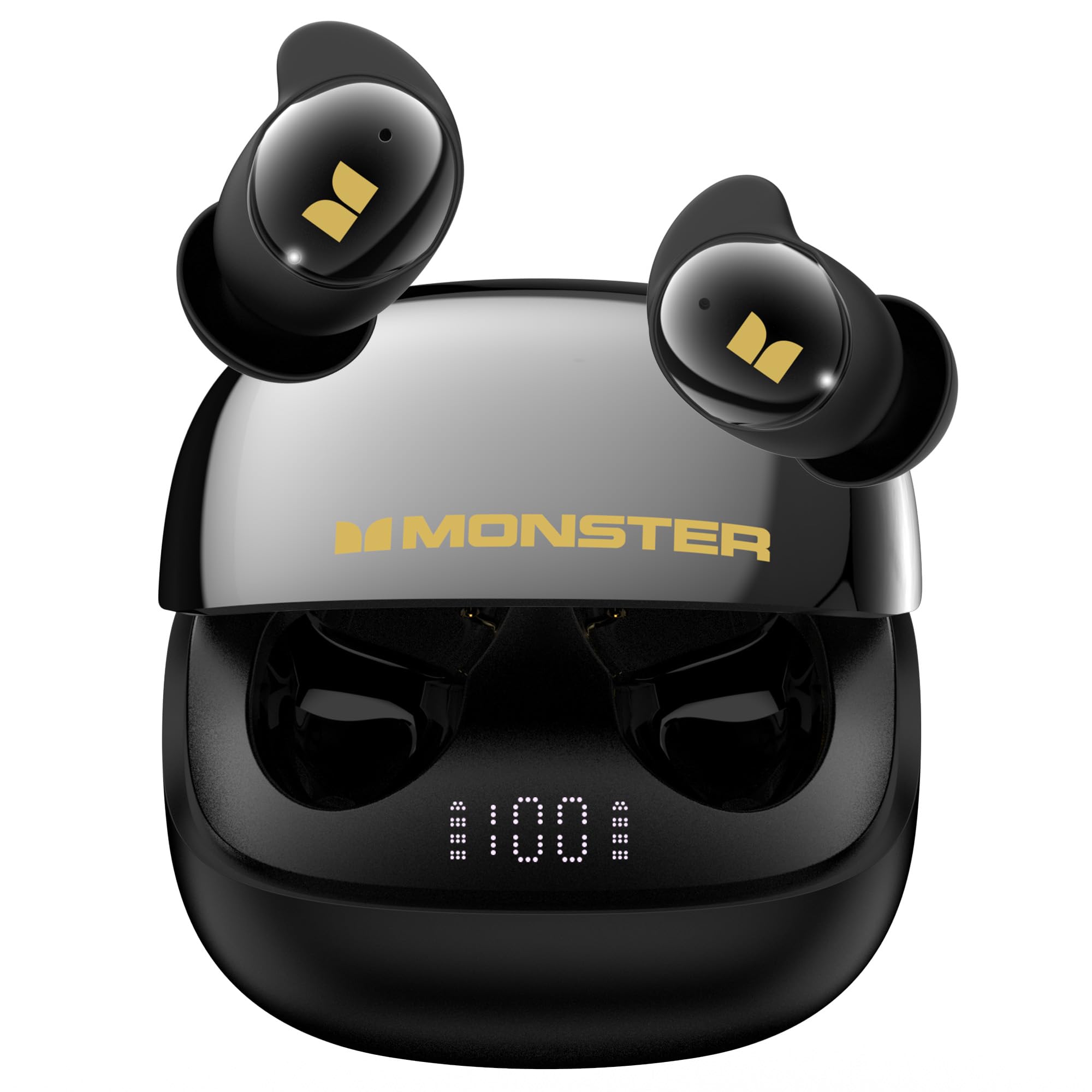
Figure 1: Monster Sleep Ear200 Wireless In-Ear Headphones and Charging Case.
Setup
1. Charging the Earbuds and Case
Before first use, fully charge the earbuds and the charging case. Place the earbuds into the charging case. Connect the USB-C charging cable to the charging port on the case and to a power source. The digital display on the case will indicate the battery level. A full charge takes approximately 1.5 hours.

Figure 2: Charging the earbuds and case. The case provides up to 30 hours of total battery life.
2. Pairing with a Bluetooth Device
- Open the charging case. The earbuds will automatically enter pairing mode.
- On your device (smartphone, tablet, etc.), enable Bluetooth.
- Search for "Monster Sleep Ear200" in the list of available Bluetooth devices.
- Select to connect. Once connected, you will hear an audible confirmation.
3. Optimal Fit for Side Sleepers
The Sleep Ear200 earbuds are designed with a fully enclosed liquid silicone structure for maximum comfort, especially for side sleepers. They are thin and unobtrusive, conforming naturally to your ear canal. Experiment with the included ear tip sizes (ranging from small to extra-large) to find the most secure and comfortable fit that stays in place all night without pressing on your ears.
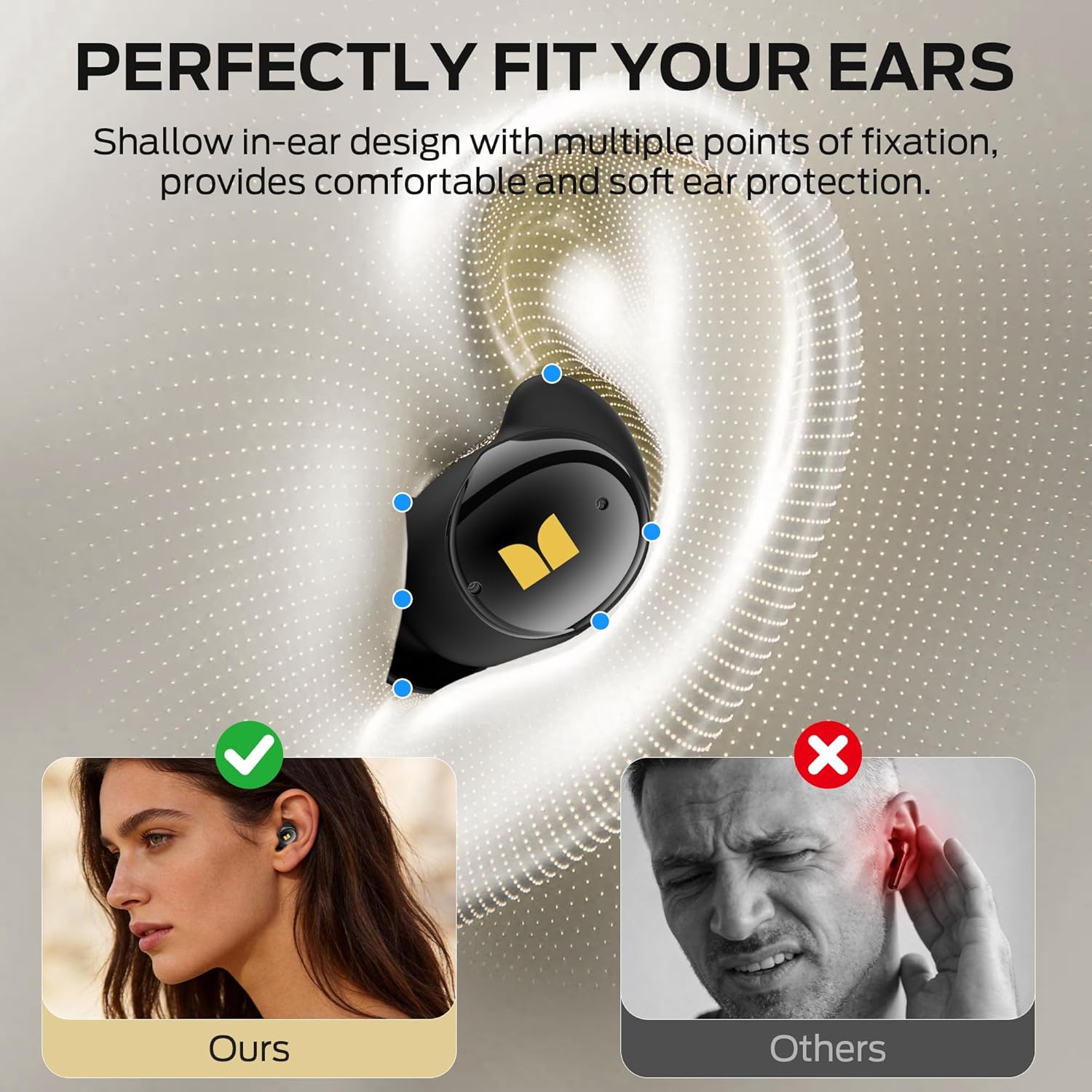
Figure 3: The ergonomic design ensures a comfortable and secure fit for side sleepers.
Operating Instructions
1. Active Noise Cancellation (ANC)
The Monster Sleep Ear200 features an advanced ANC system with noise-canceling microphones. This system effectively blocks out ambient sounds such as snoring, pet movement, and electronic device noise, achieving noise reduction depths of up to -45dB. A dedicated button allows for one-button activation of the sleep function, enhancing restful sleep.

Figure 4: The ANC system provides deep noise reduction for a quiet environment.
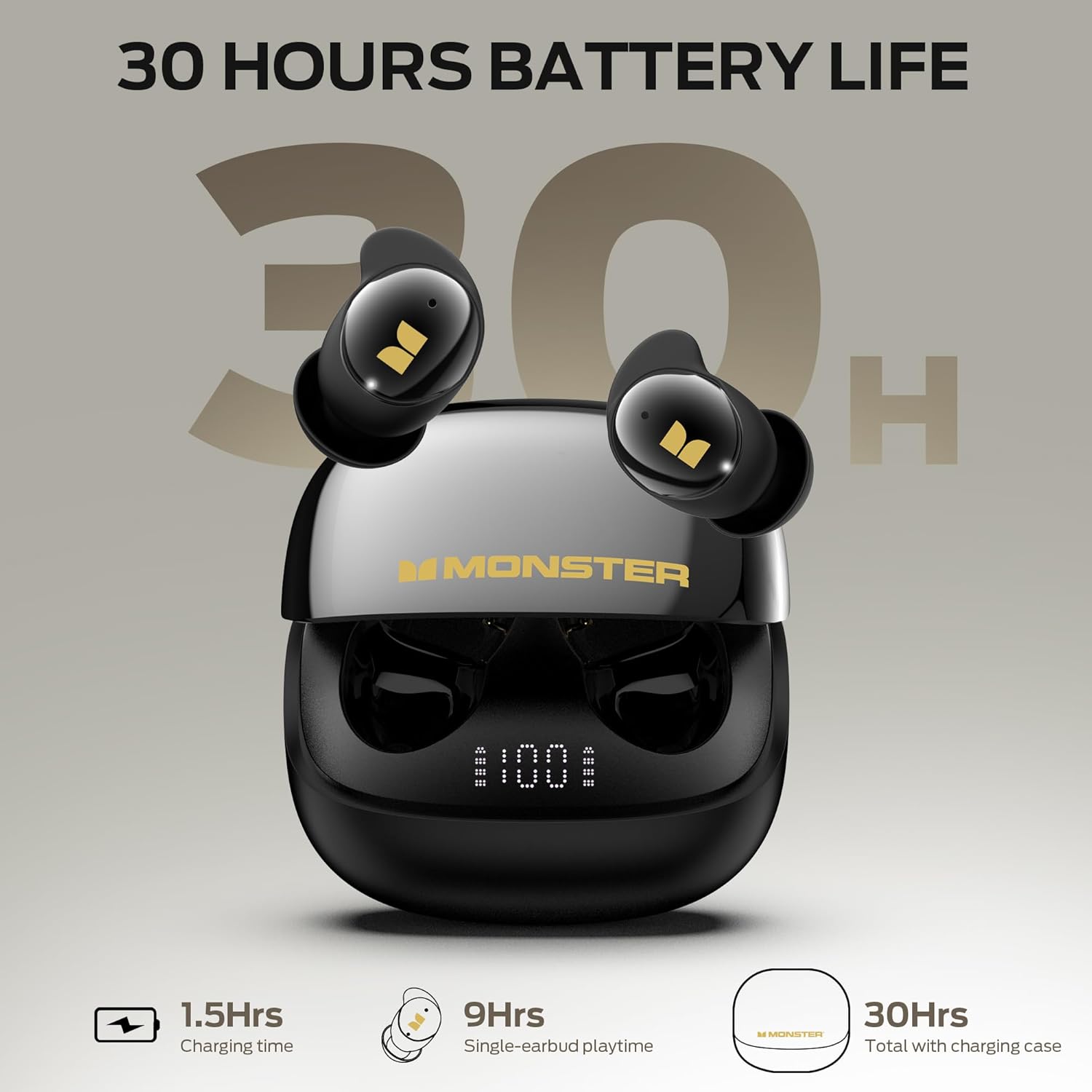
Figure 5: Earbuds effectively block common sleep-disrupting noises.
2. Touch Controls
Each earbud is equipped with intuitive touch controls for managing playback, calls, and ANC settings. Refer to the quick start guide for specific tap sequences for functions such as play/pause, skip tracks, answer/end calls, and activating voice assistant.
3. Call Management
The earbuds feature four built-in microphones (two per earbud) and an AI algorithm that work together to pick up your voice clearly, ensuring effective communication without needing to shout over background noise.
Maintenance
1. Cleaning
Regularly clean your earbuds and charging case to ensure optimal performance and hygiene. Use a soft, dry, lint-free cloth. For ear tips, gently remove them and clean with mild soap and water, then dry thoroughly before reattaching. Avoid using harsh chemicals or abrasive materials.
2. Water Resistance
The earbuds are rated IPX5 water-resistant, meaning they are protected against low-pressure water jets from any direction. This makes them suitable for use during light rain or sweaty workouts. However, they are not designed for submersion in water. Ensure the charging port is dry before charging.
3. Storage
When not in use, store the earbuds in their charging case to protect them and keep them charged. Store the case in a cool, dry place away from extreme temperatures and direct sunlight.
Troubleshooting
- No Sound/Poor Sound Quality: Ensure earbuds are properly seated in your ears and connected to your device. Check device volume and earbud battery level.
- Pairing Issues: Make sure Bluetooth is enabled on your device and the earbuds are in pairing mode. Try forgetting the device in your Bluetooth settings and re-pairing.
- Charging Problems: Verify the charging cable is securely connected to both the case and power source. Check for debris in the charging port.
- Earbuds Not Staying in Place: Experiment with different sized ear tips to find the most secure fit for your ears.
Specifications
| Model Number | w67bk |
| Bluetooth Version | 6.0 |
| Bluetooth Range | 10 Meters |
| Battery Life (Earbuds) | 9 hours per earbud |
| Total Battery Life (with Case) | 30 hours |
| Charging Time | 1.5 Hours |
| Noise Control | Environmental Noise Cancellation (ANC up to -45dB) |
| Water Resistance | IPX5 |
| Ear Placement | In Ear |
| Control Type | Touch Control |
| Compatible Devices | Bluetooth-enabled devices (smartphones, tablets, MP3 players, TVs, Laptops) |
Warranty and Support
The Monster Sleep Ear200 comes with a 1-Year Warranty. For any inquiries, feedback, or assistance with your product, please contact our dedicated after-sales support team. We are committed to ensuring a seamless experience and finding solutions that meet your needs.
Manufacturer Contact Information: Monster
Product Videos
IFECCO Invisible Sleep Earbuds - Headphones for Side Sleepers
Video 1: This video demonstrates the features and comfort of invisible sleep earbuds, highlighting their suitability for side sleepers. While for a related product, the design principles and benefits are highly relevant to the Monster Sleep Ear200.
Monster Clarity 102 Plus Wireless Earbuds Overview
Video 2: An overview of Monster wireless earbuds, showcasing features like easy connectivity, battery life, water resistance, and comfortable fit. Many of these features are shared with the Monster Sleep Ear200 model.


