
Introduction
This manual provides detailed instructions for the safe and efficient operation of your HomePoweron Walking Pad Treadmill with 8% Incline, Model 915. Please read this manual thoroughly before initial use and retain it for future reference. This compact and foldable treadmill is designed for home use, offering speeds from 0.6 to 3.8 MPH, an 8% manual incline, and a 350 LBS weight capacity, powered by a 3.0HP quiet motor.
What's in the Box
Upon unboxing, ensure all components are present:
- Remote Control
- Power Cord
- Tool Kit
- User Manual
- Lubricating Oil
- Phone Holder

Figure 1: Package Contents. This image displays the HomePoweron Walking Pad Treadmill along with its accessories: remote control, wrench, user manual, screws, lubricating oil, and phone holder, ensuring all parts are accounted for.
Setup
- Unboxing: Carefully remove the treadmill and all accessories from the packaging. Place the treadmill on a flat, stable surface.
- Handlebar Assembly: The handlebar comes pre-attached but folded. Lift the handlebar into the upright position. Secure it by tightening the locking mechanisms on both sides.
- Phone Holder Installation: Attach the provided phone holder to the designated slot on the handlebar.
- Power Connection: Connect the power cord to the treadmill and then to a grounded electrical outlet. Ensure the power switch on the treadmill is in the 'OFF' position before plugging it in.
- Initial Check: Before first use, ensure all screws are tightened and the treadmill is stable.

Figure 2: Treadmill Ready for Use. This image shows the HomePoweron Walking Pad Treadmill fully assembled with the handlebar in the upright position and the phone holder attached, indicating it is ready for operation.
Operating Instructions
Powering On/Off
- Locate the main power switch on the side of the treadmill and switch it to the 'ON' position.
- Use the remote control to turn the treadmill 'ON' or 'OFF'.
Speed Adjustment
- Use the '+' and '-' buttons on the remote control to increase or decrease the speed. The speed range is 0.6 to 3.8 MPH.
- The LED display will show the current speed.
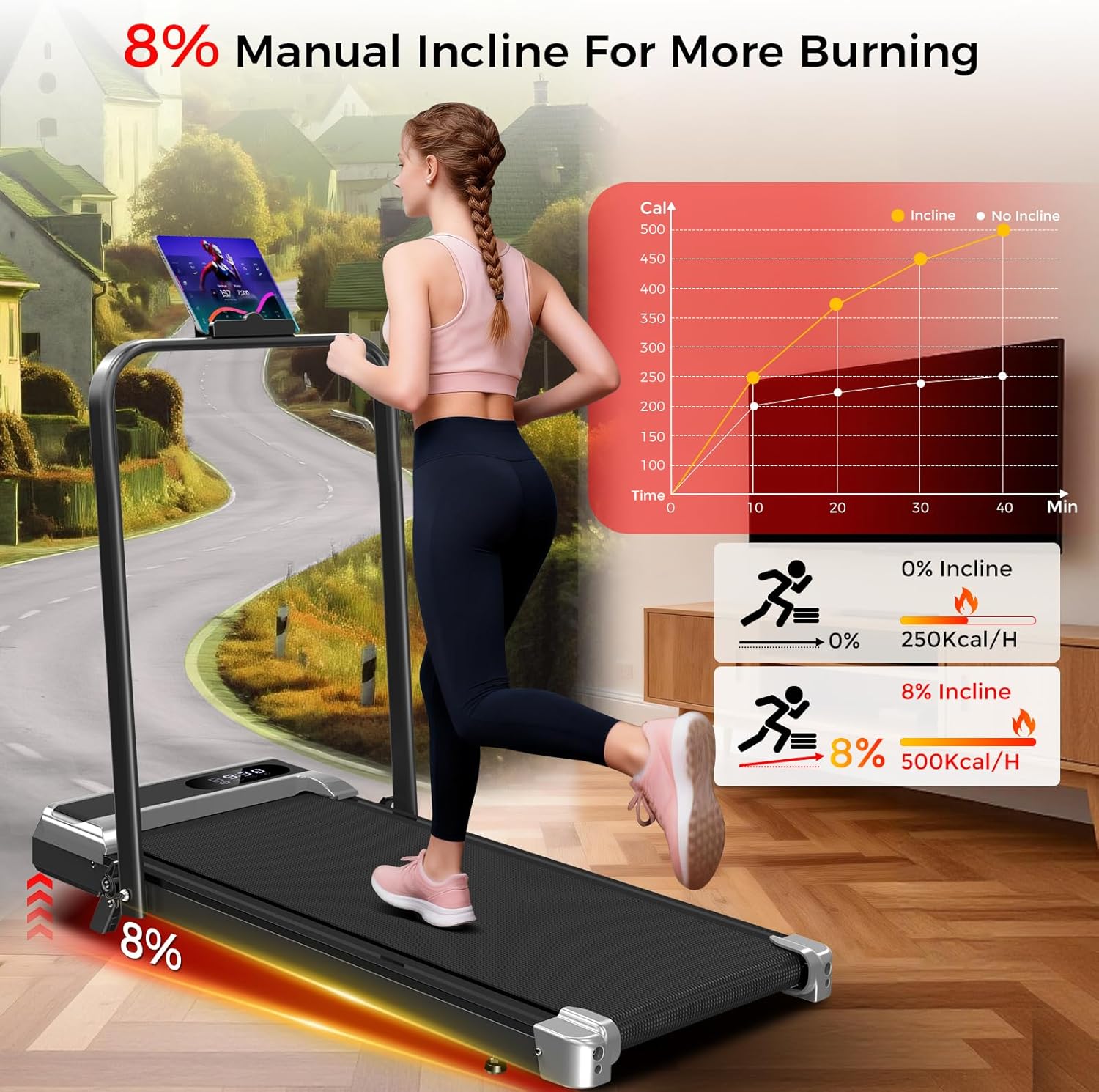
Figure 3: LED Display and Remote Control. This image highlights the treadmill's LED display, which shows key metrics like speed, time, distance, and calories. The accompanying remote control allows for easy adjustment of settings during your workout.
Incline Adjustment
- This treadmill features a fixed 8% manual incline. To activate the incline, flip down the support feet located at the front of the treadmill base.
- Ensure both support feet are securely in place before starting your workout on an incline.
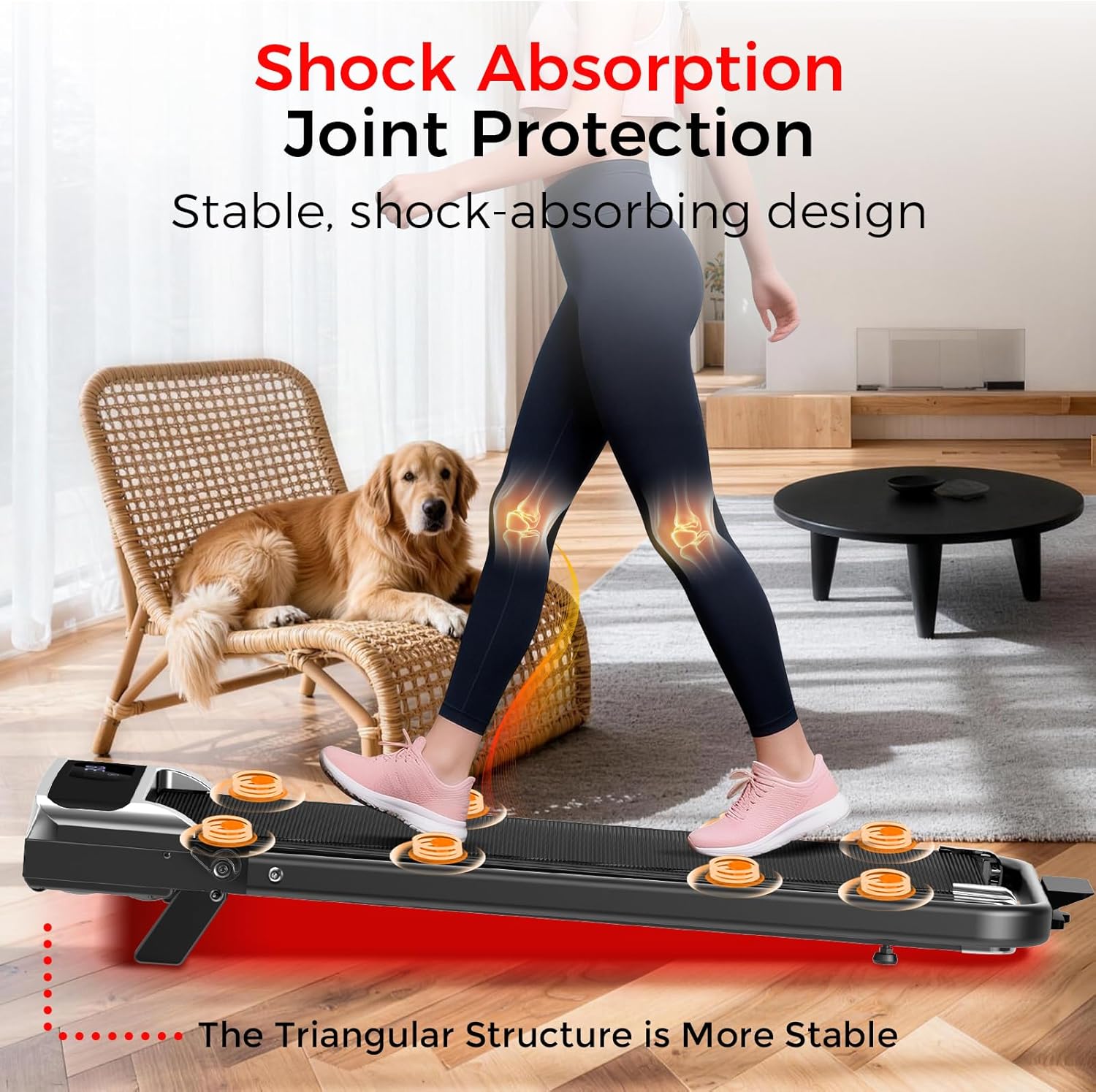
Figure 4: 8% Manual Incline. This image demonstrates the treadmill's 8% manual incline feature, designed to simulate uphill walking and enhance calorie expenditure during exercise.
Mode Selection (Remote Control)
- Press the 'M' button on the remote control to cycle through different workout modes or to set specific goals (time, distance, calories).
- Adjust the target value for the selected goal using the '+' and '-' buttons.
Key Features
- Compact and Foldable Design: The treadmill features a one-step folding design, allowing it to be stored upright or slid under furniture. Built-in wheels and a lightweight frame facilitate easy movement and storage, making it ideal for small home spaces.
- Ergonomic Handlebar: The integrated handlebar provides a comfortable and neutral grip for walking or light jogging, promoting proper posture without forcing users to lean forward.
- Optimized Running Belt: With dimensions of 38x15 inches, the belt is suitable for power walking, jogging, and interval training, offering ample stride room without occupying excessive living space.
- Responsive Remote Control: A sensitive wristband remote allows for effortless adjustment of speed, mode, and power (on/off), ensuring a smooth and uninterrupted workout.
- Upgraded 3.0HP Quiet Motor: The 3.0 horsepower motor operates quietly (tested at ≤50dB), providing consistent power for speeds between 0.6 and 3.8 MPH, suitable for walking and light running.
- LED Display & 8% Incline: A clear front LED display shows speed, time, distance, and calories. The fixed 8% manual incline simulates road running, aiding in increased calorie burn.
- 350 LBS Capacity: Constructed with a reinforced steel frame, the treadmill supports users up to 350 LBS, ensuring stability and durability during use.
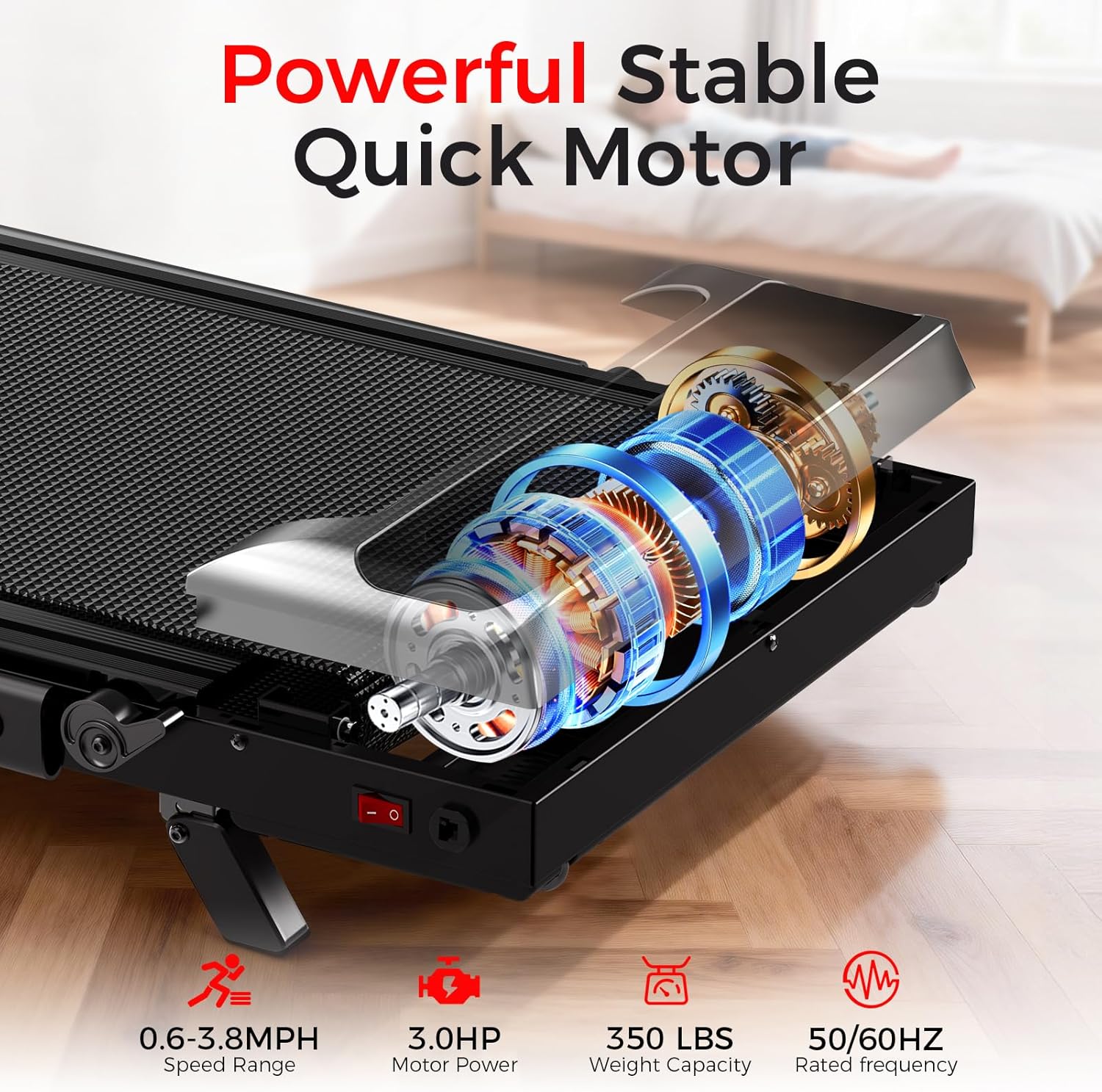
Figure 5: Powerful and Stable Motor. This image provides an internal view of the treadmill's 3.0HP motor, emphasizing its quiet operation (0.6-3.8 MPH speed range) and robust design supporting up to 350 LBS.

Figure 6: Versatile Exercise Modes. This image demonstrates the treadmill's three primary modes: Walking (0.6-1.9 MPH), Jogging (2.0-3.1 MPH), and Running (3.2-3.8 MPH), showcasing its adaptability for various fitness levels and workout preferences.

Figure 7: Compact Storage. This image illustrates the compact and foldable nature of the treadmill, detailing its dimensions and showing how it can be easily stored upright or slid under furniture, making it suitable for small living spaces.
Maintenance
- Lubrication: Regularly apply the provided lubricating oil to the running belt as instructed in the user manual to ensure smooth operation and prolong belt life.
- Cleaning: Wipe down the treadmill with a damp cloth after each use to remove sweat and dust. Avoid using abrasive cleaners.
- Belt Tension: Periodically check the running belt tension. If the belt slips or feels too tight, adjust it according to the instructions in the user manual.
- Storage: When not in use, fold the handlebar down and store the treadmill in a dry, clean area away from direct sunlight and extreme temperatures.
Troubleshooting
If you encounter any issues with your HomePoweron Walking Pad Treadmill, please refer to the following common troubleshooting tips:
- Treadmill Not Starting:
- Ensure the power cord is securely plugged into both the treadmill and a working electrical outlet.
- Check that the main power switch on the treadmill is in the 'ON' position.
- Verify that the safety key (if applicable) is correctly inserted into its slot.
- Belt Slipping or Sticking:
- The running belt may require lubrication. Refer to the maintenance section for instructions on applying lubricating oil.
- The belt tension might be too loose. Adjust the belt tension according to the user manual.
- Unusual Noises:
- Ensure the treadmill is on a flat, level surface.
- Check for any loose parts or debris under the running belt.
- If the noise persists, contact customer support.
- Remote Control Not Responding:
- Replace the batteries in the remote control.
- Ensure there are no obstructions between the remote control and the treadmill's receiver.
For further assistance, please contact HomePoweron customer support.
Specifications
| Feature | Detail |
|---|---|
| Brand | HomePoweron |
| Model Number | 915 |
| Product Dimensions | 44"D x 22"W x 38"H |
| Folded Size | L44"W22"H4" |
| Material | Carbon Steel |
| Maximum Speed | 3.8 Miles per Hour |
| Minimum Speed | 0.6 Miles per Hour |
| Maximum Horsepower | 3 Horsepower |
| Maximum Incline Percentage | 8% (Manual) |
| Maximum Weight Recommendation | 350 Pounds |
| Deck Length | 39 Inches |
| Deck Width | 16 Inches |
| Display | LED (7.5 Inches) |
| Metrics Measured | Calories Burned, Distance, Speed, Time |
| Power Source | Corded Electric |
| Assembly Required | No (Minimal setup) |
Warranty and Support
The HomePoweron Walking Pad Treadmill comes with a 1-Year Warranty. For any product-related inquiries, technical assistance, or warranty claims, please contact HomePoweron customer support. Our 24/7 support team is available to resolve any issues you may encounter.
Product Videos
HomePoweron Walking Pad with Incline
Video 1: HomePoweron Walking Pad with Incline. This video demonstrates the HomePoweron walking pad treadmill, highlighting its incline feature and overall design. It provides a visual overview of the product in action.