
Introduction
This manual provides detailed instructions for the proper use and maintenance of your HOPPUP AirDoze Venom Gaming Earbuds. Please read this manual thoroughly before using the product to ensure optimal performance and longevity.
Package Contents
Ensure all items are present in the package:
- HOPPUP AirDoze Venom Gaming Earbuds (Left and Right)
- Charging Case
- USB Type-C Charging Cable
- User Manual (this document)
- Headband
Setup
1. Initial Charging
Before first use, fully charge the earbuds and the charging case.
- Place the earbuds into the charging case.
- Connect the USB Type-C charging cable to the charging port on the case and to a power source (e.g., USB wall adapter, computer USB port).
- The indicator light on the charging case will show charging status. A full charge typically takes approximately 1-2 hours.
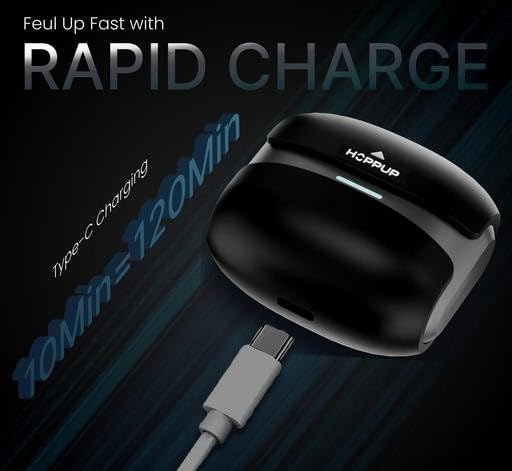
Image: The charging case connected via a Type-C cable, illustrating the rapid charging feature. The case is black with a subtle grey accent.
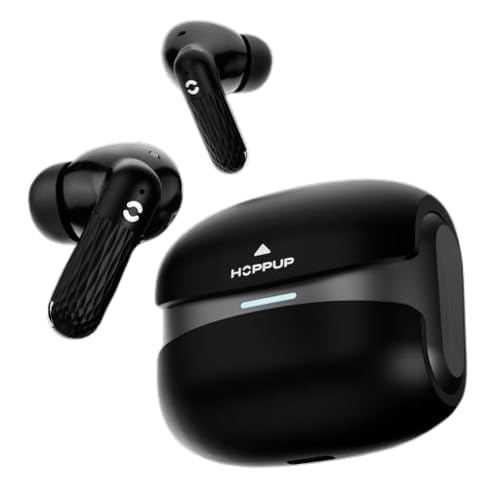
Image: An overview of the HOPPUP AirDoze Venom earbuds and their charging case, highlighting key features such as 50 hours playtime, Type-C charging, Bluetooth 5.4, AI ENC, and 10mm boosted bass drivers.
2. Bluetooth Pairing
Pair the earbuds with your device (smartphone, tablet, laptop) for the first time.
- Ensure the earbuds are charged and placed in the charging case.
- Open the charging case lid. The earbuds will automatically enter pairing mode, indicated by flashing LED lights on the earbuds.
- On your device, go to Bluetooth settings and turn Bluetooth on.
- Search for available devices and select "HOPPUP AirDoze Venom" from the list.
- Once connected, the LED lights on the earbuds will stop flashing, and your device will confirm the connection.
- For subsequent use, the earbuds will automatically connect to the last paired device when removed from the case and Bluetooth is enabled on the device.
Operating Instructions
1. Power On/Off
- Power On: Open the charging case lid, or take the earbuds out of the case. They will power on automatically.
- Power Off: Place the earbuds back into the charging case and close the lid. They will power off automatically and begin charging.
2. Wearing the Earbuds
Insert the earbuds into your ears and gently rotate them to find a comfortable and secure fit. Ensure the ear tips create a seal for optimal sound quality and noise isolation.
3. Touch Controls
The HOPPUP AirDoze Venom earbuds feature touch-sensitive controls on each earbud. The specific functions may vary slightly, but common controls include:

Image: A visual representation of the touch control areas on the earbuds, detailing functions for managing calls, activating game mode, controlling music playback, and accessing voice assistants like Google Assistant or Siri.
- Play/Pause: Single tap on either earbud.
- Next Track: Double tap on the right earbud.
- Previous Track: Double tap on the left earbud.
- Volume Up: Triple tap on the right earbud.
- Volume Down: Triple tap on the left earbud.
- Answer/End Call: Single tap on either earbud during an incoming call.
- Reject Call: Press and hold either earbud for 2 seconds during an incoming call.
- Activate Voice Assistant (Google/Siri): Press and hold either earbud for 2 seconds (when not on a call).
- Game Mode: Specific tap sequence (refer to quick start guide if provided, or experiment with a long press on one earbud). This mode is designed for low latency audio.
Note: Specific touch control gestures may vary. Refer to the quick start guide included in your package for precise instructions if available.
Maintenance
1. Cleaning
- Regularly clean the earbuds and charging case with a soft, dry, lint-free cloth.
- Do not use harsh chemicals, cleaning solvents, or strong detergents.
- Gently remove any earwax or debris from the ear tips and speaker mesh using a clean, dry cotton swab or a small, soft brush.
- Ensure the charging contacts on both the earbuds and the case are clean and dry.
2. Storage
- When not in use, always store the earbuds in their charging case to protect them from dust, damage, and to keep them charged.
- Store the product in a cool, dry place, away from extreme temperatures and direct sunlight.
3. Battery Care
- To prolong battery life, avoid fully discharging the earbuds and charging case frequently.
- Charge the device regularly, even if not used for extended periods (e.g., once every 3 months).
- Do not expose the battery to excessive heat, such as direct sunlight or fire.
Troubleshooting
Common Issues and Solutions:
- Earbuds not pairing:
- Ensure both earbuds are charged.
- Place earbuds back in the case, close the lid, wait a few seconds, then open the lid to re-enter pairing mode.
- Turn off and on Bluetooth on your device.
- Forget "HOPPUP AirDoze Venom" from your device's Bluetooth list and try pairing again.
- Try pairing with a different device to rule out device-specific issues.
- No sound from one earbud:
- Ensure both earbuds are charged.
- Clean the charging contacts on both the earbud and the case.
- Perform a factory reset (see below).
- Charging issues:
- Ensure the charging cable is securely connected to both the case and the power source.
- Try a different USB Type-C cable and power adapter.
- Clean the charging port on the case.
- Low volume or poor sound quality:
- Adjust the volume on both your device and the earbuds.
- Ensure the earbuds are properly seated in your ears to create a good seal.
- Clean any debris from the earbud speaker mesh.
- Check if the audio source quality is good.
Factory Reset:
If you encounter persistent issues, a factory reset may resolve them. The exact procedure may vary, but typically involves:
- Place both earbuds into the charging case.
- With the lid open, press and hold a button on the charging case or a specific touch area on both earbuds for 10-15 seconds until the indicator lights flash rapidly or change color.
- Remove the earbuds from your device's Bluetooth list ("Forget Device").
- Attempt to pair the earbuds again as described in the "Bluetooth Pairing" section.
Note: Refer to the quick start guide for the precise factory reset procedure for your model if available.
Specifications
| Feature | Detail |
|---|---|
| Model Name | Hoppu_headphone018_black |
| Brand | HOPPUP (Generic) |
| Form Factor | In Ear |
| Connectivity Technology | Wireless (Bluetooth 5.4) |
| Noise Control | Sound Isolation (AI ENC) |
| Audio Driver Type | Dynamic Driver (10mm Boosted Bass) |
| Specific Uses | Gaming |
| Playtime | Up to 50 Hours (with charging case) |
| Latency | 40ms Low Latency |
| Charging Port | USB Type-C |
| Product Features | Fast Charging, Sweatproof |
| Water Resistance Level | Water Resistant |
| Compatible Devices | Smartphones, Tablets, Laptops, Bluetooth-enabled Devices |
Warranty and Support
For warranty information, please refer to the warranty card included with your product or contact your retailer. If you experience any issues not covered in this manual, or require further assistance, please contact HOPPUP customer support or your point of purchase.
Manufacturer: HOPPUP