
1. Introduction
This manual provides essential information for the safe and efficient operation of your ECOVACS T90 PRO OMNI Robot Vacuum and Mop Cleaner. Please read this manual thoroughly before using the product and retain it for future reference. This device is designed to automate floor cleaning tasks, offering both vacuuming and mopping functionalities.
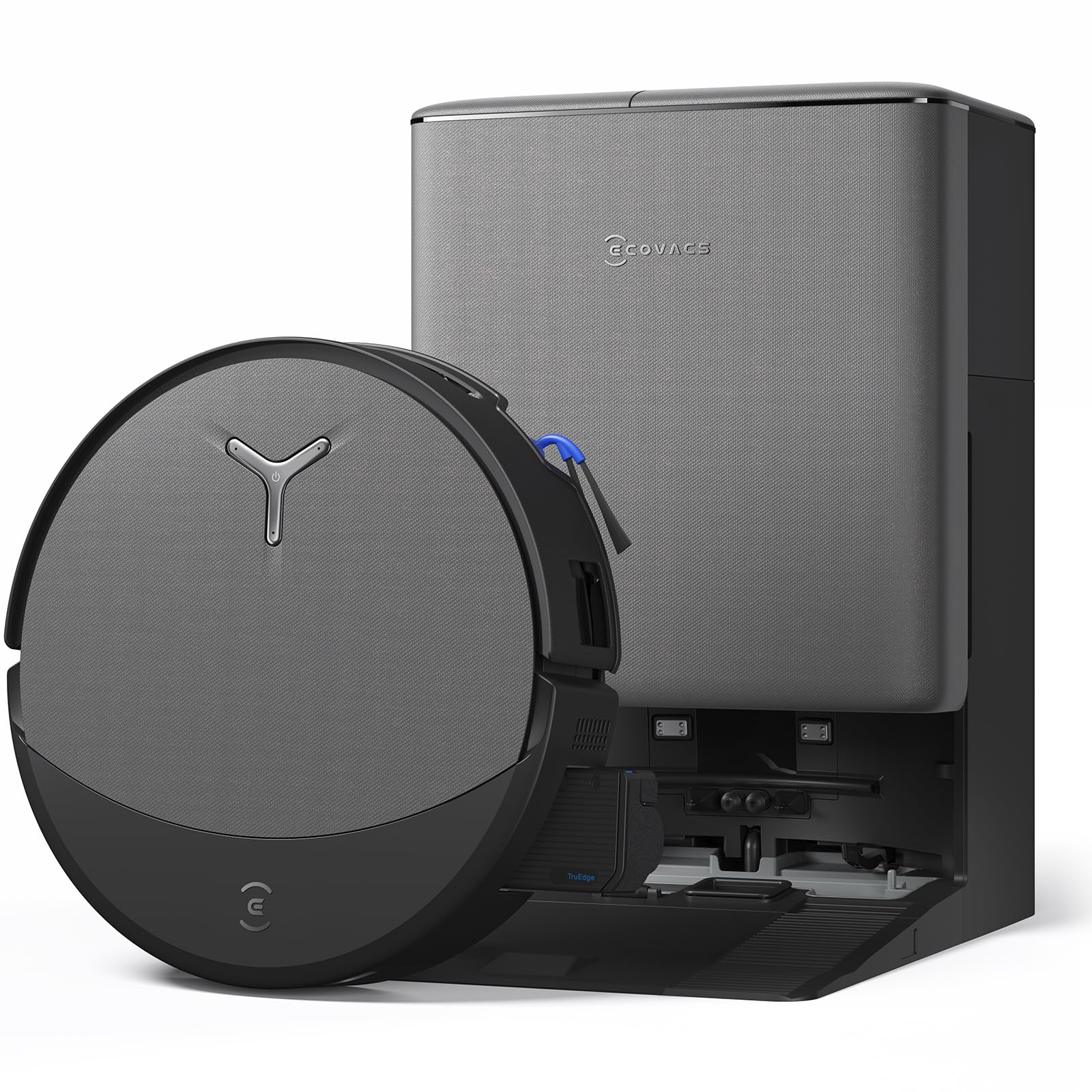
Image: The ECOVACS T90 PRO OMNI robot vacuum cleaner and its OMNI station.
2. Safety Information
Always adhere to the following safety precautions to prevent injury or damage to the product:
- Do not allow children to operate the robot. Supervise children and pets when the robot is in operation.
- Ensure the power cord is not damaged and is properly connected to a grounded outlet.
- Do not use the robot in wet environments or to clean up spilled liquids, except for its designated mopping function with appropriate solutions.
- Remove loose cables, small objects, and fragile items from the floor before cleaning to prevent entanglement or damage.
- Do not use the robot near open flames or flammable materials.
- Only use accessories and replacement parts specified by ECOVACS.
- Turn off the robot and unplug the OMNI Station before performing any maintenance or cleaning.
3. Package Contents
Verify that all items are present in the package:
- ECOVACS T90 PRO OMNI Robot Vacuum and Mop Cleaner
- OMNI All-in-One Station
- Power Cord
- Side Brushes (x2)
- Main Brush
- OZMO ROLLER 3.0 Mop Roller
- Cleaning Tool
- User Manual
4. Product Overview
Robot Components
The robot features various sensors for navigation, a main brush, side brushes, and the OZMO ROLLER 3.0 for mopping.

Image: Diagram showing internal components and features of the robot.
OMNI All-in-One Station
The OMNI Station serves as the robot's charging base and performs automatic maintenance tasks, including dustbin emptying, mop roller cleaning, and water management.

Image: The OMNI Station with visible clean water tank, dirty water tank, and dust collection system.
5. Setup
- Unpacking: Carefully remove all packaging materials and protective films from both the robot and the OMNI Station.
- Station Placement: Place the OMNI Station on a hard, level surface against a wall. Ensure there is at least 0.5 meters of clear space on both sides and 1.5 meters in front of the station for optimal robot navigation.
- Power Connection: Connect the power cord to the OMNI Station and plug it into a wall outlet.
- Robot Placement: Place the robot onto the charging contacts of the OMNI Station. Ensure it is properly docked and the charging indicator illuminates.
- Initial Charge: Allow the robot to fully charge before its first use. This may take several hours.
- App Download & Connection: Download the 'ECOVACS HOME' app from your device's app store. Follow the in-app instructions to connect your robot to your home Wi-Fi network and complete the initial mapping process.

Image: Visual guide for setting up the robot and its station.
6. Operating Instructions
Starting and Managing Cleaning Cycles
You can initiate, pause, or stop cleaning cycles using the ECOVACS HOME app or through voice commands with the YIKO Intelligent Assistant.

Image: The robot responding to voice commands and showing app control interface.
Cleaning Modes and Technologies
- Vacuuming: The robot utilizes its 30,000 Pa suction power and BLAST Technology for effective dry cleaning. The ZeroTangle 4.0 system minimizes hair tangles on brushes, ensuring consistent performance.
- Mopping: The OZMO ROLLER 3.0 system provides pressurized washing with an extended 27 cm roller for wider coverage. The TruEdge 3.0 technology ensures thorough edge cleaning by extending the mop roller to reach wall edges.
- Combined Vacuuming & Mopping: The robot performs both functions simultaneously. The Triple Lift System intelligently adjusts the mop roller and brushes for different surfaces, preventing wet carpets and spreading dirt.

Image: The robot demonstrating 30,000 Pa suction power on a carpet.

Image: The robot performing deep mopping with the OZMO ROLLER 3.0.

Image: The robot cleaning edges and corners with TruEdge 3.0 technology.

Image: The robot's Triple Lift System raising components for wet/dry separation.
Navigation and Obstacle Avoidance
AIVI 3D 4.0 Omni-Approach and TruePass 4-Wheel Drive technology enable intelligent obstacle avoidance and seamless traversal of thresholds up to 4 cm, ensuring comprehensive cleaning coverage.

Image: The robot demonstrating its ability to overcome obstacles with TruePass.
Power Management
The PowerBoost Charging technology allows the robot to intelligently manage battery levels, recharging for short periods during cleaning breaks to ensure continuous operation for large areas without interruption.

Image: The robot utilizing PowerBoost for continuous cleaning in large homes.
7. Maintenance
Regular maintenance ensures optimal performance and extends the lifespan of your ECOVACS T90 PRO OMNI.
OMNI Station Maintenance
- Automatic Dustbin Emptying: The station automatically empties the robot's dustbin into a sealed bag. Replace the dust bag when full.
- Automatic Mop Roller Cleaning: The station washes the OZMO ROLLER 3.0 with pressurized water and hot air drying to prevent odors and cross-contamination. Ensure the clean and dirty water tanks are properly maintained.
- Automatic Detergent Dispensing: The station automatically mixes and dispenses the correct amount of cleaning solution from its dedicated tank. Refill as needed.
- Water Tank Management: Regularly empty the dirty water tank and refill the clean water tank with fresh water.

Image: The OMNI Station performing automatic dustbin cleaning.

Image: The OMNI Station's mop roller cleaning process.

Image: The OMNI Station ensuring the perfect quantity of detergent.
Robot Maintenance
- Main Brush: Remove and clean the main brush regularly using the provided cleaning tool to cut and remove tangled hair. The ZeroTangle 4.0 design helps reduce hair entanglement.
- Side Brushes: Check for wear and tear, and replace as needed. Clean any debris or hair wrapped around them.
- OZMO ROLLER 3.0 Mop Roller: Remove and rinse the roller thoroughly after each mopping session. Ensure it is completely dry before reinstallation to prevent odors.
- Filters: Clean or replace the high-efficiency filter as recommended by the app or every 1-3 months, depending on usage.
- Sensors: Wipe all sensors (anti-drop, anti-collision, charging contacts) with a dry, soft cloth to ensure accurate navigation and operation.

Image: The ZeroTangle 4.0 system designed to prevent hair tangles.
8. Troubleshooting
If you encounter issues with your ECOVACS T90 PRO OMNI, refer to the following common problems and solutions:
- Robot not charging: Ensure the OMNI Station is powered on and the robot is correctly docked. Clean the charging contacts on both the robot and the station.
- Robot stuck or navigating erratically: Clear obstacles from the robot's path. Check for tangled brushes or debris in the wheels. Clean all sensors.
- Poor cleaning performance: Clean the main brush, side brushes, OZMO ROLLER 3.0, and filters. Empty the dustbin and ensure water tanks are filled correctly.
- App connectivity issues: Ensure a strong Wi-Fi signal in the cleaning area. Restart the robot and your home router. Re-pair the robot with the app if necessary.
- Excessive noise during operation: Check for foreign objects lodged in the brushes, wheels, or suction inlet. Ensure all components are correctly installed.
For more detailed troubleshooting or persistent issues, consult the ECOVACS HOME app or contact customer support.
9. Specifications
| Feature | Specification |
|---|---|
| Brand | ECOVACS |
| Model Name | T90 PRO OMNI |
| Recommended Surfaces | Multi-Surface |
| Special Features | AIVI 3D 4.0 Intelligent Navigation, TruePass 4WD, PowerBoost, YIKO Intelligent Assistant |
| Color | Black |
| Control Unit Type | App Control |
| Filter Type | Roller |
| Cleaning Path Width | 27 Centimeters |
| Battery Cell Composition | Lithium Ion |
| Power Source | Battery Powered |
| Batteries Included | Yes |
| Control Method | App, Voice |
| Form Factor | Rectangular |
| Indoor/Outdoor Use | Indoor |
| Portable | No |
| Number of Wheels | 2 |
| Number of Power Levels | 2 |
| Number of Speeds | 2 |
| Recommended Product Uses | Floor cleaning, corner and edge cleaning, heavy dirt area cleaning |
| Item Dimensions (LxWxH) | 33.8L x 46W x 50H cm |
| Manufacturer Model Number | T90 PRO OMNI-EU |
| Manufacturing Year | 2026 |
| Country of Origin | China |
| Included Components | Integrated OMNI Station, OZMO ROLLER 3.0 Cleaning System |
10. Warranty and Support
For detailed warranty information, product registration, and technical support, please visit the official ECOVACS website or contact their customer service department. Keep your purchase receipt as proof of purchase for any warranty claims.
You can find contact information and FAQs on the ECOVACS support page: www.ecovacs.com/support