
Introduction
Thank you for choosing the Abonow Foldable Treadmill. This manual provides essential information for the safe and efficient operation, assembly, and maintenance of your treadmill. Please read this manual thoroughly before use and retain it for future reference.
Important Safety Information
- Always consult with a physician before starting any exercise program.
- Read all instructions in this manual before using the treadmill.
- Keep children and pets away from the treadmill during operation.
- Place the treadmill on a flat, stable surface with adequate clearance around it.
- Ensure the safety key is properly attached before starting the treadmill.
- Do not operate the treadmill if it is damaged or malfunctioning.
- Wear appropriate athletic footwear during use.
- Do not use the treadmill outdoors or in wet conditions.
- Unplug the treadmill from the power outlet when not in use or before cleaning/maintenance.
- Maximum user weight capacity: 300 lbs.
What's Included
The Abonow Foldable Treadmill comes with the following components:
- Treadmill Unit
- Screw M8*16 × 2
- Screw M5*12 × 2
- Wrench 5mm × 1
- Safety Key × 1
- T-Shaped Knob × 1
- User's Manual × 1


Setup and Assembly
The Abonow Treadmill is designed for quick installation, arriving 90% pre-assembled. Follow these steps to complete the setup:
- Unpack: Carefully remove all components from the packaging.
- Position: Place the treadmill on a flat, stable surface. Ensure there is ample space around the unit for safe operation.
- Unfold: Gently lift the console and handlebars into the upright position.
- Secure: Use the provided screws (M8*16 and M5*12) and wrench to secure the handlebars and console according to the diagrams in the included user manual.
- Attach Safety Key: Connect the safety key to the designated slot on the console. The treadmill will not operate without the safety key in place.
- Power Connection: Plug the power cord into a grounded electrical outlet.

Operating Instructions
Control Panel Overview
The treadmill features an interactive touchscreen display and control buttons for easy operation. Key metrics such as pulse, calories, time, distance, and speed are tracked.
Starting a Workout
- Power On: Ensure the treadmill is plugged in and the safety key is attached.
- Stand on Side Rails: Do not stand on the running belt when starting.
- Press Start: Press the "Start" button on the console. The belt will begin to move at a low speed.
- Adjust Speed: Use the "Speed+" or "Speed-" buttons to adjust your desired speed.
- Select Program (Optional): Press the "PROG" button to cycle through the 12 customizable programs.
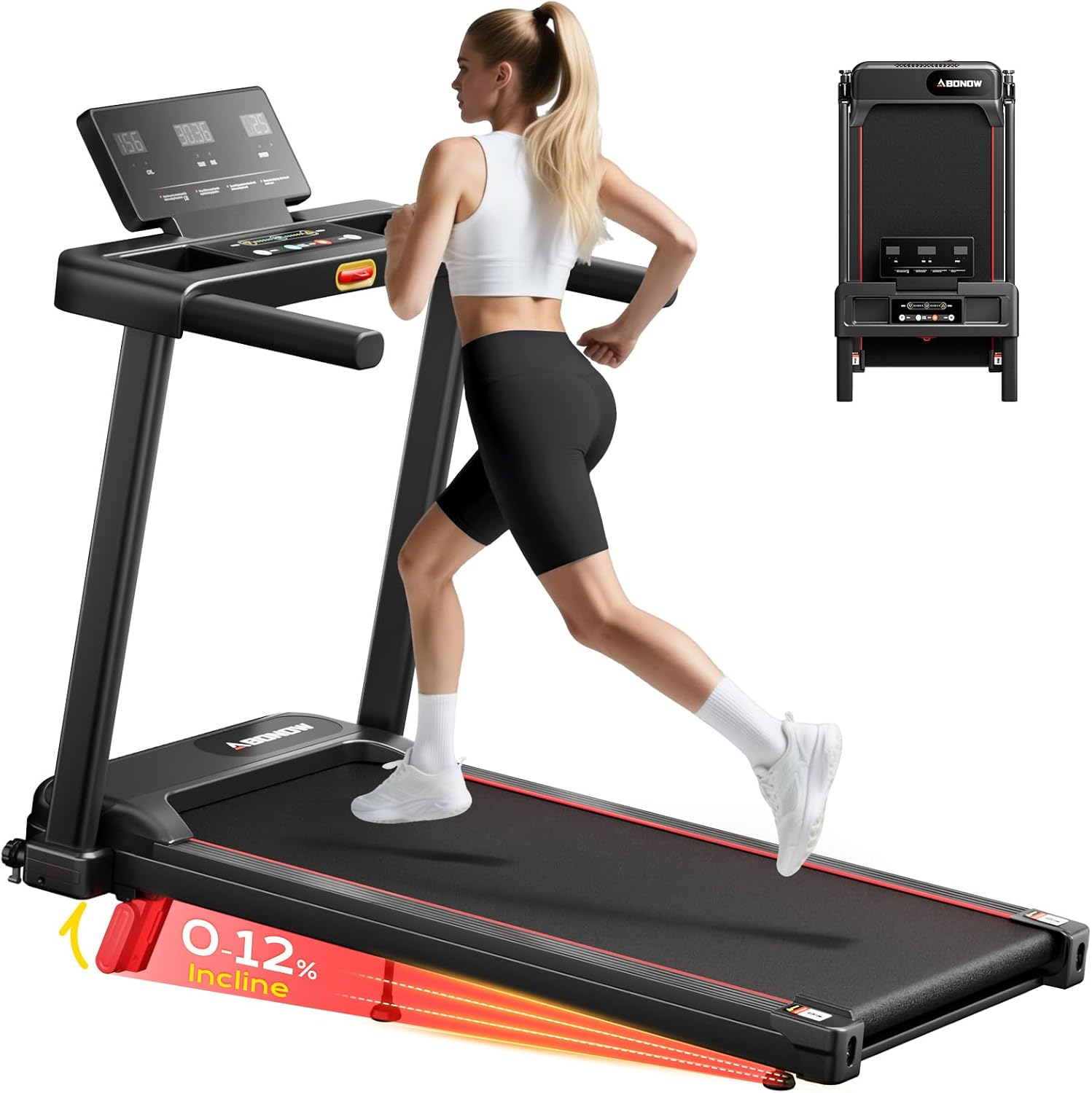
- Adjust Incline: The treadmill features a 12% manual incline. Adjust the incline supports at the rear of the treadmill to your desired level before starting your workout.

Workout Modes
The treadmill supports various modes to suit different fitness levels and goals:
- Walking Pad Mode: Speeds from 0.5-1.8 MPH, ideal for light activity or office use.
- Jogging Mode: Speeds from 2.4-3.6 MPH, suitable for moderate cardio.
- Running Mode: Speeds from 4.2-6.25 MPH, for more intense workouts.

Stopping a Workout
- Normal Stop: Press the "Stop" button. The belt will gradually slow down and stop.
- Emergency Stop: Pull the safety key from the console. The treadmill will stop immediately.
Maintenance
Regular maintenance ensures the longevity and optimal performance of your treadmill.
- Cleaning: Wipe down the console and other surfaces with a damp cloth after each use. Avoid abrasive cleaners.
- Belt Lubrication: Periodically check the running belt for proper lubrication. Refer to the full user manual for specific lubrication instructions and frequency.
- Belt Tension and Alignment: Ensure the running belt is properly tensioned and centered. Adjustments may be needed over time. Consult the full user manual for detailed instructions.
- Storage: When not in use, the treadmill can be folded for compact storage. Ensure it is unplugged before folding.

Troubleshooting
If you encounter issues with your treadmill, refer to the following common solutions:
| Problem | Possible Cause | Solution |
|---|---|---|
| Treadmill does not start. | Power cord not plugged in, safety key not attached, power switch off. | Ensure power cord is securely plugged in. Attach the safety key. Turn on the main power switch. |
| Running belt slips or hesitates. | Belt too loose, belt needs lubrication. | Adjust belt tension (refer to full manual). Lubricate the running belt. |
| Unusual noise during operation. | Loose components, motor issue, belt friction. | Check for and tighten any loose screws. Ensure proper lubrication. If noise persists, contact customer support. |
For more detailed troubleshooting or issues not listed here, please refer to the comprehensive user manual or contact Abonow customer support.
Product Specifications
| Feature | Detail |
|---|---|
| Brand | Abonow |
| Model Number | 3006 |
| Color | Black |
| Product Dimensions (D x W x H) | 43.3"D x 21.5"W x 4"H |
| Material | Alloy Steel |
| Maximum Speed | 6.25 miles/hour |
| Minimum Speed | 0.5 miles/hour |
| Maximum Horsepower | 3 HP |
| Maximum Incline Percentage | 12% |
| Maximum Weight Recommendation | 300 pounds |
| Running Belt Dimensions (L x W) | 37" L × 15.2" W |
| Display Type | LED |
| Number of Programs | 12 |
| Metrics Measured | Calories Burned, Distance, Heart Rate, Speed, Time |
| Noise Level | Below 45 dB |
| Power Source | Corded Electric |


Warranty and Support
The Abonow Foldable Treadmill comes with a one-year warranty from the date of purchase. This warranty covers manufacturing defects and ensures sustained performance.
For technical assistance, troubleshooting, or warranty claims, please contact Abonow customer support. Refer to the contact information provided in your original purchase documentation or on the official Abonow website.