
1. Product Overview
The PKPOWER Micro USB 5V AC/DC Adapter is designed to provide a stable 5V/2A output for charging various Micro USB compatible devices. This adapter is suitable for daily charging and data transfer needs. It includes a USB 2.0 Micro USB cable, offering a complete charging solution.
The adapter features built-in protection mechanisms against over-current, over-voltage, short circuit, and overheating to ensure safe operation.
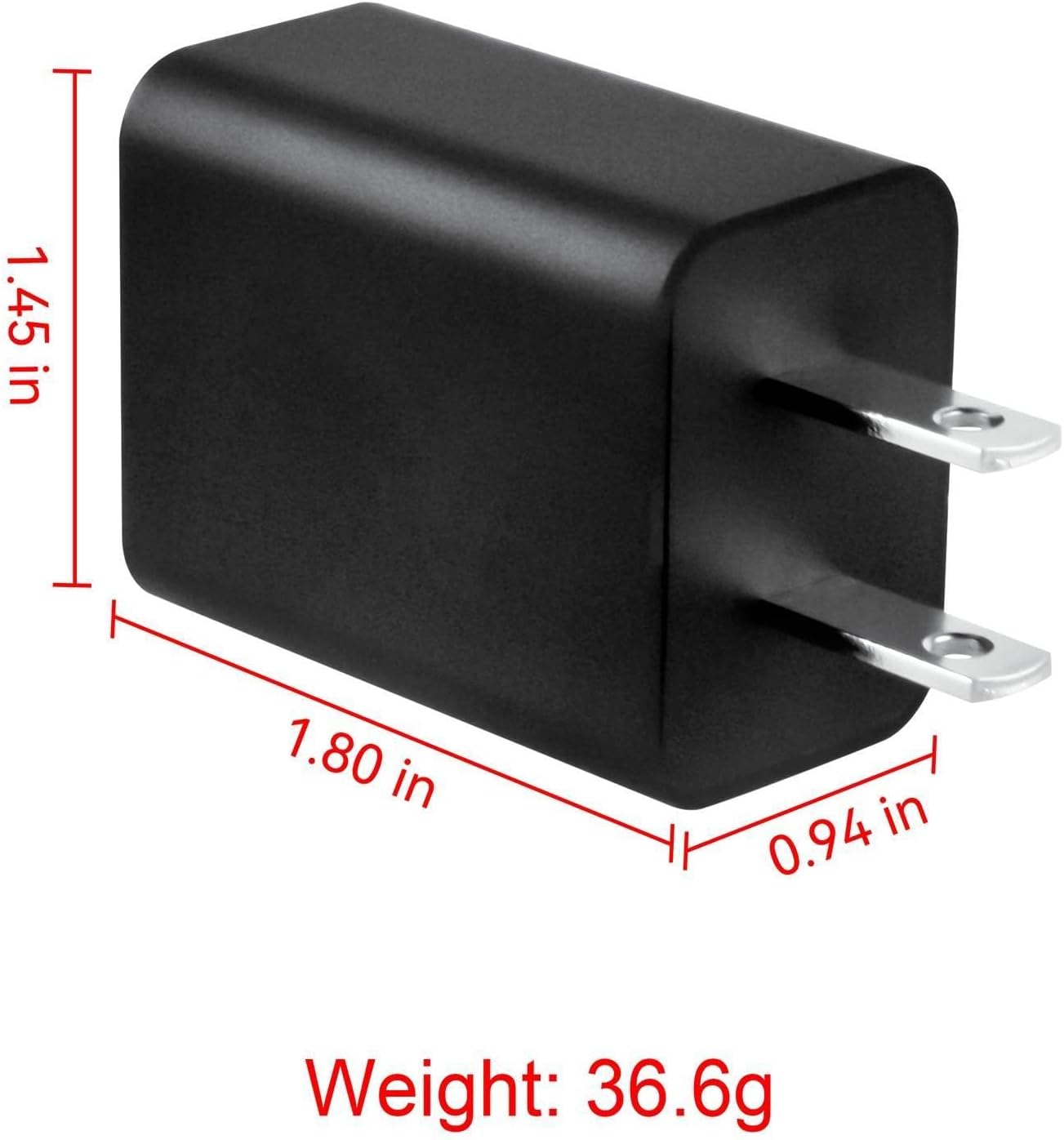
Image 1: The PKPOWER Micro USB 5V AC/DC Adapter, showing the USB output port.
2. Setup Instructions
- Unpack the Adapter: Carefully remove the AC/DC adapter and Micro USB cable from its packaging.
- Connect the Cable: Insert the standard USB-A end of the Micro USB cable into the USB output port of the AC/DC adapter.
- Plug into Power Outlet: Insert the adapter's prongs into a standard wall power outlet (100-240V AC, 50/60Hz).
- Connect to Device: Insert the Micro USB end of the cable into the charging port of your compatible device, such as the POPULO CSL-4000 Electric Screwdriver Kit.

Image 2: The PKPOWER Micro USB 5V AC/DC Adapter, showing the electrical prongs for wall outlet connection.
3. Operating Instructions
Once the adapter is properly set up and connected to your device, it will begin charging automatically. The adapter provides a consistent 5V/2A output.
- Charging: The adapter will supply power to charge the connected Micro USB device. Monitor your device's charging indicator to confirm charging status.
- Data Transfer: The included USB 2.0 Micro USB cable also supports data synchronization between a compatible device and a computer when connected to a computer's USB port (adapter not required for data transfer).
- Disconnection: To disconnect, first remove the Micro USB cable from your device, then unplug the adapter from the wall outlet.

Image 3: The included Micro USB cable, used for charging and data transfer.
4. Maintenance
- Cleaning: Disconnect the adapter from the power outlet and your device before cleaning. Use a dry, soft cloth to wipe the surface. Do not use liquid cleaners or aerosols.
- Storage: Store the adapter and cable in a cool, dry place away from direct sunlight and extreme temperatures.
- Handling: Avoid bending or twisting the cable excessively, especially near the connectors, to prevent damage. Do not drop the adapter.
- Inspection: Periodically inspect the adapter and cable for any signs of damage, such as frayed wires or cracked casing. If damage is observed, discontinue use immediately.
5. Troubleshooting
- Device Not Charging:
- Ensure the adapter is securely plugged into a working wall outlet.
- Verify the Micro USB cable is firmly connected to both the adapter and your device.
- Test the adapter with another compatible Micro USB device, if available, to determine if the issue is with the adapter or the device.
- Check the cable for any visible damage. A damaged cable may prevent charging.
- Slow Charging:
- Ensure your device is not in heavy use while charging.
- Confirm the device requires 5V/2A input. Some devices may charge slower if they require higher amperage.
- Adapter Overheating:
- If the adapter feels excessively hot, unplug it immediately.
- Ensure the adapter is used in a well-ventilated area and not covered.
- If overheating persists, discontinue use and contact customer support.
6. Technical Specifications
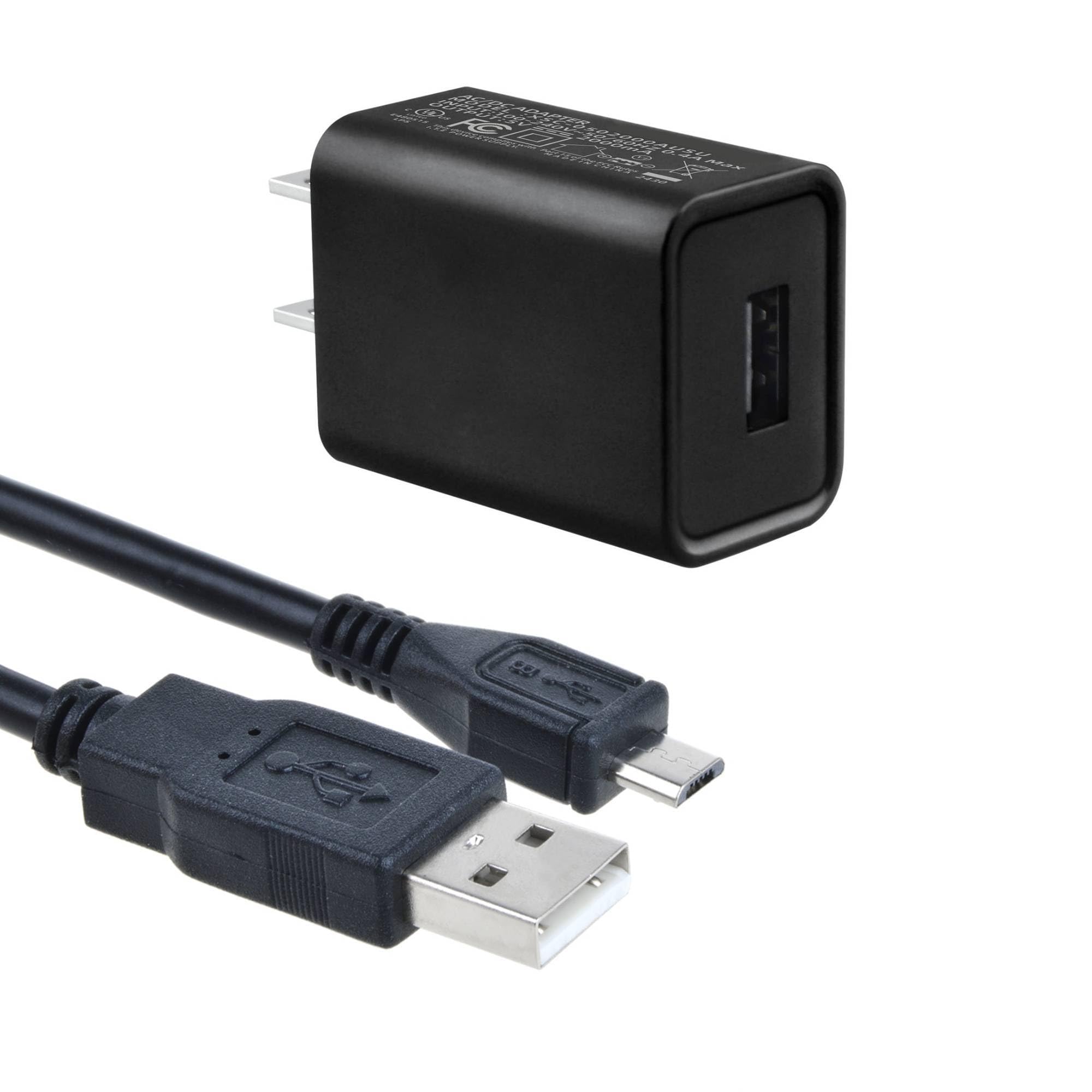
Image 4: Dimensions and weight of the PKPOWER Micro USB 5V AC/DC Adapter.
| Feature | Specification |
|---|---|
| Brand | PKPOWER |
| Model Number | XSD-4000450HUSD260127-024 |
| Input Voltage | 100-240V AC, 50/60Hz |
| Output Voltage | 5V DC |
| Output Current | 2A |
| Connector Type | USB-A (output), Micro USB (cable) |
| Cable Length | 1.5m (5ft) |
| Color | Black |
| Special Features | Over-current, Over-voltage, Short Circuit, Overheating Protection |
7. Warranty and Support
This product comes with a 1-year manufacturer's warranty.
For any abnormal conditions when using the product, please stop use immediately. If you encounter any issues or require support, please contact our customer service center. You can typically reach customer service through your purchase platform:
- Locate your order in your account.
- Select the option to contact the seller or report a problem with the order.
We aim to resolve any issues within 24 hours.