
1. Introduction
This manual provides essential information for the proper setup, operation, and maintenance of your RUIZHI 4K Micro HDMI to USB-C Cable. This cable is designed for high-quality, unidirectional signal transfer from a Micro HDMI source device to a USB-C display, supporting Ultra HD 4K resolution at 60Hz with an 18Gbps bandwidth.

Figure 1: RUIZHI 4K Micro HDMI to USB-C Cable (3FT) with Micro HDMI and USB-C connectors.
Key Features:
- Ultra HD 4K@60Hz Transmission: Supports crystal-clear 4K Ultra HD video at 60Hz with an 18Gbps bandwidth.
- Unidirectional Signal Transfer: Specifically engineered for signal transfer from a Micro HDMI source to a USB-C display.
- Durable Construction: Features double-braided nylon, gold-plated contacts, and reinforced aluminum housing for longevity.
- Plug-and-Play: No additional drivers or software required for operation.
2. Setup Instructions
Follow these steps to correctly connect your RUIZHI 4K Micro HDMI to USB-C Cable:
- Identify Connectors: Locate the Micro HDMI connector (smaller, trapezoidal) and the USB-C connector (reversible, oval-shaped) on the cable. The Micro HDMI end is labeled "Source" and the USB-C end is labeled "Display".
- Connect to Source Device: Insert the Micro HDMI end of the cable into the Micro HDMI port of your source device (e.g., camera, tablet, laptop with Micro HDMI output).
- Connect to Display Device: Insert the USB-C end of the cable into the USB-C input port of your display device (e.g., monitor, TV, projector with USB-C input).
- Power On Devices: Ensure both your source device and display device are powered on.
- Select Input: On your display device, select the correct USB-C input source if it does not automatically detect the signal.
Important Compatibility Notice: This cable supports signal transfer ONLY from Micro HDMI (source) to USB-C (display). It DOES NOT SUPPORT USB-C to Micro HDMI operation or charging functions. Attempting to connect in the reverse direction will not transmit a signal.

Figure 2: Illustration of the unidirectional signal flow from a Micro HDMI source to a USB-C display.
3. Operating Instructions
Once connected, the cable facilitates various display configurations:
3.1. Mirroring Your Display
To duplicate your source device's screen onto the connected USB-C display:
- Ensure the cable is securely connected as per the Setup Instructions.
- Access your source device's display settings.
- Select the "Mirror Display" or "Duplicate" option.
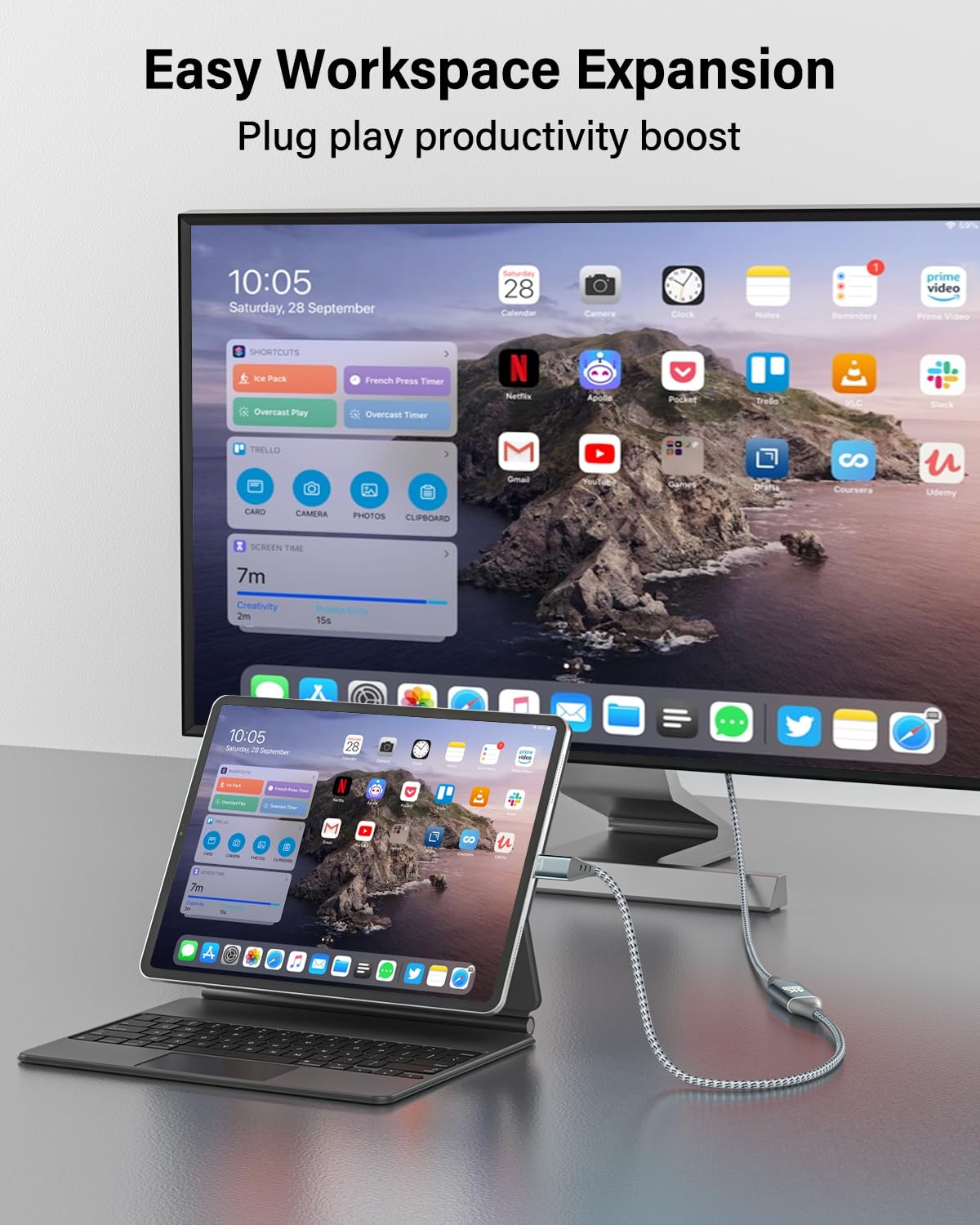
Figure 3: An iPad Pro connected to an external monitor, demonstrating screen mirroring for enhanced productivity.
3.2. Extending Your Display
To use the connected USB-C display as an extension of your source device's screen:
- Ensure the cable is securely connected.
- Access your source device's display settings.
- Select the "Extend Display" option.
3.3. Audio Transmission
The cable transmits both video and audio signals. Audio will typically be routed through the USB-C display. You may need to adjust audio output settings on your source device if sound is not automatically detected by the display.
Video 1: An official RUIZHI video demonstrating the features and usage of the 4K Micro HDMI to USB-C Cable.
4. Maintenance
To ensure the longevity and optimal performance of your cable:
- Cleaning: Gently wipe the cable and connectors with a dry, soft cloth. Avoid using liquid cleaners or abrasive materials.
- Storage: Store the cable in a cool, dry place away from direct sunlight and extreme temperatures. Avoid tightly coiling or bending the cable at sharp angles to prevent internal damage.
- Handling: Always grasp the connector housing when plugging or unplugging the cable. Do not pull on the cable itself.

Figure 4: The durable nylon braided exterior of the cable, designed for resistance against wear and tear.
5. Troubleshooting
If you encounter issues, refer to the following common problems and solutions:
| Problem | Possible Cause | Solution |
|---|---|---|
| No video signal on display. |
|
|
| Flickering or unstable video. |
|
|
| No audio output. |
|
|
| Cable does not charge devices. | This cable is not designed for charging. | This cable is for video and audio transmission only and does not support power delivery. |
6. Specifications
| Feature | Detail |
|---|---|
| Brand | RUIZHI |
| Model | MI-C-3FT |
| Connector Type | Micro HDMI (Source), USB Type-C (Display) |
| Cable Type | Micro HDMI to USB-C |
| Data Transfer Rate | 18 Gigabits Per Second (Gbps) |
| Resolution Support | Up to 4K @ 60Hz |
| Connector Gender | Male-to-Male |
| Cable Length | 3.0 Feet (approx. 0.91 meters) |
| Outer Material | Nylon Braided, Aluminum Alloy Shell |
| Item Weight | 1.97 Ounces (approx. 55.85 grams) |
| Special Feature | High Speed, Unidirectional |

Figure 5: High-speed data transmission capabilities of the RUIZHI Micro HDMI to USB-C cable.
7. Warranty Information
Specific warranty details for the RUIZHI 4K Micro HDMI to USB-C Cable are subject to the terms and conditions provided by the manufacturer or retailer at the time of purchase. Please refer to your purchase documentation or the official RUIZHI website for the most accurate and up-to-date warranty information.
Typically, product warranties cover defects in materials and workmanship under normal use. Damage resulting from misuse, accidents, or unauthorized modifications is generally not covered.
8. Customer Support
For technical assistance, troubleshooting beyond this manual, or warranty claims, please contact RUIZHI customer support through one of the following methods:
- Online: Visit the official RUIZHI website for support resources, FAQs, and contact forms.
- Retailer: Contact the retailer from whom you purchased the product for assistance.
- Amazon Product Page: Refer to the product detail page on Amazon for seller contact information.
When contacting support, please have your product model (MI-C-3FT) and purchase information readily available.