
1. Important Safety Instructions
Please read and understand all safety instructions before operating this appliance. Failure to follow these instructions may result in electric shock, fire, or serious injury.
- Always connect the unit to a grounded outlet.
- Do not immerse the main unit in water or other liquids.
- Do not operate the cleaner without liquid in the tank.
- Keep out of reach of children.
- Do not touch the tank or cleaning solution during operation, especially when heated.
- Unplug the unit from the power source before cleaning or servicing.
- Use appropriate cleaning solutions for the items being cleaned. Avoid flammable or corrosive liquids.
- Ensure the lid is closed during operation to prevent splashing.
- Do not disassemble or modify the unit. Contact qualified service personnel for repairs.
2. Product Overview
The CREWORKS 10L Ultrasonic Cleaner is an industrial-grade cleaning machine designed for thorough and efficient cleaning of various items using 33kHz ultrasonic waves, sweep function, and adjustable temperature control.
Key Features
- 10L Capacity: Generous tank volume for various cleaning tasks.
- 33kHz Ultrasonic Frequency: Effective for removing tough residues, grime, and grease.
- Sweep Function: Varies cavitation bubble size and intensity to reach complex shapes and blind cavities for uniform cleaning.
- Degas Mode: Removes trapped air bubbles from the cleaning solution to enhance cavitation and cleaning efficiency.
- Adjustable Power: Customizable ultrasonic power settings for delicate instruments or heavy-duty parts.
- Adjustable Timer: 0-30 minute timer for precise control over cleaning cycles.
- Temperature Control: Heating range of 68-140°F (20-60°C) to optimize cleaning performance.
- 304 Stainless Steel Construction: Durable and corrosion-resistant tank and housing.
- Integrated Drain Port: For convenient and mess-free fluid drainage.
Package Contents
Verify that all items are present and in good condition upon unpacking.
- 1 x CREWORKS 10L Ultrasonic Cleaner Unit
- 1 x Power Cord
- 1 x Mesh Basket
- 1 x Drain Hose
- 1 x Instruction Manual
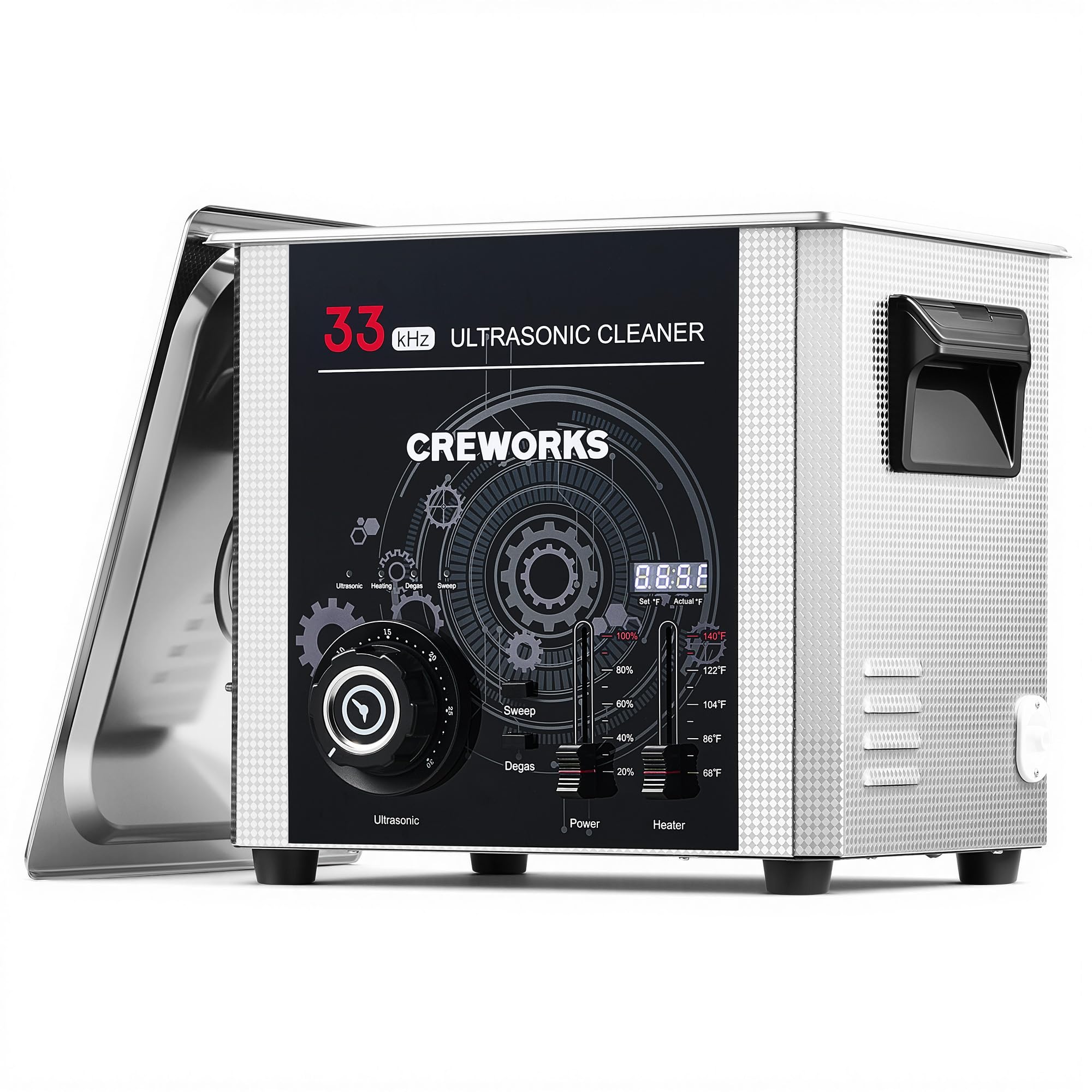
Image: The main CREWORKS 10L Ultrasonic Cleaner unit, showing its stainless steel construction and control panel.

Image: An overview of the CREWORKS 10L Ultrasonic Cleaner, highlighting its timer control, temperature control, ultrasonic power, and heating power.
3. Setup
- Unpacking: Carefully remove the ultrasonic cleaner and all accessories from the packaging. Retain packaging for future storage or transport.
- Placement: Place the unit on a stable, level, and dry surface. Ensure there is adequate ventilation around the unit. Avoid placing it near heat sources or in direct sunlight.
- Power Connection: Ensure the power switch is in the "OFF" position. Connect the power cord to the unit and then to a grounded electrical outlet.
- Fill the Tank: Open the lid and fill the stainless steel tank with an appropriate cleaning solution. Ensure the liquid level is between the "MIN" and "MAX" marks. Do not overfill or underfill.
- Insert Basket: If using, place the mesh basket into the tank. Place items to be cleaned into the basket, ensuring they are fully submerged but not touching the bottom of the tank.

Image: The ultrasonic cleaner with its mesh basket inserted, ready for items to be placed inside.
4. Operation
Familiarize yourself with the control panel before beginning operation.
Control Panel Overview

Image: A detailed view of the control panel, showing the ultrasonic, degas, power, timer, and heater settings.
- Power Switch: Turns the unit ON/OFF.
- Timer Control: Adjusts the cleaning duration from 0 to 30 minutes.
- Temperature Control: Sets the desired heating temperature from 68°F to 140°F (20°C to 60°C).
- Ultrasonic Power Control: Adjusts the intensity of the ultrasonic waves.
- Degas Button: Activates the degas function to remove air from the solution.
- Sweep Button: Activates the sweep function for enhanced cleaning uniformity.
Cleaning Procedure
- Prepare Items: Ensure items are suitable for ultrasonic cleaning. Remove any loose debris before placing them in the basket.
- Add Solution: Fill the tank with the appropriate cleaning solution.
- Set Temperature (Optional): If heating is desired, set the temperature control to the desired value. Allow time for the solution to reach the set temperature.
- Activate Degas (Recommended): For optimal cleaning, press the Degas button for 1-2 minutes to remove dissolved gases from the fresh cleaning solution. This improves cavitation efficiency.
- Set Timer and Power: Set the timer to the desired cleaning duration (0-30 minutes) and adjust the ultrasonic power level according to the items being cleaned. Lower power for delicate items, higher for robust items.
- Start Cleaning: Close the lid and turn on the unit. The ultrasonic cleaning process will begin.
- Monitor Progress: Observe the cleaning process. For heavily soiled items, multiple cycles or a change of solution may be necessary.
- Finish Cleaning: Once the timer expires or cleaning is complete, turn off the unit. Carefully remove the basket with the cleaned items.
- Rinse and Dry: Rinse the cleaned items thoroughly with clean water and dry them completely.

Image: Diagram illustrating the full-coverage sweep technology, showing varying cavitation bubbles reaching all surfaces for uniform cleaning.

Image: Visual representation of the degassing mode for enhanced cavitation and the customizable power setting dial.

Image: Comparison photos showing items before and after cleaning with the ultrasonic cleaner, demonstrating its effectiveness on various materials.
5. Maintenance
Proper maintenance ensures the longevity and optimal performance of your ultrasonic cleaner.
- Draining the Tank: After each use, especially with dirty solutions, drain the tank using the integrated drain port. Place a suitable container under the drain valve, open the valve, and allow the liquid to flow out.
- Cleaning the Tank: Rinse the tank thoroughly with clean water after draining. Wipe the interior and exterior of the unit with a soft, damp cloth. Do not use abrasive cleaners or immerse the unit in water.
- Lid and Basket: Clean the lid and mesh basket with soap and water, then rinse and dry completely.
- Storage: Store the unit in a cool, dry place when not in use. Ensure the tank is empty and dry.
- Regular Inspection: Periodically inspect the power cord for any damage. If damaged, discontinue use and contact customer support.

Image: Close-up of the integrated drain port, designed for easy and mess-free liquid removal from the tank.
6. Troubleshooting
Refer to this section for common issues and their solutions. If the problem persists, contact customer support.
| Problem | Possible Cause | Solution |
|---|---|---|
| Unit does not power on. |
|
|
| Ultrasonic function not working. |
|
|
| Heating function not working. |
|
|
| Poor cleaning results. |
|
|
7. Specifications
| Feature | Detail |
|---|---|
| Model | 10L |
| Tank Capacity | 10 Liters (2.6 Gallons) |
| Ultrasonic Frequency | 33 kHz |
| Ultrasonic Power | 240W |
| Heating Power | 300W |
| Temperature Range | 68-140°F (20-60°C) |
| Timer Setting | 0-30 minutes |
| Tank Material | 304 Stainless Steel |
| Overall Dimensions | 16.73 x 14.96 x 13.19 inches (Package) |
| Item Weight | 18.52 pounds |
| Manufacturer | CREWORKS |

Image: Diagram showing the external dimensions of the 10L ultrasonic cleaner and the internal dimensions of the cleaning basket.
8. Warranty and Support
For warranty information, technical support, or service inquiries, please contact CREWORKS customer service. Refer to your purchase documentation for specific warranty terms.
You can visit the official CREWORKS store for more information and support: CREWORKS Store on Amazon


