
Introduction
The ThinkRider PP5 bicycle power meter is a flagship product designed to provide cost-effective and user-friendly cycling data. It aims to make professional-grade cycling data experiences accessible and easy to master for all cycling enthusiasts.
Product Features
- Supports dual wireless data transmission: Bluetooth Low Energy (BLE) and ANT+.
- High accuracy: ±1%.
- Exceptional magnetic connection for charging.
- Ultra-long battery life: 300 hours.
- IPX7 water resistance rating.
- Lightweight design: Approximately 108g (without cranks).
Compatibility
The ThinkRider PP5 power meter requires a crankset with a detachable spider (4-bolt) that matches the PP5's interface specifications. Modern Shimano (105, Ultegra, Dura-Ace) road bike cranksets often feature a non-separable crank and spider design, making them incompatible. Ensure your crankset has a detachable spider for proper installation.

This diagram illustrates the compatibility requirements for the PP5 power meter. It shows that Shimano Dura-Ace/Ultegra/105 cranks with non-detachable spiders are incompatible. Cranks with detachable spiders and compatible Shimano chainrings can be used with the PP5.
Setup
- Unboxing: Carefully remove the PP5 power meter from its packaging. Verify all components are present as listed in the 'What's in the Box' section.
- Crankset Preparation: Ensure your bicycle's crankset is compatible with the PP5 power meter. This requires a crankset with a detachable 4-bolt spider. Remove the existing spider from your crank arm.
- Installation: Attach the ThinkRider PP5 power meter to your crank arm using the appropriate bolts. Ensure all bolts are tightened to the manufacturer's recommended torque specifications. Refer to your crankset's manual for specific torque values if available.
- Chainring Installation: Mount your chainrings onto the PP5 power meter's spider. Again, ensure proper alignment and torque.
- Initial Charge: Before first use, fully charge the power meter using the provided magnetic charging cable. The charging contacts are located on the device.
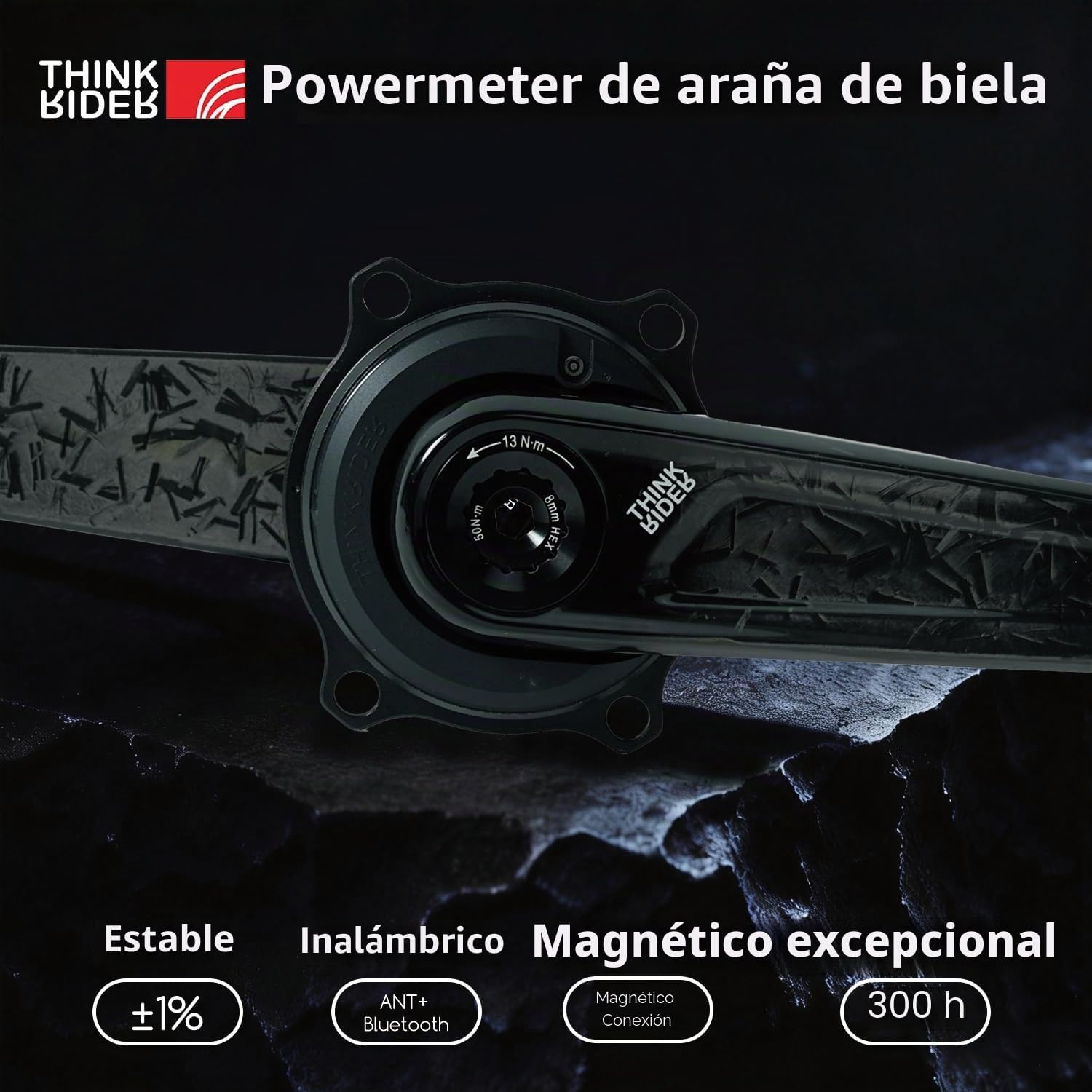
A close-up view of the ThinkRider PP5 spider power meter, highlighting its design and the magnetic charging connection point.
Operating Instructions
- Power On: The PP5 power meter automatically activates when it detects movement (e.g., pedaling).
- Pairing with Cycling Computer/Device:
The PP5 supports both ANT+ and Bluetooth Low Energy (BLE) protocols for data transmission.
- ANT+: On your ANT+ compatible cycling computer (e.g., Garmin, Wahoo), navigate to the sensor pairing menu. Select 'Power Meter' and search for new sensors. The PP5 should appear. Select it to pair.
- BLE: On your Bluetooth-enabled device (e.g., smartphone with a cycling app, BLE-compatible cycling computer), open the sensor pairing settings. Search for new devices. The PP5 will appear as a power sensor. Select it to pair.
- Calibration (Zero Offset): For accurate readings, perform a zero offset calibration before each ride or after significant temperature changes. Consult your cycling computer's manual for specific instructions on how to initiate a zero offset for a power meter. Ensure no pressure is applied to the pedals during calibration.
- Data Monitoring: Once paired, your cycling computer will display real-time power data, cadence, and other relevant metrics transmitted by the PP5.
Maintenance
- Cleaning: Regularly clean the power meter with a damp cloth. Avoid using harsh chemicals or abrasive materials that could damage the device. The IPX7 rating ensures resistance to water splashes, but avoid submerging it.
- Charging: Recharge the power meter when the battery indicator on your cycling computer or app shows low battery. Use only the provided magnetic charging cable. A full charge provides approximately 300 hours of operation.
- Firmware Updates: Periodically check the ThinkRider official website or app for any available firmware updates. Follow the instructions provided for updating the device to ensure optimal performance and access to new features.
- Storage: When not in use for extended periods, store the power meter in a cool, dry place. Ensure it has a partial charge to maintain battery health.

The image shows the ThinkRider PP5 power meter being splashed with water, illustrating its IPX7 water resistance rating, which allows for cycling in wet conditions.

This image highlights the PP5's ultra-long battery life of 300 hours and points out the magnetic charging contacts for quick coupling.
Troubleshooting
| Problem | Possible Cause | Solution |
|---|---|---|
| No Power Data | Battery low | Charge the power meter. |
| No Power Data | Not paired | Ensure the power meter is active (pedal a few rotations) and re-pair with your cycling computer via ANT+ or BLE. |
| Inaccurate Readings | Needs calibration | Perform a zero offset calibration. Ensure no weight is on the pedals. |
| Inaccurate Readings | Loose installation | Check all bolts for proper torque. |
| Connectivity Issues | Interference | Move away from other electronic devices that might cause interference. Ensure firmware is up to date. |
Specifications
- Model: PP5
- Brand: ThinkRider
- Connectivity: ANT+, Bluetooth Low Energy (BLE)
- Accuracy: ±1%
- Battery Life: Approximately 300 hours
- Water Resistance: IPX7
- Weight: Approximately 108g (without cranks)
- Power Source: 1 Lithium Polymer battery (included)
- Dimensions (Package): 15.29 x 13.21 x 3.81 cm
- Manufacturer: ThinkRider

This image summarizes key specifications for the PP5 power meter, including its weight of 108g (without cranks), power precision of ±1%, and autonomy of 300 hours.
Warranty and Support
The ThinkRider PP5 power meter comes with a standard manufacturer's warranty. Please refer to the warranty card included with your product or visit the official ThinkRider website for detailed warranty terms and conditions.
For technical support, troubleshooting assistance, or spare parts, please contact ThinkRider customer service through their official website or the retailer where the product was purchased.
Manufacturer: ThinkRider
ASIN: B0GJSL5Y12
Product First Available: March 3, 2026


