
1. Important Safety Instructions
Please read all instructions carefully before using this exercise bike. Keep this manual for future reference.
- Consult your physician before starting any exercise program.
- Keep children and pets away from the equipment during use.
- Place the exercise bike on a flat, stable surface. Ensure adequate space around the bike.
- Regularly inspect the equipment for wear and tear. Tighten any loose bolts or nuts before each use.
- The maximum user weight capacity is 350 pounds. Do not exceed this limit.
- Wear appropriate exercise clothing and footwear.
- Use the emergency stop knob to immediately halt the flywheel if needed.
2. Package Contents
Verify all components are present before assembly:
- Main Frame with Flywheel and Belt Drive
- Front Stabilizer Bar with Transport Wheels
- Rear Stabilizer Bar
- Seat Post and Seat
- Handlebar Post and Handlebars
- Left and Right Pedals with Straps
- LCD Monitor
- Water Bottle Holder
- Assembly Tool Kit (wrenches, Allen key, bolts, washers)
- User Manual
3. Assembly Instructions
The Wenoker Exercise Bike is designed for quick and easy assembly, with most major components pre-assembled. Follow these steps:
Step 1: Attach Stabilizer Bars
- Attach the rear stabilizer bar to the main frame using the provided bolts and washers. Tighten securely with the wrench.
- Attach the front stabilizer bar (with transport wheels) to the main frame using the provided bolts and washers. Ensure the wheels face forward. Tighten securely.
Step 2: Install Pedals
- Identify the Left (L) and Right (R) pedals. The right pedal screws in clockwise, and the left pedal screws in counter-clockwise.
- Carefully thread each pedal into its corresponding crank arm. Tighten firmly with the wrench.
- Attach the foot straps to the pedals, ensuring they are secure.
Step 3: Assemble Seat and Handlebars
- Insert the seat post into the main frame. Secure it at your desired height using the adjustment knob.
- Attach the seat to the seat post. Adjust its forward/backward position and angle for comfort, then tighten the bolts.
- Insert the handlebar post into the main frame. Secure it at your desired height using the adjustment knob.
- Attach the handlebars to the handlebar post using the provided bolts. Tighten securely.
Step 4: Install LCD Monitor and Water Bottle Holder
- Connect the sensor wire from the main frame to the back of the LCD monitor.
- Mount the LCD monitor onto the handlebar post.
- Install 2 AAA batteries (not included) into the LCD monitor.
- Attach the water bottle holder to the designated area on the frame using the provided screws.
Assembly Video
Official video guide: How to Assemble Wenoker Exercise Bike. This video provides visual instructions for a smooth assembly process.
4. Adjustments
Seat Adjustment
- Height: Loosen the adjustment knob on the vertical seat post, raise or lower the seat to your desired height, and then tighten the knob securely.
- Forward/Backward: Loosen the adjustment knob located under the seat. Slide the seat forward or backward to achieve a comfortable pedaling position, then tighten the knob.
Handlebar Adjustment
- Loosen the adjustment knob on the handlebar post. Raise or lower the handlebars to a comfortable height that supports your riding posture, then tighten the knob.
Resistance Adjustment
- The red knob on the main frame controls the resistance. Turn it clockwise to increase resistance for a more challenging workout.
- Turn it counter-clockwise to decrease resistance for an easier ride.
- Press the red knob down firmly to activate the emergency stop function, which will quickly halt the flywheel.

Image: The red knob for infinite resistance adjustment and emergency stop.
5. Operating Instructions
LCD Monitor Functions
The multi-function LCD monitor tracks your workout data:
- SCAN: Automatically cycles through all display modes every few seconds.
- TIME: Displays your workout duration.
- SPEED: Shows your current cycling speed.
- DISTANCE: Tracks the distance covered during your workout.
- CALORIES: Estimates the calories burned.
- ODOMETER (ODO): Records the total accumulated distance.
- PULSE (Heart Rate): Displays your heart rate when holding the pulse sensors (if available).
Use the MODE button to select a specific display function or activate SCAN mode. Press and hold RESET to clear all workout data.
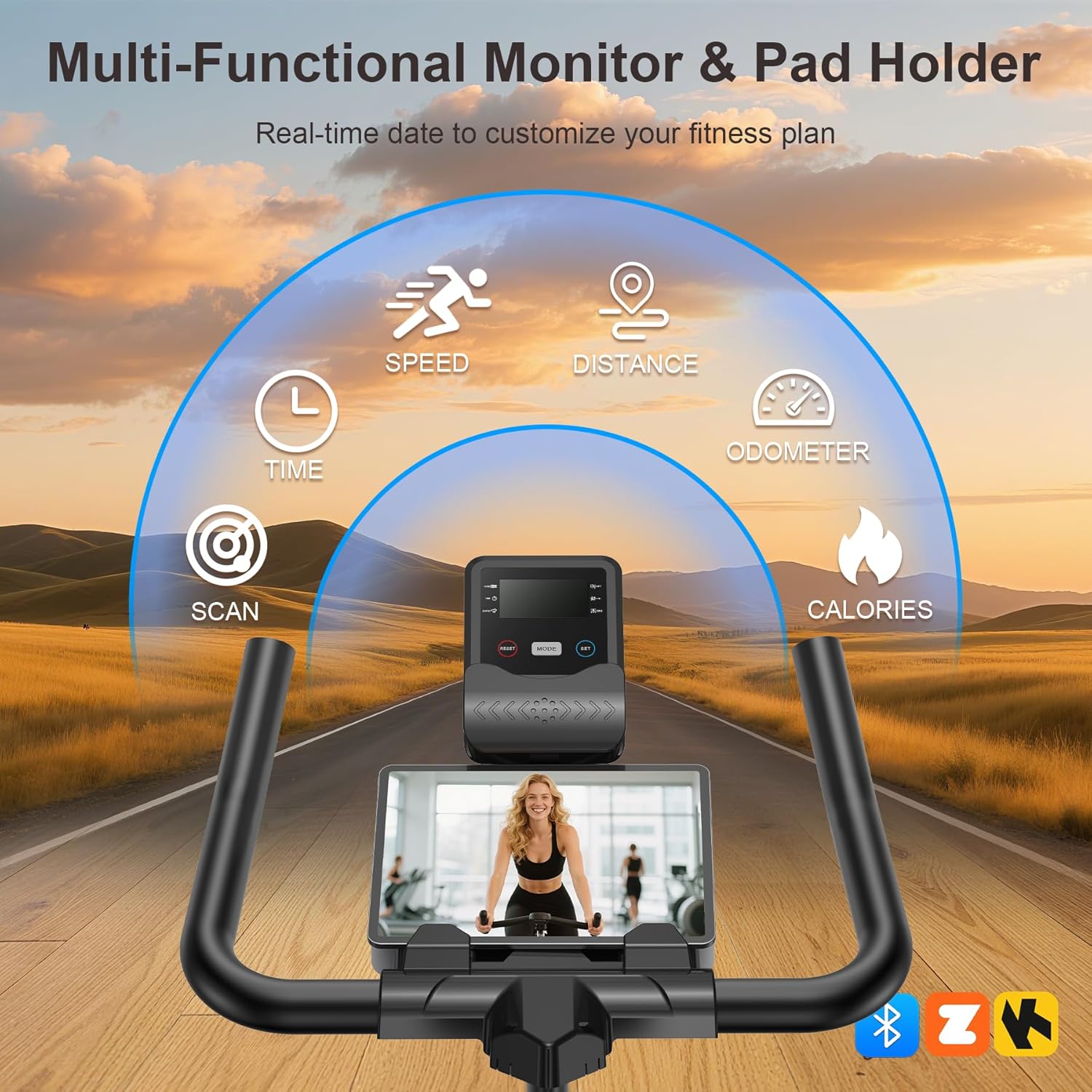
Image: The multi-functional LCD monitor provides real-time workout data.
App Sync & Bluetooth Tracking
Connect your Wenoker Exercise Bike to compatible fitness apps via Bluetooth for enhanced workout experiences:
- Download a compatible fitness app (e.g., Zwift, Kinomap) on your smartphone or tablet.
- Enable Bluetooth on your device.
- Open the fitness app and follow the in-app instructions to pair with your Wenoker bike.
- Enjoy virtual rides, coaching programs, and real-time data tracking directly on your device.
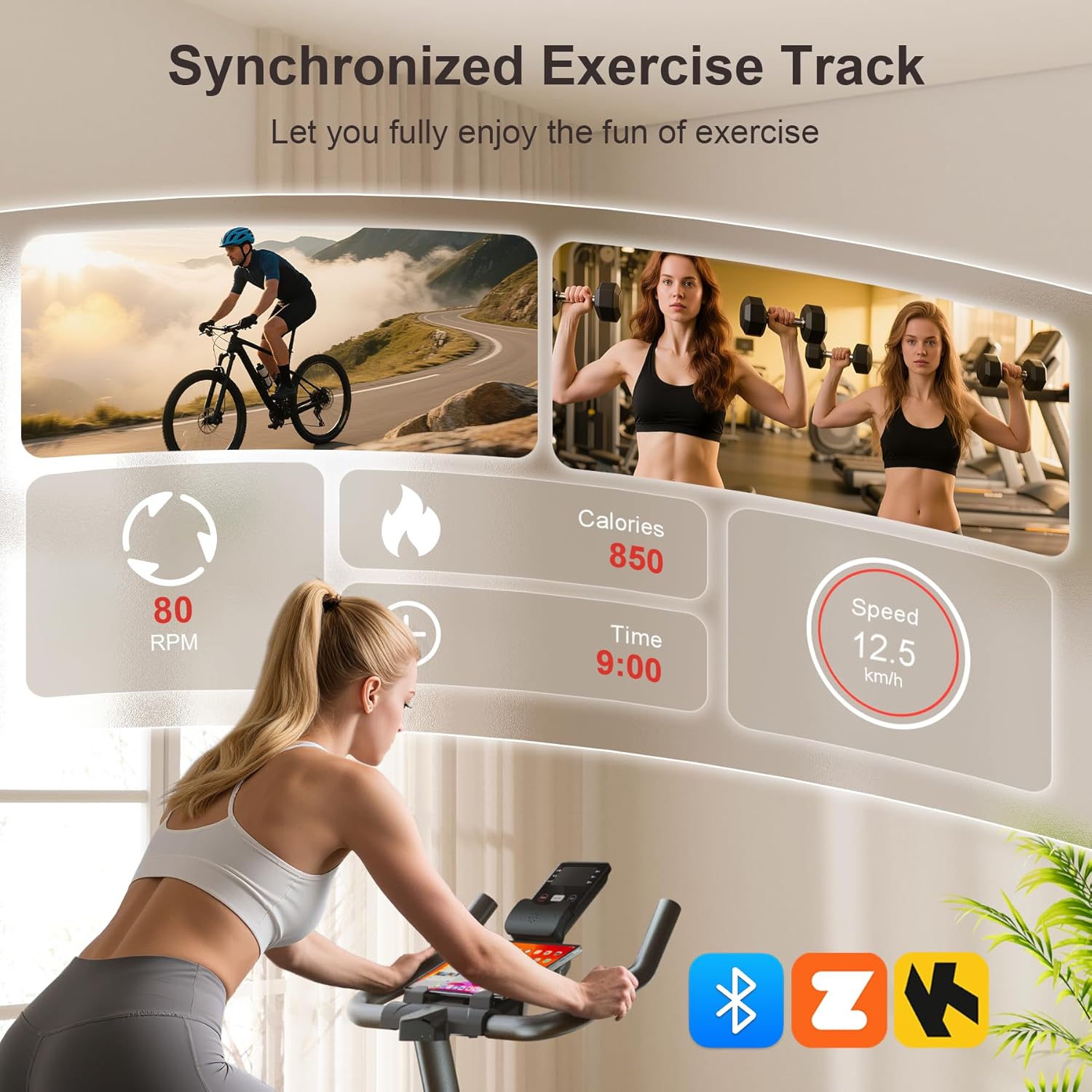
Image: Smart APP and Bluetooth connectivity for tracking workouts and engaging with fitness programs.
6. Maintenance
Regular maintenance ensures the longevity and safe operation of your exercise bike:
- Cleaning: Wipe down the bike with a damp cloth after each use to remove sweat and dust. Avoid abrasive cleaners.
- Inspection: Periodically check all bolts, nuts, and moving parts for tightness. Re-tighten as necessary.
- Lubrication: The belt drive system is designed for low maintenance. Do not lubricate the belt or flywheel unless specifically instructed by customer support.
- Storage: Store the bike in a dry, cool place away from direct sunlight and moisture. Use the transport wheels to move it easily.

Image: The built-in transport wheels allow for easy movement and storage of the exercise bike.
7. Troubleshooting
- Noise during operation: Check all bolts and nuts for tightness. Ensure the bike is on a level surface. If the noise persists, contact customer support.
- Unstable ride: Adjust the leveling knobs on the stabilizer bars to ensure the bike is stable on uneven floors.
- LCD monitor not working: Check if the batteries are correctly installed and have sufficient charge. Ensure the sensor wire is securely connected.
- Resistance not changing: Verify the resistance knob is functioning correctly and not stuck.
8. Specifications
| Feature | Specification |
|---|---|
| Brand | Wenoker |
| Model Name | WF-WSWG-1G4V |
| Material | Alloy Steel |
| Resistance Mechanism | Friction |
| Drive System | Belt |
| Product Dimensions | 37.4"D x 7.48"W x 29.92"H |
| Maximum Weight Recommendation | 350 Pounds |
| Noise Level | Below 25dB |
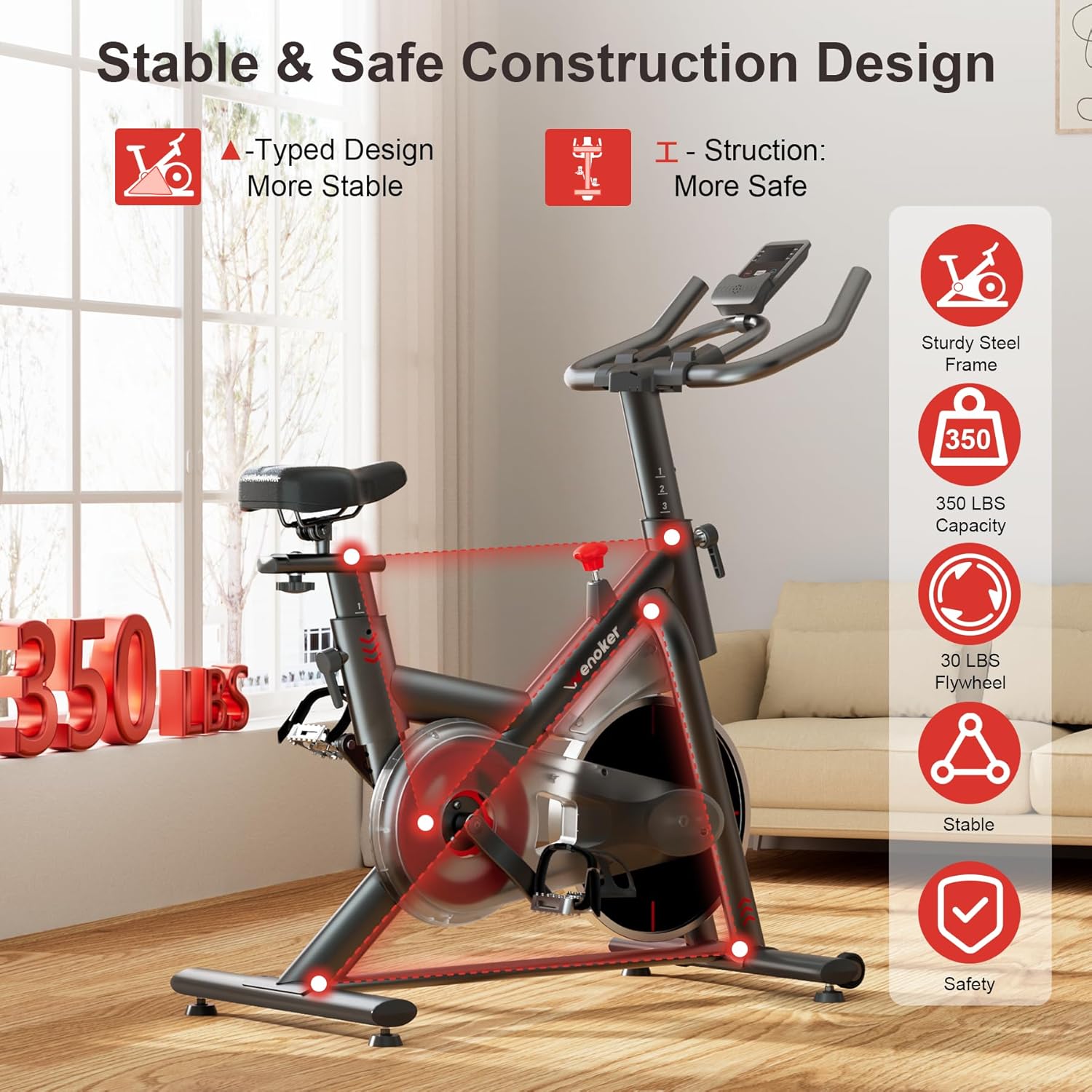
Image: Heavy-duty steel frame and reinforced triangle structure ensure stability and durability.
9. Warranty and Support
For any questions, concerns, or warranty claims, please contact Wenoker customer support.
- Email: wenokerdirect@outlook.com
- Operating Hours: Monday-Friday, 9:00 AM - 5:00 PM PST/PDT
Please retain your purchase receipt as proof of purchase for warranty purposes.