
1. Safety Instructions
Please read all safety instructions carefully before operating the VTOMAN FlashSpeed 2400 Portable Power Station. Failure to follow these instructions may result in electric shock, fire, or serious injury.
- Do not disassemble, repair, or modify the unit.
- Do not expose the unit to fire or high temperatures.
- Keep the unit away from water, moisture, and direct sunlight.
- Use only VTOMAN-approved accessories and charging cables.
- Ensure proper ventilation during use and charging.
- Keep out of reach of children and pets.
- In case of abnormal operation, immediately disconnect the unit and contact customer support.
2. Product Overview
The VTOMAN FlashSpeed 2400 is a portable power station designed to provide reliable power for various applications, from outdoor adventures to emergency backup. It features a high-capacity LiFePO4 battery, multiple output ports, and fast charging capabilities.
Package Contents
Verify that all items are included in your package:
- 1 x VTOMAN FlashSpeed 2400 Portable Power Station
- 1 x AC Charging Cable
- 1 x Car Charging Cable
- 1 x USB-A to Type-C Cable
- 1 x Type-C to Type-C Cable
- 1 x Jump Starter Cable
- 1 x User Manual
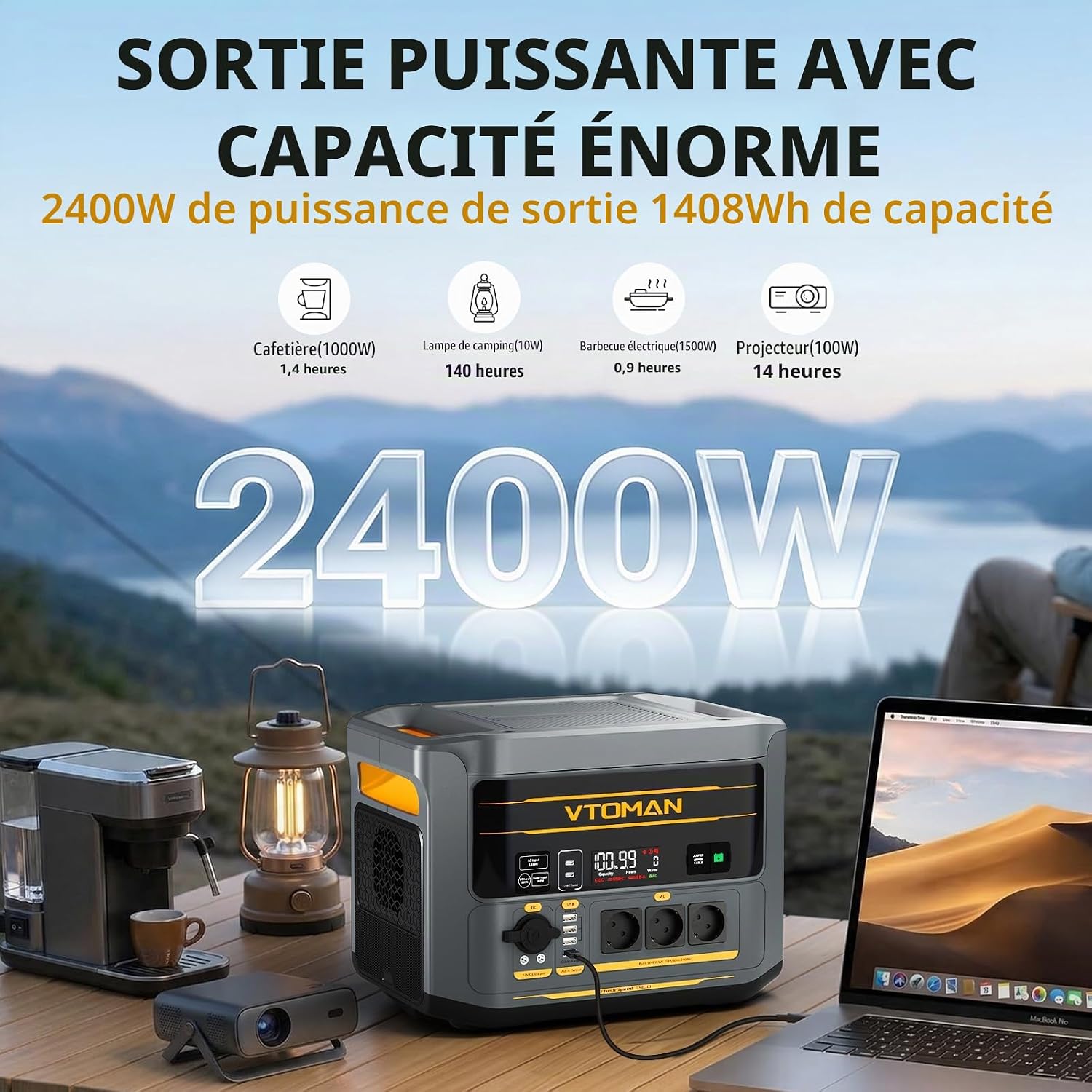
Image: VTOMAN FlashSpeed 2400 with all included cables and the user manual.
Unit Features and Ports
The FlashSpeed 2400 is equipped with various ports for versatile charging and powering needs.

Image: Detailed diagram showing all input and output ports on the VTOMAN FlashSpeed 2400.
- AC Output: 3 x AC outlets (2400W continuous, 3200W peak)
- USB Output: 3 x USB-A (12W), 1 x USB-A QC3.0 (18W), 2 x USB-C (PD 100W)
- DC Output: 2 x DC5521 (12V/10A), 1 x Car Output (12V/10A)
- Input Ports: AC Input (1500W Max), Solar Input (12-60V, 600W Max), DC Input (12-20V, 200W Max)
- Special Features: Integrated LED light with 5 modes (Low/Medium/Strong/SOS/Flash), Jump Starter Port, Expandable Battery Port
3. Setup
Initial Charging
Before first use, fully charge your FlashSpeed 2400. This ensures optimal battery performance and longevity.
- Connect the provided AC charging cable to the AC input port on the power station.
- Plug the other end of the AC cable into a wall outlet.
- The display will show the charging status. The unit will be fully charged in approximately 1 hour using AC input.

Image: Illustration of various charging methods including AC, solar, and car charging.
Other Charging Methods
- Solar Charging: Connect compatible solar panels (up to 600W max) to the solar input port. Charging time is approximately 4 hours under ideal conditions.
- Car Charging: Use the car charging cable to charge the unit from your vehicle's 12V outlet.
- AC + Solar Simultaneous Charging: For the fastest charge, combine AC and solar input to fully charge the unit in approximately 0.8 hours.
4. Operating Instructions
Powering On/Off
Press and hold the main power button for a few seconds to turn the unit on or off. The LCD display will illuminate, showing battery level, output status, and other relevant information.
Using Output Ports
Once the unit is powered on, activate the desired output sections (AC, USB, DC) by pressing their respective buttons. Connect your devices to the appropriate ports.

Image: The FlashSpeed 2400 connected to and powering multiple electronic devices simultaneously.
Uninterruptible Power Supply (UPS) Function
The FlashSpeed 2400 features an Uninterruptible Power Supply (UPS) function with a rapid 10ms switchover time. When connected to an AC wall outlet and powering devices, it will automatically switch to battery power in case of a power outage, ensuring continuous operation for critical devices.

Image: Diagram illustrating the UPS function, showing seamless power transition during an outage.
Jump Start Function
The FlashSpeed 2400 can be used to jump-start vehicles with 12V batteries (up to 8L gasoline engines and 6L diesel engines).
- Insert the jump starter cable into the dedicated JUMPER CABLE port on the power station.
- Connect the red clamp to the positive (+) terminal of the car battery and the black clamp to the negative (-) terminal.
- Ensure the indicator on the jump starter cable shows a stable green light, indicating a correct connection.
- Start your vehicle's engine.
- Once the engine starts, immediately remove the jump starter cable from the car battery and then from the power station.
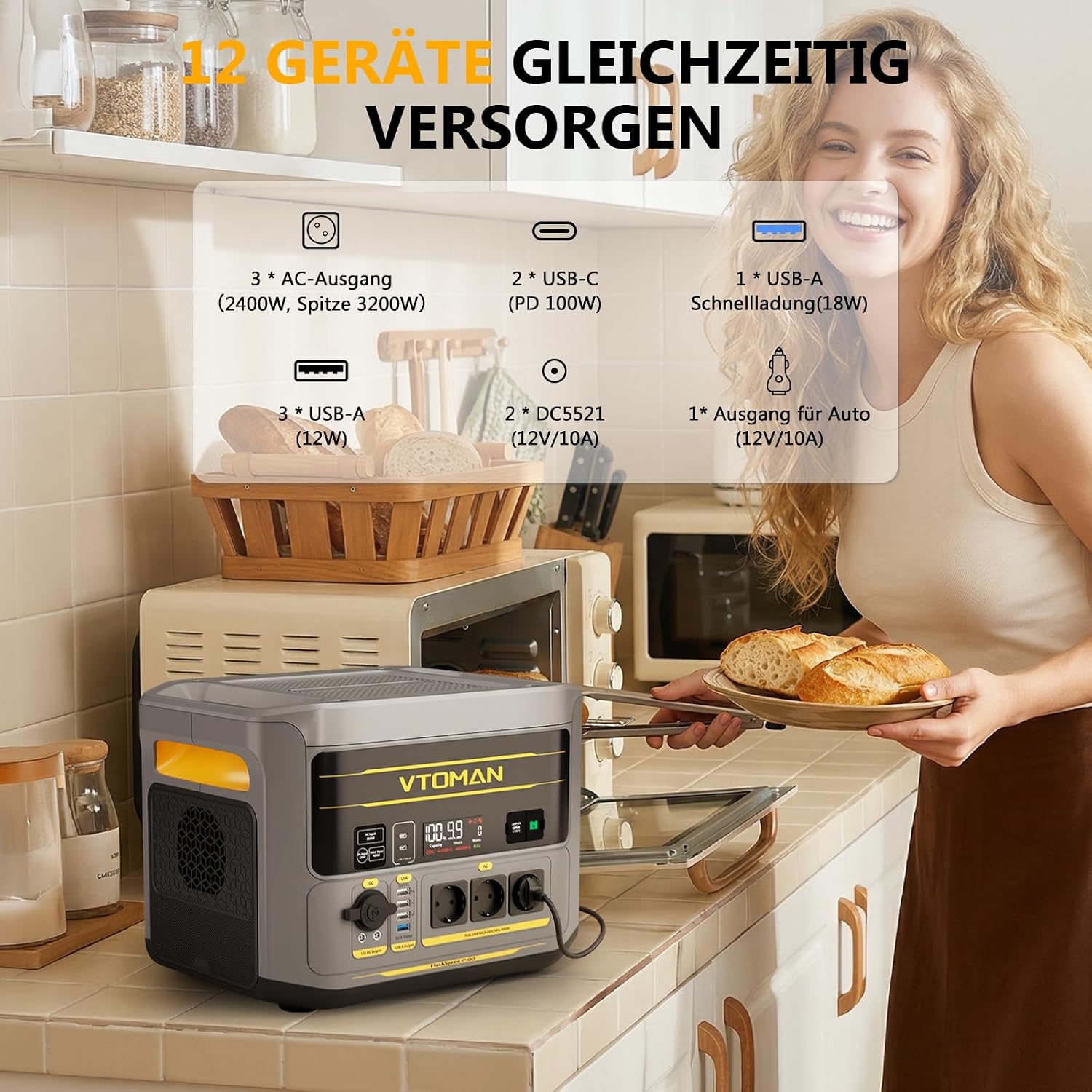
Image: The FlashSpeed 2400 connected to a car battery with jump starter cables, ready to start the engine.
LED Light Operation
The integrated LED light has 5 modes: Low, Medium, Strong, SOS, and Flash. Press the LED light button to cycle through the modes. Hold the button to turn it off.
5. Maintenance
Battery Care
The FlashSpeed 2400 uses a durable LiFePO4 battery, designed for a long lifespan. To maximize battery life:
- Fully charge the unit at least once every 3-6 months, even if not in use.
- Avoid storing the unit in extreme temperatures (above 40°C or below -10°C).
- Do not completely drain the battery frequently.

Image: Information graphic highlighting the 10-year lifespan and 3000+ cycles of the LiFePO4 battery.
Cleaning and Storage
- Wipe the unit with a dry, soft cloth. Do not use abrasive cleaners or solvents.
- Store the unit in a cool, dry place, away from direct sunlight and corrosive materials.
- Ensure all ports are clean and free of debris.
6. Troubleshooting
If you encounter issues with your FlashSpeed 2400, please refer to the following common solutions:
- Unit not turning on: Ensure the battery is charged. If not, connect to an AC outlet for charging.
- No output from ports: Verify that the specific output section (AC, USB, DC) is activated. Check if the device being charged is compatible with the output power.
- Slow charging: Ensure you are using the original VTOMAN charging cables. For solar charging, ensure panels are in direct sunlight and properly connected.
- Overload protection: If the unit shuts down due to overload, disconnect some devices and restart the unit. Ensure total power draw does not exceed 2400W.
For persistent issues, please contact VTOMAN customer support.
7. Specifications
| Feature | Detail |
|---|---|
| Model Name | FlashSpeed 2400 (PB-112) |
| Battery Type | LiFePO4 |
| Capacity | 1408 Wh (Expandable up to 2688 Wh with additional battery) |
| AC Output Power | 2400W (Continuous), 3200W (Peak) |
| AC Voltage | 230 Volts |
| Frequency | 50 Hz |
| AC Charging Input | 1500W Max |
| Solar Charging Input | 12-60V, 600W Max |
| DC Charging Input | 12-20V, 200W Max |
| USB-A Output | 3 x 12W, 1 x QC3.0 (18W) |
| USB-C Output | 2 x PD 100W |
| DC5521 Output | 2 x 12V/10A |
| Car Output | 1 x 12V/10A |
| Dimensions (L x W x H) | 35 x 26 x 27 cm |
| Weight | 18 Kilograms |
| UPS Switchover Time | <10 ms |
| Jump Start Capability | 12V vehicles (up to 8L gas, 6L diesel) |
8. Warranty and Support
Warranty Information
The VTOMAN FlashSpeed 2400 Portable Power Station comes with a 24-month protection warranty. The integrated LiFePO4 battery is designed for a 10-year lifespan, maintaining over 80% capacity after 3,000 charge cycles.
Customer Support
For any questions, technical assistance, or warranty claims, please contact VTOMAN customer service:
Email: service.eu@vtoman.com

Image: VTOMAN customer service contact details and warranty information.


