
Introduction
Thank you for choosing the Rulefiss BX27 Wireless Sport Earbuds. This manual provides essential information on how to set up, operate, and maintain your earbuds to ensure optimal performance and longevity. Please read this manual thoroughly before using the product.
Package Contents
Please check the package for the following items:
- 1 x Portable Charging Case
- 1 x Type-C Charging Cable
- 2 x BX27 Wireless Sport Earbuds (Left and Right)
- 2 Pairs of Soft Silicone Ear Caps (L/S sizes)
- 1 x User Manual
Product Overview
The Rulefiss BX27 earbuds feature an ergonomic design with secure ear hooks, a compact charging case, and intuitive touch controls. Familiarize yourself with the components for ease of use.
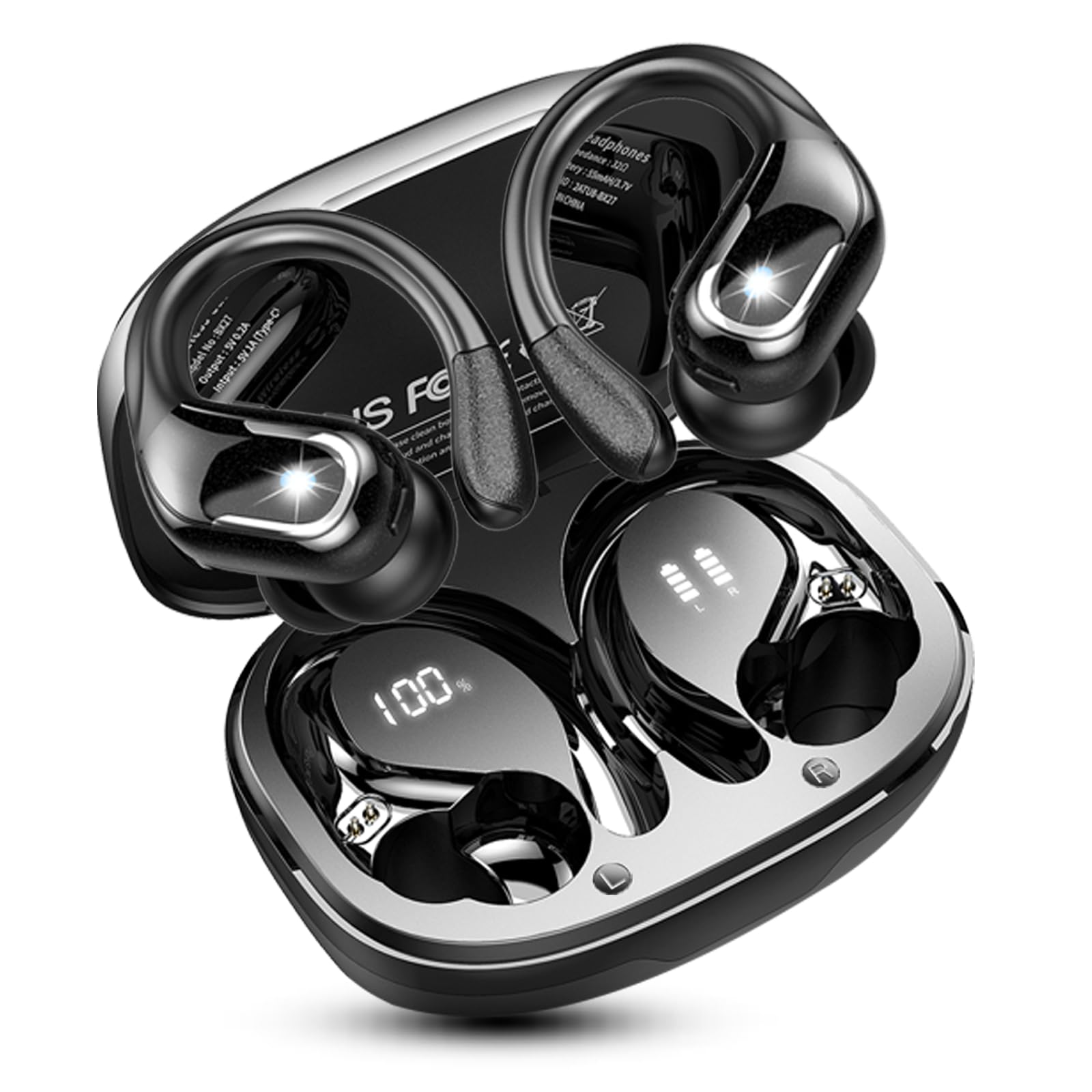
Image: The Rulefiss BX27 wireless sport earbuds are shown inside their charging case, which displays a 100% battery level. An individual earbud is also shown separately, highlighting its ear hook design. The image indicates a total battery life of 75 hours with the charging case and 15 hours per earbud.
Setup
1. Charging the Earbuds and Case
Before first use, fully charge both the earbuds and the charging case. Place the earbuds into the charging case. Connect the Type-C charging cable to the charging port on the case and to a USB power source. The LED display on the case will show the battery percentage, and the earbuds will indicate their charging status.
- Earbud Battery Life: Up to 15 hours on a single charge (at 50%-60% volume).
- Total Playtime with Charging Case: Approximately 75 hours.
- Charging Case Charge Time: Approximately 1.5 hours via Type-C.

Image: The charging case for the Rulefiss BX27 earbuds is open, showing the earbuds inside. The case features a dual LED power display, indicating '100%' for the charging case battery percentage and a four-bar LED display for the earbud's charge status.
2. Bluetooth Pairing
The earbuds utilize advanced Bluetooth 5.4 technology for a stable and efficient connection.
- First-time Pairing: Open the charging case. The earbuds will automatically enter pairing mode.
- On your device (smartphone, tablet, laptop), enable Bluetooth and search for available devices.
- Select "Rulefiss BX27" from the list of devices. Once connected, you will hear a confirmation sound.
- Subsequent Use: After the initial pairing, the earbuds will automatically connect to your last paired device when you open the charging case.

Image: A close-up illustration of a Rulefiss BX27 earbud, highlighting its internal Bluetooth 5.4 chip. The image emphasizes the new Bluetooth 5.4 technology for faster and more stable connections.
Operating Instructions
1. Wearing the Earbuds
The BX27 earbuds are designed for a secure and comfortable fit, especially during physical activity.
- Choose the correct size of silicone ear tips (S, M, L) for your ears to ensure a snug fit and optimal sound quality.
- Place the earbud into your ear canal and gently rotate it until the soft silicone ear hook rests comfortably and securely over your ear.
- Adjust the earbud position for maximum comfort and stability.

Image: A person is shown wearing a Rulefiss BX27 earbud, with water splashing on their face, illustrating the IP7 waterproof feature. The image also highlights the flexible ear hooks and the availability of S, M, L size ear tips for comfortable wear.
2. Smart Touch Controls
The earbuds feature precise touch controls located on the upper surface of each earbud. Refer to the diagram below for specific functions:

Image: A diagram illustrating the smart touch controls for the Rulefiss BX27 earbuds. It shows various gestures like holding for 2 seconds (power on/off), single click (play/pause, answer/end call), triple click (Siri/voice assistant), double click (next/previous track), and holding for 5 seconds (power off).
| Action | Left Earbud (L) | Right Earbud (R) |
|---|---|---|
| Play/Pause Music | Click Once | Click Once |
| Next Song | Click Twice | |
| Previous Song | Click Twice | |
| Volume Up | Click Three Times | |
| Volume Down | Click Three Times | |
| Answer/End Call | Click Once | Click Once |
| Reject Call | Hold for 2 Seconds | Hold for 2 Seconds |
| Activate Voice Assistant (Siri) | Click Three Times | Click Three Times |
| Power On | Hold for 2 Seconds (when off) | Hold for 2 Seconds (when off) |
| Power Off | Hold for 5 Seconds | Hold for 5 Seconds |
3. Call Functions
The BX27 earbuds are equipped with 4 built-in HD microphones and CVC 8.0 noise reduction technology, ensuring clear calls by reducing external ambient noise by up to 60%.

Image: A close-up of a Rulefiss BX27 earbud, illustrating its ENC (Environmental Noise Cancelling) technology. The diagram indicates that the earbuds can eliminate up to 40dB of external ambient noise and highlights the main microphone for talking.
Maintenance
1. Cleaning and Care
To maintain the performance and hygiene of your earbuds:
- Regularly clean the ear tips and earbud surfaces with a soft, dry cloth.
- After intense exercise, wipe the metal parts of the earbuds with a dry cloth to prevent corrosion from sweat.
- Keep the charging case and earbuds free from dust and debris.
2. IP7 Waterproof Rating
The Rulefiss BX27 earbuds feature an IP7 waterproof rating, meaning they are protected against immersion in water up to 1 meter for 30 minutes. This makes them suitable for workouts, running, and other outdoor activities where they may be exposed to sweat or rain.
- The surface of both in-ear earbuds is sealed to prevent sweat or rain from penetrating.
- An internal nano-coating protects components from atmospheric moisture.
- Note: The charging case is not waterproof. Do not expose the charging case to water.
Troubleshooting
If you encounter any issues with your Rulefiss BX27 earbuds, please refer to the following common solutions:
- Earbuds not pairing: Ensure both earbuds are charged. Place them back in the case, close it, then open it again to re-enter pairing mode. Delete "Rulefiss BX27" from your device's Bluetooth list and try pairing again.
- Only one earbud working: Try resetting the earbuds. Ensure both earbuds are fully charged. If the issue persists, try re-pairing them.
- No sound: Check the volume level on both your device and the earbuds. Ensure the earbuds are properly connected to your device.
- Charging issues: Ensure the charging cable is securely connected to both the case and the power source. Check if the charging port is clean and free of debris.
- Unstable connection: Ensure there are no significant obstacles between your device and the earbuds. Keep the earbuds within the 10-meter Bluetooth range.
Specifications
| Feature | Detail |
|---|---|
| Model Number | X27 |
| Brand | Rulefiss |
| Bluetooth Version | 5.4 |
| Bluetooth Range | 10 Meters |
| Earbud Battery Life | 15 hours (single charge) |
| Total Playtime (with case) | 75 hours |
| Charging Time (Case) | 1.5 hours |
| Charging Port | USB-C |
| Water Resistance | IP7 (Earbuds only) |
| Noise Control | CVC 8.0 Noise Isolation, ENC Noise Cancelling (4 Mics) |
| Audio Driver Size | 14.2 Millimeters |
| Control Method | Touch |
| Ear Placement | Over-Ear (with ear hooks) |
| Form Factor | In-Ear |
| Compatible Devices | Android/iOS Smartphones, Laptops, Tablets |
| Recommended Uses | Sports, Running, Gym, Workout, Cycling, Travel, Yoga |
Warranty and Support
Rulefiss products are designed and manufactured to the highest quality standards. This product is covered by a limited warranty from the date of purchase. For specific warranty terms and conditions, please refer to the warranty card included in your package or contact Rulefiss customer support.
If you require further assistance, have questions, or need to report an issue that is not covered in the troubleshooting section, please contact our customer support team. Contact information can typically be found on the product packaging or on the official Rulefiss website.
