
1. Introduction
This manual provides comprehensive instructions for the safe and efficient use of your Aramox 5G Mobile Hotspot. Please read this manual thoroughly before operating the device and retain it for future reference. This device offers high-speed 5G WiFi 6 connectivity, multi-device support, and a robust design for portable internet access.
2. Product Overview
Key Features
- High-Speed Connectivity: Experience fast 5G WiFi 6 speeds, delivering up to 2.77Gbps for seamless streaming and gaming.
- Multi-Device Support: Connect up to 16 devices simultaneously, including laptops, tablets, and smartphones.
- All-Day Connectivity: Equipped with a powerful 7100mAh battery for extended use and quick charging.
- Versatile Band Support: Compatible with multiple 5G and 4G bands for stable connections across various networks.
- Rugged and Portable Design: IP67 rated, built for outdoor use, featuring a user-friendly touchscreen.
What's in the Box
- 1 x Aramox 5G Mobile Hotspot (Router)
- 1 x USB Type-C Cable
- 1 x SIM Eject Pin
- 1 x Instruction Manual (this document)
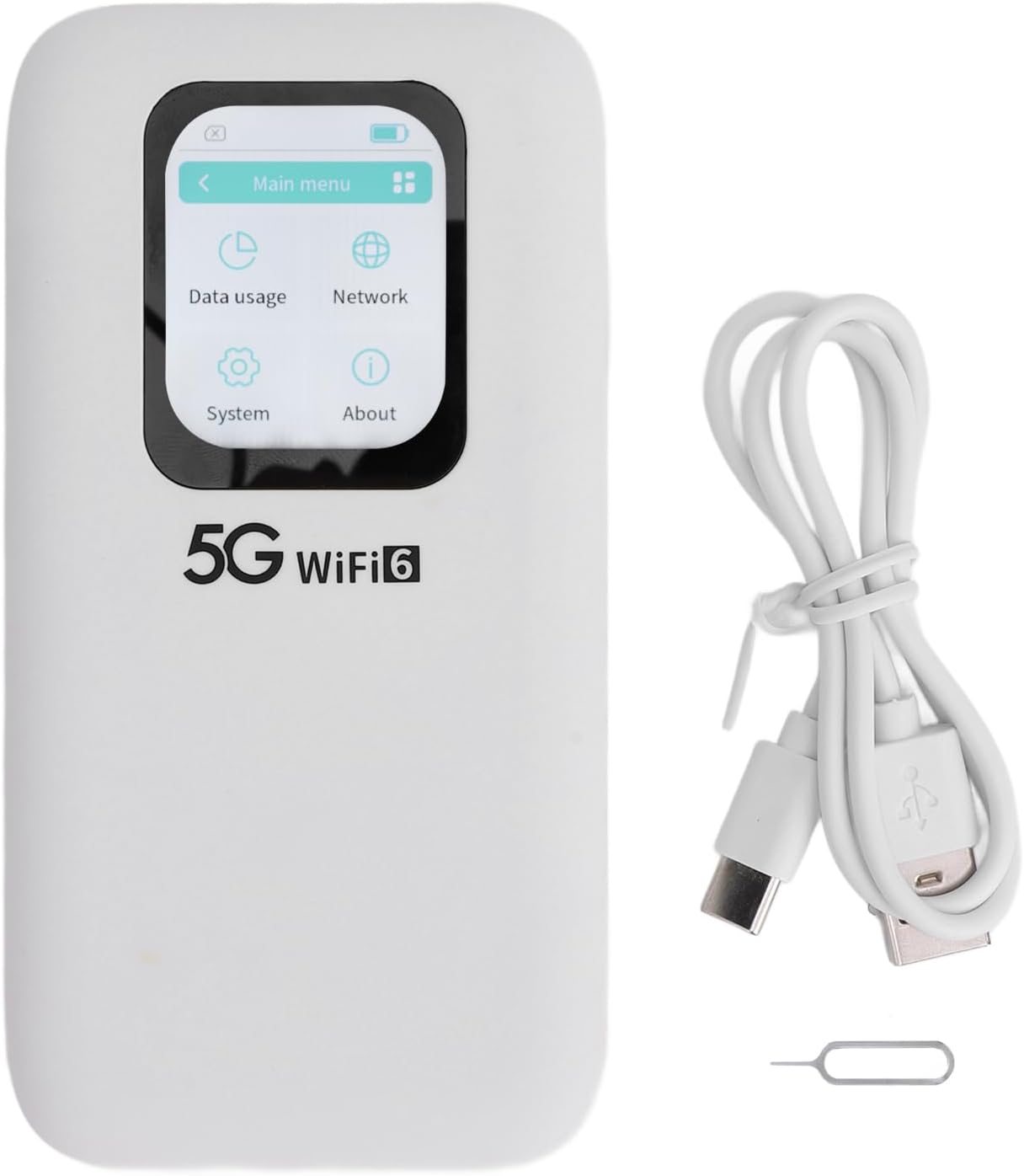
Figure 2.1: The Aramox 5G Mobile Hotspot alongside its included USB Type-C charging cable and SIM ejector tool. This illustrates the complete package contents.
3. Setup
3.1 Inserting the SIM Card
- Ensure the device is powered off.
- Locate the SIM card slot on the side or back of the device.
- Use the provided SIM eject pin to open the SIM tray.
- Place a Nano SIM card into the tray with the gold contacts facing down, ensuring it is correctly oriented.
- Gently push the SIM tray back into the device until it clicks into place.

Figure 3.1: Rear view of the Aramox 5G Mobile Hotspot, showing the back panel where the SIM card slot is typically located.
3.2 Charging the Device
- Connect the USB Type-C cable to the charging port on the device.
- Connect the other end of the USB cable to a compatible USB power adapter (not included) or a computer's USB port.
- The device will indicate charging status on its screen. A full charge is recommended before first use.

Figure 3.2: Side view of the Aramox 5G Mobile Hotspot, highlighting the power button and USB Type-C charging port.
3.3 Powering On/Off
- To Power On: Press and hold the power button (located on the side) for a few seconds until the screen illuminates.
- To Power Off: Press and hold the power button until a power-off option appears on the screen, then confirm. Alternatively, a long press may directly power off the device.
4. Operating Instructions
4.1 Connecting to the WiFi Network
- Ensure your Aramox 5G Mobile Hotspot is powered on and has an active SIM card with a data plan.
- On your client device (laptop, smartphone, tablet), open the WiFi settings.
- Search for available WiFi networks. The hotspot's SSID (network name) and password can be found on the device's screen or on a label inside the battery compartment.
- Select the hotspot's SSID and enter the password when prompted.
- Once connected, your client device will have internet access through the hotspot.
4.2 Using the Touchscreen Interface
The 2.01-inch touchscreen allows for easy navigation and configuration of the hotspot settings. Swipe left or right, or tap icons to access different menus.

Figure 4.1: Front view of the Aramox 5G Mobile Hotspot, displaying the main menu on its touchscreen. This image shows options for Data usage, Network, System, and About.
4.3 Managing Settings
- Data Usage: Monitor your data consumption.
- Network: View network status, signal strength, and configure network settings.
- System: Access device information, restart, or reset the device.
- About: View device model, software version, and other details.
5. Maintenance
5.1 Battery Care
- Avoid exposing the device to extreme temperatures.
- Do not fully discharge the battery frequently. Charge it when the battery level is low.
- Use only the provided USB cable or a certified equivalent for charging.
5.2 Cleaning
- Wipe the device with a soft, dry cloth.
- Do not use liquid cleaners or aerosols directly on the device.
5.3 Water and Dust Resistance
The device is IP67 rated, meaning it is protected against dust ingress and can withstand immersion in water up to 1 meter for 30 minutes. However, avoid intentional submersion and ensure all ports are closed securely to maintain water resistance.
6. Troubleshooting
Common Issues and Solutions
- No Internet Connection:
- Ensure the SIM card is properly inserted and has an active data plan.
- Check the signal strength indicator on the hotspot's screen.
- Restart the hotspot and your connected device.
- Slow Connection Speed:
- Move to an area with better network coverage.
- Reduce the number of connected devices.
- Check your data plan for any speed limitations or data caps.
- Device Not Powering On:
- Ensure the battery is charged. Connect the device to a power source.
- Try pressing and holding the power button for a longer duration (10-15 seconds).
- Forgotten WiFi Password:
- The WiFi password is displayed on the hotspot's screen under the Network settings.
Factory Reset
If the device experiences persistent issues, a factory reset may resolve them. This will erase all custom settings and restore the device to its original factory state. Locate the reset pinhole (often near the SIM slot or power button) and use the SIM eject pin to press and hold the reset button for approximately 5-10 seconds until the device restarts.

Figure 6.1: Close-up of the side of the Aramox 5G Mobile Hotspot, showing a small pinhole, which is likely the reset button.
7. Specifications
| Feature | Specification |
|---|---|
| Item Type | 5G Mobile Hotspot |
| Model Number | Aramox1z3ksqbpix |
| Material | ABS |
| Color | White |
| Dimensions (L x W x H) | Approx. 136 x 72 x 16mm / 5.4 x 2.8 x 0.6in |
| Screen | 2.01 inch Touch Screen |
| Battery | Built-in Lithium Battery, 7100mAh Capacity |
| Memory | LPDDR4X 4GB + NAND 2GB ROM |
| Charging Port | USB Type-C |
| SIM Card Type | Nano SIM (Not Included) |
| Cellular Network | Rel.15, 5G NR, SA/NSA, Sub 6G/LTE |
| 5G NR Bands | FDD: N1/N3/N28; TDD: N41/N78; CA: B1+B3, B1+B1, B3+B3, B39+B41, B39+B39, B40+B40, B41+B41 |
| 4G Bands | 4G FDD: B1/B3/B5/B8; 4G TDD: B34/B38/B39/B40/B41; Bands: B1 |
| WiFi Bands | WIFI 6 2.4GHz, 5.8GHz |
| WiFi Protocol | 802.11 a/b/g/n/ac/ax |
| NR Rate | 2.77Gbps (DL) / 1.25Gbps (UL) |
| WiFi Connection | Supports up to 16 Devices Simultaneously |
| IP Rating | IP67 |
| Item Weight | 10.8 ounces |
| Manufacturer | Aramox |
8. Warranty and Support
For warranty information and technical support, please refer to the documentation provided with your purchase or contact the retailer/manufacturer directly. Keep your proof of purchase for warranty claims.