
ERAZERL ZNP Z01
Contents
ERAZERL ZNP Z01 Digital AI Companion Badge User Manual
Model: ZNP Z01
1. Introduction
The ERAZERL ZNP Z01 Digital AI Companion Badge is a versatile, wearable device designed to facilitate communication and provide intelligent assistance. It features 60-language offline translation, an HD touch screen, and Bluetooth connectivity, making it an ideal companion for travel, business, and daily life without relying on Wi-Fi or cellular data. Its privacy-by-design approach ensures all processing occurs on the device, keeping your conversations and data secure locally.

Image: The ERAZERL ZNP Z01 Digital AI Companion Badge, highlighting its compact and modern design.

Image: The ZNP Z01 device illustrating its privacy-by-design feature, ensuring local data processing.
2. What's in the Box
Please verify that all items are present in your package:
- ZNP Z01 Digital AI Companion Badge
- Instruction Manual
- Charging Cable
- Lanyard
3. Setup Guide
- Charge the Device: Before first use, fully charge your ZNP Z01 using the provided charging cable. Connect the cable to the device and a compatible USB power source.
- Download the App: Download the "BagiBagi" app from your smartphone's app store. This app is essential for activating the full AI companion features and personalizing your device.
- Pair via Bluetooth:
- Ensure Bluetooth is enabled on your smartphone.
- Open the "BagiBagi" app and follow the on-screen instructions to pair your ZNP Z01 device. The device maintains a constant, low-energy Bluetooth connection.
- Initial Setup in App: Complete any initial setup steps within the "BagiBagi" app, such as language preferences and AI assistant activation.

Image: The ZNP Z01 device demonstrating Bluetooth connectivity with a smartphone, indicating app interaction.
4. Operating Instructions
4.1. 60-Language Offline Translation
The ZNP Z01 provides instant, seamless translation across 60 languages without requiring Wi-Fi or cellular data. This feature is ideal for international communication in various settings.
- Activate Translation: Specific activation methods may vary slightly based on app updates. Generally, you will select the source and target languages within the "BagiBagi" app.
- Speak Clearly: Speak into the device's microphone clearly. The translated output will be displayed on the HD touch screen and spoken aloud.

Image: The ZNP Z01 showing a translation interface with multiple languages, demonstrating its core function.
4.2. AI Companion Features (Saymi)
Your ZNP Z01 acts as an AI companion named "Saymi." Through the "BagiBagi" app, you can interact with Saymi for various informational and assistive tasks.
- Engage Saymi: Use voice commands through the device or app to ask questions. For example, "Hi Saymi, what attractions are nearby?" or "Where's the best restaurant here?"
- Receive Information: Saymi can provide guidance on recipes, outdoor survival tips, personal reminders, and expert answers for various daily tasks.

Image: The ZNP Z01 interacting with a user, showing its AI companion capabilities.

Image: The ZNP Z01 showcasing its empathetic AI companion feature through a conversational interface.

Image: The ZNP Z01 assisting with cooking, demonstrating its 'Encyclopedia of Life' feature for practical knowledge.
4.3. Versatile Usage Scenarios
The ZNP Z01 is designed to be an all-in-one assistant for various aspects of your life:
- Travel: Overcome language barriers with instant translation.
- Business: Facilitate foreign-language meetings and negotiations.
- Daily Life: Get personal reminders, recipe guidance, and general knowledge.
- Outdoor Activities: Access outdoor knowledge Q&A, even in areas without Wi-Fi.
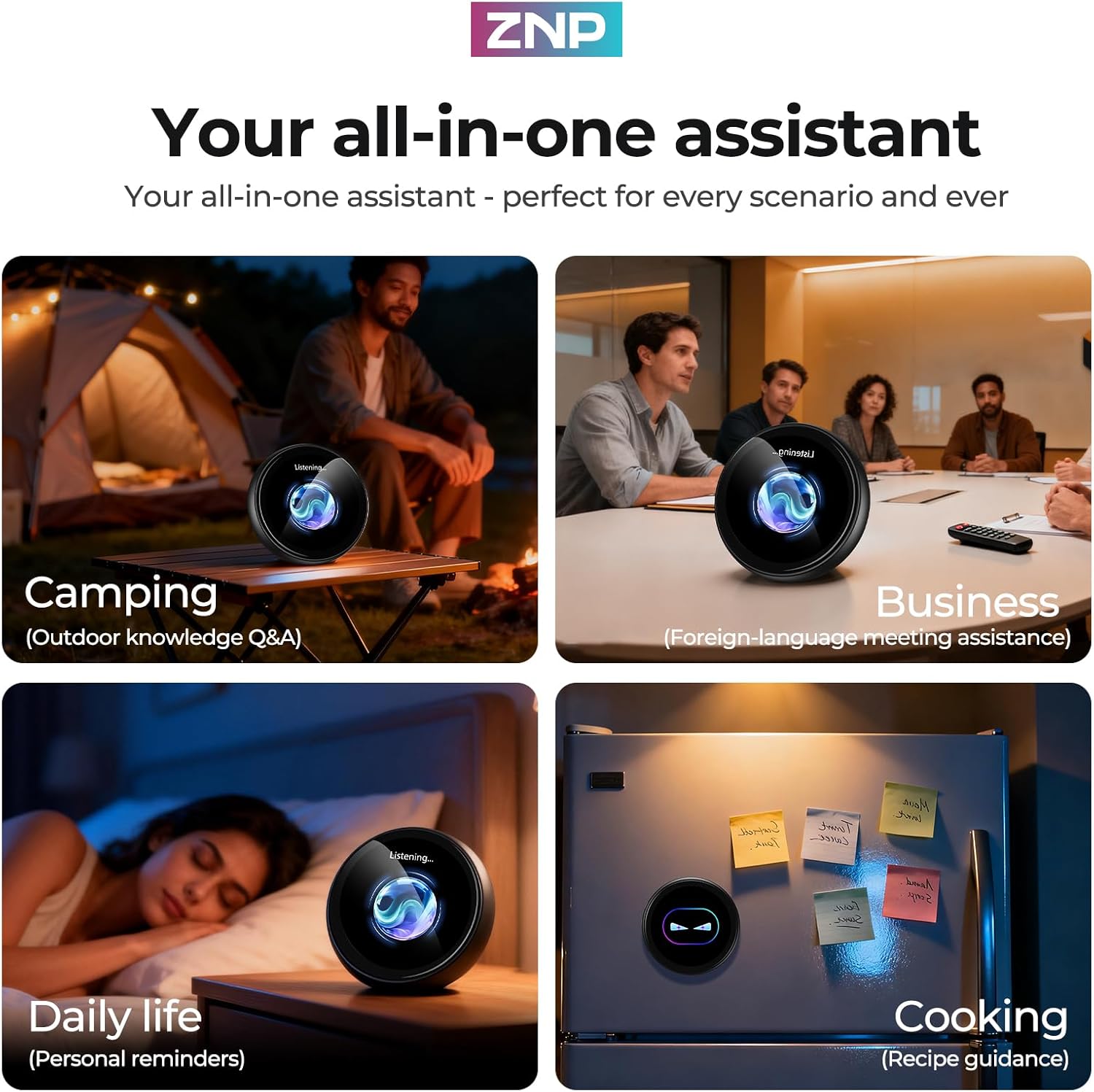
Image: The ZNP Z01 shown in diverse settings, including camping, business, daily life, and cooking, illustrating its multi-functional use.
4.4. Personalization and Wearability
The ZNP Z01 is designed for portability and personalization.
- Custom Wallpapers: Upload your own photos through the "BagiBagi" app to create unique, custom wallpapers for the device's magnetic touchscreen interface.
- Wearing Options: The compact design allows for versatile carrying. It can be placed in a pocket, attached to the provided lanyard for neck wear, or discreetly fastened to clothing.

Image: The ZNP Z01 displaying a personalized wallpaper, with the companion app on a phone showing the customization option.

Image: Demonstrating the compact size and flexible wearing options of the ZNP Z01, including pocket and lanyard use.
5. Maintenance
- Cleaning: Use a soft, dry cloth to clean the device's screen and body. Avoid abrasive materials or harsh chemicals.
- Storage: Store the device in a cool, dry place away from direct sunlight and extreme temperatures.
- Battery Care: To prolong battery life, avoid fully discharging the device frequently. Charge it regularly, even if not in constant use.
- Water Resistance: The device is not specified as waterproof. Avoid exposure to water or high humidity.
6. Troubleshooting
| Problem | Possible Solution |
|---|---|
| Device not turning on | Ensure the device is fully charged. Connect to a power source and try again. |
| Unable to pair via Bluetooth |
|
| Translation not working or inaccurate |
|
| AI Assistant (Saymi) not responding |
|
7. Specifications
- Model: ZNP Z01
- Translation Languages: 60 (Offline capability)
- Connectivity: Bluetooth
- Display: HD Touch Screen
- AI Assistant: Built-in "Saymi" via "BagiBagi" App
- Portability: Wearable, compact design
- Package Dimensions: 1 x 1 x 1 inches
- Item Weight: 1 pounds
- ASIN: B0GJLV34TD
- Date First Available: January 24, 2026
8. Warranty and Support
For warranty information and technical support, please refer to the official ERAZERL website or contact their customer service directly. Keep your purchase receipt as proof of purchase for any warranty claims.
Online Support: Visit the ERAZERL Store on Amazon for additional product information and support resources.
Documents and downloads
Ask a question about this manual
Ask about setup, troubleshooting, compatibility, parts, safety, or missing instructions. Manuals+ will review the question and use this page’s manual context to help answer it.