
Introduction
Thank you for choosing the Uthfy 20 Inch High Velocity Wall Mount Fan. This industrial-grade fan is designed to provide powerful and efficient air circulation in various large spaces, including garages, patios, workshops, and indoor areas. With its robust construction and versatile features, it ensures optimal cooling and ventilation. Please read this manual thoroughly before installation and operation to ensure safe and correct usage.
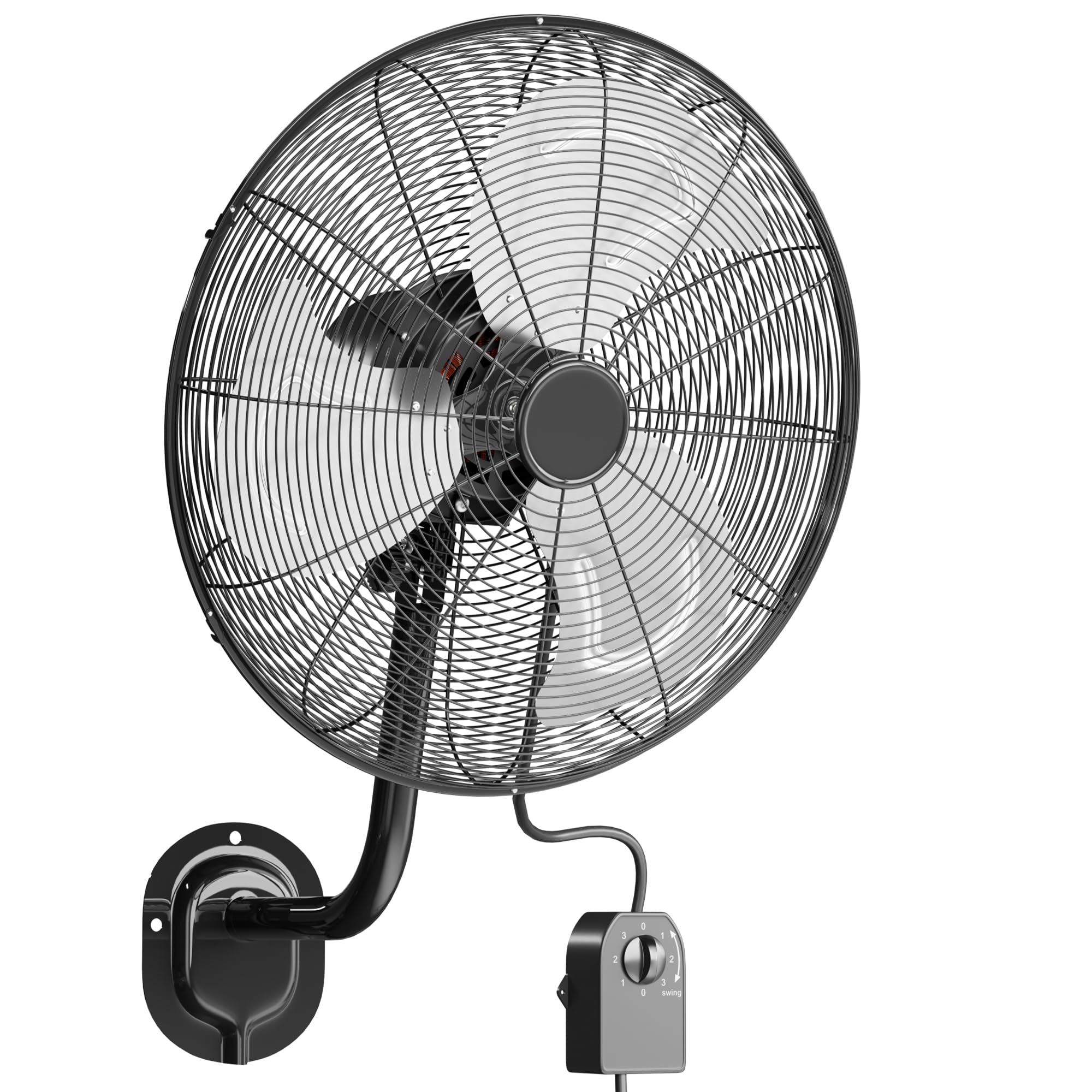
Image: The Uthfy 20 Inch High Velocity Wall Mount Fan, showcasing its robust design.
Safety Instructions
To reduce the risk of fire, electric shock, or injury, always follow these basic safety precautions:
- Read all instructions before using this fan.
- Always unplug the fan from the power outlet before cleaning, servicing, or relocating.
- Do not operate any fan with a damaged cord or plug. Discard the fan or return to an authorized service facility for examination and/or repair.
- Do not run cord under carpeting. Do not cover cord with throw rugs, runners, or similar coverings. Do not route cord under furniture or appliances. Arrange cord away from traffic area and where it will not be tripped over.
- Do not insert fingers or foreign objects into any ventilation or exhaust opening.
- Do not use outdoors or on wet surfaces. This fan is designed for both indoor and outdoor use, but ensure it is protected from direct water exposure.
- Close supervision is necessary when any appliance is used by or near children.
- Ensure the fan is securely mounted to a sturdy wall structure capable of supporting its weight.
Package Contents
Verify that all components are present before beginning installation:
- Uthfy 20 Inch Wall Mount Fan Unit
- Wired Remote Control
- Mounting Hardware (screws, anchors)
- User Manual
Setup and Installation
Follow these steps to properly install your Uthfy wall mount fan:
- Choose a Location: Select a sturdy wall location that can safely support the fan's weight and allows for optimal air circulation. Ensure there is a power outlet within reach of the 6-foot cord.
- Mark Drilling Points: Hold the mounting bracket against the wall at the desired height and mark the positions for drilling.
- Drill Holes: Drill pilot holes at the marked positions. If mounting into drywall, use appropriate wall anchors.
- Attach Mounting Bracket: Securely fasten the mounting bracket to the wall using the provided screws and anchors.
- Mount the Fan: Attach the fan unit to the installed mounting bracket. Ensure it is firmly seated and stable.
- Install Wired Remote: Position the wired remote control knob in a convenient and accessible location. Secure it to the wall using appropriate fasteners.
- Connect Power: Plug the fan's power cord into a grounded electrical outlet.

Image: Example of a wall-mounted fan installation in a garage setting.
Video: Detailed guide on how to assemble and install the Uthfy 20 Inch Wall Mount Fan.
Operating Instructions
Your Uthfy wall mount fan offers multiple settings for customized airflow:
- Power On/Off: Use the wired remote control knob to turn the fan on or off.
- Speed Control: Rotate the knob on the wired remote to select one of three speed settings:
- Low Speed: 4600 CFM (Cubic Feet Per Minute)
- Medium Speed: 5800 CFM
- High Speed: 7200 CFM
- Oscillation: The fan features a dynamic full-range swaying function. Use the remote control to activate 90° horizontal oscillation for wide area coverage.
- Adjustable Tilt: Manually adjust the fan head up to 30° vertically to direct airflow precisely where needed.

Image: Visual representation of the fan's three speed settings and corresponding CFM values.

Image: Diagram illustrating the fan's 90-degree horizontal oscillation and 30-degree vertical tilt capabilities.
Video: Overview of the Uthfy Wall Mounted Fan demonstrating its powerful cooling and features.
Maintenance
Regular maintenance ensures optimal performance and extends the lifespan of your fan:
- Cleaning: Always unplug the fan before cleaning. Use a soft, damp cloth to wipe down the exterior surfaces. Do not use abrasive cleaners or solvents.
- Blade Cleaning: Periodically remove the front grille (if detachable) to clean the fan blades. Dust and debris can accumulate and reduce efficiency.
- Motor Ventilation: Ensure that the motor housing's ventilation openings are free from dust and obstructions to prevent overheating.
- Storage: If storing the fan for an extended period, cover it to protect against dust and store in a dry location.
Troubleshooting
If you encounter issues with your fan, refer to the following common problems and solutions:
| Problem | Possible Cause | Solution |
|---|---|---|
| Fan does not turn on. | No power supply. Power cord not fully plugged in. | Check if the power outlet is functional. Ensure the power cord is securely plugged into the outlet. |
| Low airflow. | Fan blades are dirty. Fan is on a low-speed setting. | Clean the fan blades and grille. Increase the fan speed using the wired remote control. |
| Fan is noisy. | Loose parts. Obstruction in the fan blades. | Turn off and unplug the fan. Check for any loose screws or components and tighten them. Ensure nothing is obstructing the fan blades. |
If the problem persists after attempting these solutions, please contact Uthfy customer support for assistance.
Specifications
| Feature | Detail |
|---|---|
| Brand | Uthfy |
| Model Number | FB-20-2 |
| Size | 20 Inch |
| Product Dimensions (D x W x H) | 21.85"D x 15.16"W x 29.14"H |
| Material | Aluminum, Iron |
| Power Source | AC |
| Wattage | 120 watts |
| Air Flow Capacity (High) | 7200 CFM |
| Number of Speeds | 3 |
| Noise Level | 45 Decibels |
| Mounting Type | Wall Mount |
| Control Method | Wired Remote |
| Indoor/Outdoor Usage | Indoor, Outdoor |
| Special Features | 7200CFM High Airflow, Oscillating, Adjustable Tilt, Heavy Duty, Quiet Operation, Safety Certified |

Image: Detailed diagram illustrating the fan's dimensions and key performance specifications.
Warranty and Support
For warranty information or technical support, please contact Uthfy customer service. Keep your purchase receipt as proof of purchase for any warranty claims.
You can find more information and contact details by visiting the official Uthfy store page: Uthfy Store