
1. Introduction
This manual provides instructions for the UPERFECT 15.6-inch FHD1080P Wireless Portable Monitor. Please read this manual thoroughly before using the product to ensure proper operation and to maximize its features. Keep this manual for future reference.
2. Package Contents
Verify that all items are present in the package:
- 1 x UPERFECT 15.6-inch Wireless Portable Monitor
- 1 x Mini HDMI Cable
- 2 x USB Type-C Cables
- 1 x PD 18W Power Adapter
- 1 x User Manual
- 1 x 15.6-inch Compatible PC Bag (approx. 37x26.2x2cm)
If any items are missing or damaged, please contact customer support.
3. Product Overview
3.1. Monitor Components
The monitor features a sleek design with essential ports and controls for ease of use.

Figure 3.1: Monitor Ports and Buttons
- Power/Menu Button: Press to power on/off, short press to open/close OSD menu.
- '+' Button: Navigate up in menu, increase value.
- '-' Button: Navigate down in menu, decrease value.
- Back Button: Exit menu or go back.
- Headphone Jack: 3.5mm audio output.
- USB Type-C Ports: For power input, video signal, and reverse charging.
- Mini HDMI Port: For video signal input.
3.2. Integrated Stand and VESA Mount
The monitor includes an integrated metal stand that allows for seamless angle adjustment from 0 to 180 degrees. This enables flexible positioning from upright to nearly flat. For alternative mounting options, the monitor is equipped with VESA mount screw holes (75mm x 75mm, M4 screws) on the back, compatible with standard monitor arms or wall mounts.

Figure 3.2: Adjustable Stand and VESA Mount
4. Setup & Connectivity
4.1. Powering the Monitor
The monitor has an 8000mAh built-in battery, providing up to 4 hours of continuous operation. To charge the monitor, connect the included PD 18W power adapter to one of the USB Type-C ports. A full charge takes approximately 2 hours.
4.2. Wireless Connection
The monitor supports wireless display via AirPlay (for Apple devices) and Miracast (for Windows/Android devices), eliminating the need for cables.
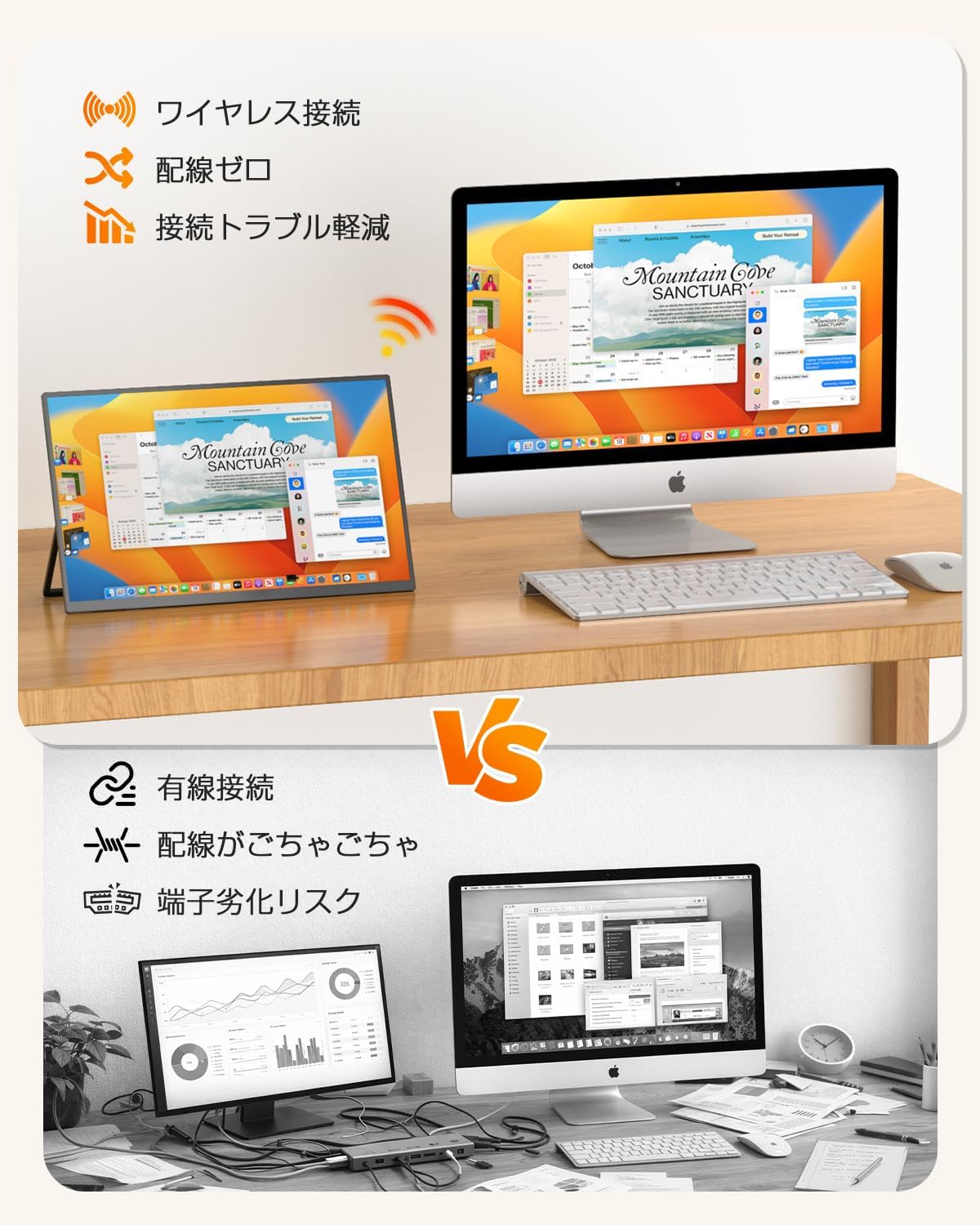
Figure 4.1: Wireless vs. Wired Setup
4.2.1. Connecting to iOS Devices (AirPlay)
To connect your iPhone, iPad, or Mac via AirPlay:
- Swipe down from the top-right corner of your iOS device to open Control Center.
- Tap the Screen Mirroring icon.
- Select "******_P2P" from the list of available devices.
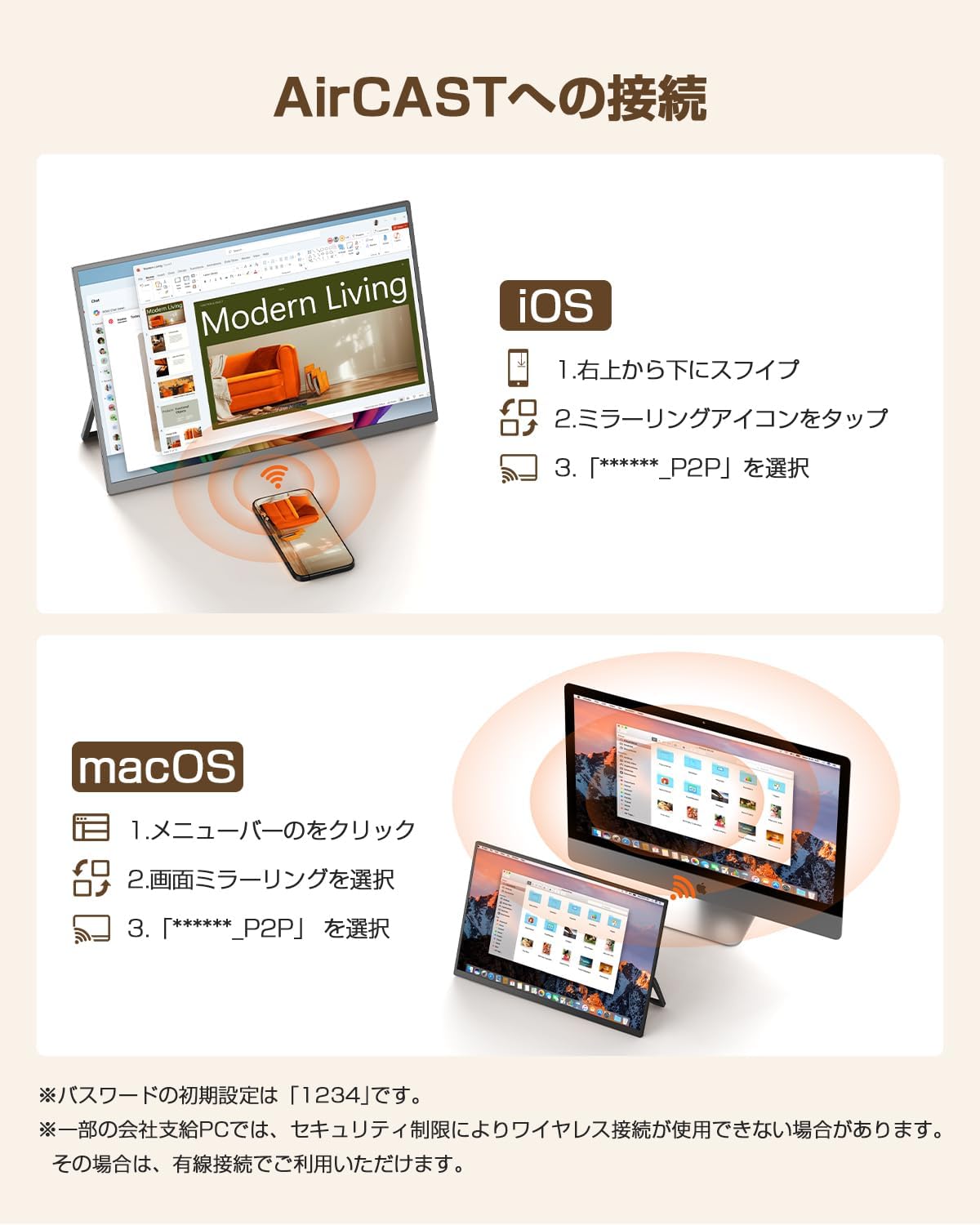
Figure 4.2: iOS AirPlay Connection
4.2.2. Connecting to Android/Windows Devices (Miracast)
To connect your Android smartphone/tablet or Windows PC via Miracast:
- For Android: Open the notification panel and select "Cast" or "Smart View" to share your screen.
- For Windows: Press the Win + K keys simultaneously.
- Select "******_P2P" from the list of available devices.

Figure 4.3: Android/Windows Miracast Connection
Note: The initial password for P2P connection is "1234". Some company PCs may restrict wireless connections due to security policies. In such cases, please use a wired connection.
4.3. Wired Connection
For stable connections, especially for gaming or video editing, or when wireless is restricted, you can use wired connections via USB Type-C or Mini HDMI.
- USB Type-C Connection: Connect a USB Type-C cable from your device (supporting Thunderbolt 3/4/5 or DP Alt Mode) to one of the monitor's USB Type-C ports. This single cable can transmit video, audio, and power.
- Mini HDMI Connection: Connect a Mini HDMI cable from your device to the monitor's Mini HDMI port. If the monitor's battery is low, connect a power source to one of the USB Type-C ports for power.

Figure 4.4: Wired Connection Options
5. Operating Instructions
5.1. Power On/Off
Press and hold the Power/Menu button for a few seconds to turn the monitor on or off.
5.2. Menu Navigation (OSD)
Short press the Power/Menu button to open the On-Screen Display (OSD) menu. Use the '+' and '-' buttons to navigate through menu options and adjust settings. Press the Back button to exit the menu or go back to the previous level.
5.3. Display Settings
Within the OSD menu, you can adjust various display settings:
- Brightness: Adjust the screen brightness (300 nits maximum).
- Contrast: Adjust the contrast ratio (1200:1).
- Color Settings: Fine-tune color temperature, hue, and saturation.
- Low Blue Light Mode: Activate this mode to reduce blue light emission and alleviate eye strain during prolonged use.
5.4. Automatic Rotation Feature
The monitor features an intelligent G-sensor that automatically detects its physical orientation. Place the monitor vertically for portrait mode or horizontally for landscape mode, and the display will adjust automatically. No manual settings are required for this function.

Figure 5.1: Automatic Screen Rotation
6. Features
6.1. High-Quality Display
- FHD IPS Panel: 15.6-inch Full HD (1920 x 1080) IPS liquid crystal display.
- Wide Viewing Angle: 178-degree ultra-wide viewing angle ensures consistent color and image quality from various perspectives.
- Accurate Colors: Covers 100% sRGB color space for rich and faithful color reproduction.
- Non-Glare Screen: Reduces reflections from ambient light, improving visibility.
6.2. Portability and Power
- 8000mAh Battery: Built-in lithium polymer battery provides approximately 4 hours of continuous use.
- Thin and Lightweight: Approximately 8mm thick and weighs about 760g (including stand), making it highly portable.
- Reverse Charging: Supports power supply up to 15W (5V/3A) to compatible devices via USB Type-C.
7. Compatibility
The UPERFECT portable monitor offers broad compatibility with various devices:
7.1. Supported Devices
- Apple Devices: iPhone, iPad, Mac (AirPlay compatible models only).
- Android Devices: Smartphones and tablets (Miracast or manufacturer's mirroring function compatible models only).
- Windows PCs: Windows 10 / 11 PCs (Wireless Display function compatible models only).
- Gaming Consoles: Nintendo Switch, PS5, PS4 (via HDMI connection).
7.2. Compatibility Notes
- Wireless Display Limitations: Wireless display performance can be affected by the connected device's capabilities and the communication environment.
- Copyrighted Content: Due to copyright protection, wireless display is restricted for services like Netflix, Amazon Prime Video, and Google devices. Wired connection is required for viewing such content.
- Reverse Charging: The monitor may not be able to supply power to devices requiring 9V or higher.
8. Troubleshooting
If you encounter issues with your UPERFECT portable monitor, refer to the following common problems and solutions:
| Problem | Possible Cause | Solution |
|---|---|---|
| No display/"No Signal" message | Incorrect cable connection, low battery, incompatible device. | Ensure cables are securely connected. Charge the monitor. Verify device compatibility and mirroring function. Try a different cable or port. |
| Wireless connection unstable/delayed | Distance from source device, obstacles, electromagnetic interference, source device performance. | Reduce distance between devices. Remove obstacles. Avoid placing near electronic ranges or large speakers. Use a wired connection for better stability. |
| Screen does not rotate automatically | G-sensor malfunction (rare). | Restart the monitor. If the issue persists, contact customer support. |
| Monitor not charging | Faulty cable/adapter, incorrect port. | Ensure the PD 18W adapter and USB-C cable are used. Try a different USB-C port on the monitor. |
| Cannot wirelessly display copyrighted content (e.g., Netflix) | DRM restrictions. | Use a wired connection (USB-C or HDMI) to view copyrighted content. |
If the problem persists after trying these solutions, please contact UPERFECT customer support.
9. Specifications
| Brand | UPERFECT |
| Model Number | M156J16 |
| Screen Size | 15.6 inches |
| Resolution | FHD 1080p (1920 x 1080) |
| Aspect Ratio | 16:9 |
| Screen Surface | Non-glare |
| Panel Type | IPS Liquid Crystal |
| Viewing Angle | 178 degrees |
| Brightness | 300 nits |
| Contrast Ratio | 1200:1 |
| Refresh Rate | 60 Hz |
| Response Time | 2 ms |
| Battery Capacity | 8000mAh Lithium Polymer |
| Continuous Use Time | Approx. 4 hours (typical usage) |
| Charging Time | Approx. 2 hours (with PD18W-30W charger) |
| Thickness | Approx. 8mm |
| Weight | Approx. 760g (including stand) |
| Connectivity | USB Type-C (x2), Mini HDMI (x1), 3.5mm Audio Jack |
| Wireless Connectivity | AirPlay, Miracast |
| VESA Mount | 75mm x 75mm (M4 screws) |
| Certifications | PSE Certified |
10. Warranty & Support
10.1. Warranty Information
This UPERFECT monitor comes with a 1-year manufacturer's warranty from the date of purchase. This warranty covers manufacturing defects and malfunctions under normal use. Please retain your proof of purchase for warranty claims.
UPERFECT guarantees no dead pixels or bright spots upon shipment, exceeding industry standards.
10.2. 90-Day Trial
Enjoy a 90-day satisfaction trial. If you are not completely satisfied with the product within this period, you are eligible for a full refund.
10.3. Customer Support
For any questions regarding product use, or if you experience an initial defect during the warranty period, please contact UPERFECT customer support. You can typically find contact information through your order history on the platform where you purchased the product. Our dedicated support team is committed to assisting you.
10.4. Free Accessories
Genuine replacement cables and adapters are provided free of charge permanently, ensuring long-term usability of your monitor.


