
Product Overview
The POVISON 95" Mid-Century Modern TV Stand is designed to provide a stylish and functional media console solution. This unit features a matte travertine stone top, integrated LED lighting, and ample storage with drop-down doors and drawers. It is suitable for televisions up to 85 inches and comes fully assembled for immediate use.
Key features include:
- Fully Assembled: Delivered ready to use, eliminating the need for complex assembly.
- Adjustable LED Lighting: Built-in LED strip with 6 brightness levels for customizable ambiance.
- Resilient Sintered Stone Top: Heat-resistant, scratch-resistant, and easy-to-clean surface.
- Ample Storage: Side drawers and a central drop-down door for organizing media devices and accessories.
- Integrated Cable Management: Keeps wires organized and out of sight.
- FSC-Certified Wood: Constructed from sustainably sourced engineered wood.
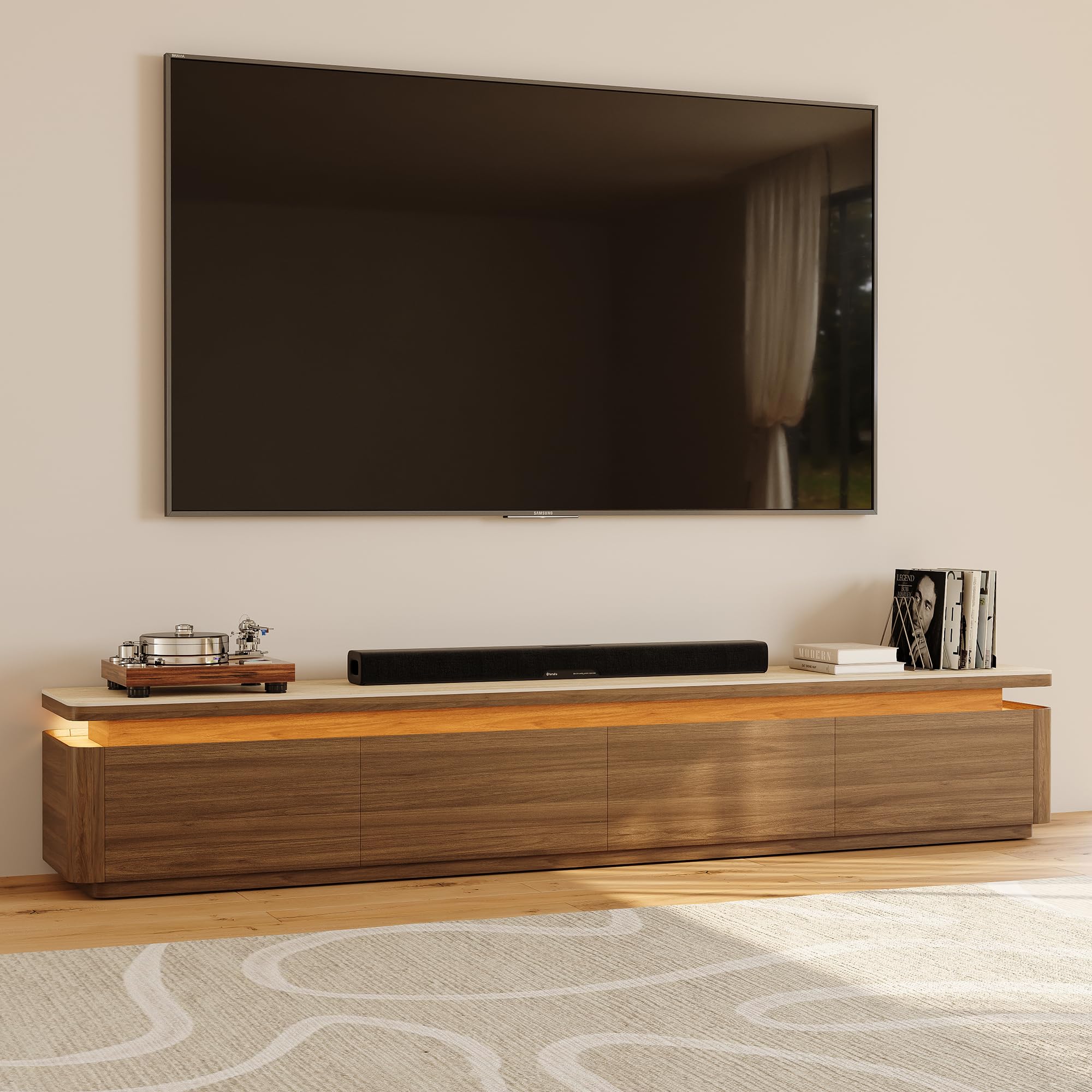
Front view of the POVISON 95" Mid-Century Modern TV Stand, showcasing its design and the space for a television.
Setup
This POVISON TV stand is delivered fully assembled, significantly simplifying the setup process. No tools or complex instructions are required for assembly.
1. Unboxing and Placement
- Carefully remove the TV stand from its packaging. Ensure you have adequate space and assistance if needed due to its size and weight (approximately 312.46 lbs).
- Place the TV stand in your desired location. Ensure the floor surface is level and stable to support the unit and your television.
- Verify that the stand is positioned to allow easy access to power outlets for the LED lights and any media devices.

The TV stand arrives fully assembled, ready for immediate placement after unboxing.
2. Connecting LED Lights
- Locate the power adapter for the integrated LED light strip.
- Plug the adapter into a standard electrical outlet.
- The LED lights are controlled by a remote control (included).
3. Cable Management
Utilize the integrated cable management system to keep your media device wires organized and out of sight.
- Route power cords and signal cables through the designated openings in the back panel of the TV stand.
- This helps maintain a clean aesthetic and prevents cable clutter.
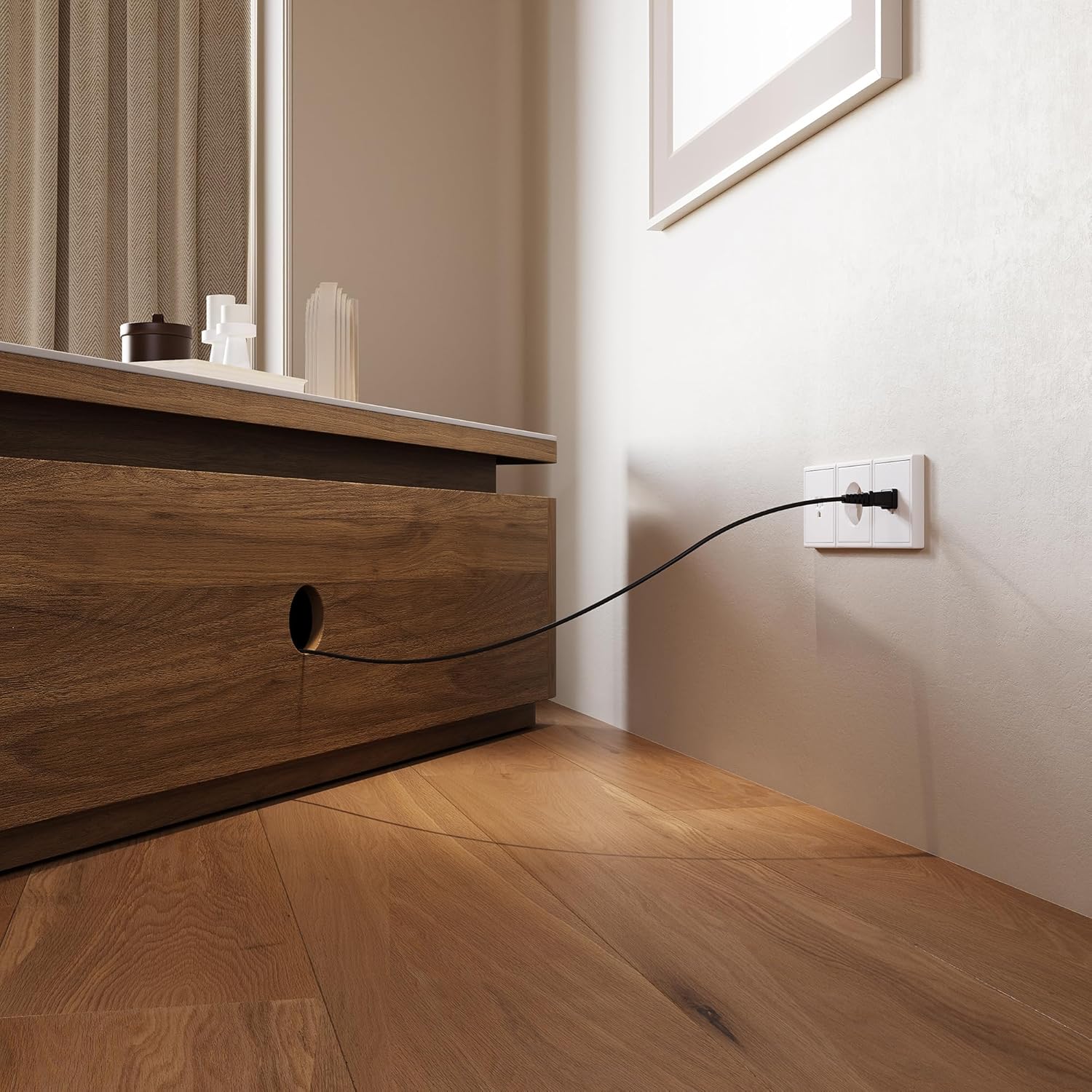
Example of cable routing through the integrated management system.
Operating Instructions
1. LED Light Operation
The TV stand features an adjustable LED light strip to enhance your viewing experience. Use the provided remote control to operate the lights.
- Power On/Off: Press the power button on the remote to turn the LED lights on or off.
- Brightness Adjustment: Use the brightness control buttons (usually '+' and '-') to cycle through 6 different brightness levels.
- Mood Settings: The remote may offer preset mood settings such as Warm Light, Day Light, and Bright Light to quickly change the ambiance.

Demonstration of different LED light modes: Warm Light, Day Light, and Bright Light.
2. Storage Compartments
The TV stand includes side drawers and a central drop-down door for organized storage of media components, remotes, and other items.
- Drawers: Gently pull the side drawers to open. Push them back in until they are fully closed.
- Drop-Down Door: The central compartment features a smooth and silent drop-down door mechanism. Gently pull the top edge of the door to open it downwards. To close, lift the door back into its original position.

View of the TV stand with storage compartments open, showing ample space for media devices and accessories.
Official product video demonstrating the features of the Mid-Century Modern TV Stand with LED Lights, including storage and cable management. This video is provided by POVISON US.
Maintenance
Proper care and maintenance will ensure the longevity and appearance of your POVISON TV stand.
1. Sintered Stone Top Care
- The sintered stone top is highly resistant to heat and scratches.
- For daily cleaning, wipe the surface with a soft, damp cloth.
- For spills or stains, use a mild, non-abrasive cleaner and wipe dry immediately. Avoid harsh chemicals or abrasive scrubbing pads.
- While resistant, avoid dragging heavy or sharp objects across the surface to prevent potential damage.

Detail of the 6mm Sintered stone top, known for its durability and ease of cleaning.
2. Wood Surface Care
- For the engineered wood surfaces, dust regularly with a soft, dry cloth.
- For deeper cleaning, use a slightly damp cloth and wipe dry immediately.
- Avoid direct sunlight and extreme temperature changes to prevent warping or fading.
- Do not use silicone-based polishes or abrasive cleaners on the wood.
Troubleshooting
If you encounter any issues with your TV stand, refer to the following common troubleshooting steps:
LED Lights Not Working
- Check Power Connection: Ensure the LED light power adapter is securely plugged into both the TV stand and a working electrical outlet.
- Remote Control Battery: Verify that the remote control has a working battery. Replace if necessary.
- Line of Sight: Ensure there is a clear line of sight between the remote control and the LED receiver on the TV stand.
Drawers/Doors Not Operating Smoothly
- Check for Obstructions: Inspect the drawer slides and door hinges for any foreign objects or debris that might be impeding movement.
- Level Surface: Ensure the TV stand is placed on a level surface. Uneven surfaces can sometimes affect the alignment and operation of drawers and doors.
General Stability Concerns
- Level Placement: Always ensure the TV stand is on a flat, level surface to prevent wobbling.
- Weight Distribution: Distribute the weight of your television and media components evenly across the top and within the storage compartments.
Specifications
| Attribute | Detail |
|---|---|
| Brand | POVISON |
| Model Number | TS8239TW240 |
| Color | Dark Wood |
| Size | 95" |
| Item Dimensions (L x W x H) | 94.49 x 15.75 x 15.95 inches |
| Item Weight | 312.46 Pounds |
| Material Type | Engineered Wood, Sintered Stone |
| Number of Drawers | 2 |
| Required Assembly | No (Fully Assembled) |

Dimensions of the TV stand and recommended TV size compatibility.
Warranty and Support
POVISON is committed to providing quality products and customer satisfaction.
- Returns: This product is eligible for a 30-day easy return policy. Please refer to the retailer's return guidelines for specific details.
- Customer Support: For any questions, concerns, or assistance with your POVISON TV stand, please contact POVISON US customer support.
- Online Resources: You can visit the official POVISON Store for additional product information and support: POVISON Store.

