
Introduction
This manual provides essential instructions for setting up, operating, and maintaining your MENDUNER Smartphone. Please read this manual thoroughly before using your device to ensure proper function and longevity.
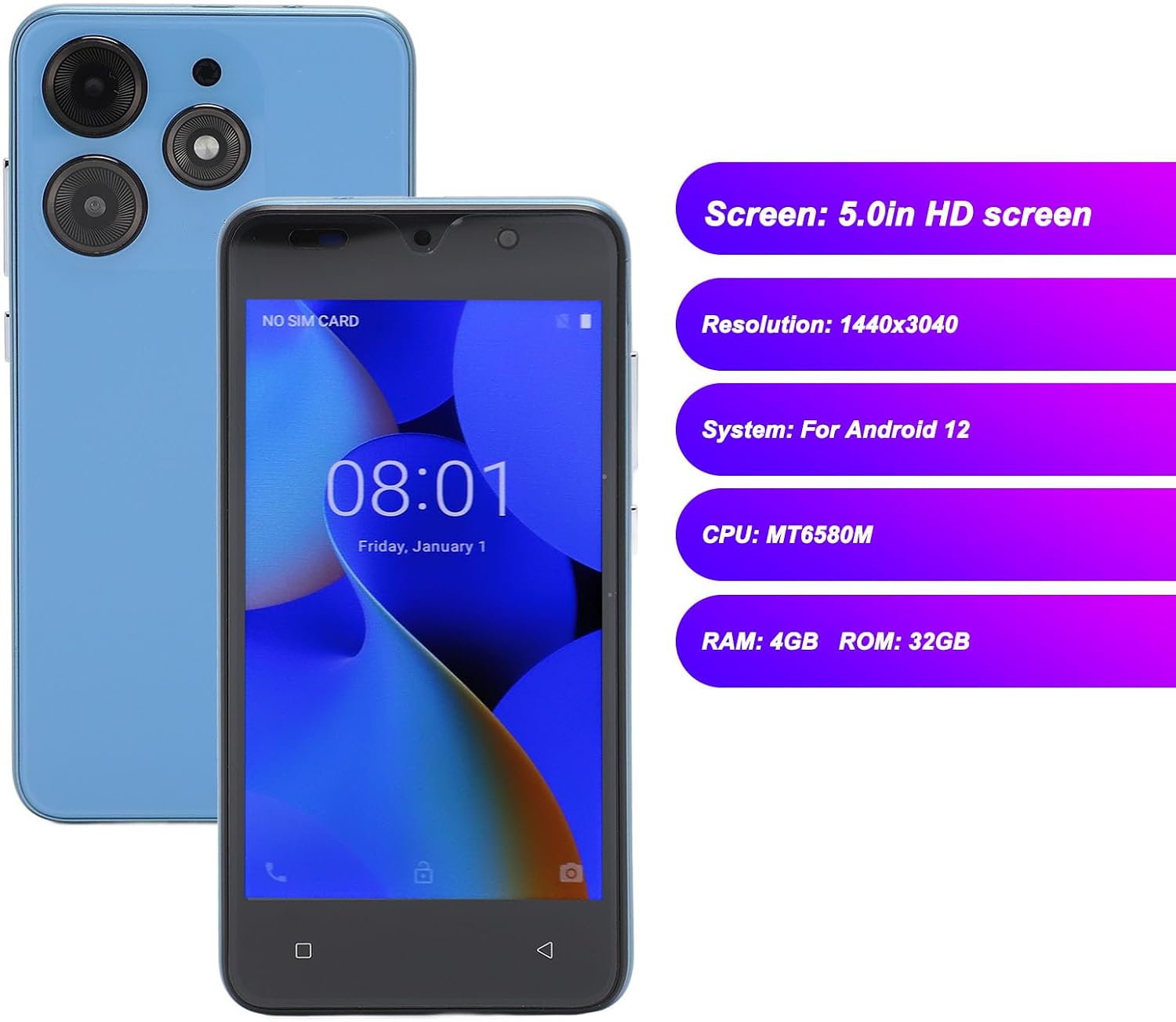
Your MENDUNER Smartphone features a 5.0-inch HD screen with a resolution of 1440x3040, 4GB RAM, 32GB ROM, dual SIM card support, and face recognition technology. It operates on the Android 12 system and is equipped with a 6800mAh battery.
Package Contents
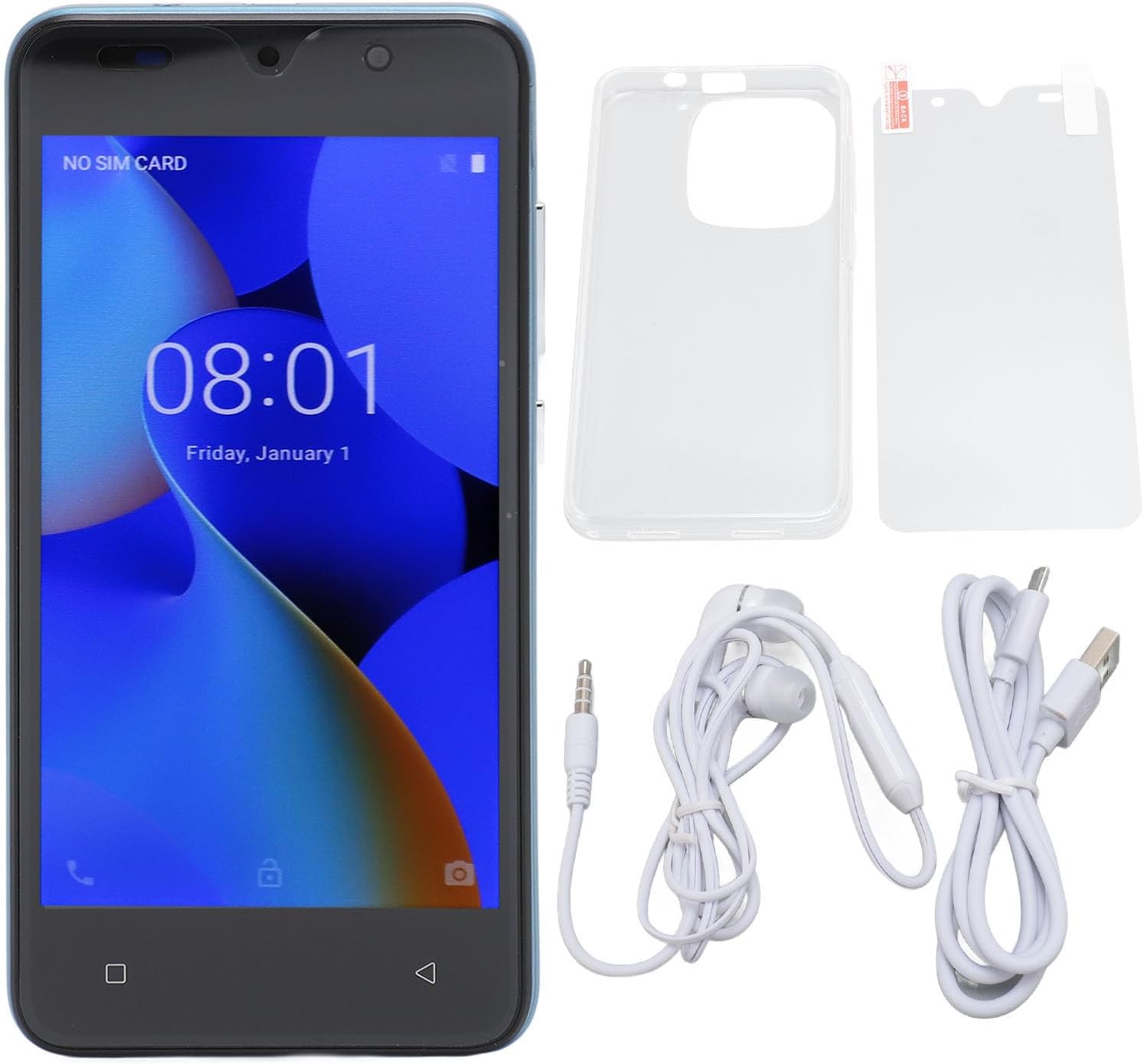
Verify that all items listed below are included in your product package:
- 1 x MENDUNER Smartphone
- 1 x Screen Protector
- 1 x Protective Case
- 1 x Data Cable (USB)
- 1 x Earphones (3.5mm jack)
- 1 x User Manual (this document)
Setup
1. Inserting SIM Cards and Memory Card
Your smartphone supports dual SIM cards and one small memory card (up to 128GB, not included).
- Locate the SIM card tray on the side of the device.
- Use the provided SIM ejector tool (if included) or a small pin to open the tray.
- Carefully place your SIM cards into the designated slots (SIM 1 and SIM 2).
- If using a memory card, insert it into the memory card slot.
- Gently push the tray back into the device until it clicks into place.
2. Initial Charging
Before first use, it is recommended to fully charge the smartphone. Connect the data cable to the phone's USB port and the other end to a power adapter (not included) or a computer's USB port. The battery capacity is 6800mAh.

Operating Instructions
1. Powering On/Off
- To Power On: Press and hold the power button located on the right side of the device until the screen lights up.
- To Power Off: Press and hold the power button on the top right until the power options appear on the screen. Select "Power Off".
2. Basic Navigation
The MENDUNER Smartphone features a 5.0-inch HD screen with a resolution of 1440x3040. Navigate the interface using touch gestures.


3. Face Recognition
Your device supports face recognition for secure unlocking. To set up:
- Go to Settings > Security & Privacy > Face Unlock.
- Follow the on-screen prompts to register your face.
- Ensure good lighting and hold the phone at eye level during registration.

4. Camera Usage
The smartphone is equipped with an 8MP front camera (f/2.0 aperture) and an 8MP rear camera (f/1.8 aperture) with autofocus.
- Open the Camera application from your home screen or app drawer.
- Tap the shutter button to take a photo.
- Switch between front and rear cameras using the camera toggle icon.

5. Connectivity
The device supports WIFI, Bluetooth, FM Radio, and GPS functionalities.
- WIFI: Access Settings > Network & Internet > Wi-Fi to connect to available networks.
- Bluetooth: Access Settings > Connected devices > Bluetooth to pair with other Bluetooth devices.
- GPS: Location services can be enabled via Settings > Location for navigation and location-based apps.
- FM Radio: Use the pre-installed FM Radio app. Earphones may be required as an antenna.
Maintenance
- Cleaning: Use a soft, lint-free cloth to clean the screen and body of the phone. Avoid harsh chemicals.
- Software Updates: Regularly check for system updates via Settings > System > System update to ensure optimal performance and security.
- Battery Care: Avoid extreme temperatures. Do not let the battery fully discharge frequently.
- Storage Management: Periodically clear unnecessary files and apps to maintain 32GB ROM performance. Consider using a memory card for additional storage.
Troubleshooting
| Problem | Solution |
|---|---|
| Device does not power on. | Ensure the battery is charged. Connect to a charger for at least 30 minutes, then try powering on again. |
| Screen is unresponsive. | Perform a forced restart by holding the power button for about 10-15 seconds. If the issue persists, contact support. |
| Cannot connect to Wi-Fi. | Check if Wi-Fi is enabled in settings. Restart your router and the phone. Ensure you have the correct password. |
| Face recognition fails. | Ensure you are in a well-lit environment. Re-register your face in Settings > Security & Privacy. |
| Poor battery life. | Reduce screen brightness, close background apps, disable unnecessary features like GPS or Bluetooth when not in use. Check battery usage in settings to identify power-hungry apps. |
Specifications
| Feature | Detail |
|---|---|
| Model Name | MENDUNER64ycd3elpm-13 |
| Display | 5.0-inch HD Screen, 1440 x 3040 Resolution |
| Operating System | Android 12 |
| Processor | MT6580M, 1.3 GHz CPU Speed |
| RAM | 4 GB |
| Internal Storage (ROM) | 32 GB |
| Expandable Storage | Supports up to 128GB MicroSD card (not included) |
| SIM Card Slots | Dual SIM (GSM: 850/900/1800/1900MHz, WCDMA: 850/2100MHz) |
| Front Camera | 8 MP, f/2.0 aperture, fixed focal length |
| Rear Camera | 8 MP, f/1.8 aperture, autofocus |
| Battery Capacity | 6800 mAh Lithium-ion |
| Connectivity | Wi-Fi, Bluetooth, FM Radio, GPS |
| Biometric Security | Face Recognition |
| Ports | 1 x USB, 1 x 3.5mm Audio Jack |
| Country of Origin | China |


Warranty and Support
Warranty Information
This MENDUNER Smartphone comes with a 2-year manufacturer warranty. Please retain your proof of purchase for warranty claims. The warranty covers manufacturing defects and malfunctions under normal use conditions.
Customer Support
For technical assistance, troubleshooting beyond this manual, or warranty inquiries, please contact MENDUNER customer support. Refer to the contact information provided on the product packaging or the official MENDUNER website.